
Linux for the Long Haul
Five years ago, I made one of the greatest life-changing decisions in my career—I switched my organization to the GNU/Linux operating system and supporting applications. It's not uncommon to read about businesses, schools and other organizations making this switch; however, what happens afterward? How do users adjust, and what about this total cost of ownership (TCO) we always hear of? Is Linux really ready for the desktop? Was it worth it to make the switch?
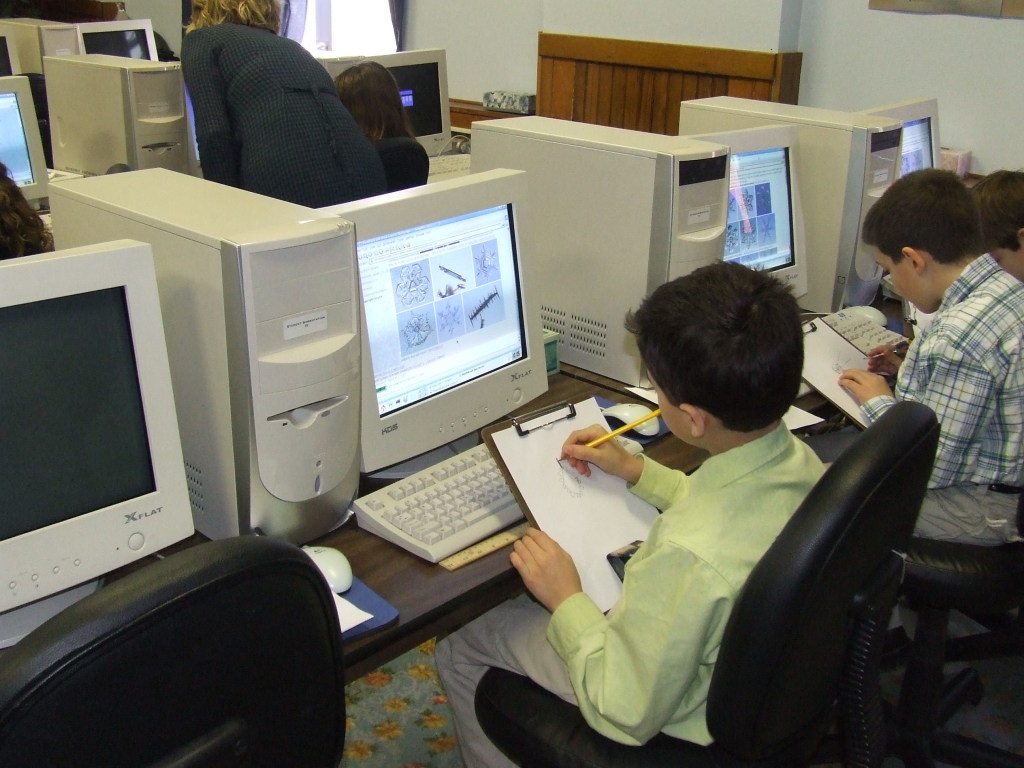
Figure 1. Our third-grade students have no trouble using Linux as part of their lessons.
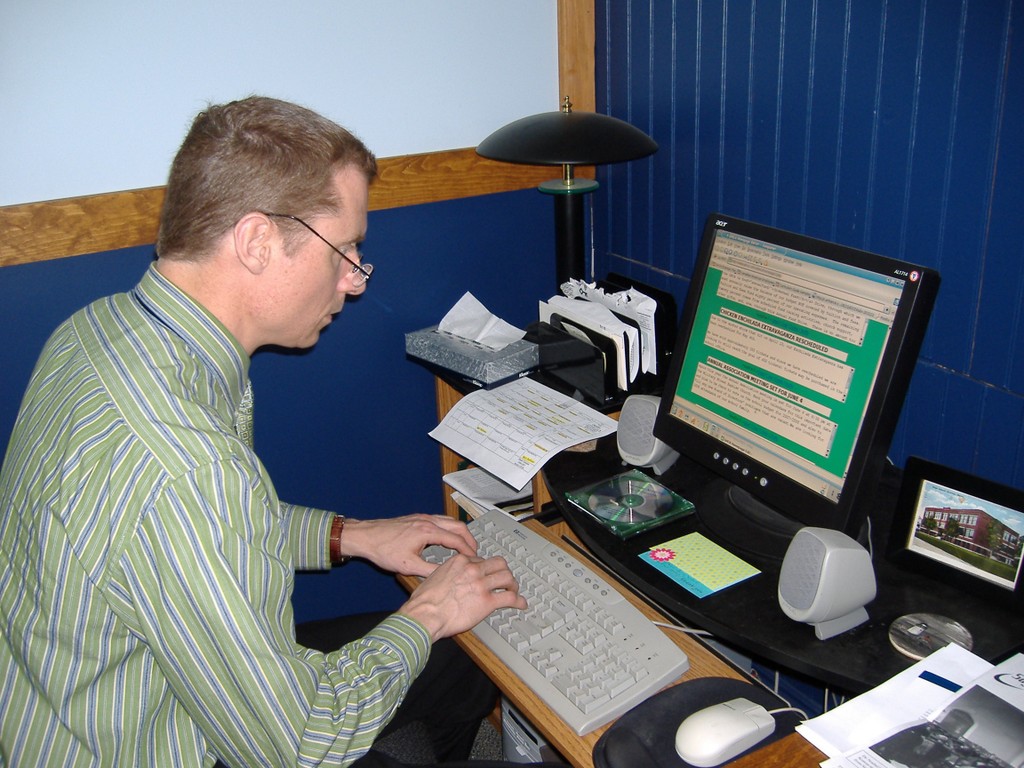
Figure 2. Even our boss, headmaster Mark Jago, uses Linux for his daily work.
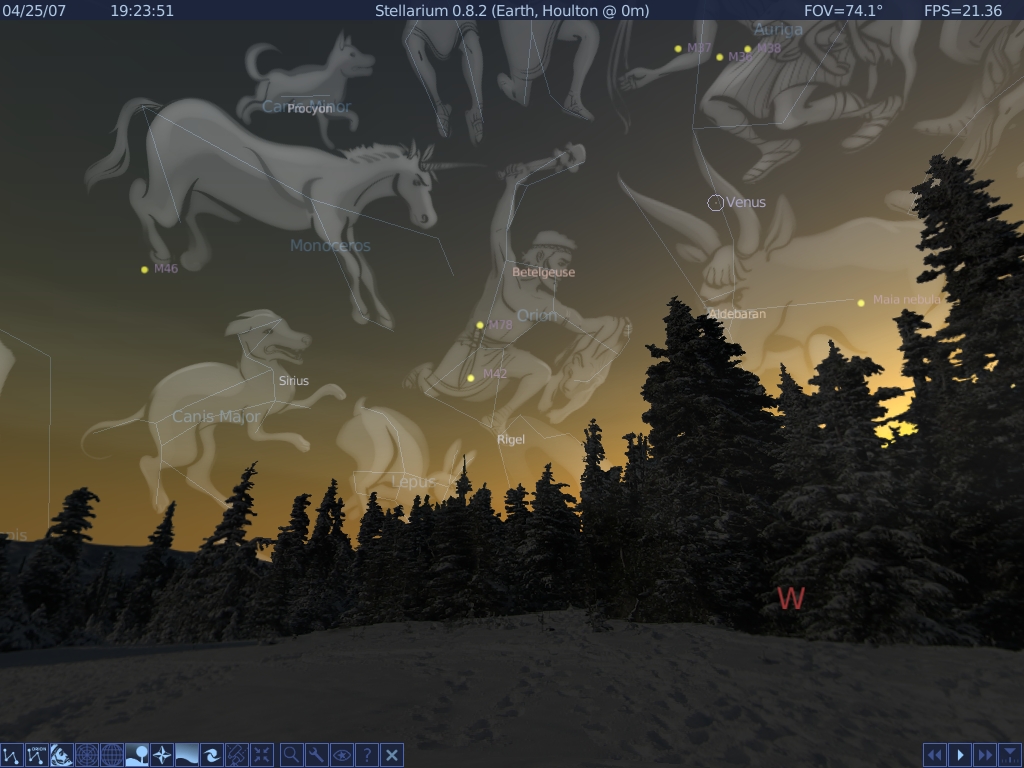
Figure 3. Stellarium is an example of the quality programs available in open source.
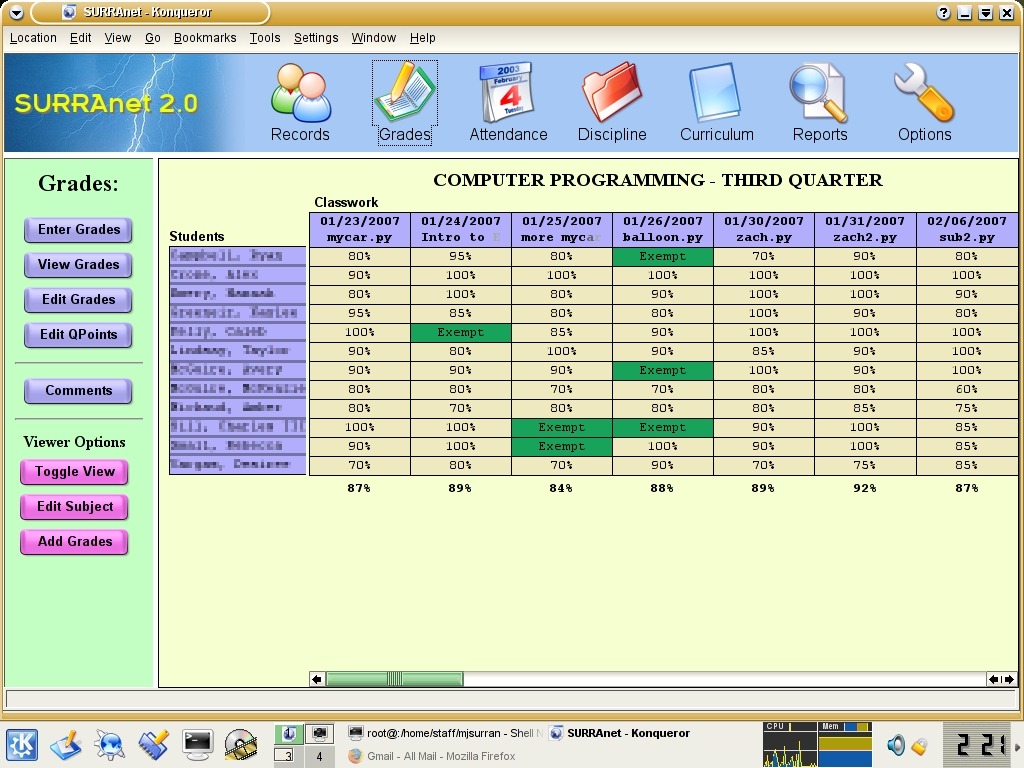
Figure 4. When I couldn't find an open-source program that met our needs, I wrote my own.
In 2002, Greater Houlton Christian Academy (GHCH) adopted Linux; you can read the details as to why and how in the February 2003 issue of Linux Journal. It's not an exaggeration when I describe this as a life-changing decision, not just for me, but for the school as well. I used to be a die-hard, Microsoft fanboy; now I use open-source software almost exclusively. Our school, which once had a mish-mash of dilapidated, old, donated computers that barely worked, now is recognized as being a leader in our region because of our computer technology—all of this from that fateful decision back in 2002.
Five years after the article was published, I find myself reflective, pondering where we've been and wondering what the future holds. Did I make the right decision? Would I do it again? There's much to consider in order to answer all these questions. Because that decision initially was based on financial need, let's first look at TCO.
Sometime after we adopted Linux, Redmond released a study claiming that the TCO for Linux actually was higher than for Microsoft Windows—even though Linux can be obtained for free. Microsoft has been pushing this idea ever since with its “Get the Facts” campaign. Had such a study existed in 2002, I might have wavered on making the switch. After all, price was the driving factor for us to use Linux in the first place. In some ways, that initial decision was a desperate decision. Since then, I've had time to consider TCO. So, was Redmond right?
The initial switch saved us money, because it allowed us to put what funding we had directly into hardware while avoiding the Microsoft tax (pre-installed Windows on computers). In fact, we could not have upgraded our computers if we had to purchase proprietary software as well. That's not to say there aren't some hidden costs in having the IT staff install software on bare-bones hardware, but for us, the savings far outweighed any extra labor costs. What is more important, however, is how using Linux and open-source applications continues to save us money today.
But, before discussing this continued savings, I need to stress that software evolves. Applications improve, bugs and security holes are patched (hopefully), and new technologies emerge. With proprietary software, it can be years between major releases, and upgrading to that new release costs money. With open source, applications are improved all the time. After making the initial switch to Linux, one needs to consider how to keep up with the latest patches, upgrades and releases.
Being a tweaker who loves to squeeze every bit of efficiency from my computers, I was attracted to a distribution called Gentoo. Not only did it allow me to optimize Linux and thousands of applications for our computers, but also I found the package management system far superior to other distributions I had played with. It also forced me to learn the under-the-hood details about the Linux kernel, the GNU programs and many other OS management techniques that have helped me as a Linux administrator.
Now, pay close attention, not only has Linux dramatically increased in usability and features during the last five years, but on the same hardware, it also has increased in speed. In other words, an upgrade really feels like an upgrade! In retrospect, try this with Windows. Our current base of computer hardware, which was modern in 2002, would not even run Vista, let alone run it faster than XP. However, our latest Linux upgrade is noticeably faster than the Linux we ran a few years back. In fact, our 2002 computers that average 256MB of RAM feel faster and more responsive than today's typical computers running Windows XP or Vista, and we have the latest in open-source software installed.
So, let's finish our TCO analysis. Not only did switching to Linux save us money in the initial switch, but also, every time I perform a system upgrade by typing emerge -vauKD world (it's that easy), we're saving money. We don't have to pay a company for every upgrade of every application for every seat. More important, I'm not forced to throw away good hardware and purchase new equipment in order to implement my software upgrade cycle. If we were running a “Microsoft shop”, I'd have to retire almost every computer in our school and purchase all new equipment in order to upgrade to Vista. Now that's an expensive upgrade.
Although money is a big deal to a private school, there obviously is more to consider when switching an organization to a different operating system. A major consideration of mine was the “free as in freedom” roots of the Free Software movement. As the school's system administrator and the guy who has to make it all work, I have enjoyed this freedom during the past five years. I've taken advantage of being able to access and modify the source code. Many of my administrative duties have been simplified by customizing Linux for our school setting. Whether it is writing my own bootscripts or even creating my own software, I've been able to tailor our computer network in ways that I just could not easily or even legally do with proprietary software.
There also is a freedom from worry. I don't need to concern myself with Windows Genuine Advantage, product activation and per-seat licensing. With Linux, you don't need to worry about how many processors your servers use or how many cores your next desktop computers will have. You don't need to consider special license restrictions for virtualization. You don't have to endure audits from the Business Software Alliance. As our band teacher loves to say, “No worries!”
Freedom extends outside the four walls of our school as well. For example, although OpenOffice.org can read and write Microsoft Word documents, the real advantage is that I can provide a copy of this software freely to any teacher or student, especially if that person can't afford to buy Microsoft Office. Anything we do in the classroom, students can do at home using their own copy of the free software we use. This gives us a tremendous advantage as an educational institution.
There's something else I consider when thinking about freedom—the freedom to access my data. I personally don't mind the existence of proprietary software in the world, but I strongly oppose proprietary standards and protocols that lock users from their own data. I want our documents, whether they be school records or a student's homework, to be accessible via an open and well-documented format. A recent experience in trying to access my own data stuck in a locked, proprietary format has made me appreciate all the more the true strength of open software and standards—freedom!
Five years is a long time to consider the wisdom of a decision. As the school's system administrator, I shoulder the burden of maintaining our computers, our network and our servers. What has it been like administering Linux since the switch? I'll be honest. There have been times when I've spent days trying to get something working right in Linux. However, I still use Windows enough to know that administering a Windows network isn't all cake and ice cream either. My experience with Linux is that once a setup is working, it stays working. Sometimes the initial setup takes longer, but once everything is configured right, it just works and works well. With distributions like Ubuntu, even that initial setup is becoming easier.
Now, let's talk about the users of our Linux desktops. I'm a teacher as well, so I have to use Linux in the same way our teachers and students use it. That said, I'm a geek, and sometimes we geeks need to see the world through the eyes of a typical user. Personally, I love using Linux! I'm using it right now to type this article, and never do I think, “Oh, how I miss Microsoft Word.” Never!
In fact, it's when I'm in a Windows environment that I find myself missing this feature or that feature. This is why the argument that says Linux is playing catchup with Windows is so flawed. Sure, Linux uses a mouse and icons and menus exactly like Windows does, but what else would we use? Is a hybrid car not innovative just because it uses a steering wheel like every other car? I say, “hogwash!” Many features found in open-source software are innovative, many of which only recently, if at all, have found their way into Windows. For example, I love my multiple desktops, and my productivity suffers without them. I love tabbed browsing and have used it for years. I love KDE, but even more important, I love how the desktop environment is not welded to the operating system. Users can chose KDE or GNOME or IceWM or have no GUI at all (great for servers and robots). I love, love, love the power of the Bourne-Again shell (Bash). I could spend the entire article sharing wonderful features that are unique to Linux. However, let's get back on track.
My experience has been that average adult computer users don't understand or even care about the power of multiple desktops, scriptable shells and so forth. For them, using a computer is a means to an end. They have a job to do, and the less the computer gets in the way, the better. The challenge comes when adults are faced with the unfamiliar. I stress adults here, because working with children and teenagers has been a totally different experience. Second-graders come into the lab and, with ease, use Linux to perform any task they would in Windows or Mac OS X. Teenagers line up and ask me to burn them Linux CDs for their home computers. However, most of you reading this probably deal with adults, and we adults are often old dogs.
They say that you can't teach an old dog new tricks. I don't agree with that, but sometimes old dogs do growl and fuss and even bite when forced to learn those new tricks. This can be especially true if the users aren't very computer-savvy to begin with. This means they are relying on icons, menus and options being at specific places and doing specific things. For this reason, many open-source programs try to replicate the feel of software with which the majority of adults are familiar. This is understandable, and it makes the transition easier than you might think. Although I had a few instances of resistance when we first switched to open-source software, most of the staff adapted quite well. Training is needed, but that mechanism already should be in place, regardless of what software an organization uses. Software and user interfaces change over time, and users find themselves adapting, regardless of whether the switch is to Linux or the latest version of Windows. Although adults often resist change, they can change. Actually, after a little time, they become comfortable with the change and may even be glad for the change. I know many average computer users who now sing the praises of OpenOffice.org Writer, for example.
It has probably become apparent that during these last five years, I've become an advocate for Linux and open-source software in general. However, it would be dishonest of me to sing praises only without revealing the pitfalls I've encountered over the years.
As the system administrator, a real thorn in my side has been hardware compatibility. I've had little problem installing Linux on a variety of computers, but peripherals such as printers, scanners and Webcams can be a serious pain in the neck. Too many hours have been wasted trying to get unsupported hardware to work. However, the lesson here is to buy only from vendors who support Linux with drivers and/or detailed specifications. As more organizations adopt Linux, vendors either will have to support Linux or lose their business to those who do.
Something I find as irritating as the giant Maine mosquito is the use of proprietary protocols, standards and codecs that exclude Linux users from certain parts of the Internet. The Internet was built on open protocols, and it probably wouldn't exist in any meaningful way today if it had been locked up with proprietary standards owned by individual companies. Yet, there still are Web sites and services using closed protocols. It is highly frustrating when we cannot access on-line content because we don't have a proprietary plugin, such as ActiveX or Adobe Shockwave. For example, our school wants to use an on-line education tool to enhance our curriculum, but the company that offers this tool relies on Shockwave. So we are “locked out” because of this one missing piece.
Finally, a lack of key commercial software is a real issue. Some good people in the Free Software community don't want commercial software on Linux, but I have to be more pragmatic. When there is a fine open-source alternative to a key commercial product (such as with OpenOffice.org and Microsoft Office), I am happy to use it. Unfortunately, not all proprietary software has a good open-source equivalent. Until there is, the solution isn't eloquent. GHCA has a single Windows machine in our office for the sole purpose of running Intuit's QuickBooks. I suppose we could use Wine, but that brings its own headaches.
Despite these pitfalls, I have no regrets. Let's look at those big questions again. Is Linux ready for the desktop? Yes. Our teachers and students have been using Linux on the desktop successfully for the last five years. What about TCO? Every organization is unique, but Linux has saved us many thousands of dollars, and we're a small school! Have users adjusted? Absolutely. Was it worth the switch? There is no doubt in my mind. That's not to say there haven't been bumps in the road, but to quote Robert Frost, “I took the [road] less traveled by, and that has made all the difference.” I look forward to where this road we call Linux will lead us in the future.
Resources
Linux from Kindergarten to High School: www.linuxjournal.com/article/6349
Making the Switch to Open Source Software: www.thejournal.com/articles/16448
Harnessing the Power of Open Source Software: video.google.com/videoplay?docid=7860580137648446279
SchoolForge: www.schoolforge.net
GHCA's Computer Lab: www.ghca.com/computers
Michael Surran is the head of GHCA's Computer Science department. He is responsible for building and maintaining GHCA's Linux network, and he teaches Computer Programming, Computer Technology, Research and Presentation, and the CS electives. Surran promotes open source in education both locally and regionally through newscasts and seminars.

