
The Arrival of NX, Part 3
This is the third in a seven-part series written by FreeNX Development Team member Kurt Pfeifle about his involvement with NX technology. Along the way, he gives some basic insight into the inner workings of NX and FreeNX while outlining its future roadmap. Much of what Kurt describes here can be reproduced and verified with one or two recent Knoppix CDs, version 3.6 or later. A working FreeNX Server setup and the NoMachine NX Client has been included in Knoppix now for over a year. For reference, you may want to go back to Part 1, "How I Came to Know NX", and Part 2, "How X Works".
Here are a few tests you can run with NX. Try to use the built-in GSM modem of your mobile phone to connect to a network. I don't go into the technical details here of how to do this on Linux. ssh into any networked Linux or UNIX computer to which you have access. Start Mozilla--you could execute ssh -X -C username@remotehost mozilla to do this. Wait. Wait some more. Wait even more. Go brew a cup of coffee. Enjoy. Go back to your display. Six minutes have passed. Wait a bit longer. After seven minutes and six seconds, the Mozilla start-up page and user interface is completed and displayed in its full glory. Would you want anyone to use such a link to work with remote applications displayed locally? Not if you are sane. After all, GSM modems give you only 9,600 bits/second link speed.
Now, try the same connection through an NX-powered GSM-modem link. I used the free-as-in-beer NX Client from the commercial NoMachine software offering to test this. Start Mozilla again. This time, however, don't go away--Mozilla is up and running after a much shorter time span. Ah, you forgot to measure it? Well, do it again. This second time, it takes only a 20-second delay for Mozilla to be ready. You still are using the same physical 9,600 bits/sec GSM-modem link, but this time you used NX-over-GSM instead of X-over-GSM. You even might do some work with it now. Yes, it's still slow, but it is usable. It certainly feels faster than many TightVNC connections I have seen used in real life. And quite a number of people use TightVNC for their daily work. I wouldn't recommend using VNC on a daily basis, but after seeing people work with it, I'd dare to say, "NX is even usable over a GSM modem link with 9.6 kBits/sec". However, for real work, I'd recommend at least a guaranteed 40 kBits/sec link. That suffices for NX to work quite well. More about that later.
You already know which technologies NX combines to turbo-load its incredible performance:
compress what normally would be X traffic
cache data transferred between server and client
reduce all X request<-->X response roundtrips between an X client and X server
Let's look at each of these mechanisms in further detail.
So, how important is NX compression to overall performance? Is it better than ZLIB?
Here's a challenge. Try to verify what I say:
Use a "slow" remote link, such as a dial-up modem. Or, simulate a slow link with one of these traffic-shaping tools, trickle, tc or tcng.
First, run a remote NX session with NX's own compression disabled. Instead, enable SSH's built-in ZLIB-based compression. You can learn how to do this from the NX documentation and xscripts provided with the source code packages. This way you can enjoy the full merits of NX's roundtrip suppression technique while separating out NX's own built-in compression to use generic ZLIB compression instead. The connection still feels slow and sluggish, because the SSH compression is not yet good enough. You also simply can disable all compression in the NoMachine NX client by drawing the slider from the Modem to the LAN position and re-running the test. The LAN setting disables all NX compression. So, this setup still uses caching and roundtrip suppression, but foregoes all compression.
Last, run a full-fledged NX session. Use the Modem compression slider setting, thereby accepting some lossy JPEG compression for your desktop background wallpaper. NX then uses its own uniq compression algorithm. The difference is immediately felt. It is faster than anything you've ever seen in "Remote-X-Land."
Because NX, via nxproxy, is a specialized compressor--optimized to condense X protocol traffic--it can do a better job than can generic compression algorithms. As a rough figure, NX uses 10% of CPU consumption compared to ZLIB compression, for X protocol network traffic, while achieving a compression that's superior by a factor of 10.
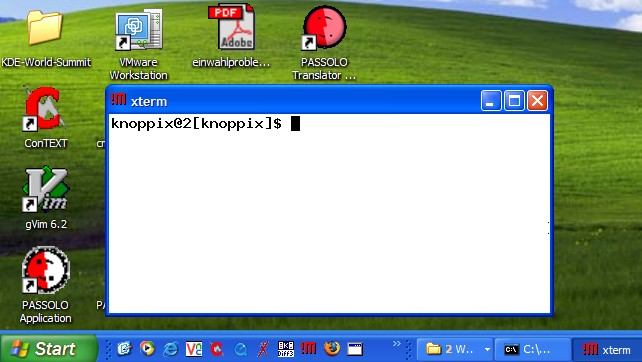
Figure 1. A remote xterm, actually running elsewhere on a Knoppix box, is visible on a Windows XP Professional workstation. The connection is made using NX.
You can run NX with different compression levels; a higher compression setting consumes more CPU. Therefore, the highest compression setting may not work well on old hardware. With an i486 or Pentium I or II processor, the compression computation may eat too many CPU cycles, making the processor an even bigger bottleneck than a slow TCP/IP link. But on a Pentium III, NX can give you up to 70-fold overall efficiency boosts for typical desktop remote sessions, as compared to plain vanilla remote X. A typical session for me consists of doing office productivity tasks on KDE: mail, word processing, Internet browsing. For ways to verify this, see below.
Hand in hand with NX compression is NX caching. NX's caching design is, in my opinion, an innovative piece of engineering artwork. Given how well it works, I wonder why so few open-source luminaries have taken notice of it yet. So what's the deal with NX's overall efficiency?
"Obviously, caching in and of itself is nothing new. But the way NX identifies 'deltas' is quite original. It also requires a lot of state information about the X protocol." This is how Gian Filippo Pinzari tried to explain NX caching to me in our e-mail interview.
I had to reply, "Sorry, I didn't get that completely. Could you elaborate a bit here?"
Pinzari replied, ""If NX would only look at the X message bit by bit, the way most other caching algorithms do, it would hardly be able to cache many of them. In 99.99% of the cases, X messages are bitwise different."
"So what are you doing in NX?", I asked.
He said:
NX splits the message into two parts, an identity and a data part. The identity is likely to be different. This is transferred as delta. The data part can be easily matched with the data part of a previous message of the same type. This part is simply transmitted as a reference. A reference is much smaller. It lets the remote peer on the other side of the link take the matching data part from its local cache.
"Ah, I see", I replied. "But didn't I read something like this in the documentation of DXPC? Didn't the Differential X Protocol Compressor (DXPC) already use this idea?"
"Yes", Pinzari answered, "the idea of sending X updates using per-message differential algorithms was already present in the old DXPC. But the idea of splitting X messages into a 'fingerprint' and a 'data' part and caching the data part as a whole is completely new. As far as I know, it is not present in any of the compression algorithms I am aware of. This is what achieves the tremendous compression boost of NX."
Caching of data, especially pixmaps, creates a welcome effect: your NX session gets faster over time. Initially, a session may feel a bit slow. But the longer it lasts, the higher the chance that elements transmitted previously can be re-used. It works particularly well with icons, fonts and small widget elements, such as buttons, sliders and menu bars, common to many program interfaces.
My next question was, "What kind of hit ratios do you achieve with your method, as compared to the 99,99% 'miss' when doing bit-wise comparisons of complete X messages?"
Pinzari answered:
Over the years, we fine-tuned our methods by applying a modified encoding to each of the nearly 160 X message opcodes. We now are in the range of 60% to 80% cache hits for the overall sample of X messages that go across the wire. For some messages, like graphic requests, images, fonts, icons and other requests used in common office automation desktop applications, cache hits can reach 100%, allowing NX to achieve effective compression ratios in the order of 1000:1.
"Aren't all these calculations and computations very time-consuming and CPU-intensive?" I asked.
"Actually, no", Pinzari replied. "We have a much much better overall compression than generic ZLIB, while burning much fewer CPU cycles than ZLIB."
"So this general idea is only applicable to X message exchange?" I asked.
"No! It is well worth noting that it could be applied to many other protocols. In fact, I plan to apply it to HTTP in the future."
The technology of the NX/X Protocol Compression is documented for public and peer-to-peer review on the NoMachine Web site. It is not patent-encumbered. It is free software. It is GPL. So, open-source developers, go use it!
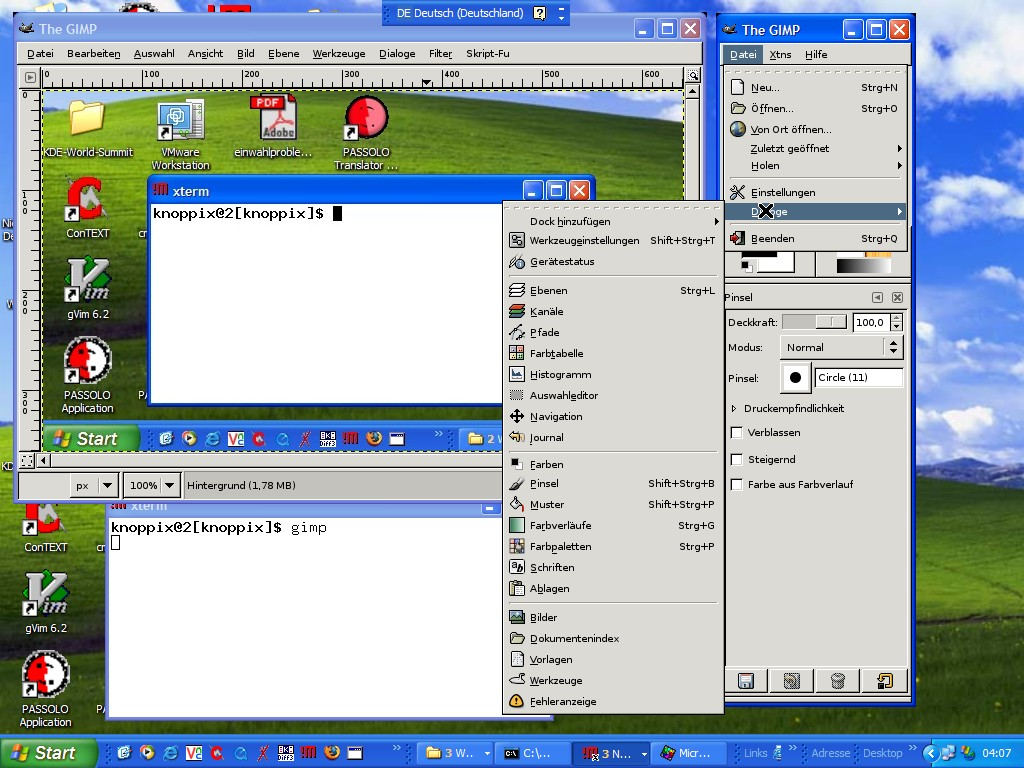
Figure 2. The remote xterm has been used here to launch a remote instance of The GIMP. This is one way Windows users easily and inexpensively can access applications running on other platforms, such as GNU/Linux. In this case, Windows Server CALs as well as Photoshop licenses are rendered redundant.
Before, we asked, "How important is round-trip elimination?" Now that you understand the basics of how X works across the network, the importance of being intolerant towards unnecessary roundtrips is obvious to you. You now should be aware of how much the latency of any link, especially a slow one, weighs in to make a remote connection feel slower with every additional roundtrip that takes place. Every roundtrip saved is a little boost for GUI responsiveness.
Remember the experiment described above, the one running Mozilla across a 9,600 baud link? With plain old X, there was a seven-minute waiting period for the system to finish drawing the window with the start-up page. That's because Mozilla 1.1 needs nearly 6,000 roundtrips to conclude its startup.
With NX, the start-up time is down to 20 seconds, which is a ratio of 21:1. The real speed boost in this case comes from the fact that the roundtrips for Mozilla's start-up were reduced to under one dozen by NX.
NX is aware of the type of traffic it transports in each connection and in each package. NX compresses the streams with different algorithms, depending on the transported protocol. It also "arbitrates" bandwidth so that interactive traffic gets higher priority. This is especially advantageous for X11, which inherently is affected by high network latency conditions. If a large image of, say, 128KB needs to be transferred, then over a slow link this could take more than 30 seconds. Normally, for this whole 30-second period the user interface would be blocked and unresponsive until the download completes.
But that's not the case with NX. NX does not stream the 128KB image in one piece, but in different smaller chunks. The space between parts is used for the transfer of any queued X messages that are needed to keep the GUI in an interactive state. Thus, the delay perceived by the user is reduced greatly.
Part 4 of this series will describe in more detail the various components of NX and how they work for the different session types supported--UNIX/X11, Windows/RDP and all/VNC.
To learn more about FreeNX and witness a real-life workflow demonstration of a case of remote document creation, printing and publishing, visit the Linuxprinting.org booth (#2043) at the LinuxWorld Conference & Expo in San Francisco, August 8-11, 2005. I will be there along with other members of collaborating projects.
Kurt Pfeifle is a system specialist and the technical lead of the Consulting and Training Network Printing group for Danka Deutschland GmbH, in Stuttgart, Germany. Kurt is known across the Open Source and Free Software communities of the world as a passionate CUPS evangelist; his interest in CUPS dates back to its first beta release in June 1999. He is the author of the KDEPrint Handbook and contributes to the KDEPrint Web site. Kurt also handles an array of matters for Linuxprinting.org and wrote most of the printing documentation for the Samba Project.
