
New Projects - Fresh from the Labs
This month, I'm covering projects I've wanted to showcase but have held off on due to space constraints. CountBeats is a cracker of a little application—it's simple, yet it covers such a need for so many musicians, so I'm proud to give it top billing here. To quote the README file:
This is a simple little program designed to help you determine the speed of a piece of music on the radio or on a CD.
To use it, just invoke the program from the command line. You'll be presented with a screen describing the program, a time-bar, and a few buttons. Most should be self-explanatory. Just start tapping the spacebar in time to the music...the tempo bar will update and show how many beats per second are being played.
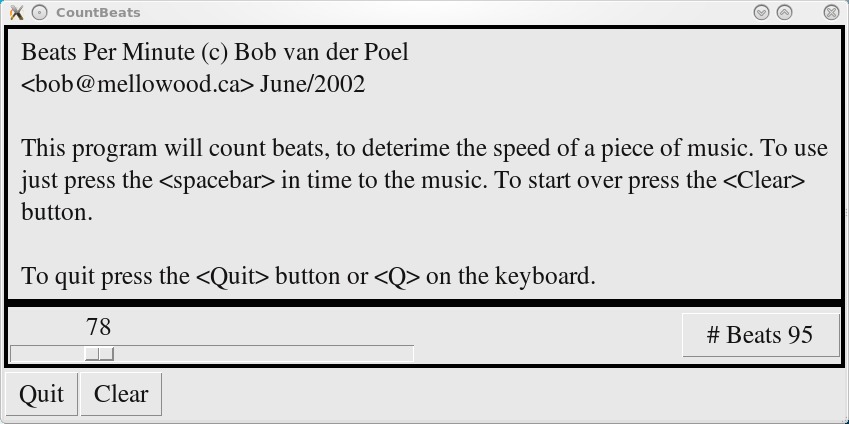
CountBeats is an ingenious little program for determining the tempo of a song by simply tapping away on the keyboard in time to the music.
Installation
First, there is a library you probably won't have installed: Tkinter. This was under the package name python-tk on my system, but it's worth looking in your local package manager for yours. The only other requirement seems to be a working version of Python 2.x onward.
Otherwise, installing this thing is a walk in the park. Simply download the 1K (!) tarball from the Web site, extract it, and open a terminal in the new folder. From here, run CountBeats simply by entering:
$ ./countbeats
Usage
The README file did a pretty good job of explaining how it all works, but I can expand on it a little further. As soon as you have a song for which you want to find the BPM rate, start the program and press the spacebar in time with the music. The more times you do this, the more accurate the rating will be, so stick with it for a good minute or two. If you want to clear away previous readings and start again (perhaps when another song comes on), click Clear at the bottom-left corner.
Given the cumbersome nature of a spacebar, it's generally best if you track a song's quarter notes, as eighths or sixteenths may track a bit inaccurately. If you know your way around Python syntax (which I don't), you may want to change the key to something like Ctrl for faster music.
That small niggle aside, this is an invaluable tool for musicians. Many times I've been working on a project and forgotten to note what tempo a song was in, making tracking a nightmare at times. DJ-remixing types probably will use this most of all, as they can use it to gauge the speed of whatever songs they're piecing together and work out which samples will be compatible with each other. All in all, this is a brilliant tool that is simple to use and install, and it probably takes the prize for smallest file size of any project I've covered!
If you like minimalism and are chasing a tuning reference for your acoustic guitar, this may well be the project for you. I especially meant that minimalism part—the only info I could find on the project's Freshmeat entry was the following: “wxGuitar is a useful application that will easily help the novice guitarist to faster (and better) tune the guitar.” And, that's pretty much it—that's all the information I can find anywhere on the Net. But, maybe I can illuminate things a little here.
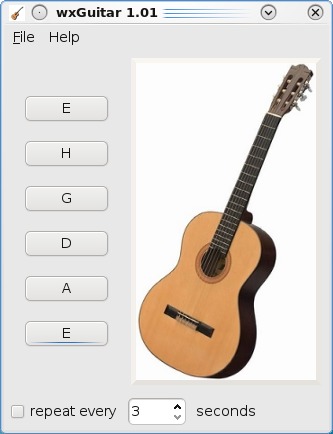
wxGuitar is a very simple reference tool for tuning an acoustic guitar by ear. But an H string? An amusing typo!
Installation
I couldn't find an actual home page for wxGuitar, so you have to make do with the files provided on the (brief) Freshmeat page. Source is provided, along with Debian and Gentoo packages. As far as libraries go, the INSTALL file says you'll need wxWidgets >= 2.8.10 (I had to install libwxbase2.8-dev), along with alsa-utils, including aplay. If you're running with the source, once you have the needed libraries, grab the latest tarball, extract it, and open a terminal in the new folder. Enter the following commands to compile wxGuitar:
$ ./configure
$ make
If your distro supports sudo:
$ sudo make install
If not:
$ su
# make install
Once wxGuitar is installed, you may have it in your system's menu, or you can run it with the command:
$ wxGuitar
Usage
When you're inside the main screen, I think you'll find it rather straightforward. wxGuitar is very basic. Turn your speakers on and press any of the buttons on the left to play the corresponding note. The notes start from the highest note E string and go down to the lowest note E string. The second button is curiously marked H, but unless there's some kind of unique Eastern European scale I don't know about, logic dictates that should be a B string.
Press the button on the left for each string's note, and play the corresponding string on your own guitar as you fine-tune it. If you look on the bottom-left corner, there's a repeat option that will be set to every three seconds by default, which can be made longer or shorter if you so desire.
That's pretty much all there is to it. wxGuitar may not be complex (and if you're looking for a sophisticated tuning recognition program, you should look elsewhere), but if you want a minimalist program to tune by ear, this is probably for you.
Are you a Rammstein fan trying to decipher those wacky lyrics or a Porsche fan trying to figure out exactly what Doppelkupplungsgetriebe means? Are you chasing a German-English translator that's simple to use and painless to install? This is probably the best place to start, especially if you have to type such accents as umlauts and the like (see what I mean further on). According to Ding's Freshmeat entry:
Ding is a dictionary lookup program for the X Window System on Linux/UNIX. It comes with a German-English dictionary with about 253,000 entries. It is based on Tk version >= 8.3 and uses the agrep or egrep tools for searching. In addition, Ding also can search in English dictionaries using dict(1) and check spelling using ispell(1). It has many configuration options, such as search preferences, interface language (English or German) and colors. It has history and help functions and comes with useful key and mouse bindings for quick and easy lookups.
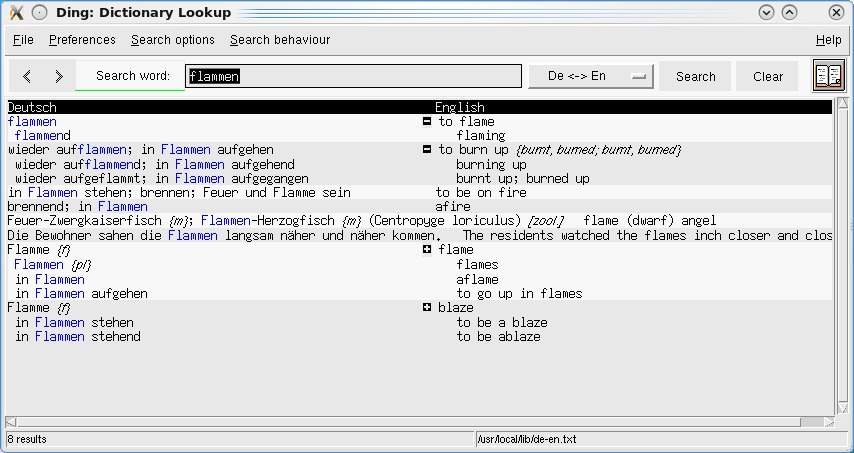
Ding is a simple yet powerful dictionary tool for translating between German and English. Note the handy collapsing menus for derivations on root words.
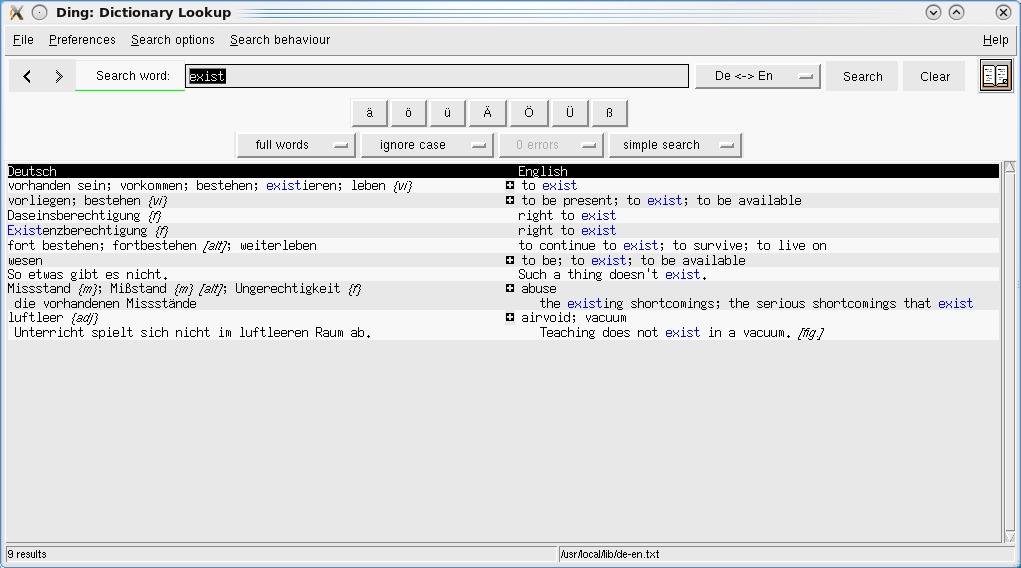
A particularly handy feature is quick access to Germanic characters—something most English-based OS installations won't be set up for.
Installation
Installing Ding is really easy. Head to the Web site, and you'll find a number of different packages along with a tarball. As usual, I'm running with the tarball for the sake of neutrality. Download the tarball, extract it, and open a terminal in the new folder.
If your distro supports sudo, enter:
$ sudo ./install.sh
If not, enter:
$ su
# sudo ./install.sh
You'll want to install the German aspell files for certain parts of program functionality. Once the installation has finished, run the program with:
$ ding
Usage
Although I haven't much space to cover Ding's usage, the interface is pretty basic anyway. To start, enter a word in German or English, and either click Search or press Enter. At this point, any translated possibilities and variants show up below, with Deutsch (German) on the left and English on the right. You also may see a small cross icon next to each translation. Click it, and variants are displayed in a collapsible menu from the root word, such as plurals, example usage and so on.
It's well worth looking in the Preferences menu and clicking the Show umlaut buttons option. This shows the special Germanic characters most English editions of OSes won't be set up for. Other features include a spell checker, as well as orthography, but I'll let you explore things for yourself from here.
Although Ding may be rather gray and not pretty, it's nice and minimalist and easy to install with a minimum of fuss. I'm sure that 90% of its users will be those English-speaking Rammstein fans trying to work out what's being said, but why not?
Updates
Gnaural (gnaural.sourceforge.net)
In the spirit of this month's “catching up” column, I'm taking a look at recent developments in some of the coolest projects I've been fortunate enough to cover here at LJ in the past. My favorite project of all time is Gnaural. For those not in the know, Gnaural is an application to generate Binaural Frequencies that can speed up or slow down brainwaves for relaxation or alertness, using a basic PC and a simple pair of headphones. A recent addition to the CVS code by a user under the mysterious nickname of noname36 has added the extra functionality of using Isochronic Tones instead of Binaural Frequencies, which brings yet more application to an already amazing program.
CloneKeenPlus/Commander Genius (clonekeen.sourceforge.net and clonekeenplus.sourceforge.net)
CloneKeen, an authentic rebuild of the classic PC platformer Commander Keen, has continued to become more stable and has been ported to more platforms. A separate project run by other fans also has started up, Commander Genius (aka CloneKeenPlus), which includes things like OpenGL 2.0 support, new graphical effects and a Normal and Hard mode, among other new features. Thankfully, CloneKeen's creator Caitlin Shaw also has joined the project.

CloneKeen
Vdrift (vdrift.net)
This racing sim, aimed at the realistic racing crowd, has been gaining more realism and features over time. New features include car collision in Single Race mode, a much more capable AI (along with a new difficulty slider) as well as improved performance. But what really jumps out at me are tweaks to the actual feel of the game. It previously felt very detached, often making the process of driving more of an intellectual exercise than an intuitive one. Small touches, like tyre-spin noise when off-road, and bigger ones, such as a “bouncy” camera for hood view, should make for a game that is much more playable with a solid feel. I look forward to the full release.
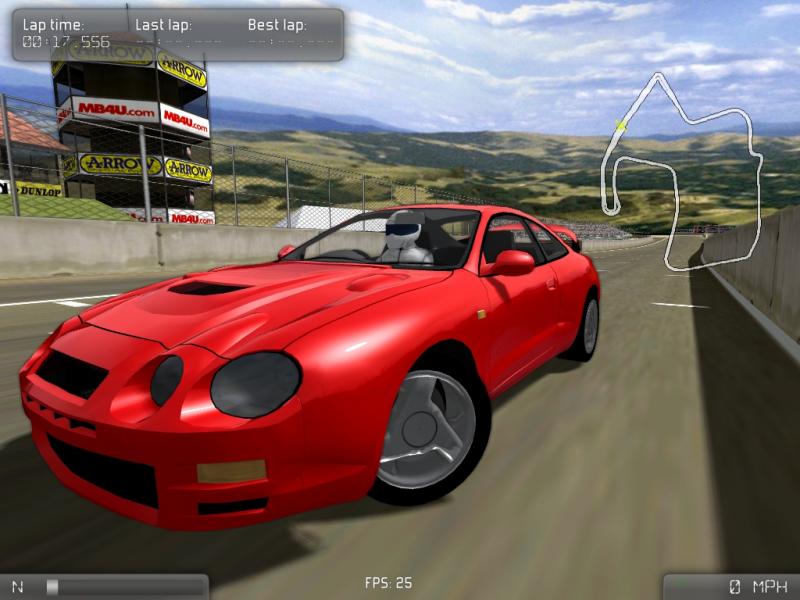
Vdrift
Brewing something fresh, innovative or mind-bending? Send e-mail to newprojects@linuxjournal.com.
John Knight is a 25-year-old, drumming- and climbing-obsessed maniac from the world's most isolated city—Perth, Western Australia. He can usually be found either buried in an Audacity screen or thrashing a kick-drum beyond recognition.

