
Acer Aspire One
The runaway success of the ASUS Eee PC has defined an entirely new market segment—the Netbook. Other manufacturers have quickly followed suit, and consumers now can choose from a veritable bevy of models.
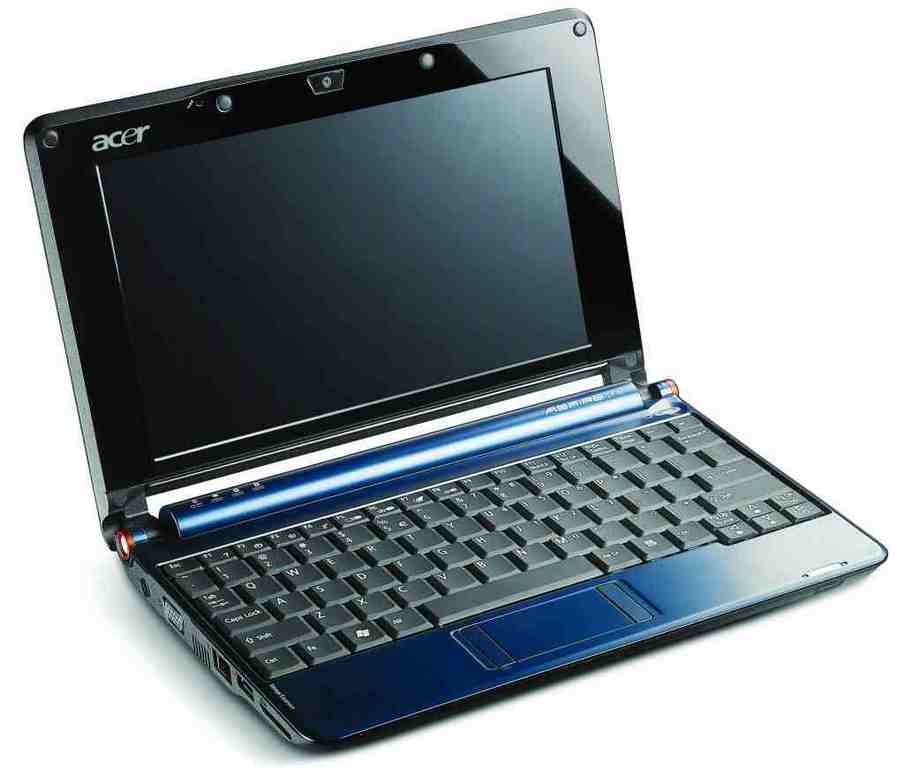
Figure 1. Acer Aspire One
The $329 Aspire One from Acer is a relative newcomer, and it's clear that Acer looked very carefully before it leapt. With a glossy finish, rounded corners and subtle orange highlights, the Aspire One is all class. At 250x30x170mm, the Aspire One fits comfortably between the 9" Eee PC models and the 10" MSI Wind in size. This extra width is well used in providing a large keyboard with excellent travel and response. In order to accommodate the keyboard, the touchpad is very narrow, with the buttons to the left and right rather than above. The system weighs a very svelte two pounds.
Aesthetically, the Aspire One is extremely pleasing. The review unit we were sent is the deep-blue model; white is also available, with bronze and pink models to follow. Our only complaint is that the high-gloss finish very soon became a mess of smudges and fingerprints. This may not bother some, but we're the sort who tend toward obsessive polishing. The screen is frankly excellent—bright and clear with good contrast and crispness. It has a glossy finish, but the extra reflections were well worth the clarity and colour richness gained.
The Aspire One sports an impressive array of ports, with three USB ports, VGA-Out, 10/100 Ethernet, a headphone and microphone jack and two SD card readers. One is designed to read cards from removable storage devices, supporting MMC, xD and memory stick pro as well as SD. The other is labeled Memory Expansion, and it will add any memory card you insert dynamically to the available storage on the Aspire One.
Inside, the Aspire One is built around Intel's new Atom processor—the current de facto standard for Intel-based Netbooks and Nettops. The Atom is Intel's smallest chip, designed specifically for low-powered MIDs (Mobile Internet Devices). The 1.6GHz CPU present in the Aspire One is single core but supports hyperthreading. Although not as fast as true dual-core, hyperthreading gives a noticeable performance boost on this type of CPU, without much increase in energy consumption.
Although the focus of the Atom is power efficiency, its performance is quite reasonable, handling light content creation and media playback with aplomb. During our testing, the Aspire One never heated up past warm, and although the fan was at times audible, it was a low-pitched noise and not bothersome. The system features an 8GB SSD, 512MB DDR2 memory and 802.11b/g Wi-Fi. No Bluetooth or cellular modem is available on this model.
The operating system shipped is Linpus Linux Lite, a Taiwanese distribution based on Fedora 8 and Xfce 4. For reasons we are completely unable to fathom, Acer chose to ship the Aspire One with a default window border that mimics Windows XP. Thankfully, this is easy to change. Acer has really polished the user interface, adding a full-screen application launcher with program entries divided into Connect, Work, Fun and Files, with a fifth Settings category accessible by clicking on its icon at the lower right of the screen. A selected few applications from each category are displayed on the main launcher screen with additional applications accessible by clicking the More arrow.
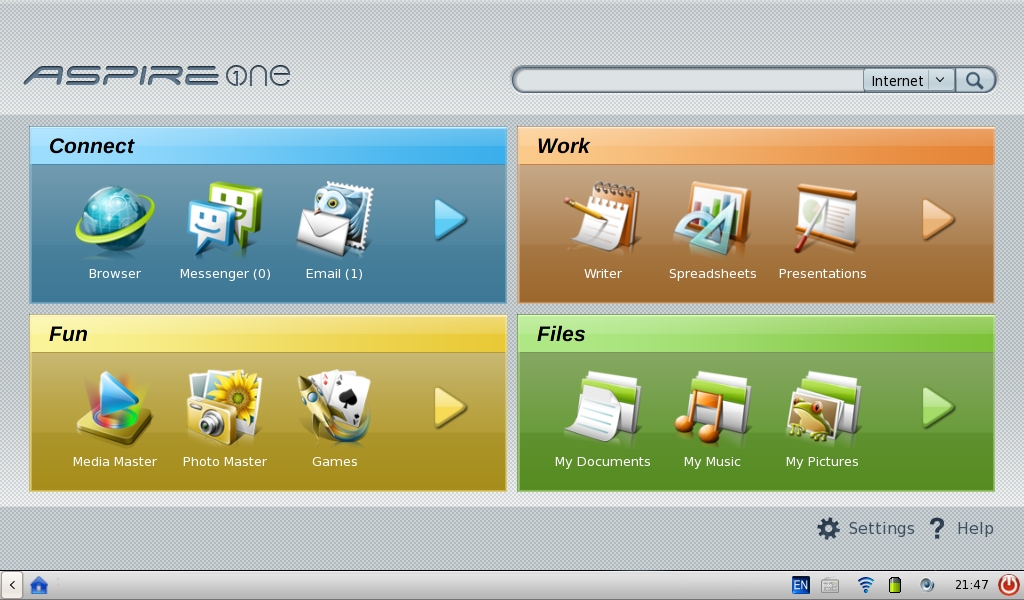
Figure 2. The Aspire One Default Desktop
A search box is embedded at top right that launches Firefox and provides Yahoo Search for any given search query. There doesn't seem to be a way of changing this search preference, which was disappointing. The Aspire One we reviewed had Yum repositories configured, allowing us to add extra software from the main Fedora distribution. In the limited time we had, we were unable to work out a way to add any kind of additional application launcher to the Aspire One's interface. Additional applications still can be launched through the standard Xfce run dialog, bound to Alt-F2.
The wireless support is very good, based on Network Manager, which has become a standard in most modern distributions. The Aspire One front end is simplified, and support for some authentication options has been removed—we were unable to find a way to connect to a Cisco LEAP corporate network, which is a limitation that probably affects almost no one. For home and hot-spot wireless use, the Aspire One has WPA and WEP configurations covered.
Most “Connect” applications are covered by Firefox 2 with Adobe's Flash plugin. Links to Wikipedia, Google Maps and Hotmail are listed, along with the applications Browser, Messenger, Mail and RSS Reader. Mail, RSS Reader, Contacts and Calendar actually are all combined into a single Acer-branded application. The RSS Reader is the simplest by far, allowing you to add a feed by URL and providing an e-mail-like interface. Calendar and Contacts both do exactly what you would expect—allow you to add appointments and contacts.
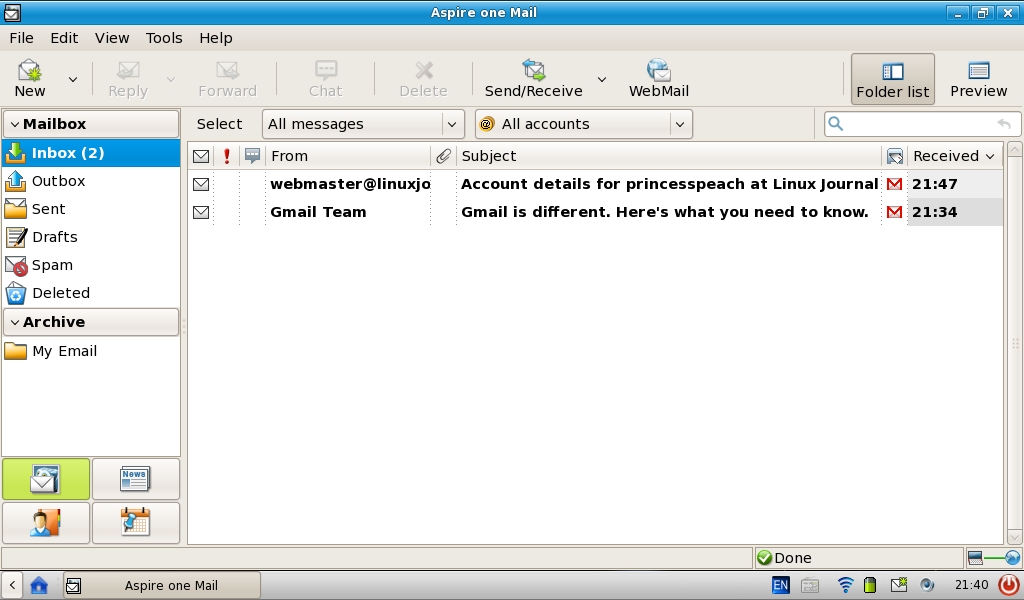
Figure 3. Aspire One Mail
Aspire One Mail is a mixed bag. The interface is clean and attractive, and the accounts wizard was a breeze. POP access works great, but we noticed some very odd behaviour on IMAP accounts. Every message in the inbox was marked as new, and we couldn't see how to access any other IMAP folders. It seemed to be applying the POP paradigm to IMAP, badly.
Acer's One Messaging is built on the libpurple framework that powers Pidgin. Unfortunately, Acer chose to expose only Yahoo, MSN, AIM and Google Talk support in its configuration dialog, even though the underlying support for other protocols has been included. The interface is extremely simple, with limited customization. An option to adjust font sizes in particular would have been appreciated.
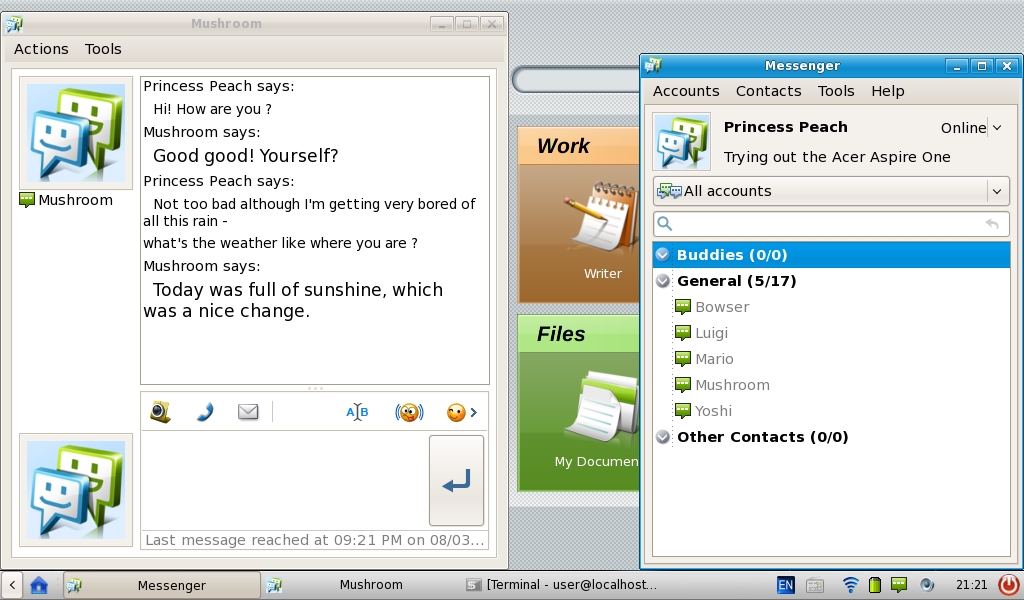
Figure 4. Aspire One's Messenger
We tested Webcam support between a Macintosh running the official OS X Yahoo Messenger client and the Acer Aspire one. The Webcam quality was certainly acceptable, delivering clear images even in low-light conditions, and it worked out of the box with no configuration required.

Figure 5. Yahoo Video Chat
The Work category is mostly filled out with the OpenOffice.org suite, at version 2.3.0. The previously mentioned Aspire One Contacts and Calendar application is included, as is a simple notepad (xpad) and calculator (galculator). We found OpenOffice.org's performance reasonable on the Atom, but certainly nothing to write home about.
The Fun category includes a wide range of games, a Webcam application that will capture images from the built-in camera and KolourPaint. Acer also has included two more custom applications, Media Master and Photo Master.
There's not much to say about Photo Master—it shows thumbnails of your images and allows you to display them as a slideshow. As far as we could ascertain, it had no editing capabilities. Media Master was a bit of a puzzle—we tried quite a few media formats and couldn't get it to play many. It was unable to play AVI video or FLAC audio files, although it did do an exceptional job of playing commercial DVDs from an external DVD drive. MP3 and Ogg are both supported.
The Aspire One's speakers were about what one would expect from a Netbook—really adequate only for system beeps—but the headphone jack delivered clean, excellent sound through our extremely unforgiving Sennheisers.
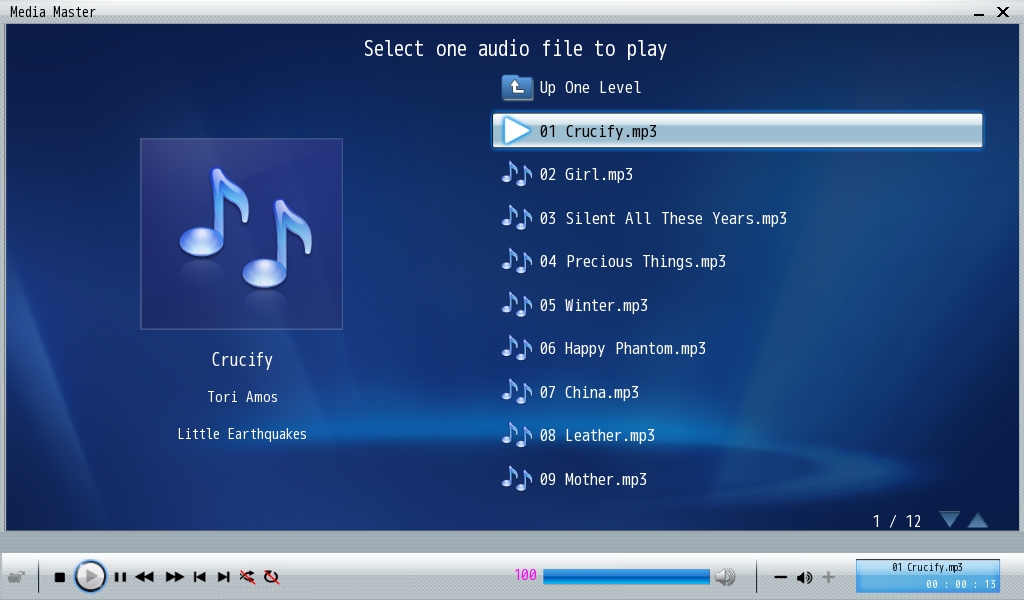
Figure 6. Media Master
Files is covered entirely by the Xfce file manager, Thunar. Removable storage and external CD/DVDs are detected and accessible through Thunar's disk view. We attempted to get the Aspire One to recognise a current-generation iPod Nano and a Canon IXUS digital camera. Neither were recognised by the OS. Personal media players that appear as an external hard disk can be used with the Aspire One.
The only real weak point we found on the Aspire One was its battery life. With wireless on and the backlight on at around half, we managed to eke out a little less than three hours of Web surfing and light content creation. A 6-cell battery is available, but at the time of this writing, it was retailing for $119, which is quite steep given that the Aspire One is only $329 itself. Acer has confirmed an Aspire One with the 6-cell built in at a much lower package price soon will be available, which will mitigate this issue.
Ultimately, we were pretty happy with what we saw. The large keyboard, exceptional screen and slick operating system made the Aspire One a joy to use. The Aspire One is strong competition for the original Eee PC series and provides a cheaper alternative to the new Atom-based Netbooks. Those who intend to use the built-in Linux rather than install their own flavour are well served, finding a more polished experience with the Aspire One. If you are looking for a device that can handle media playback of many formats, you may be better off looking elsewhere. If you want a lightweight and attractive device for cloud computing and light content creation, the Aspire One is for you.
Jes Hall is a Linux Systems Specialist from New Zealand. She's passionate about helping open-source software bring life-changing information and tools to those who would otherwise not have them.

