
Need for Speed: PS3 Linux!
Can we get the hottest video game system from Christmas 2006 and turn it into a Linux box? You bet!
If you're still thinking about video game systems as being just a wee bit more technologically advanced than an old Coleco or Atari 800, you've got quite a surprise coming the first time you crack open the proverbial hood. Although the new Nintendo Wii (pronounced “we”, oddly enough) has some slick hardware, as does the Microsoft Xbox 360 device, the real winner in the technology race is the rather amazing Sony PlayStation 3 system.
Built around an IBM Cell Broadband Engine processor, the PS3 includes a high-def Blu-ray drive, four USB 2.0 ports, an NVIDIA graphics processor with 256MB of separate video RAM, support for CompactFlash, SD and memory stick devices, Ethernet, built-in 802.11b and g, Bluetooth, an HDMI port and support for all the video resolutions you can imagine, including 480i, 480p, 720p, 1080i and the holy grail, 1080p. Sounds like a computer, not a video game system, doesn't it?
The Blu-ray optical drive system boasts support for most of the older disc formats too, including CD-ROM, CDR+W, DVD, DVD-ROM, DVD-R and DVD+R. If you're not familiar with the battlefield of HD video, Blu-ray can support up to 54GB of data per disk, which is pretty amazing if you're still using a CD burner! The other HD disk format is HD-DVD, but that's not supported. On the other hand, Blu-ray already has more than a hundred movies in retail channels, so the PS3 is also quite a capable HD video player.
The Cell processor itself is a pretty amazing piece of hardware, sufficiently so that Terra Soft Solutions (Loveland, Colorado) has worked with Sony to create a PS3-based supercomputer center. Imagine, hundreds of rackmounted PS3 devices running complex weather simulations rather than WWII games. The Cell processor runs at speeds greater than 4GHz and can handle 256 billion calculations per second, with 2.5MB of memory on the chip itself, squeezed in with a processor design that uses 234 million transistors (www.ibm.com/developerworks/power/cell).
One more important spec: with a 60GB hard drive included, the PS3 will run you about $599 US at most retail outlets, if they even have PS3 units in stock. And games? Well, there are a few dozen available at this point with an average price of about $60 US, and the standard game rental channels (GameFly, Hollywood Video and so on) should have PS3 games available for rent by the time you read this article.
Okay, so it's a darn cool computer with some terrific capabilities hiding in a sleek black shell, but is it really just useful for playing video games or can you do something else with it—can you turn it into a Linux system?
Perhaps the most obvious question to ask is why bother? I mean, if you buy a PlayStation 3, you're going to be investing in the fastest next-generation gaming console on the planet. Why the heck would you want to boot in to a sterile Linux environment instead?
Well, the answer isn't because the PS3 replaces your regular Linux box if you're a geek. To me, the question of running Linux on the PS3 revolves much more around whether you can essentially add functionality to the PS3 for households that don't have a computer. What if you could run all the PS3 games, watch Blu-ray HD movies and gain full interactivity with the Internet too?
It's the 21st-century answer to the late, underappreciated WebTV device. Tech geeks never quite got the point that a lightweight device with a wireless keyboard that hooked up to a regular TV was never intended to compete with a $5,000 Alienware Gaming PC. But WebTV still had great utility to those people who didn't want—or couldn't figure out—a personal computer, be it a Mac or PC. Simple, simple, simple. WebTV offered a Web browser and e-mail system and not much else, and for many people, that was just fine.
Think along these lines, and Linux on the PS3 suddenly seems like something that's worth doing, because the PS3 hardware is so darn powerful and capable. The target audience isn't people who could easily run Windows Vista, Mac OS X Leopard or Linux on a separate computer, but those people who would find the lightweight solution just fine. As a result, my primary testing for this solution are those two killer apps: Firefox for Web surfing and Thunderbird for e-mail.
Sony actually contracted with Terra Soft Solutions to produce a version of its Yellow Dog Linux (henceforth YDL) for the PlayStation 3, a smart move considering that Linux people were going to cobble together a solution anyway. Terra Soft initially produced YDL for the IBM-chip-based Mac PowerPC systems, offering up a quite capable Linux alternative to Mac OS X.
The PS3 doesn't include any useful input devices (other than a game controller), so you need to buy a USB keyboard and mouse or, perhaps, just dig one out of your closet like I did. You'll also want a USB Flash drive for a temporary boot drive. Fortunately, I have a 2GB SanDisk Flash drive that worked just fine. They're about $70 US at your local computer shop. Ironically, my Flash disk came from Microsoft, with Vista promotional materials pre-installed—not anymore!
Start by partitioning the hard disk in your PS3 so you have space to install Linux. This is pretty easy. Boot up the PS3, then go to Settings→System Settings→Format Utility, choose Format Hard Disk, say yes to the questions about reformatting the entire disk, and then eventually you'll be able to choose a Custom partition. Choose the Allot 10GB to the Other OS, which still gives you 50GB in the bigger unit or 20GB in the smaller unit (the 30GB model of the PS3) for games and other PS3 stuff. We've come a long way from Pong, somehow....
Now, it's time to turn to your removable drive, whether you're going to use a Flash drive like I did or try a CompactFlash, SD card or similar. You need to create a directory ps3, and then a subdirectory therein called otheros, and download two files, one from the Sony Web site (www.playstation.com/ps3-openplatform, save it as otheros.self) and one from Terra Soft Solutions (www.terrasoftsolutions.com/support/installation/ps3/otheros.bld, save it as otheros.bld).
Armed with both of these files (total size is about 8MB, by the way, so my 2GB drive is vast overkill), eject your drive from your PC or Mac and insert it into one of the USB ports on the PS3 itself. You'll also want to burn a full YDL DVD installation disk based on the OS you can download for free from the Terra Soft Solutions site, or you can just buy an installation package that includes both an install and source DVD disk, installation guide and lots of additional goodies, including six months of support, for $99 US.
Now, it's time to install Linux. Let's hope it doesn't mess up my fancy $600 video game system, eh?
To install, go to Settings→System Settings→Install Other OS, and the bootloader should be found automatically and be selectable. As always with the PS3, the X button on the controller selects the specified choice and lets you proceed.
Uh oh, I hit my first snag, with the bootloader complaining “No appricable [sic] install data was found” (yes, they didn't fix the spelling error). Because the file from Terra Soft initially unpacked with the filename exoboot, I tried renaming it thusly to see what happens. Nope, somehow that meant that the PS3 didn't find any possible external bootloader. Ah, perhaps it's a Mac versus PC problem, because I downloaded and copied the files onto the USB device with my Mac. Okay, I reformatted the thumbdrive, redownloaded and re-installed the two files onto the USB drive with my trusty Windows XP device.
That was the problem—most confusing, because on the Mac I saw a download of otheros.bld.gz that unzipped to a file called exoboot, which I simply renamed to otheros.bld. It was corrupted somehow, because when I downloaded the two files onto the thumbdrive from the PC and then tried to install the OS, it worked like a charm!
Now, it's time to tell the PS3 that you want to boot in to the new system, rather than the default PS3 operating system. This is done by going to Settings→System Settings→Default System and selecting Other OS. Before you reboot, however, install the YDL install DVD and hook up your USB keyboard and mouse.
Flip the power switch to reboot the PlayStation 3, and after a few seconds, it'll read the install DVD and pop up with the familiar penguin and a long stream of boot messages, just as us Linux folks are used to by this point in time. You'll then get a prompt kboot: at which point you can simply press Return to boot YDL or type in boot-game-os to get back to the world of the PS3.
Tip: you also can reboot into the Game OS by holding down the power button for five seconds when you power on. It'll ignore the Linux partition from then on, however, until you go into the System Settings and choose Default System→Other OS again.
After a minute or two of streaming text, you'll get to the YDL Version 5.0 install screen in Anaconda, where you can now start clicking on Next until your mouse button gets tired. Actually, just a few clicks in you'll find that the system complains that “The partition table on device sda was unreadable” and asks if you want it to initialize the drive, erasing all data. You do want to do that, and as always, I recommend you choose automatic partitioning.
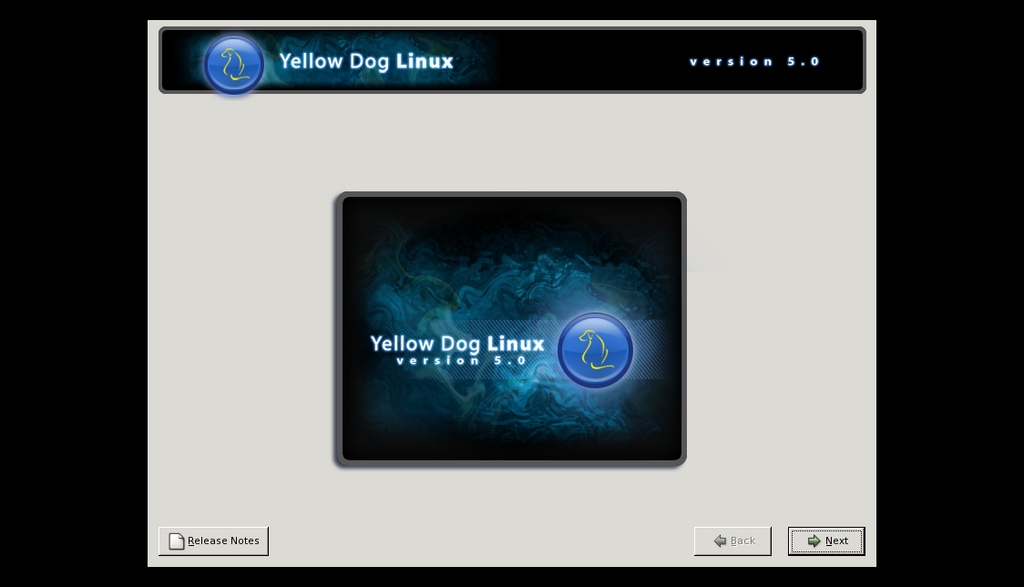
Figure 1. YDL
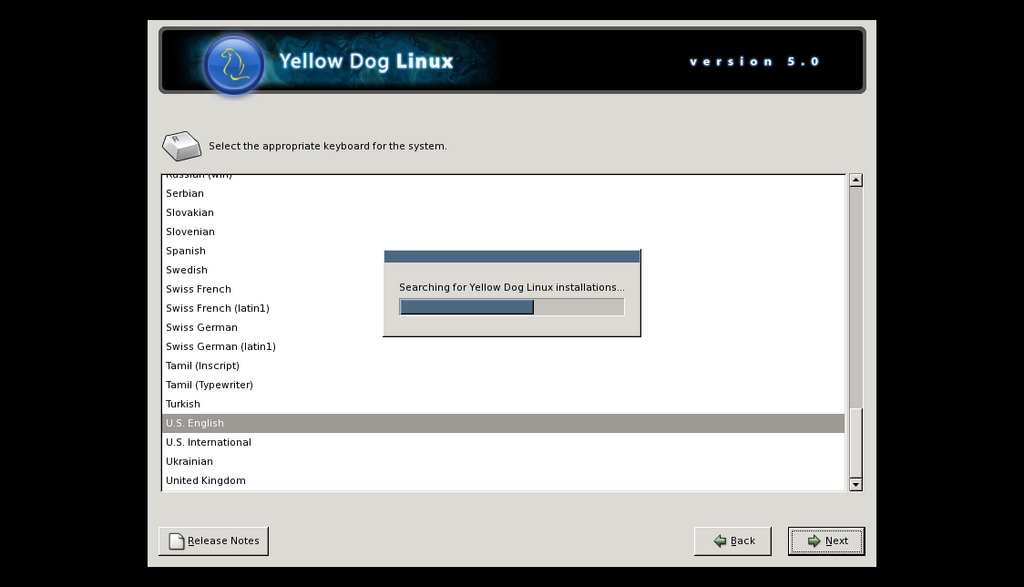
Figure 2. Installing YDL
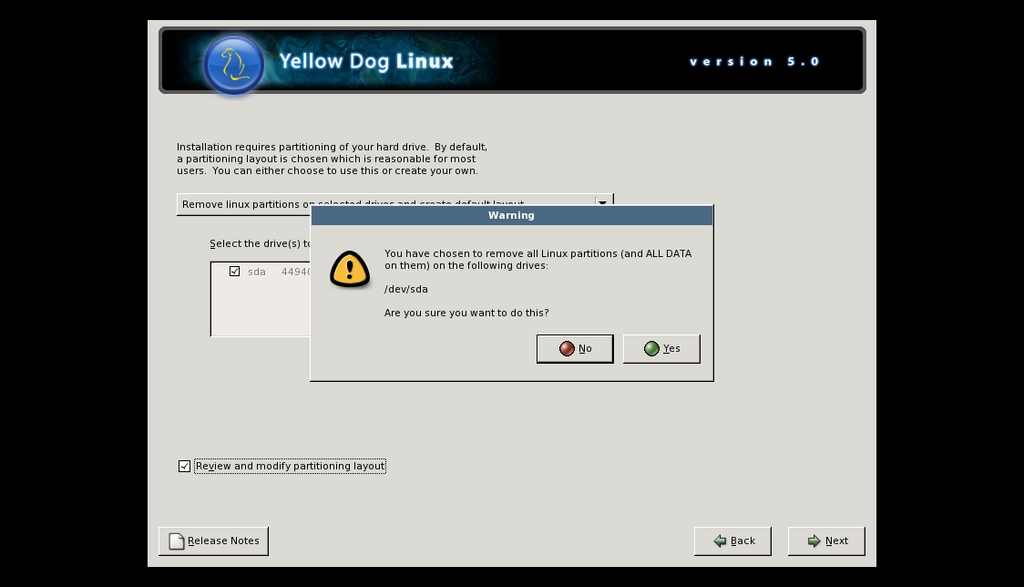
Figure 3. YDL Partitioning Warning
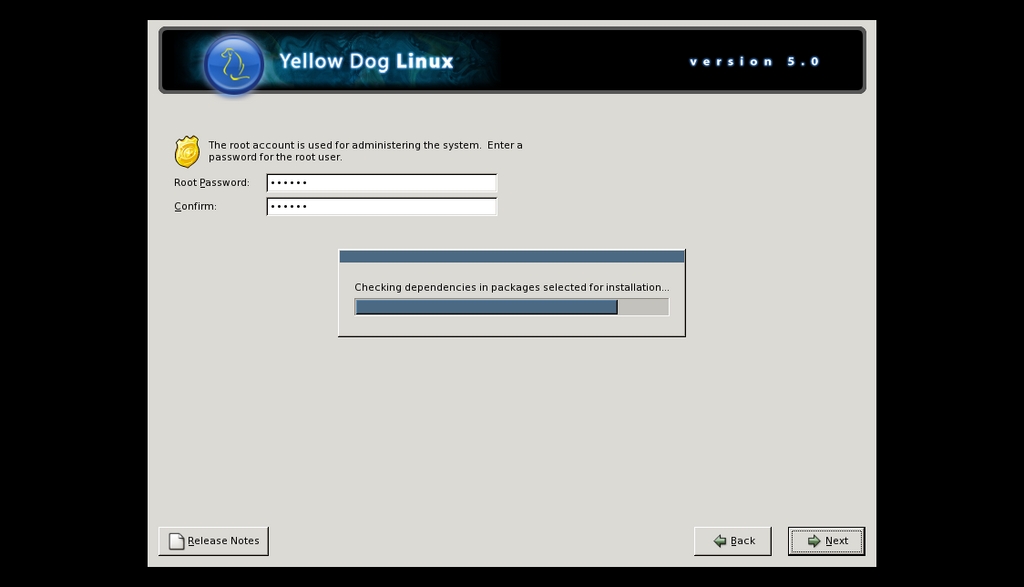
Figure 4. YDL Checks for Dependencies
The rest of the installation is pretty typical of a Linux system, with root passwords and so on. All told, it took about an hour to install everything onto the PlayStation 3 from the YDL install DVD—perfect time to check your e-mail or grab a cup of tea!
Finally, finally, a Reboot button lets me restart the PS3 with its newly installed other OS. Compared to the beautiful PlayStation 3 user interface, I have to say that a Linux reboot sequence is sure ugly!
Again, as with a typical Linux install, I now see a series of first boot configuration options, including setting the date and time, specifying an initial nonroot user and, unlike many Linux installations in my experience, the YDL for PS3 installation correctly recognizes and configures the system for the PS3 soundcard.
One login later, and I'm running the X Window System with Enlightenment as the theme and find that Firefox is already conveniently installed. Even better, the system has by default correctly found my DHCP server and configured itself so that I'm on-line and ready to go.
Now, I can start to analyze whether the YDL installation is actually a configuration that addresses my earlier stated needs for a software solution that makes the PS3 a useful Internet machine, and a quick visit to linuxjournal.com confirms that, yes, it works fine, it's darn fast and eminently usable. Nice!
One of the sites I use as a test is Google's Gmail service. It's complex behind the scenes and quite powerful, so the question is always whether it works and renders properly on a new system. YDL came through like a champ, working just fine and letting me navigate through my e-mail securely through Firefox. Thunderbird is also pre-installed and ready to go, and configuring a POP3-based e-mail account is pretty straightforward for most Linux users, so there are at least two good avenues for accessing your e-mail.
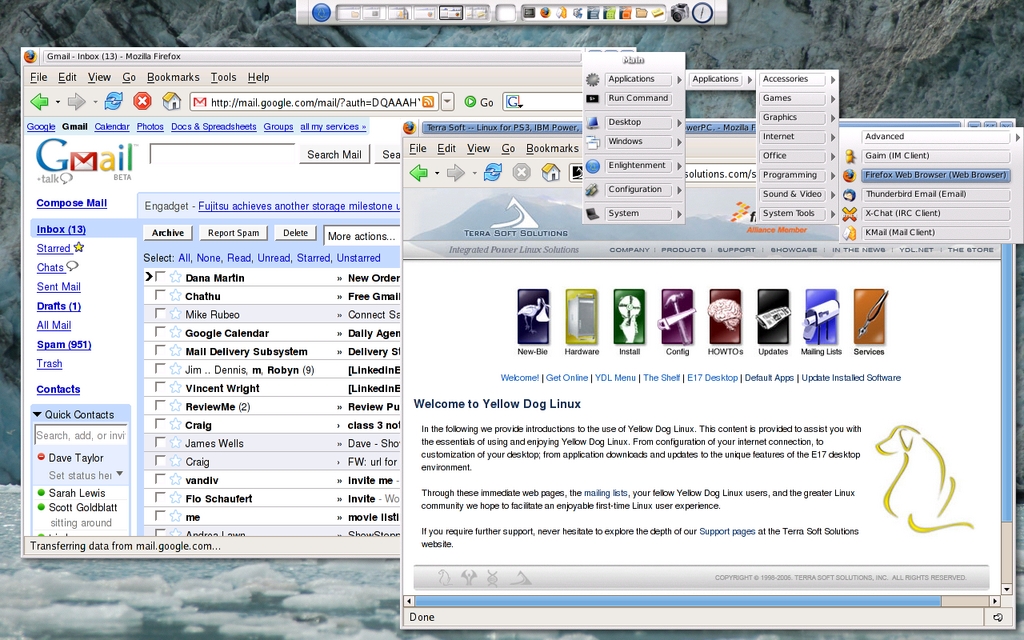
Figure 5. Testing Google's Gmail with YDL
That means, of course, that YDL does indeed meet my primary criteria for usability, letting me surf the Web and interact with my e-mail, all from the comfort of my easy chair and with a simple USB keyboard added onto my slick PlayStation 3 device.
But, Linux offers a lot more capability, and as an experiment, I launched Rhythmbox and quickly concluded that I have had my expectations of music players really screwed up by using iTunes for so many years. It's astonishing to me that I can choose “Internet radio stations” and not get a list of available stations, but instead have to figure out the URL of the station I desire so I can “tune in” to it. Unfortunately, all these years into the Linux evolution, and there are still too many apps that are rough around the edges like this.
I went to Firefox, searched for “internet radio station jazz”, found one through the popular Live365 site, selected the channel, had it try to download a streaming file that caused the launch of the Helix player, only to find that it doesn't have the capability of playing back that type of content. Next stop: AccuRadio, but it wanted me to install a new plugin. Yech. New Orleans Jazz channel WWOZ offered up a URL, so I pasted that into Rhythmbox just to find it didn't work either. To heck with it! How is someone like my Mom supposed to survive so much hassle to get audio in YDL?
As I expected, it may be slick and fast running on the Sony PlayStation 3 with its powerful Cell processor system, but it's still the same Linux that we've gotten used to with no exciting new capabilities, no easier way to work with the various media on the Web, and the same rough edges I've been bothered by for over a decade now.
Unlike most Linux systems, however, YDL on PS3 at least lets you reboot and go back into the world of the PlayStation, where you can easily run photo slideshows, upload and enjoy your music library, watch DVD and Blu-ray HD video and, of course, play some of the amazing games available for the PlayStation.
Really, it's one heck of a combination, and if you know someone who would like to have access to all the power and capabilities of the Cell processor through Terra Soft Solution's YDL system, along with the fun and power of the PlayStation 3, it's really one heck of a combination. Even if you just want to hack, it's cool to have a foreign OS on the system as an option at boot time too.
Dave Taylor has been poking around in UNIX and Linux since the mid-1980s and has contributed various software to its evolution. He has run Linux on all sorts of strange devices now, including his tri-booting Mac laptop and Sony PlayStation 3. He also runs a busy Q&A and troubleshooting site (AskDaveTaylor.com) and has written a number of popular tech books, including Growing Your Business with Google and Wicked Cool Shell Scripts.
