
XOOPS, You Can Do It Again and Again
XOOPS is a content management system that allows you to handle a wide range of actions and operations in a dynamic and flexible way. XOOPS covers the needs of a large spectrum of users. Whether you are a common user looking for blog tools, or an advanced one who needs more complex or professional solutions, XOOPS fits the bill for both situations.
XOOPS is based on object-oriented PHP code. The source code is designed to make XOOPS extensible. You can write your own modules to extend its feature set, or download optional XOOPS modules that people contribute and share on the Internet.
This article covers the most relevant aspects of this helpful tool and examines common problems and gotchas.
One can quickly notice that XOOPS provides a lighter and simpler setup than similar content management systems, such as Plone and Drupal. Some may argue that Plone and Drupal have more depth, but the simple and clean structure of XOOPS makes it ideal for those who are getting started with content management tools.
I have been working on XOOPS for three years now, with a local Linux User Group. I have found XOOPS, during all this time, to be far from disappointing. Each particular need I've ever had was fulfilled by XOOPS. What's more, being GPL software, XOOPS gave me the chance to write new modules as I pleased or simply to modify the old ones. Needs require solutions, and solutions present challenges, but when challenges are taken by one's own hand, reward pays double.
Speed is another XOOPS advantage. Even when you have a large user database and hundreds of posts, XOOPS' response time is still among the best.
If you have ever used a gallery system, a blog or a content management system, you are probably familiar with the basic requirements, which tend to be common to all of these types of Web applications. You need a database, a Web server and scripting support. XOOPS uses MySQL, Apache and PHP, respectively. You also need some experience with basic Apache, PHP and MySQL server settings.
The first thing to do is to get the latest release of XOOPS from the XOOPS Web site (www.xoops.org). You should be able to find a tarball or a zip file containing the XOOPS GPL source code. Select the proper mirror, and download the file. Here's a sample download command (you may need to change the name of the file if XOOPS is updated to a newer version):
$ wget http://easynews.dl.sourceforge.net/sourceforge/
--<xoops/xoops-2.0.13.2.tar.gz
Most commercial host providers that use Linux for their servers support Apache, PHP and MySQL. So, if you are using a commercial host provider, you won't need to install any of these packages. You will simply need to upload the XOOPS source code to your host server. Depending on the host provider, you may have to unpack all the files first and upload the directory tree, or you may be able to upload the packed XOOPS file and unpack it on the host server.
If you are serving up XOOPS on your own Web server, you have to install the Apache Web Server with PHP support and the MySQL Database Server. You can find Apache packages for virtually every distribution of GNU/Linux, although you may have to install PHP support separately, depending on which distribution you are using.
Now, the first thing to do to get started with XOOPS is to place the XOOPS tarball's content in a folder that Apache can access. The default document directory for Apache often varies from distribution to distribution, but for our example installation, we use the directory /var/www (although in our case we will be modifying the default document root for Apache once we have the XOOPS files installed).
Move the tarball and untar it:
$ mv xoops-2.0.13.2.tar.gz /var/www/
$ tar -zxvf xoops-2.0.13.2.tar.gz
You should notice that you now have a new directory /var/www/html/.
In our installation, Apache stores its configuration files in the directory /etc/apache. You may find the Apache configuration files in some other directory (such as etc/httpd/) depending on your distribution. The easiest way to use XOOPS is to modify the Apache configuration file (usually called httpd.conf). Modify the DocumentRoot variable to tell Apache where you put the XOOPS source code. In our case, you want to set the DocumentRoot to /var/www/html/:
DocumentRoot /var/www/html/
We'll assume you have PHP and MySQL installed and ready to go. If you are running XOOPS on your own server, it is possible but unlikely that you will need to modify the default settings for PHP in order to make XOOPS work properly. PHP uses the file php.ini for its configuration.
You normally use PHP as an Apache module. If your installation hasn't already done so, you can add the following lines to your Apache configuration to get PHP working with Apache:
LoadModule php4_module libexec/libphp4.so
AddModule mod_php4.c
AddType application/x-httpd-php .php .phtml
You can set up Apache with PHP version 5, but if you do, you might run into some problems with modules and code structures. So, if you don't absolutely need to use PHP 5, use the version suggested by the XOOPS team: PHP 4.0.5 or another minor version of PHP 4.
If you decide to use PHP 5, add the following lines to the httpd.conf file instead of the ones above:
LoadModule php5_module libexec/libphp5.so
AddModule mod_php5.c
AddType application/x-httpd-php-source .phps
Here is how to test Apache and PHP to see if you have both configured and working correctly. Take a text editor and create a file called /var/www/html/info.php (make sure it has the proper ownership and privileges so that Apache can read and use the file). Put the following lines in the file:
<?php
phpinfo();
?>
You may have to modify the privileges. Here's a sample command to do that:
$ chmod +xr /var/www/html/info.php
If you have Apache running on your own server, point your browser to http://127.0.0.1/info.php. If you are using a commercial host, point your browser to http://yourdomain/info.php. If everything is working, your browser should show something like what you see in Figure 1.
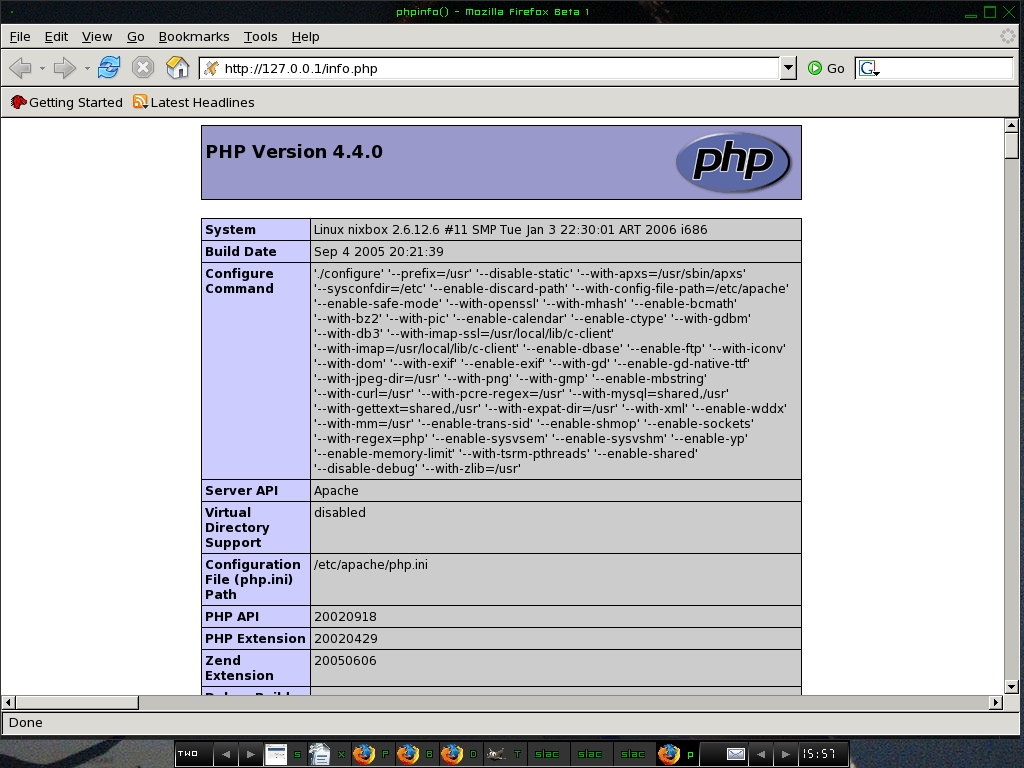
Figure 1. The test file shows that PHP is working.
If you're using a commercial host, the MySQL Database Server will already be up and running.
If you are using your own server, you may need to configure the MySQL Database Server. The configuration file for the MySQL server is called my.cnf. You will find it with your distribution, or in the source code. MySQL commonly includes three sample files named my-large.cnf, my-medium.cnf and my-small.cnf. Choose the one that seems right for your needs, and copy it to my.cnf as your starting configuration. XOOPS doesn't need any special database settings, so you can use the my-small.cnf file as the template for your configuration. Once you are satisfied with the configuration, start up the MySQL server.
Now, we'll assume you have MySQL and Apache/PHP running, so it is time to start with the installation of XOOPS.
Point your Web browser to http://127.0.0.1/install/index.php if you are using your own server. Point it to http://yourdomain/install/index.php if you are using a commercial host.
This should take you to the install screen. See Figure 2 for an example.
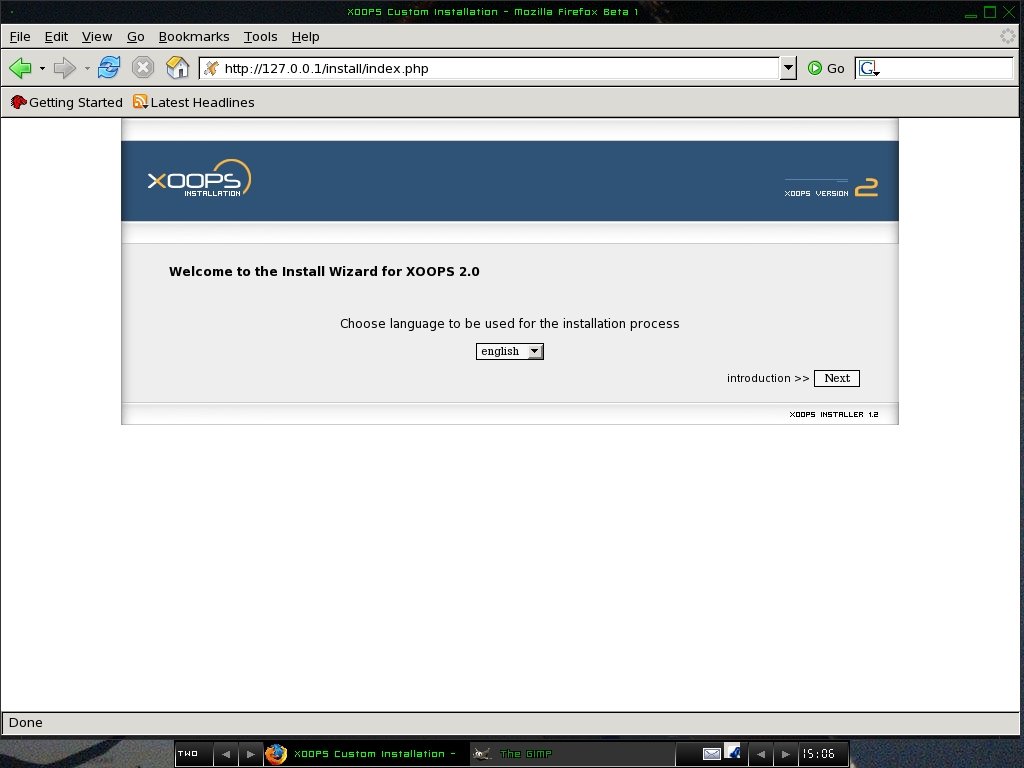
Figure 2. The First XOOPS Install Screen
Now, click on the Next button to see a brief introduction, as shown in Figure 3.
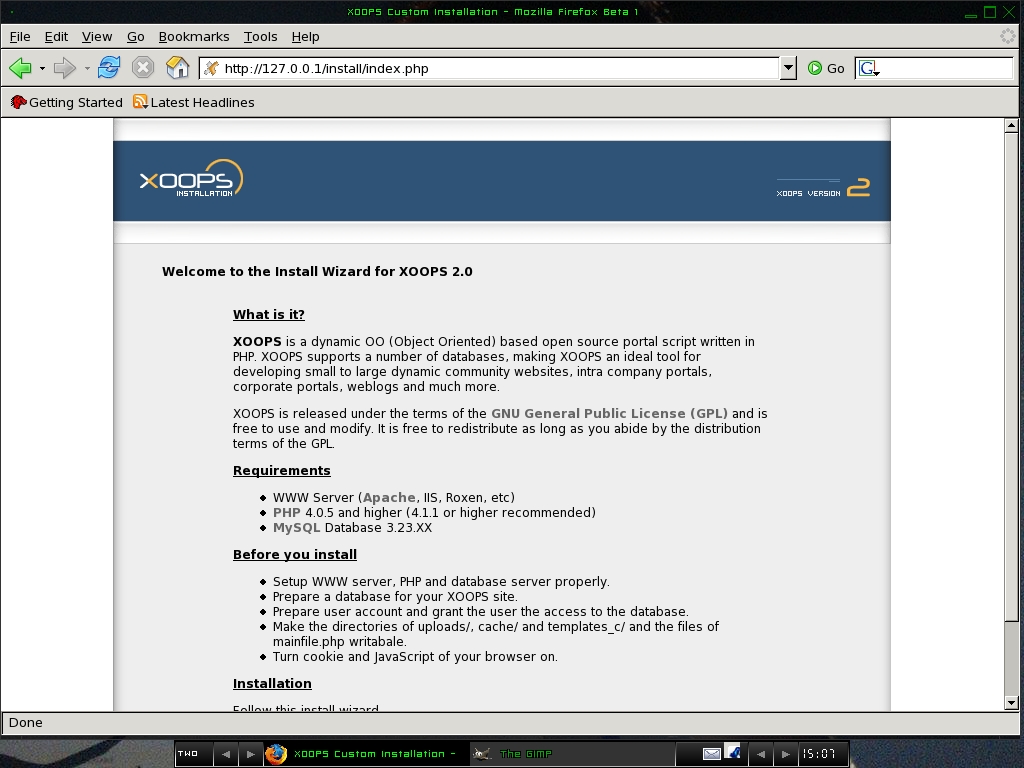
Figure 3. XOOPS Introduction Screen
Click on the Next button once again. At this point, it is quite possible you will experience a problem with the permissions (see Figure 4 for an example).
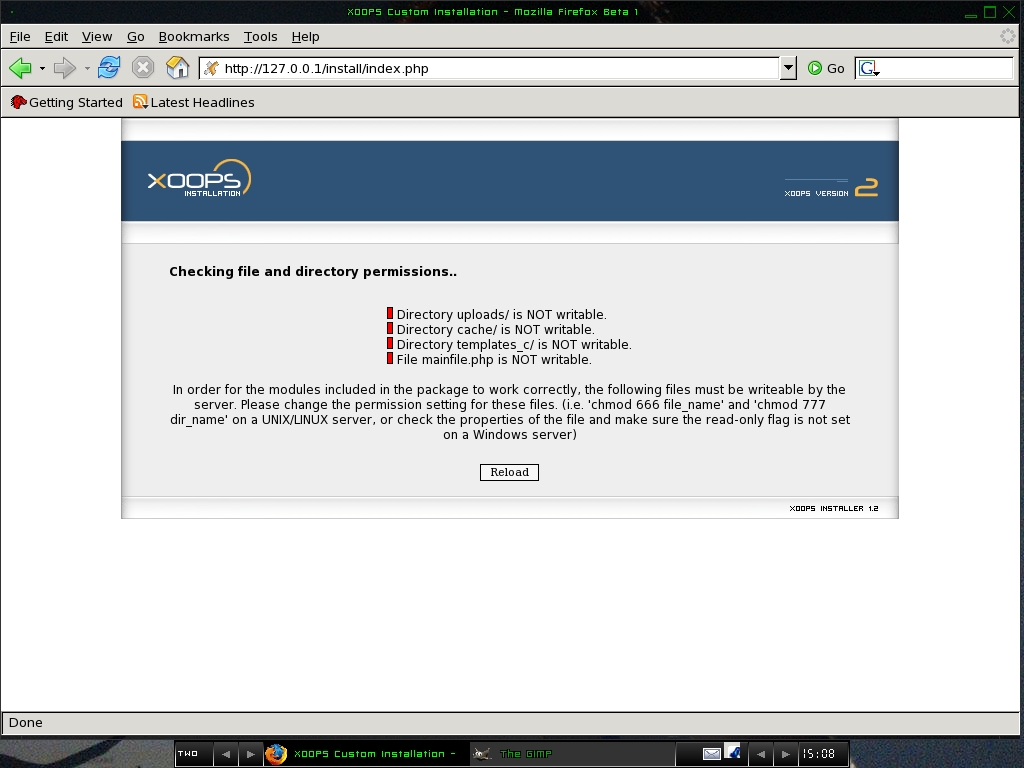
Figure 4. XOOPS reports permission problems during installation.
Here's how to solve these permission problems:
$ chmod 777 uploads/
$ chmod 777 cache/
$ chmod 777 templates_c/
$ chmod 666 mainfile.php
Once you have set the correct permissions, press the Reload button, and you should see that there are no longer permission problems (Figure 5).
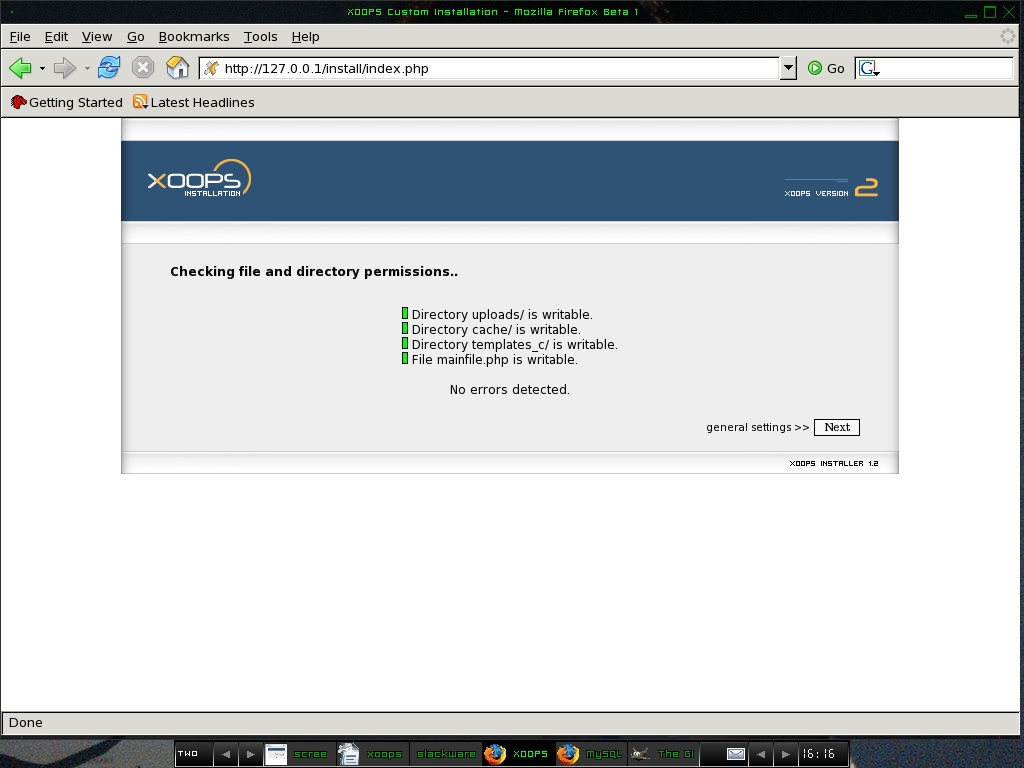
Figure 5. No more permission problems for XOOPS.
Press the Next button again. Before we explain how to fill in the next page, you need to create the XOOPS MySQL database and a user name and password for that database. Open a console or an X terminal, and run the following commands:
$ mysqladmin -u mysql -p create xoops4
$ mysql -u mysql -p
In this case, I selected xoops4 for the database name, and I used the default mysql as the MySQL user. You can use these names if you want to, but make sure to remember them. You'll need to fill in this information in a Web page shortly. The second command above logs you in to MySQL and presents you with a MySQL command prompt. Once you see the prompt, type the following command to give the mysql user privileges to the xoops4 database, and set the password:
mysql> GRANT ALL PRIVILEGES ON xoops4.* TO mysql@localhost
--<IDENTIFIED BY 'password';
Now that you've made a database called xoops4, you must replace its password in the command shown as 'password'.
Now, back to the XOOPS Web configuration page. Fill in the correct information. Figure 6 shows the information for our sample installation. Normally, you would fill in the last field with the domain name for your Web server instead of using 127.0.0.1.
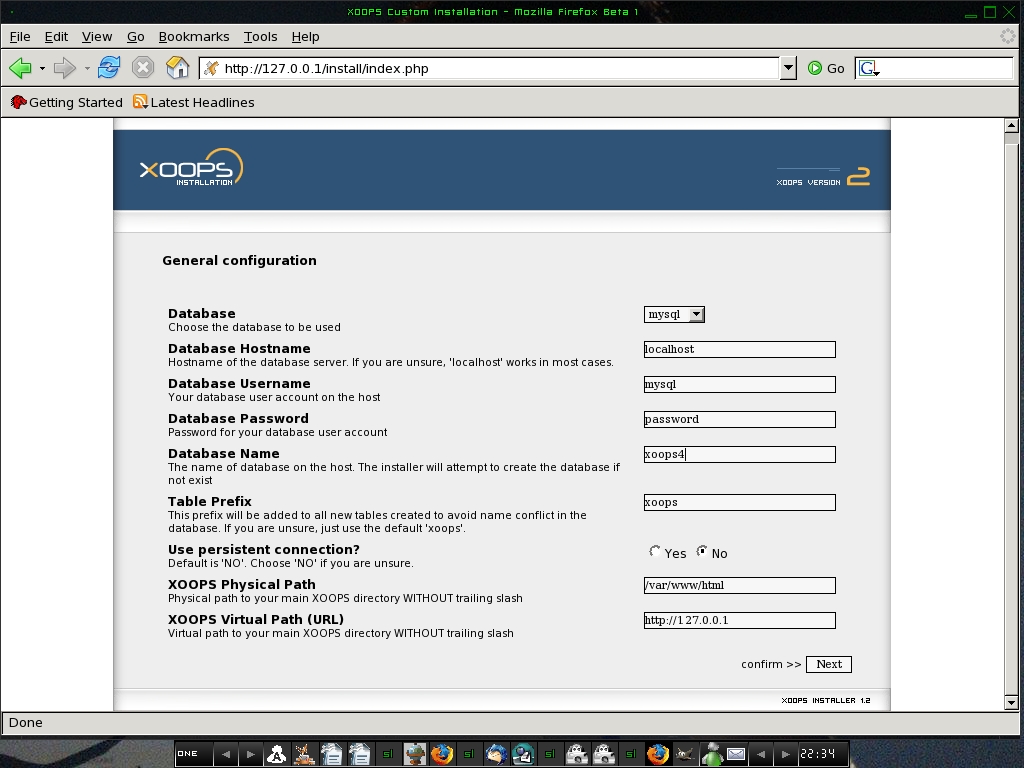
Figure 6. Tell XOOPS about the MySQL database, the database user and password as well as other information.
After you click the Next button, you should see a screen that confirms all the information you entered (Figure 7). If everything looks fine, click Next. If something went wrong, go back and modify the information to correct it.
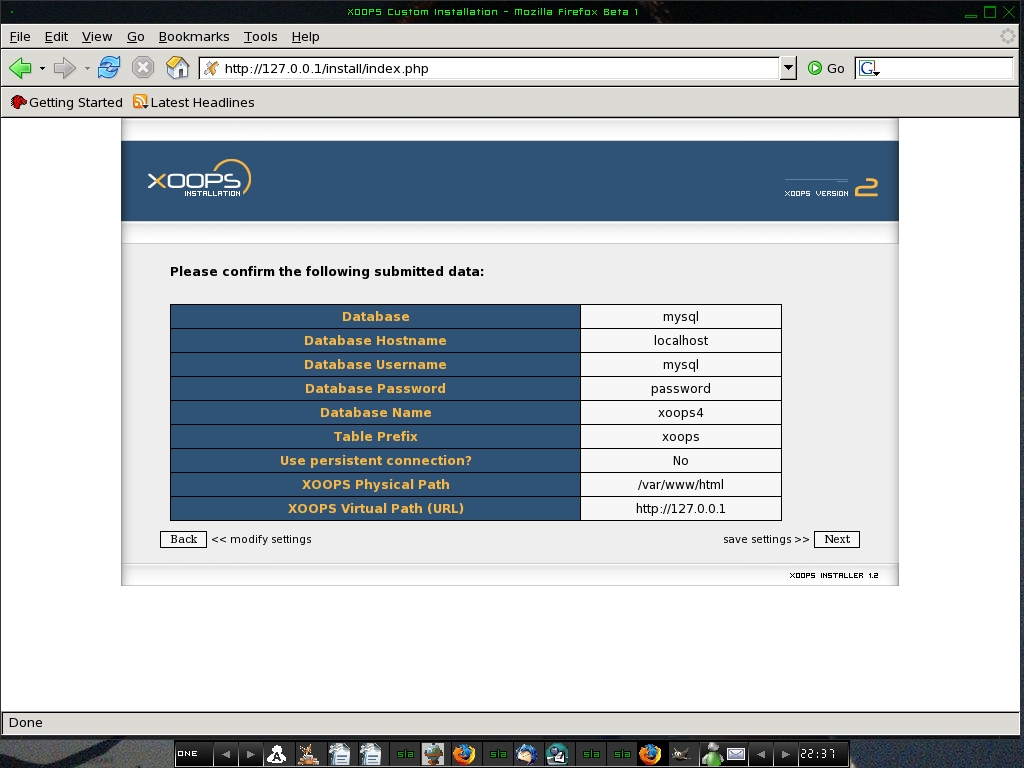
Figure 7. XOOPS Information Confirmation Screen
When you press Next after the confirmation screen, you should see a new screen with the title Saving configuration data (Figure 8). Press the Next button again. XOOPS will check to see if the physical and virtual path to the XOOPS files are correct (Figure 9).
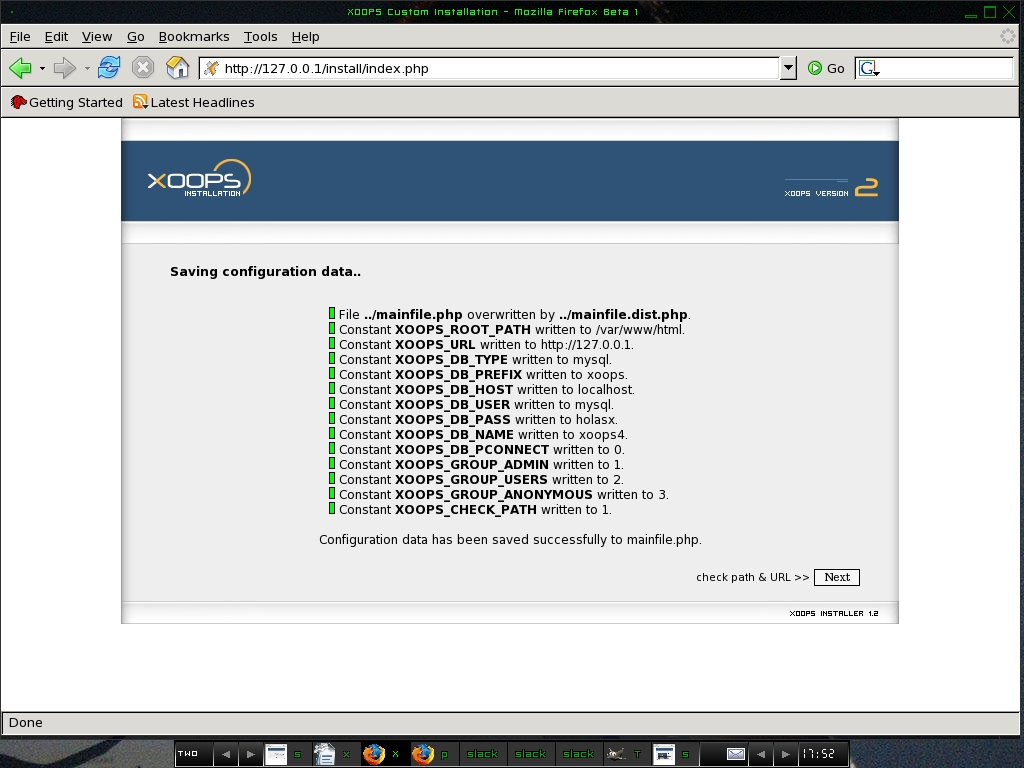
Figure 8. XOOPS tells you the configuration data it saves.
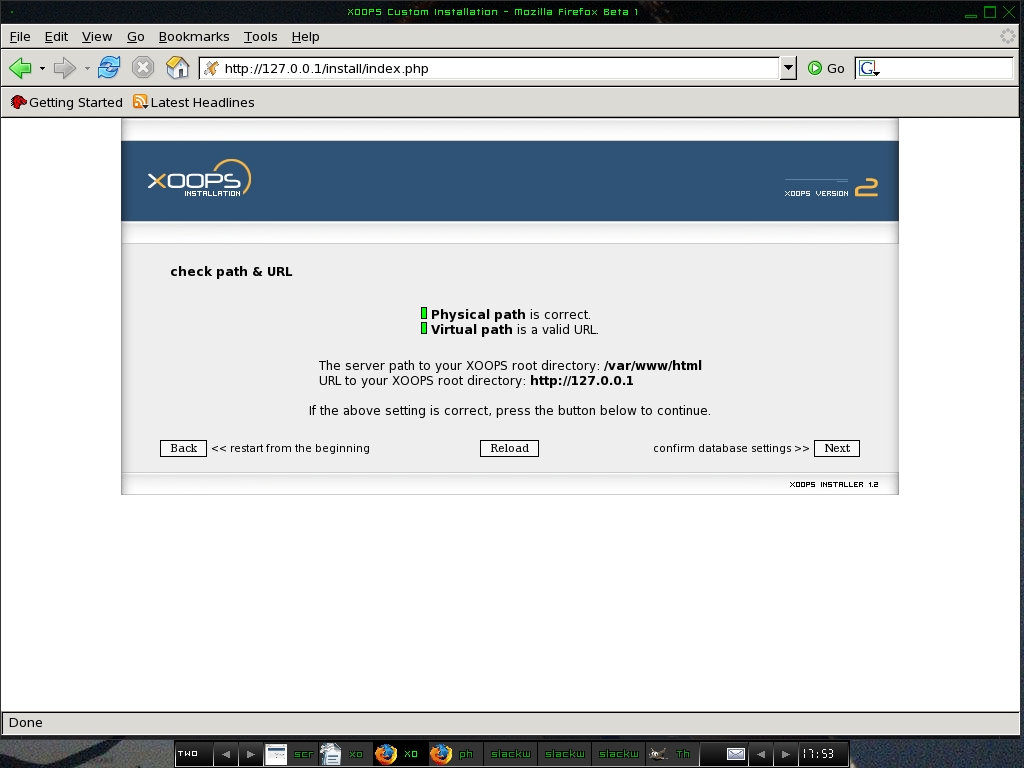
Figure 9. All the paths check out.
Click the Next button again. You should see a Web page that confirms the database settings (Figure 10).
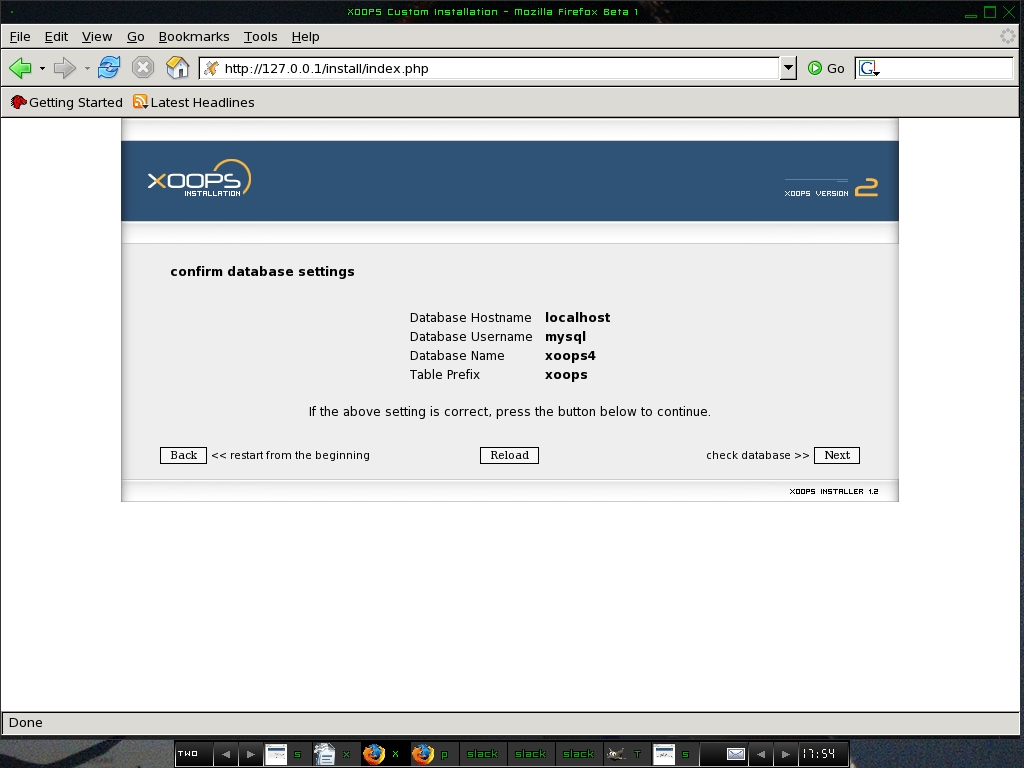
Figure 10. Database settings check out.
Next, XOOPS checks to see if it can connect to the database and modify the database (Figure 11).

Figure 11. XOOPS can connect to and use the database.
Click the Next button once again. Now the XOOPS installer creates all of the MySQL tables it needs (Figure 12).
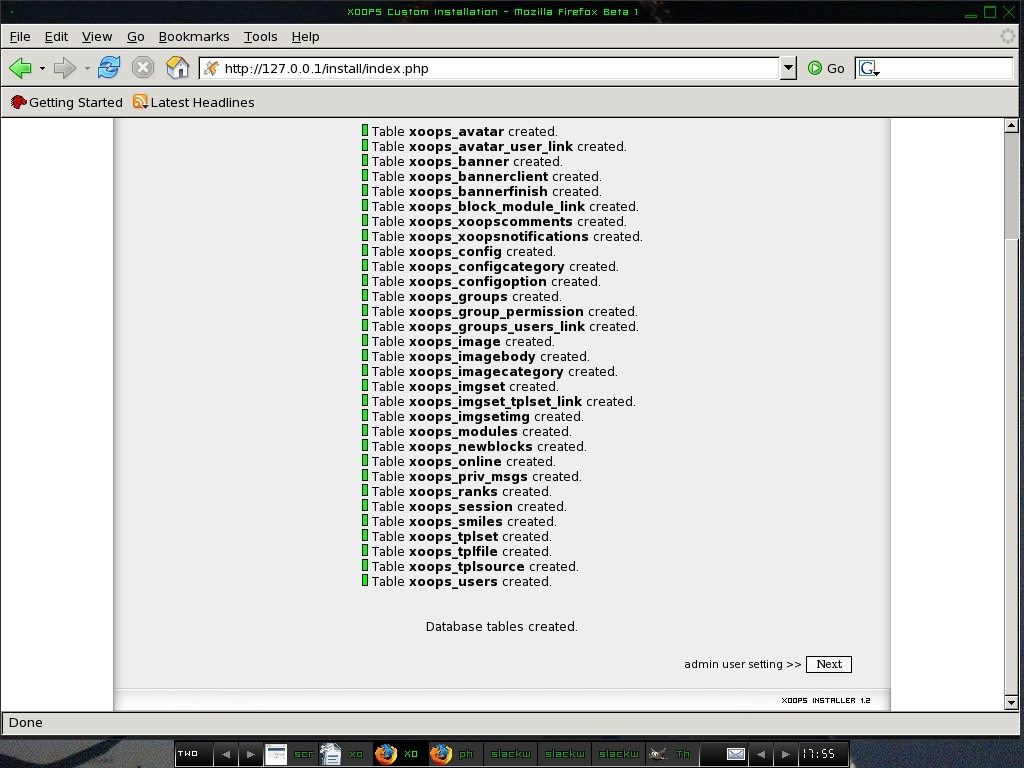
Figure 12. XOOPS creates all of its own database tables.
Now you need to fill the text boxes with information about the administrator of the XOOPS site (Figure 13). XOOPS will ask you about the Admin name, Email and the password for the Admin account.
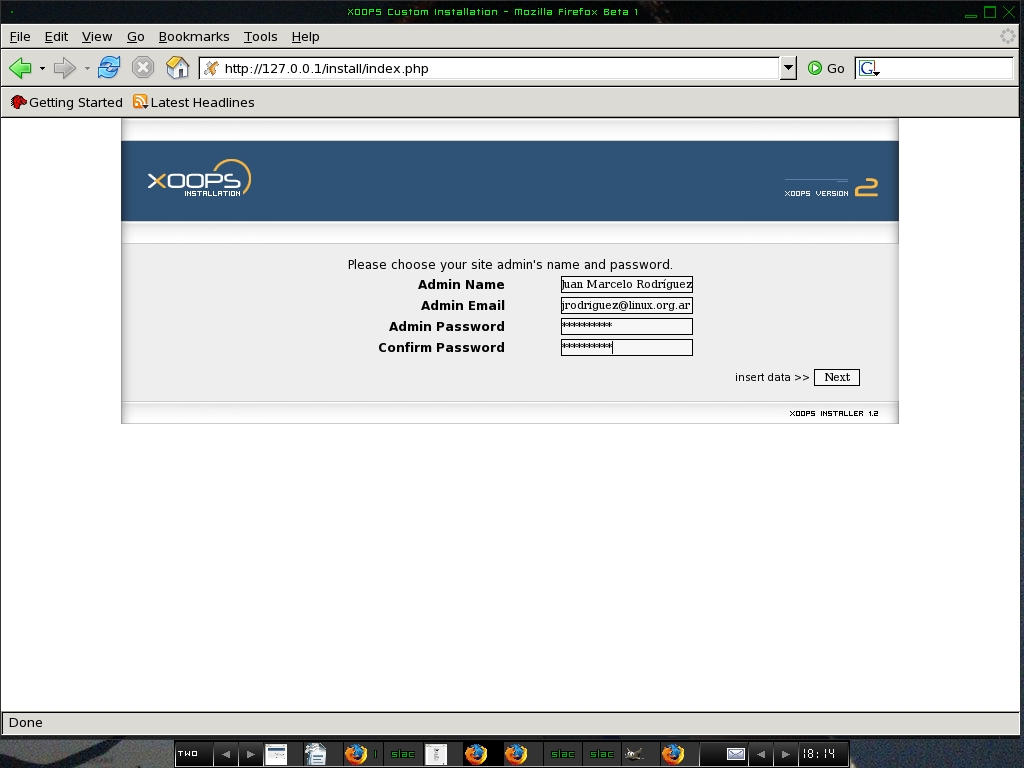
Figure 13. Specify the XOOPS Administrator e-mail, user name and password.
Click Next, and XOOPS uses this information to insert some starting data in various XOOPS tables (Figure 14).
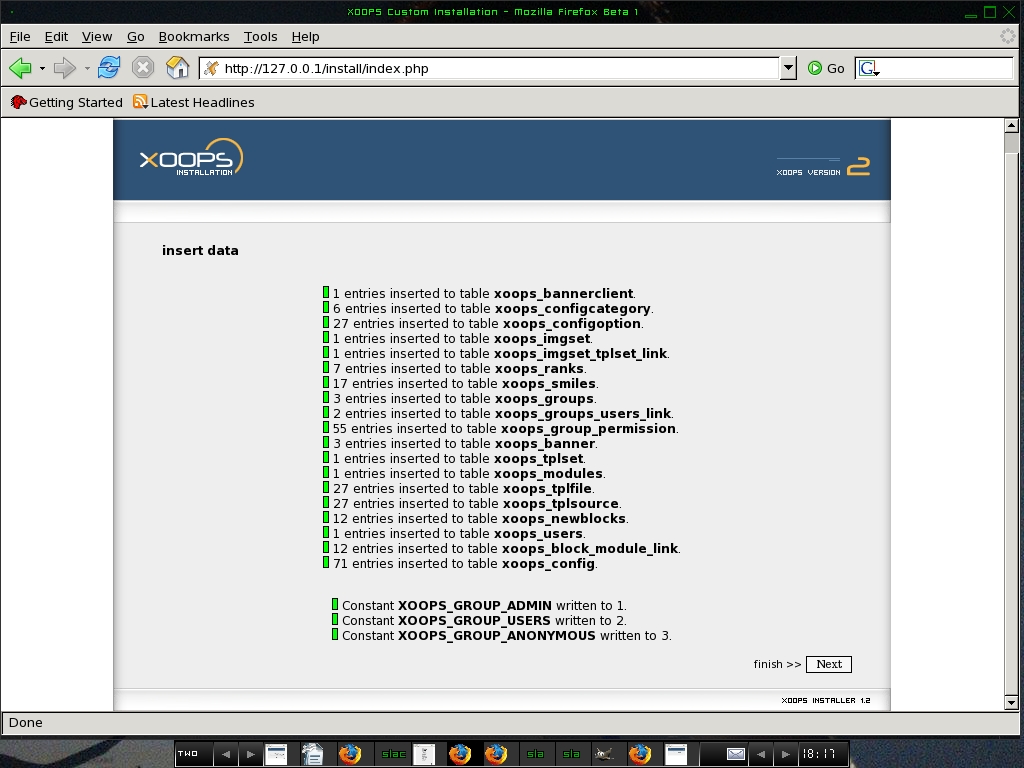
Figure 14. XOOPS tells you about initializing data in various tables.
Click the Next button once again and that should get your XOOPS site up and running. You should see a final confirmation screen like the one shown in Figure 15.
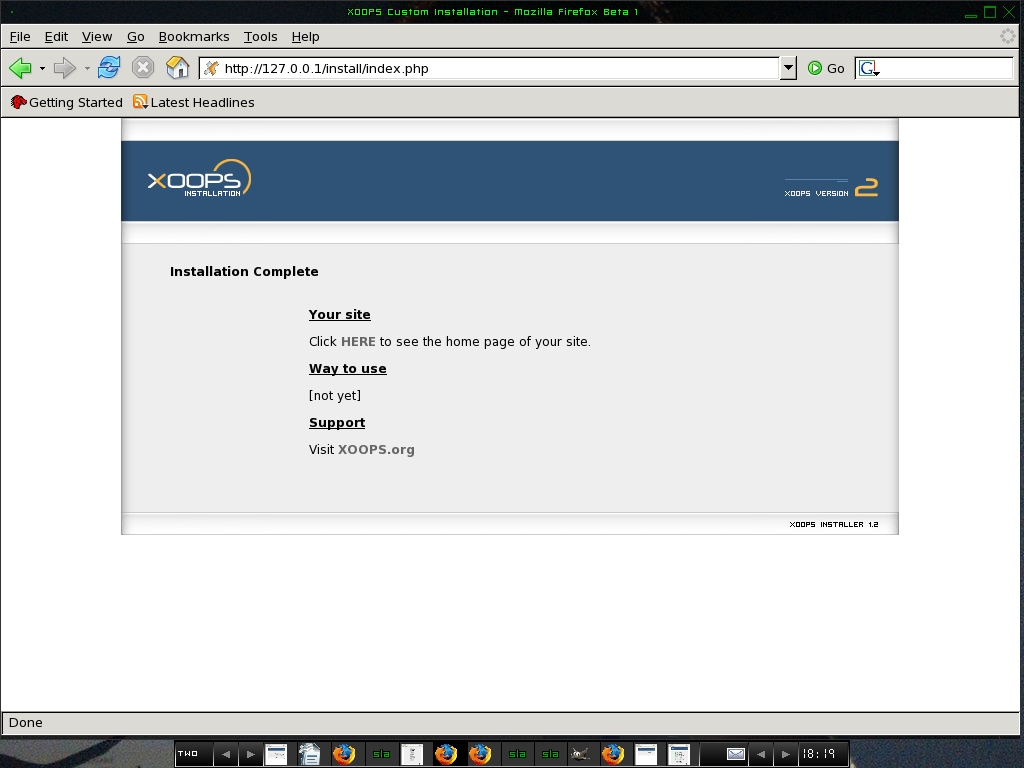
Figure 15. Final XOOPS Installation Screen
Press the HERE link to get to the login screen for your site. This is actually what your site looks like when you first start XOOPS. It is obviously bare bones, but that is because you haven't activated any of the XOOPS features yet.
Log in using the administrator user name and password you specified earlier.

Figure 16. Login Screen for Your XOOPS Site
Go to the Administrator Menu. You will see a number of menu icons on the left. These options configure various features of XOOPS.
Due to the copious amount of files and information that are currently available for this application, it would be almost impossible to describe each module and plugin in-depth in this same article. However, according to my humble opinion, one of the most significant features—and also the first thing you will need to set up—is the option Preferences. On that menu, you can find the following submenus: General Settings, User Info Settings, Meta Tags and Footer, Word Censoring Options, Search Options and Mail Setup.
I strongly recommend that you start working with General Settings first by clicking on the Edit tag. Now you should see another name displayed when you click on System Admin and its modules.
From this menu, you can activate and deactivate your modules, or just add new ones. You can download those new modules from the XOOPS site.
Go to the Administrator Menu, then to the Modules section and see how it looks (Figure 17). Here is where you can install, uninstall, activate and deactivate XOOPS modules.
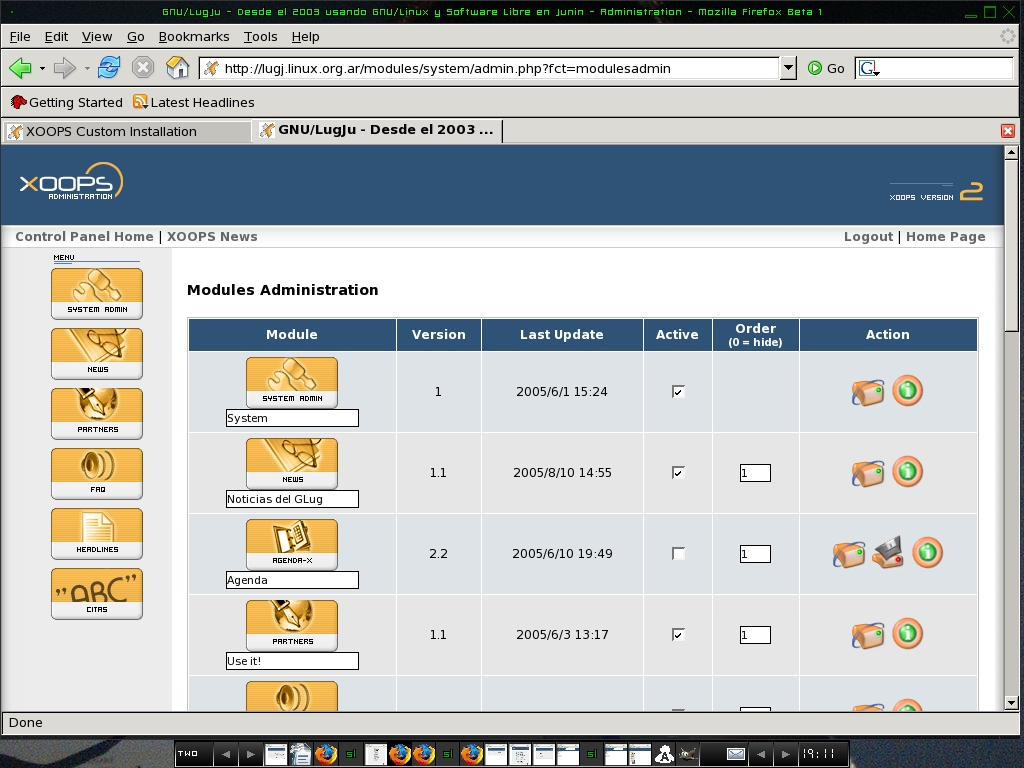
Figure 17. Manage Your XOOPS Modules
The next thing you should do is set up some basic information about your site. Go to the Administrator Menu, choose Preferences and then General Settings. Specify your Site name, Site Slogan, Theme, Admin mail address, Time Zone and so on.
Once you have the modules installed and running, you can make the features they provide show up on your XOOPS home page. Go to the Blocks Administration section. You can add, modify or activate whatever modules you want and the features visible in various locations (the left column, middle, right column and so on). You can specify who will be able to see or use the various features. In most cases, you will want to let everyone view the blocks you choose to display. See Figure 18 for a sample blocks configuration screen.
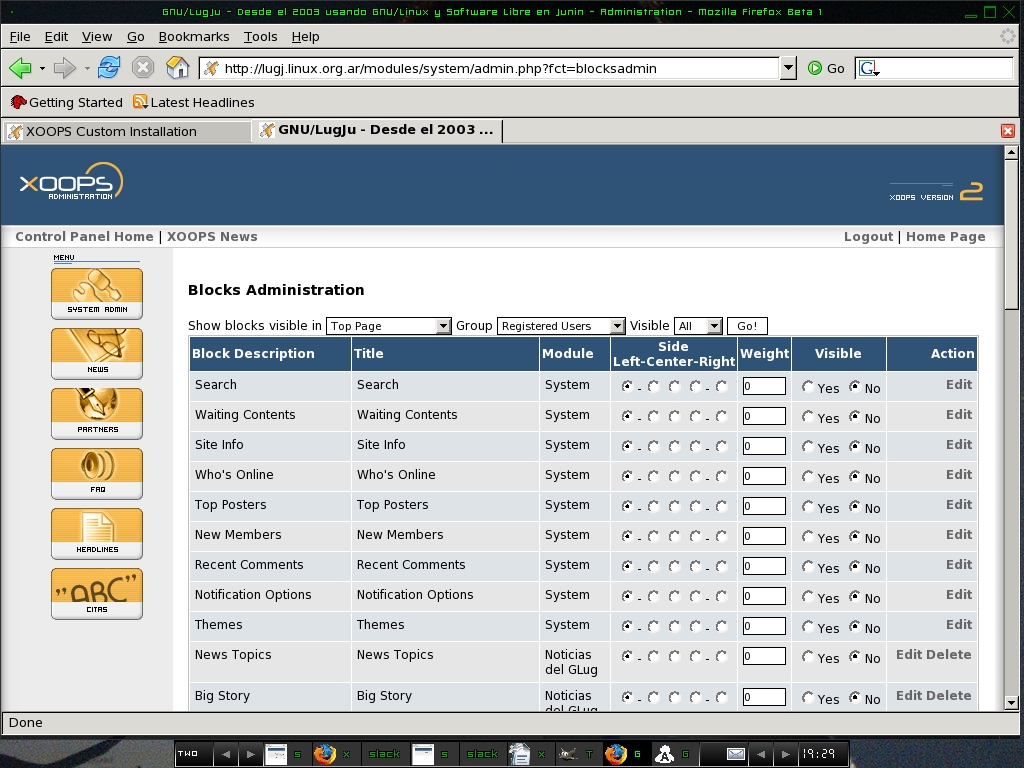
Figure 18. Configure which blocks you want visible and where they should appear.
There are cases where you might want to restrict who gets to see or use blocks. You do this by defining groups of users and assigning people who register for your site to the various groups. You can set, modify and add groups through the section Groups in the Administration menu (Figure 19).
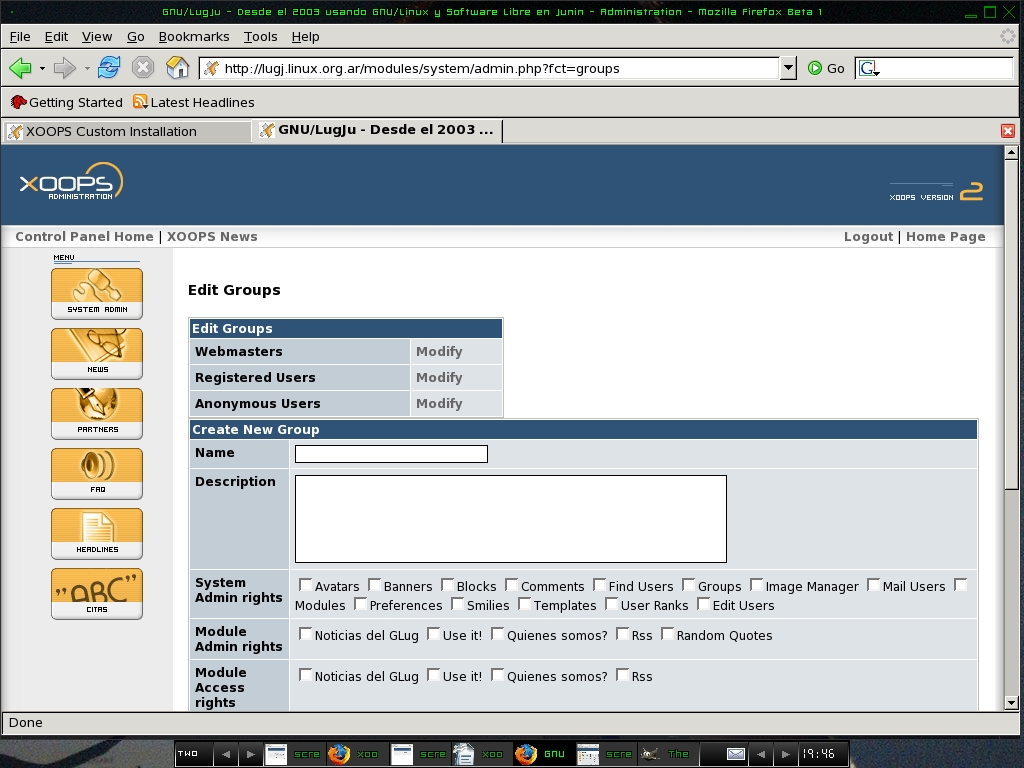
Figure 19. Create and manage user groups for your site.
XOOPS allows users to register for your site. In this case, XOOPS adds the users to your database. To add users yourself, or modify existing users, check out the option Edit Users (Figure 20).
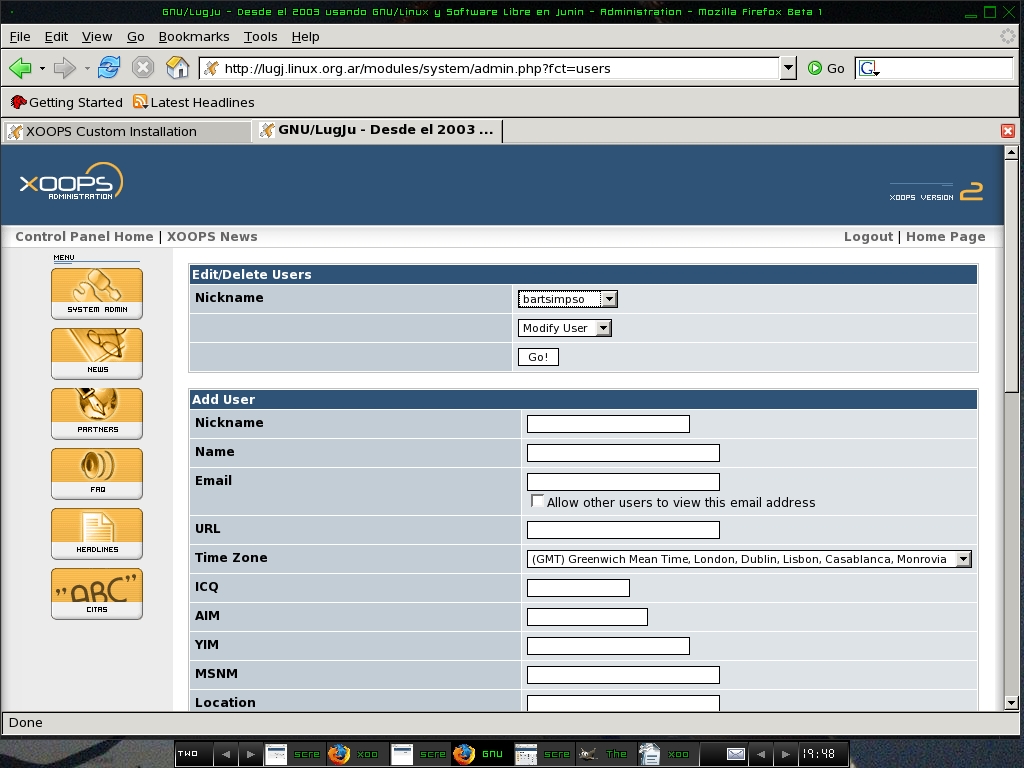
Figure 20. XOOPS User Management
XOOPS keeps modules in the directory /var/www/html/modules/ in our case. Obviously, if you use a different document root, you'll have to modify this path to suit your installation. If you want to add a new publicly available module to XOOPS, download it from the XOOPS site or from another resource, then unpack it in the directory for the modules (in our case, unpack it in /var/www/html/modules/). Go to Administrator Menu, then to modules, and you will have the option to install and activate this new module.
You can also download custom themes for XOOPS. In our case, you would unpack a custom theme to the directory /var/www/html/themes/. You can set this new theme as the default theme in the General Preferences section.
There are many other things you can do to customize your installation of XOOPS. Work and play with the various administrator tools—as you usually will discover the best features by experimentation.
Now you have a powerful Web site, based on a terrific object-oriented language and running upon a strong database and Web server and, of course, the most robust operating system available, GNU/Linux.
Juan Marcelo Rodriguez has been working with GNU/Linux for many years. He writes articles for magazines, works with a local LUG and also works with LugAR/USLA. He likes to play the keyboard, read, write and listen to music.
