
Debian on Steroids III: Libranet 3.0
Libranet 3.0 started beta testing at the end of December 2004 and emerged early in April 2005. Why the long wait? For one thing, Libranet 3.0 is the first release from the Vancouver, BC, company to be based on the 2.6 kernel. The beta started with kernel 2.6.9 and finished with 2.6.11. This was done because the developers wanted to field an up-to-date distribution that carries on the Libranet record of easy to install, configure and use desktop operating systems.
The heavyweight classification I give this latest Libranet comes from its distribution size--five CDs or one DVD--and its comprehensive list of included applications. Although a number of Debian-based distributions are available at less or no cost, none include as many programs as Libranet 3.0 does. This is of primary interest to me and other Linux users who lack broadband or simply don't want to spend their time downloading packages in order to get the functionality we want.
Libranet 3.0 does not move like a heavyweight once installed, however. Compared to another 2.6 distro (SuSE) I tried, things happen much more snappily with Libranet 3.0. Performance on a 500MHz K6-III+ system was impressively good. On a 1GHz Celeron machine, applications started about as quickly as they did under SuSE 9.1 running on my 2.2GHz P4. Even my P1 233 ran tolerably, although installation and KDE startup can wear a bit on one's patience.
This review is from the perspective of a desktop user. I am interested in a desktop that gets my work done. I am not a sysadmin, I do not network and I do not update my system every day. I also make do with hardware that is not bleeding edge. From my first encounter with Libranet 1.9.0 to this latest release, I have found that the Libranet system, support and community fit my needs as well as grow to provide new capabilities.
Libranet 3.0 starts either as a download of one DVD or five CD ISOs. Upon booting, Libranet offers to test the integrity of the media. I highly recommend taking the time to do so; most problems relating to installation failure have been traced to bad burns. For people like me who don't have high-speed download capability, Libranet can mail a five-CD package. No decision has been made yet to provide a DVD.
After testing the disc(s), the installer offers the option to switch CD drives for the rest of the installation. If your system is configured with the CD or DVD burner as master, I would suggest switching to the slave. Later on you are presented with the option to burn a bootable CD, so it is convenient to keep the burner free for that job.
Setting up X is the next step. If the hardware is amenable, the installer switches to graphical mode. On my test systems, using ATI Mach 64, Radeon 7000 and NVIDIA TNT2 M64 graphics cards, I was greeted by an impressive test screen. NVIDIA users are offered the accelerated driver; it worked perfectly with my old card. At this point, even though X appears to be correct, I recommend clicking the Adjust Configuration button on the test screen to make sure the monitor sync frequencies match those of your monitor. You also can change the display resolution to suit your taste.
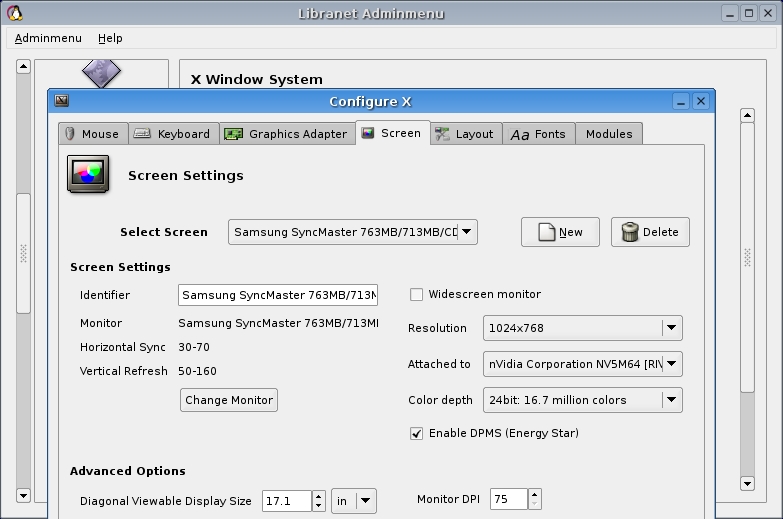
My old Panasonic S70 monitor does not report its specs, and the default settings the installer chose were extremely conservative. This resulted in very ugly display fonts and distortion when scrolling. Manually setting the frequencies in Adminmenu, Libranet's system administration tool, fixed this immediately. I since have placed little gummed labels on my monitors that list the sync frequencies.
With the display set up, the graphic Install Manager appears. First up is keyboard selection, followed by hard drive set up. If space must be made available by shrinking other partitions, Libranet provides GParted and QTParted, which are accessed by clicking on Partitioning Tools under the Menu button. Both tools are provided to deal with all of the filesystems a user may want to adjust. In addition, these tools now are graphical as of this release, making them easier for a beginner to use than the previous text-mode utility.
Once free space has been made, the partition tool provides the options of overwriting the entire drive, using all available free space or custom partitioning. Some nice touches have gone into the design of this critical tool; for example, in custom partitioning a slider can be used to set partition size.
With the drive layout completed, selecting boot options follows. Libranet always installs GRUB data in / or /boot, regardless of the selection, so starting Libranet if the MBR accidentally is erased or overwritten is not a problem.
New in Libranet 3.0 is the option to include other OSes in its boot menu list. It detects and displays Windows and other Linuxes. The tool automatically writes the appropriate chainloader stanza for each one, and it also lets you edit the titles.
Missing in Libranet 3.0's installer, however, is the option to mount a Windows partition and make it user accessible. Libranet 2.8.x included this option but lacked the boot menu configuration tool. It's a trade-off. I find the OS boot tool to be more useful myself. Adding a line to /etc/fstab and creating a mount point for Windows is not difficult, but newcomers may find this step bothersome.
After installing the base system, kernel, modules and, finally, the boot loader, the user creates a root password and sets up user accounts. Next, come hostname selection, the default is Libranet; time zone selection; and network configuration.
Although I don't network, some of my systems have NICs; Libranet identified all of them except for one in a vintage Compaq Presario. Dial-up users now can set up their accounts. I would suggest, however, skipping this part until after the installation is completed, because there is a bug that results in the dial-up password being saved incorrectly. Setting up the dial-up in Adminmenu later is easy and works correctly. One thing I do not like is that the password is masked, that is, displayed as asterisks, even with root access. I had a hard time troubleshooting my connection because I could not verify that my password was correctly entered--I am a terrible typist.
The next step is making a boot floppy or CD. This is optional and can be done later in Adminmenu. Laptop users take heed: if you are installing from your burner, make sure you remove the installer CD or DVD and replace it with a blank disc before proceeding to burn a CD. There is no warning to do so, and the system hangs and is unrecoverable after trying unsuccessfully to burn a boot CD with the installation CD #1 or DVD in the drive.
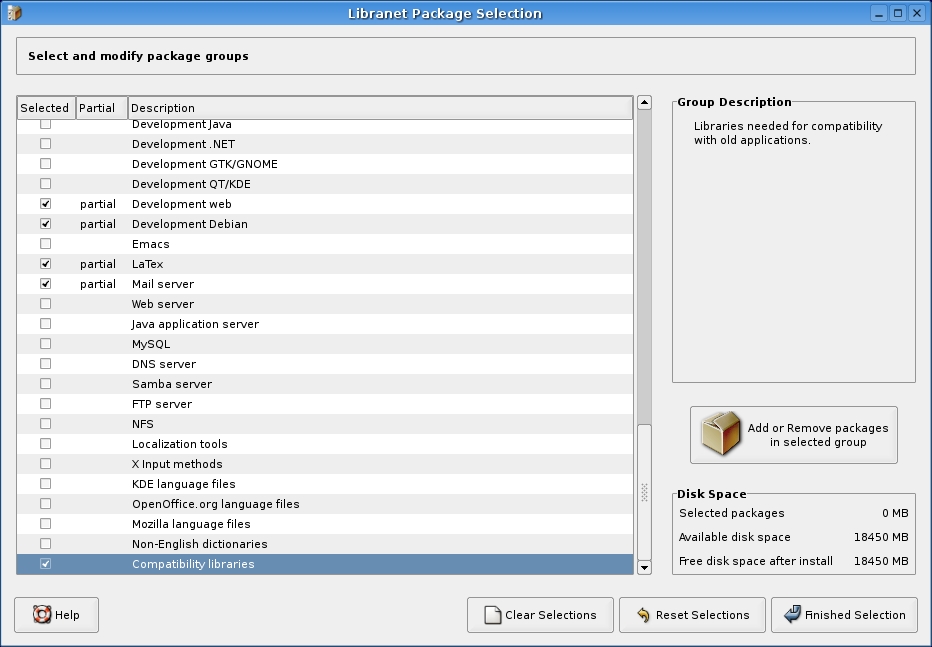
The last stage of installation is package selection. Here Libranet's design team has come up with a elegant tool. You can select from several installation profiles: standard desktop, standard laptop, server system, minimal and custom. Each of the profiles can be customized by clicking Edit Package Selection. The package manager lists and describes all of the available programs and indicates which are default.
If you forgot to reinsert your install disc after burning a boot CD, you are reminded to insert it. During package installation, a bar graph reports progress as a percentage of completion.
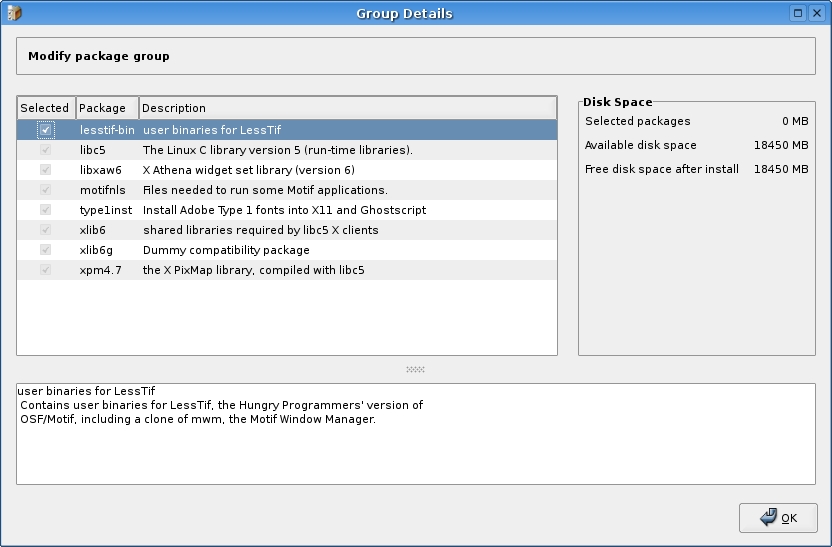
A matter of particular importance to me is that Libranet 3.0 retains support for my favorite word processor, WordPerfect 8.1. The compatibility package group is at the bottom of the list and can be added either during installation or anytime later by using the Adminmenu package tool.
Upon rebooting, the user is presented with a login screen. Libranet's default windows manager is a modified IceWM. It opens with basic functions configured; Firefox and Thunderbird are on the task bar. GNOME icons for file browsing, using Nautilus, and devices--Computer--already are configured. Clicking on Computer makes the CD/DVD drive(s), other mounted partitions and floppy available. Plugging in a USB memory stick makes an icon appear after a few seconds; no tinkering with configuration files is required. All in all, this is a very functional desktop for slower systems.
For KDE 3.3.2 users some housekeeping is necessary at this point. First, a few edits must be made in /etc/fstab. Your USB memory stick can be mounted by adding this line:
/dev/sda1 /usbstick auto defaults,noauto,user,noatime 0 0
Of course, you need to create the mount point. For this example, use the command mkdir /usbstick .
If you have a Windows XP partition and want to access it, you will need to add something like:
/dev/hda1 /windows ntfs defaults,ro,gid=windows,umask=002 0 0 .
Then, create the mount point in a terminal with mkdir /windows. Run the command mount -a to reread the /etc/fstab.
Next, to populate the desktop with device icons, open Control Center -> Desktop -> Behavior -> Device Icons. You have to clear all of the checked boxes and click Apply. Then, check the devices you want displayed, both mounted and unmounted, and click Apply again. It's a bit of KDE goofiness to have devices checked off here by default and not have them appear without going through this little procedure.
If you don't like desktop clutter, you can add Kdiskfree to the task bar and set its properties to open a browser upon mounting. When you need to use a drive, click on the Kdiskfree button, right-click the desired device and then select Open in File Manager.
There is a bug in KDE that prevents ejecting a disc from a CD-ROM or DVD as a user. This appears to be related to a KDE process, namely, kio_audiocd. It affects only those drives connected to system sound with an audio cable. There are a couple of workarounds, however. As root, check setuid in the permissions of /usr/bin/eject. If you don't want to use setuid, you simply can kill the errant process, either with Ksystemguard or with a script like this:
#! /bin/bash
killall kio_audiocd
eject /dev/hdc (or /dev/hdd as appropriate)
Save as xcd.sh or xdvd.sh in /usr/bin and give it the proper user permissions with chmod 755. I like this script; set up an icon to run it, use a red X from the actions list, and you can eject a disc with one mouse action instead of three.
The above faults I found in KDE 3.3.2 are mitigated by the ease of using a USB scanner. I simply plugged in my Epson 1650, started Xsane without any of the file tinkering of yore and scanned. Of course, your scanner must be one supported by SANE.
Libranet 3.0 also installs GNOME 2.8. I am not a GNOME fan, but this version is good enough to tempt me away from KDE. It loads fast and everything works out of the box. I just don't like double-clicking. Other windows managers include Xfce, Afterstep, Blackbox, Openbox and Fvwm.
Next, set up the printer. For this, you need to use Libranet's Adminmenu, which gives you an opportunity to explore Adminmenu and its functions.
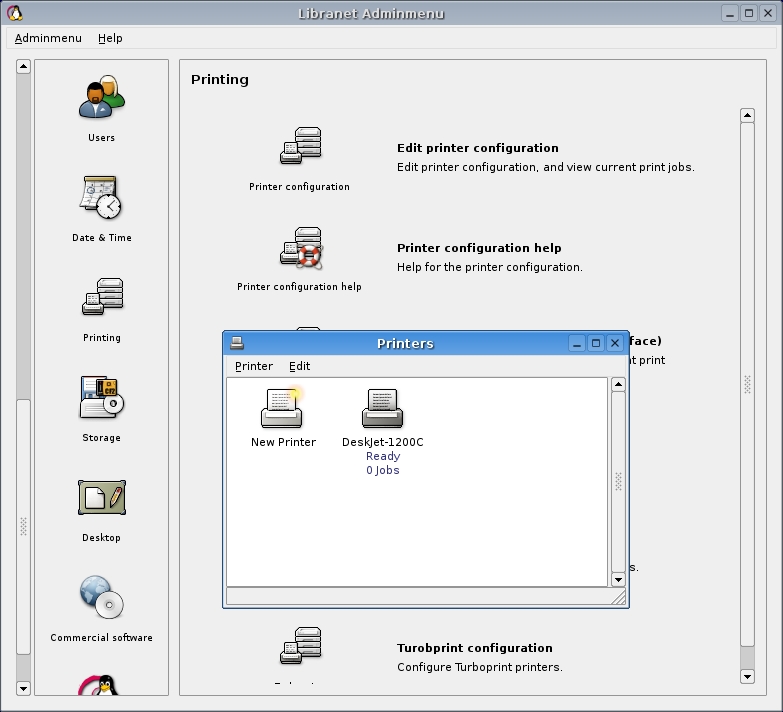
A detailed description of Libranet's new Adminmenu would justify a separate report. One feature, however, warrants particular notice. Libranet is the only Linux distribution I know of that makes compiling a kernel safe and easy. The entire process is point and click. If for some reason the recompiled kernel does not boot, the original kernel still is available and listed in the boot menu and will start Libranet up for another try if needed. By itself Adminmenu, with its unique kernel tool, gives Libranet its knockout punch.
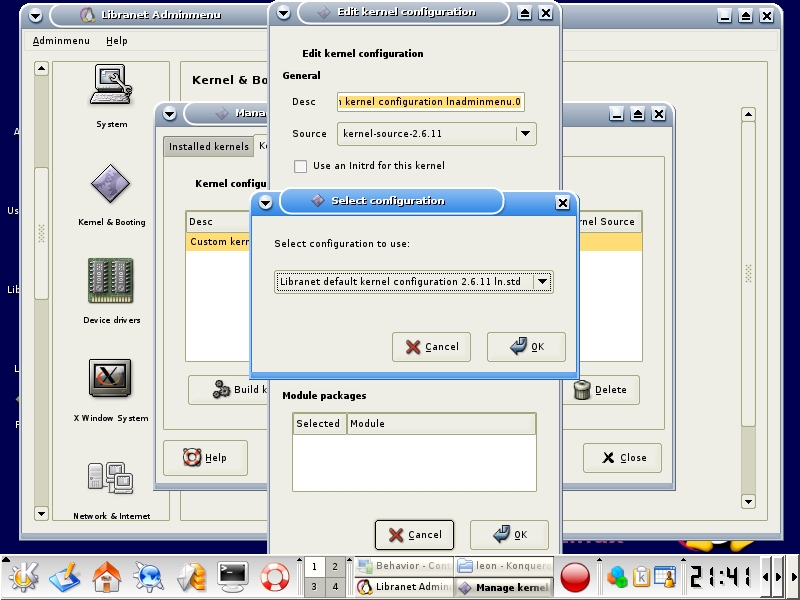
Libranet 3.0's KDE 3.3.2 is a bit out of shape. The previously mentioned CD/DVD ejection bug and the lack of plug-n-play USB flash memory device recognition are more annoying than crippling, but they do detract from the usual polished Libranet feel. Offsetting this, USB scanners are now truly plug-n-play, and GNOME 2.8 is a commendable choice for first-time user.
For Windows users, Libranet's default kernel comes prepatched and configured for Win4Lin 9x. You simply install Win4Lin; no kernel recompiling is needed. The install media also includes a trial version of CrossOver Office.
This distribution provides a huge selection of applications, a generous choice of desktop windows managers, convenient system management with Adminmenu and good performance even on older systems. The desktop user should find plenty of capabilities in Libranet 3.0 without needing either the fastest CPU available or advanced hacking skills. I'd call it a Debian technical knockout.
