
Linux MIDI: a Brief History, Part 1
In 1981, an audio engineer named Dave Smith designed a universal interface for connecting synthesizers together. He presented his basic design at the Audio Engineering Society meeting that year, and in 1982, the Roland corporation expanded the design specification. Later that year Smith's company, Sequential Circuits, produced the Prophet-600, the first MIDI-capable synthesizer.
The first public presentation of a working MIDI connection took place in 1983 at the winter NAMM (National Association of Music Merchandisers) show. A Sequential Circuits Prophet-600 was connected to a Roland Jupiter 6 by each synth's MIDI interface. Connecting synthesizers together certainly was not a new idea, but this means of doing so was new and far more effective than earlier solutions. In the summer of the same year, Yamaha introduced the DX7 FM synthesizer, with MIDI hardware as a standard component. MIDI rapidly found favor with manufacturers that recognized the advantages of standardizing a basic hardware/software interface for data exchange among different machines. It is no exaggeration to say that MIDI fueled an incredibly active period of hardware synthesis development during the late 1980s and early 1990s.
MIDI also was adopted quickly for use with the newly popular personal computer. Manufacturers marketed standalone MIDI interface cards that allowed MIDI data exchange between a host computer and any external MIDI equipment. Software houses created and marketed music composition programs and other MIDI software. Equipped with the right hardware and software, a musician could use the computer to control synthesizers, drum machines, mixers, effects units--anything equipped with MIDI connectors. The extent of control varied, but the efficiency of the MIDI studio made a revolutionary impact on music production.
The MIDI studio of the late 1980s typically included a computer, a keyboard synthesizer, a drum machine, some external rackmount synths, perhaps a MIDI-controllable effects box and a MIDI router box to connect these pieces. At that time, the dominant audio recording medium was tape. By the mid-1990s, though, the MIDI studio was becoming more computer-centric, with soundcards providing better on-board synthesizers and software MIDI sequencers evolving to include audio tracks. By then, audio recording had shifted to the hard-disk. A contemporary MIDI studio still might include a keyboard synth or two, but the computer itself now was able to host software synthesizers and effects processors. At the same time, the computer internally controlled all MIDI connections and routing while running a sequencer capable of recording synchronized MIDI and audio data.
The MIDI specification has responded well to the needs of its community of users. The spec now includes provisions for encoding SMPTE time code, message types for remote operation of machine transport controls, a generalized instrument patch map for synthesizers, a standardized sequence data file format and support for multiport hardware, with a per-port maximum of 16 channels.
For many people, a MIDI refers to a file saved in the MIDI sequence data file format, typically with the .MID extension. If the sequence is orchestrated following the general MIDI (GM) synthesizer patch map, you can play it on any GM-compliant synth and hear the same arrangement of instruments. The quality of instrumental sound varies, of course, from synth to synth. This combination of standard file format and generalized patch map itself has fueled a rather different revolution, the results of which can be evaluated by a quick search for "MIDI files" on Google. As I write this--September 7, 2004--the hits number more than two million. A facile proof, but clearly a lot of people enjoy making and using MIDI files.
MIDI is an acronym for musical instrument digital interface. It is a design specification for a hardware and software interface for the transmission and reception of MIDI data messages. These messages vary in kind and relative significance. For example, when you play a MIDI keyboard, the key press and release actions send on/off messages that trigger the sound capabilities of the receiving synthesizer--which may or may not be the one you're playing. Patch select buttons send MIDI program change messages, pitch bend and mod wheels send continuous streams of data, pedals send their own kind of messages and so on.
The MIDI data stream carries various messages to a target device and activates the device's various capabilities. The original intent was to connect synthesizers, but the MIDI specification now encompasses the control of a wide variety of devices, including non-musical equipment such as lighting systems, pyrotechnic displays and stage hydraulics.
MIDI data essentially is control data, and it is important to note it is not digital audio data. MIDI files are quite small when compared to a WAV or MP3 version of the same file, which gives them much appeal when storage and speed of access are critical considerations.
For the technically minded, here are a few technical statistics: MIDI works at an asynchronous transmission rate of 31.25 kilobits per second, and a single MIDI data byte equals ten bits. A note-on message is three bytes long, so a single key press on your synthesizer keyboard takes about 1 ms to get to the synthesizer itself. Although MIDI is a relatively slow serial communications protocol, it still is good enough to capture and play accurately a human performance.
Despite its popularity, MIDI is not a total solution for computer-based music making. It does not directly deal with audio data, its original keyboard orientation does not lend MIDI to easy implementation for plucked string instruments or wind instruments, and its integer valuation may not provide the fine control sought by the musician or composer. Nevertheless, if your needs do not involve such considerations, then MIDI might be a perfect fit for your music-making endeavors.
The OSS/Free kernel sound API supported the basic MIDI capabilities of the original SoundBlaster soundcards. This offered a maximum of 16 channels--no support for multiport interfaces--and support for hardware interfaces only in UART mode, also called dumb mode for its relatively simple capabilities. The OSS/Free API supported a raw MIDI device, /dev/midi, and an advanced device, /dev/sequencer, for interfaces controlling the timing of the MIDI data queue.
From kernel 2.6 onward, ALSA (the Advanced Linux Sound Architecture) is the kernel sound system. Among its many features, ALSA includes backwards-compatibility with OSS/Free MIDI support while offering new support for more modern MIDI systems, including a sequencer architecture that allows easy connections between ALSA sequencer clients and a module for creating virtual MIDI ports on machines without MIDI hardware--very handy on my laptop. ALSA's MIDI hardware support includes standalone MIDI cards, soundcard MIDI hardware connectors, serial and parallel port interfaces and USB MIDI interfaces. The system also installs some useful MIDI utilities, such as the aconnect sequencer client router, the amidi tool for sending and receiving raw MIDI data and the amidirecord utility for recording a standard MIDI file at the command prompt. Besides the OSS/Free /dev/midi and /dev/sequencer devices, ALSA adds its own /dev/snd/midiCxDx logical devices, where C is the card number and D is the device number.
The ALSA sequencer API is a most welcome evolution in Linux MIDI support. Compliant programs may be connected freely, with multiple inputs allowable on a single port. Graphic patch bays are available that display and edit the send/receive status of the available clients. Incidentally, ALSA's virmidi (virtual MIDI) ports appear to the system as though they are real ports, and their data may be routed to and from any other port, real or virtual.
I also must mention that Linux MIDI support extends to a number of operating system and CPU emulation environments, with especially good results achievable with DOSemu, an MS-DOS emulator, and XSteem, an AtariST emulator.
At the least, a complete software-based MIDI music-making environment should include a MIDI sequencer, a rhythm programmer and one or more software synthesizers. Serious MIDI musicians also should include helper applications, such as patch bays and MIDI event filters. Many interesting MIDI composition environments are available, including MIDI programming languages and GUI-based programs. Music notation programs especially have benefited from MIDI connectivity. Standard MIDI files are fairly easy to convert to notation, and your notated compositions can be rendered and performed easily by way of MIDI.
In Part 2, I will describe Linux programs and utilities in all of these categories. For now I leave you with some eye candy taken from the current Linux MIDI software scene. Enjoy!
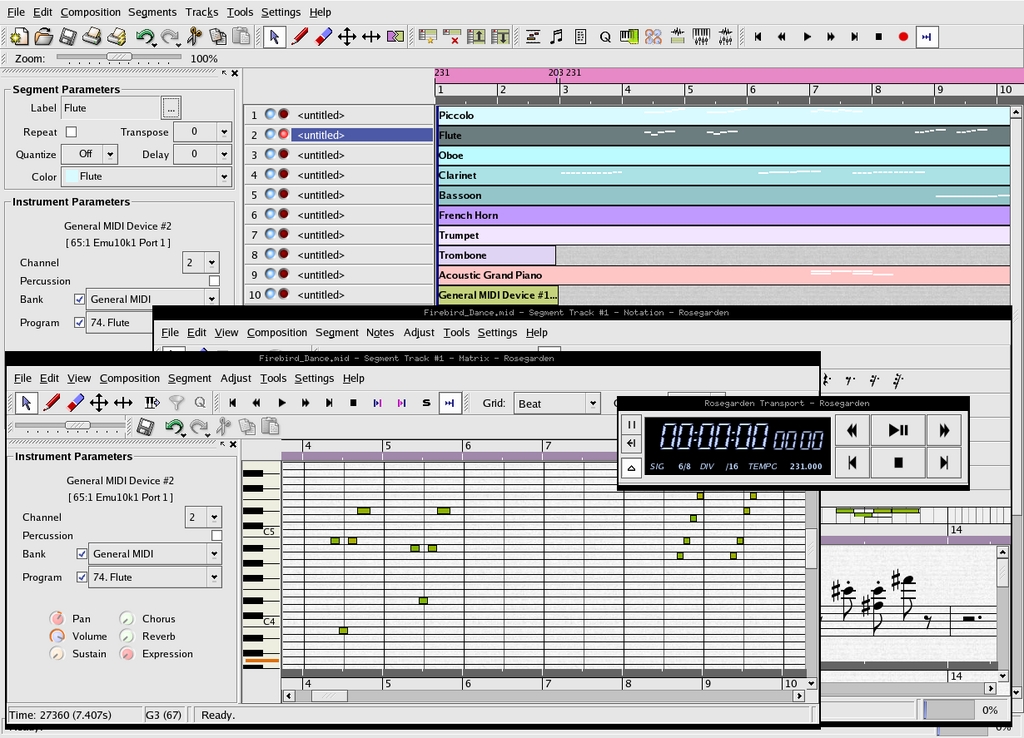
Figure 1. The Rosegarden Sequencer
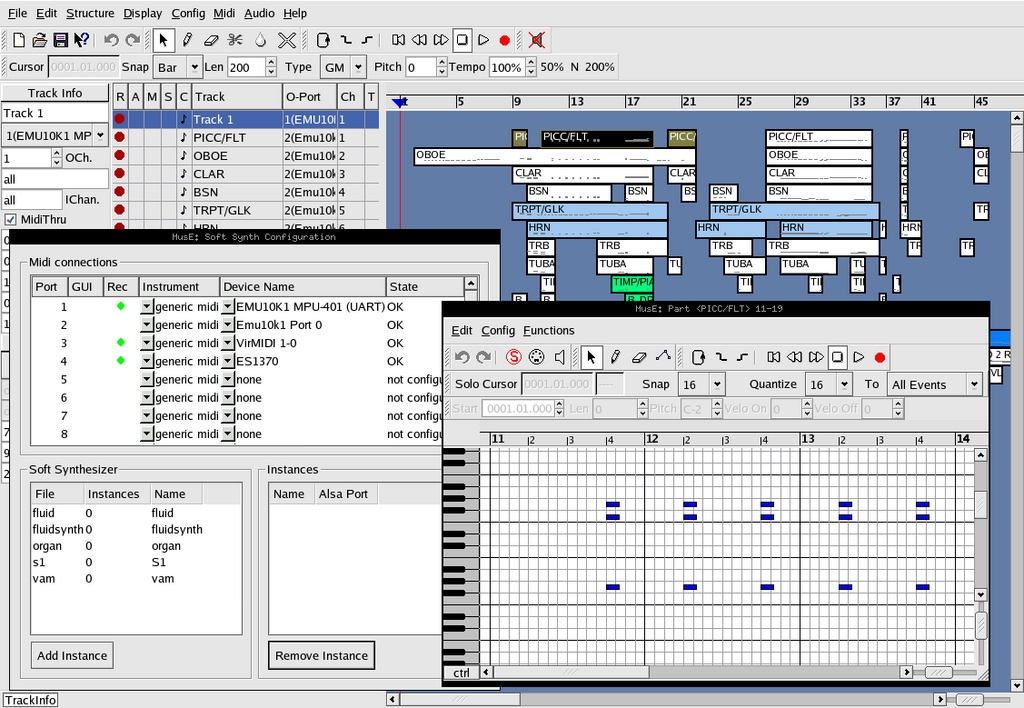
Figure 2. The MusE/Sequencer
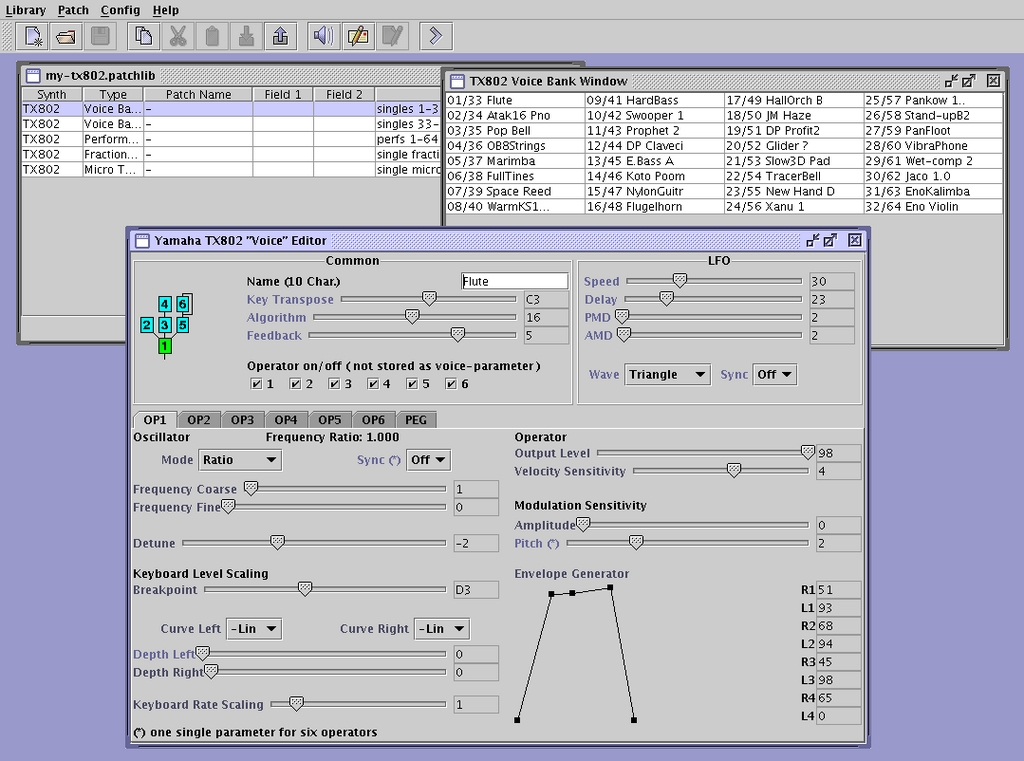
Figure 3. The JsynthLib Synthesizer Patch Editor/Librarian
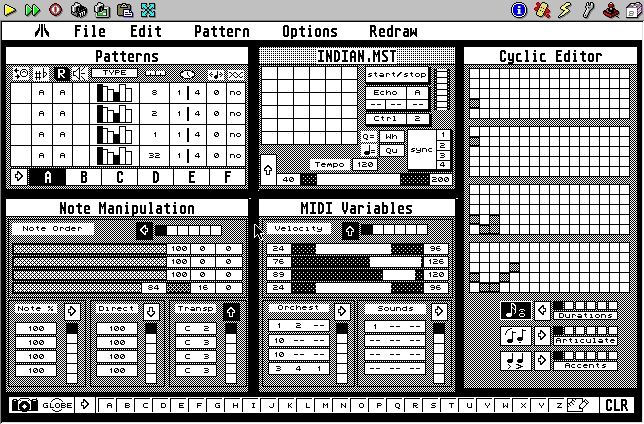
Figure 4. XSteem Running M for the Atari
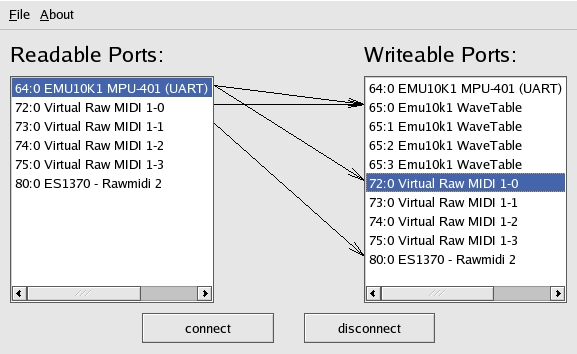
Figure 5. The Kaconnect MIDI Patch Bay
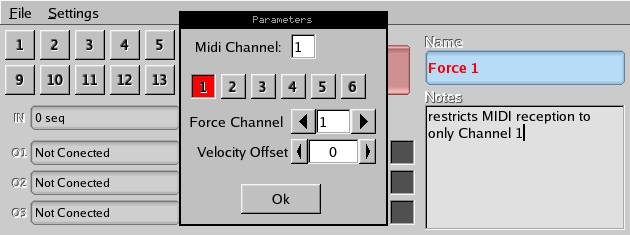
Figure 6. The midirgui MIDI Channel Router
The MIDI Manufacturers Association site is an excellent resource for everything you want to know about MIDI technical details.
The MIDI Farm is a good site for news about new software releases and updates.
The MIDI Database is a massive directory for free and commercially available MIDI files.
Dave Phillips (dlphilp@bright.net) is a musician, teacher and writer living in Findlay, Ohio. He has been an active member of the Linux audio community since his first contact with Linux in 1995. He is the author of The Book of Linux Music & Sound, as well as numerous articles in Linux Journal.
