
At the Forge - Weblogs and Slash
Last month, we looked at the installation and basic administration of Slash, the open-source Weblog and community system that powers the popular Slashdot site, among others. Slash, which is distributed under the GNU Public License, takes advantage of Perl, mod_perl and Apache.
Slash uses the term journals for its Weblogs. Each user on the system can keep his or her own journal; this functionality is available by clicking Journal on the You menu, which typically is displayed along the left side of the screen. This invokes journal.pl, which is located inside of your site's Slash directory. On my computer, named chaim-weizmann, I found journal.pl in /usr/local/slash/site/chaim-weizmann/htdocs/journal.pl. The code is easier to read than I imagined, but even if you are an experienced Perl hacker, you should find that a great many functions are centralized and customized for the Slash environment. That said, changing Slash does not appear to be terribly difficult, if you are interested in tinkering with it.
The first time you click on the Journal link, you see a screen that looks like the screenshot pictured in Figure 1. A message there indicates you have not created any journal entries, and several links offer you the chance to write in your journal or edit existing entries.
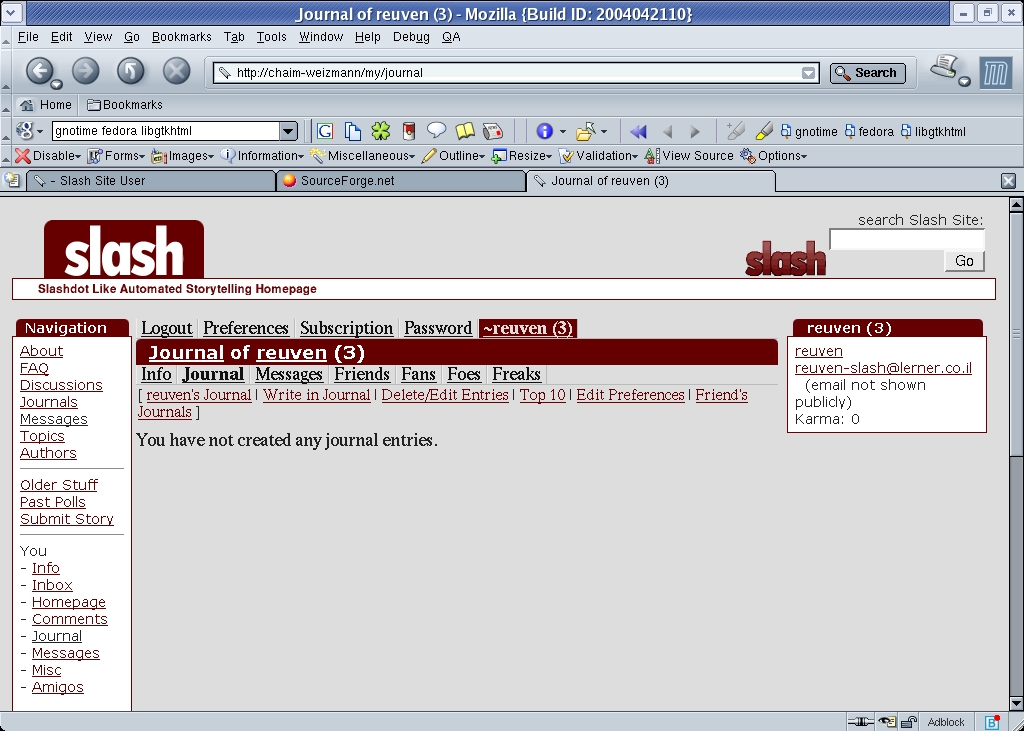
Figure 1. A New Slash Journal without Any Entries
Let's create a new journal entry by clicking on the Write in Journal link. This opens a new page, shown in Figure 2. We enter a subject, a topic (a combination of the global list of topics, along with user journal), an indication of whether you want to allow others to comment on your journal entry and the entry itself.
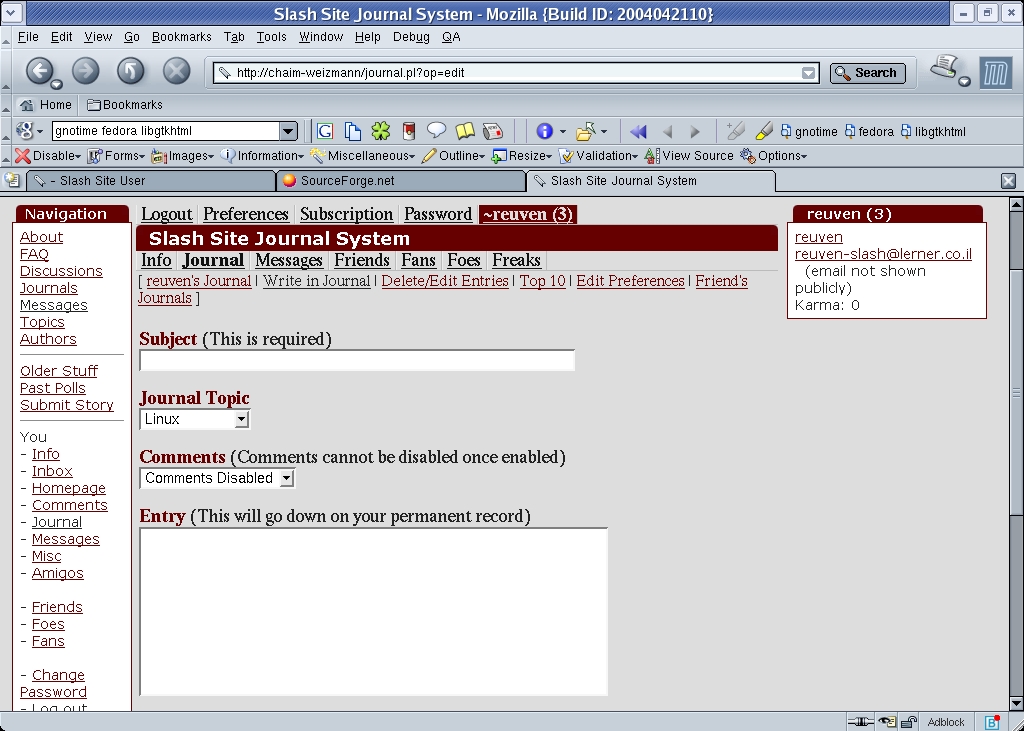
Figure 2. The journal entry page is where you compose new text for your journal.
When you have finished writing a journal entry, you can click the Preview button, which allows you to look at your entry before posting it. This seems a bit patronizing to me; although I understand it is useful and important for people to proofread and double-check their work before submitting it, at times I want to move ahead and prefer not to preview my work.
Next to the Preview button is a selection list that allows you to indicate how your journal entry should be formatted. The default, HTML format, allows you to stick HTML tags into your journal, so that you can create <b>boldface</b> and <i>italic</i> text. Of course, HTML does not differentiate between types of whitespace, which means choosing this formatting method requires you to separate paragraphs with <p> tags. It also means you can enter a literal < or > character only by using the appropriate HTML entity, < or &rt;.
The extrans formatting option would have been my preference, if I had known what it was from the beginning: extrans assumes that every character should be taken literally and converts multiple newline characters into HTML paragraph breaks. I realize that the option says “HTML tags to text”, but that seems less important than the fact that paragraph separations are preserved in the final copy.
Once you have previewed your entry at least once, a Save button appears between the Preview button and formatting selection list. You can continue to modify and preview your journal entry, or you can save it and make it viewable by everyone else by clicking on the Add button). Indeed, anyone can view the journal I created on chaim-weizmann by pointing their browsers to the URL chaim-weizmann/~reuven/journal.
As often is the case with other Weblog and journal software, Slash makes it possible and easy to solicit comments from other users. By default, this option is off, and the instructions indicate clearly and repeatedly that turning comments on means they remain on forever.
This option is set for each individual journal entry; some can allow comments and others can forbid them, as users see fit. You can change the default setting by clicking the Edit Preferences link at the top of the journal page and then selecting comments disabled or comments enabled, as appropriate. Because you are setting only a default value, it has no effect on already existing journal entries and comments.
Adding comments to a journal entry that has enabled them is somewhat less than straightforward to the uninitiated. Each journal entry is followed by a menubar (Figure 3), which both controls the display of the discussion and allows users to participate in it. I say that this is confusing because it is easy to miss the Reply button, which allows you to add to the discussion, and the rest of the menubar, which changes the way the discussion is viewed.
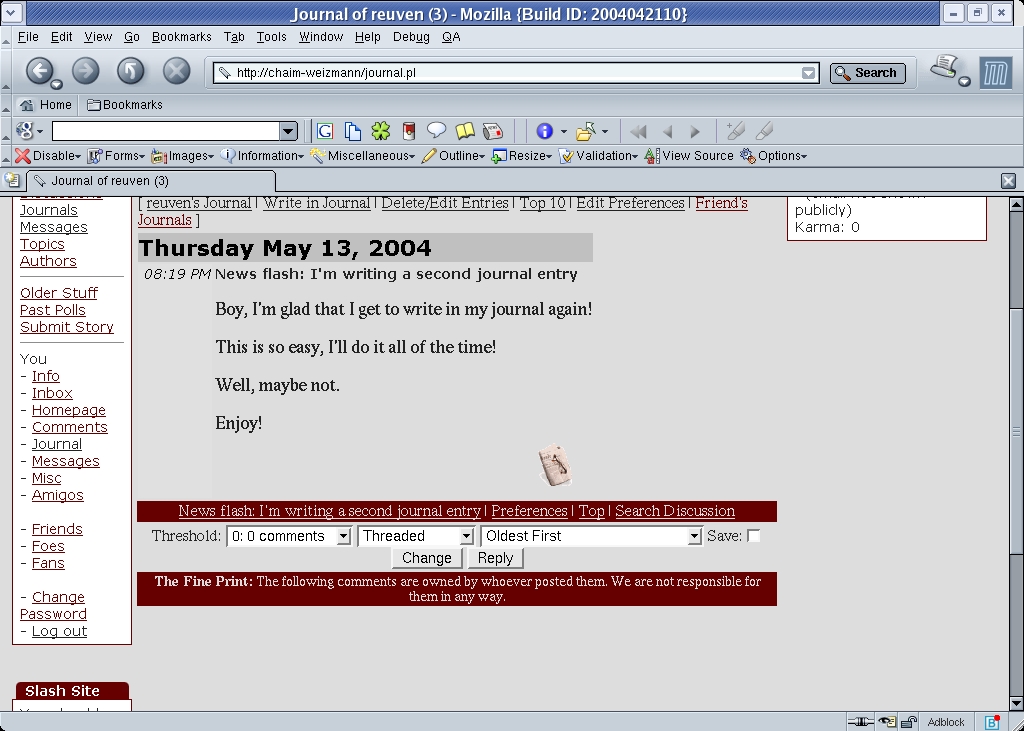
Figure 3. A Slashdot-style menu follows each journal entry.
Replying actually is slightly more complicated than this. To reply to the original posting, click on the Reply button that immediately follows the article. But, if you want to reply to a comment, thus creating a threaded discussion, you instead click on Reply to This link, which appears immediately beneath each comment. This structure makes logical sense, but I must admit that even after years of following and participating in discussions on Slash-powered sites, it took me some time to find and understand the distinction between the two methods.
Interface aside, adding a comment is identical to adding a new posting, except you cannot restrict people from commenting on what you have written. Enter a subject and the text of the comment, indicate the formatting and then either preview or add your comment. Slash allows you to post comments as an anonymous user, known as Anonymous Coward, by checking the post anonymously box next to the entry. However, many administrators have configured their systems to forbid such anonymous postings on the assumption that anonymity reduces accountability.
Finally, the display settings make it possible to view a discussion in any of several ways. The threshold setting allows you to selectively view comments, based on scores assigned by other members of the site's community. Moderation and the related meta-moderation feature can be activated by the site's administrator, and they allow community members to determine which comments deserve the most attention.
The display setting changes the way in which threaded discussions are shown. I always have preferred to see such discussions in nested format, meaning that responses always are visible, indented somewhat from their parent. By default, Slash sites show the comments in threaded mode, which requires that you explicitly ask to view a comment before it is visible.
Finally, you can ask to see the comments in various orders. Journal entries always are displayed, Weblog-style, starting with the newest entry and ending with the oldest one. Comments to these journal articles, by contrast, normally are displayed in chronological order, with the oldest comment at the top. Therefore, keeping up with a discussion over time requires scrolling down to the bottom of the screen.
From what we have seen so far, Slash seems to provide a simple way for many users to create and maintain their own journals. However, there is no real interaction among these users or their journals; everyone is insulated from one another.
But Slash was written to promote on-line communities, and it comes with a number of features that promote collaboration and integration. To begin with, Slash keeps track of statistics across all of the journals in the system. By clicking on the Top 10 link in journal.pl (the main journal page), you can find out which journals were updated most recently, which people have written the most and which friends have written most.
The term “friends” I refer to here is not a synonym for community member. Rather, every user in a Slash system can categorize other users as friends and foes, creating an interesting web of interpersonal relationships similar to but distinct from such sites as Orkut and LinkedIn.
The easiest way to mark someone as a friend or foe is to go to his or her home page, typically ~username. Thus on my system, anyone can go to my home page with the URL chaim-weizmann/~reuven. Next to the person's user name is an icon indicating whether he or she currently is a friend (smiley face), foe (red sad face) or neutral (the default, with what appear to be sunglasses and an odd smirk). Clicking on this icon allows you to change your relationship with this other person.
One big difference between Slash and various other personal networking and community Web sites is the fact that such relationships are public. Any user on a Slash site can find out who my friends and foes are. Although this probably stops people from marking others as foes, because of the public embarrassment and fallout that might result, it does mean that Slash can create fascinating personal networks and relationship combinations. You not only see a list of someone's friends, but the person's friends' friends, as well.
Each of these relationships is one-sided; A can be B's friend, but B can be A's foe. When you go to someone's home page, you can look not only at the person's friends and foes, but also at his or her fans (others who have marked this person as a friend) and freaks (others who have marked this person as a foe).
The biggest practical advantage to setting up a list of friends is the fact that Slash keeps track of their journals and journal updates for you. Clicking on the Friend's Journals link at the top of your home page brings up a list of your friends with journals. This is the Slash equivalent of bookmarks or of an RSS news aggregator. Putting people on your list of friends means you easily can keep up with the journals that your friends have written.
I have looked at Slash several times over the years, and each time I came away fairly unimpressed. The code seemed hard to understand, the user interface was ugly and the functionality seemed limited. Slash-based sites remain relatively ugly, although this now is changeable, thanks to its use of the Template Toolkit. The functionality still is quite limited when you compare it with other community infrastructures and toolkits, such as Xoops and OpenACS.
But, Slash was not designed for broad needs; rather, it tries to implement a limited set of functionality and to do it well. In that regard, they really have succeeded. use.perl.org is a great example of such a site, which both distributes news articles and allows users to keep their own journals. If you want to provide limited news and announcements, while making it possible for large numbers of users to keep and comment on journals, Slash might be a good way to go.
Further, I must admit that the code has improved dramatically over the years; it now is possible to understand what is happening and even to modify or add functionality if you are an experienced Web/database hacker. Granted, Slash has many convenient functions that require something of a learning curve before you can jump in and make changes, but this is true of all Web/database toolkits, so it's unfair to say that Slash is different in this regard.
My main criticism of Slash, aside from issues having to do with distribution versions (which remain in CVS) and documentation, is the lack of a standard system for adding new functionality in the way that Xoops, OpenACS and Zope have done through their various modules and packages.
Slash, like much open-source software, is powerful, scalable, difficult for newcomers to install and poorly documented. Unlike many other packages, it also focuses on depth rather than breadth, providing more features than many other toolkits, at the expense of extensibility and generalizability. And, if your site is even beginning to approach the number of users or visitors that Slashdot attracts, you would be wise to consider using it.
Resources for this article: /article/7607.
Reuven M. Lerner, a longtime Web/database consultant and developer, is now a first-year graduate student in the Learning Sciences program at Northwestern University. His Weblog is at altneuland.lerner.co.il, and you can reach him at reuven@lerner.co.il.
