
Linux for a Small Business
In a recent article, an author asked a question: “Is Linux ready for mission-critical production environments in the enterprise?” His answer was an unqualified yes, which shouldn't be too surprising. Anyone who has ever heard of Linux knows of its legendary strengths in the server space. A better question—at least from a writer's perspective—would be: “Is Linux ready to handle the day-to-day demands of a small, home-based writing or consulting business that doesn't have an IT staff?”
Improved hardware detection and ease-of-use distributions such as Mandrake, SuSE and Red Hat have helped Linux make its way onto more desktops than ever before. Add to this the constant refinement of Linux applications, such as office suites, e-mail clients, contact managers, fax clients, web browsers and financial software, and you have a system that places viable alternatives into the hands of every writer and consultant.
I made this discovery almost a year ago. In the spring of 2002, I took inventory of the software I used to run my commercial writing business and found that Linux provided me with a viable, free alternative to every proprietary application I used. This fact, combined with the stability and security of Linux, made the decision to move my small business to the platform an easy one. And I haven't looked back.
Maybe you're a writer or consultant who is seriously thinking about alternatives, as I once did. Or perhaps you've heard of Linux but aren't sure exactly which applications to use. In this article, I provide an overview of four programs found in any Linux distribution that a writer or consultant can use to run a business. Space does not allow me to cover every feature of each application. But I hope to cover enough of the basics so the reader has a good feel for what these applications can do and how they can be used in a small business.
The Linux applications I'm about to discuss may not have all of the features of their proprietary counterparts. That is, applications provided under Linux have the same functionality but not necessarily the same bells and whistles. We shouldn't be concerned with bells and whistles here, but rather with using tools that allow us to get our work done at a relatively low cost and in a stable, secure environment. If that's what you're looking for, read on.
A small writing or consulting business has minimum requirements where software is concerned. I suppose that's one of the perks of this type of endeavor. The following applications are typically the most commonly used in the operation of a small, home-based writing or consulting business: an office suite, a contact manager/e-mail client, a web browser and financial software. Anything more is gingerbread.
OpenOffice.org is my office suite of choice. It is 100% open source, runs on several platforms and is freely available at www.openoffice.org. One of the OpenOffice.org suite's greatest strengths is its use of XML-based file formats. XML is a structured metalanguage that easily can encapsulate files for distribution between computer systems that otherwise would be incompatible. So, the longevity of your data is guaranteed.
The OpenOffice.org suite consists of four different applications: OpenOffice.org Writer, OpenOffice.org Calc, OpenOffice.org Impress and OpenOffice.org Draw.
OpenOffice.org's Writer is the word processor in the suite. Its interface has a familiar look and feel; it's similar to Microsoft Word and Sun's StarOffice Writer (Figure 1).

Figure 1. Doing My Assignment
As a commercial writer I use only about 10-15% of a word processor's power. My clients do most of the graphic design and formatting. From business letters and proposals to articles and books, OpenOffice.org Writer is more than enough to get my work done.
The Writer interface is intuitive and laid out in a manner conducive to finding what I need when I need it. It has everything necessary for today's established freelance writer/consultant and then some, and it saves data in several file formats, including Microsoft Word 6, Microsoft Word 95, Microsoft Word 97/2000/XP, rich text format (RTF) and StarWriter 5 (an early StarOffice file format). It even exports PDFs.
One caveat: if you use a lot of tables or special formatting, some of it may be lost or garbled when exporting to Microsoft Word or another office suite. A good rule of thumb is the simpler your layout, the better its compatibility with other word processors.
Because the needs of a writer are few, I hardly use the other programs in the OpenOffice.org suite. But as far as spreadsheets go, OpenOffice.org's Calc has all of the ordinary features one would expect in a spreadsheet, including autosum, autoformat, graphs and many other functions. It saves work in Microsoft Excel, StarCalc, the Data Interchange Format and, of course, in its own format (Figure 2).

Figure 2. The OpenOffice.org Calc Spreadsheet
OpenOffice.org's Impress, a presentation program, has all of the basic features of Microsoft PowerPoint, but it lacks templates. This lack of templates makes more work for you when designing presentations. Impress reads and writes PowerPoint, StarImpress and its own file format (Figure 3).

Figure 3. Building a Presentation
The drawing application, Draw, has all of the usual graphic features, including the ability to read the most common types of graphic files. It saves to OpenOffice.org's Draw format and the StarDraw format, and it is good for basic needs (Figure 4).

Figure 4. Drawing a Graph
Although Linux has many available options for both contact managers and e-mail, I prefer to combine them. Doing so makes things more convenient—everything is right there, so I don't have to open two different applications. Ximian Evolution fills this need quite nicely. It is at once an e-mail client and a contact manager/task scheduler, and it provides the writer/consultant with a one-stop information resource. Upon starting the program for the first time, you will be taken to the summary screen (Figure 5).
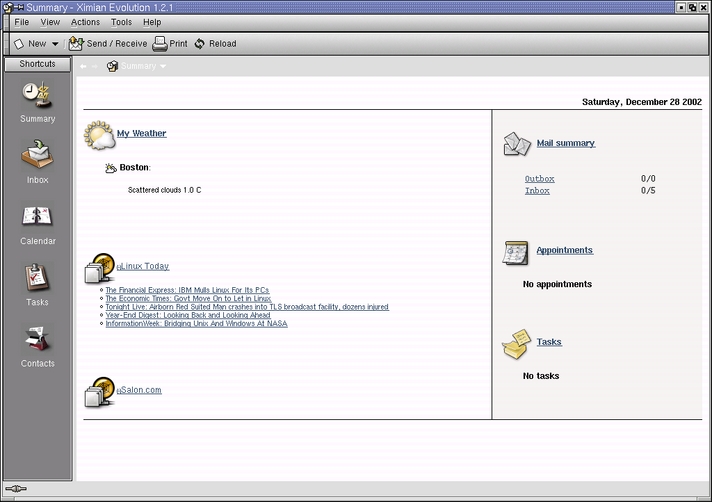
Figure 5. Starting Ximian Evolution
Along with weather information and a listing of recent articles about Linux, Evolution shows how many messages are in your inbox and outbox. It also shows any pending tasks or appointments for the day. Down the left-hand side of the Summary Window are the different areas within Evolution that allow you to set up appointments, schedule tasks and send and receive e-mail. Clicking the Inbox icon will take you to Evolution's e-mail client (Figure 6).

Figure 6. Checking the Inbox
Evolution has a look and feel similar to Microsoft's Outlook program. All of the usual e-mail buttons and services are listed across the top of the page. One nice feature with the release of Evolution 1.2.1 is the New button. With a click, you can create a new mail message or contact without having to navigate to that specific area of Evolution.
With Evolution's contact client, contacts are easily created and managed (Figure 7). I can enter the usual name, address, phone number and so on, but I also can click on the details panel and violà! I have another screen to record additional information. And, the more information I have on clients, the better my ability to communicate with them. In case you're wondering, the collaboration panel allows you to record the URLs for those clients who publish their calendar information on the Internet. It's another example of how Evolution's developers have put a lot of thought into the components of this program.
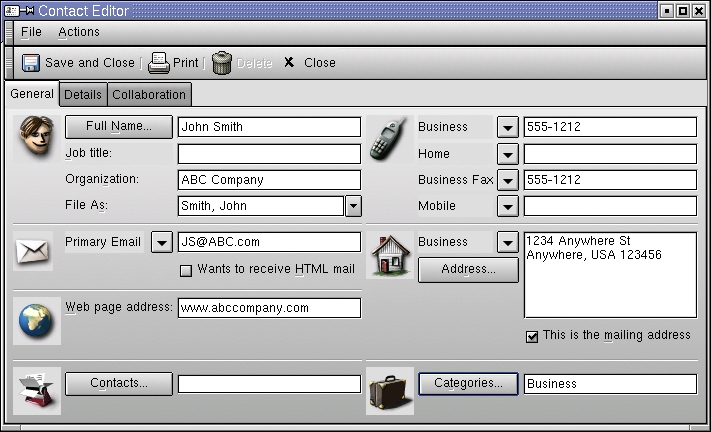
Figure 7. A Contact in Evolution
Once I build a list of contacts, I can search the list based on any number of different search criteria: alphabetical order, e-mail address or category (Figure 8). You even can create your own search criteria using the Advanced selection. You then can file contacts under any category you choose and search for them accordingly. For me, this makes prospecting a snap.

Figure 8. Classifying a Contact
The Calendar client (Figure 9) is pretty straightforward, and you can set up the calendar window to suit your tastes. The window areas can be changed simply by dragging the borders to the desired size. Once you've navigated to the desired day, double-click on the appointment time and a separate window opens up (Figure 10). You then can fill in the details of your appointment and store it for later viewing. You also can set up your calendar to remind you several minutes, hours or days in advance of an appointment.

Figure 9. Evolution Calendar
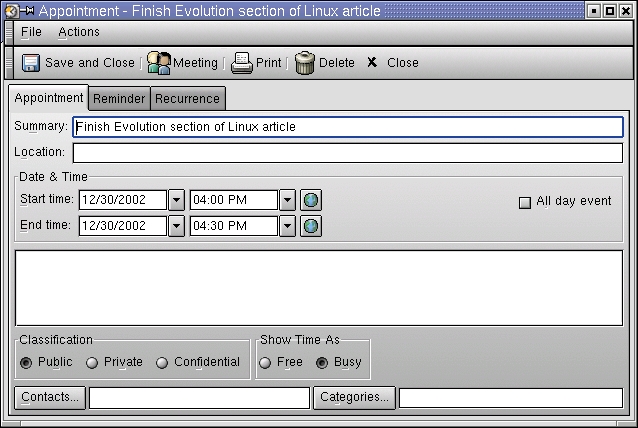
Figure 10. Appointment Specifics
The Task Scheduler works in a similar fashion. Navigate to the New button and choose task. A window opens up that allows you to type in the details of your task. The tasks are stored in the “task” area of Evolution and can be displayed in order of time and date, allowing you to see whether you are on track in a project or group of tasks. Also, once a task is completed, you can check it off and know exactly what you have finished as well as what else you have left to do.
Several more features are available that you can explore for yourself. Like Linux, Evolution allows you to accomplish the same task in several different ways.
By far, two of the most popular web browsers are Mozilla (Figure 11)--based upon the same rendering engine as its commercial counterpart, Netscape Navigator—and Galeon (Figure 12), a web browser that sports many of the same features as Mozilla and is part of the GNOME desktop.
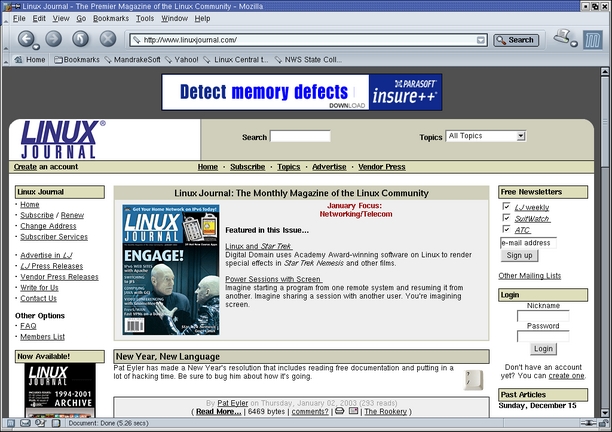
Figure 11. Mozilla
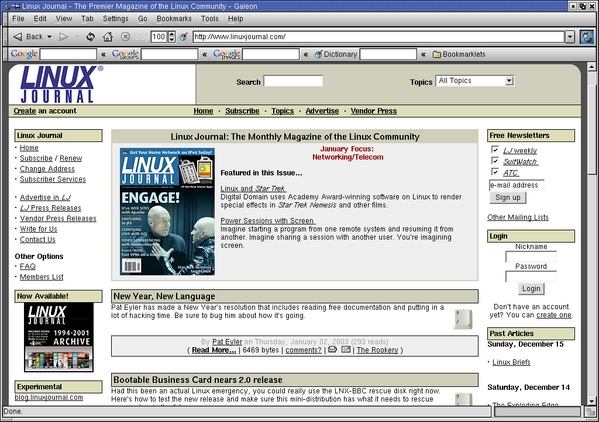
Figure 12. Galeon
In addition to these two browsers, Linux also offers Konqueror, the KDE-based file manager/web browser. Most Linux browsers support 128-bit encryption for secure transactions.
Speaking of transactions, it's usually a good idea to have more than one web browser available. The reason? Web site access. At first, you think a browser is a browser; other than the look and feel, they all do the same thing. Even though it is popular, Mozilla lacks a feature that Konqueror has: changeable user agents.
When you connect to a web site, your browser identifies itself to the server, offering its name, version number and the system on which it is running. Though most web sites are browser agnostic, some will give you a hard time if you do not have a certain kind of browser.
For instance, every time I tried to log in to my telephone company's web site I always had problems. The site never let me get past a certain point. After scratching my head for a while, I remembered hearing reports of some web sites not supporting browsers other than Microsoft's Internet Explorer.
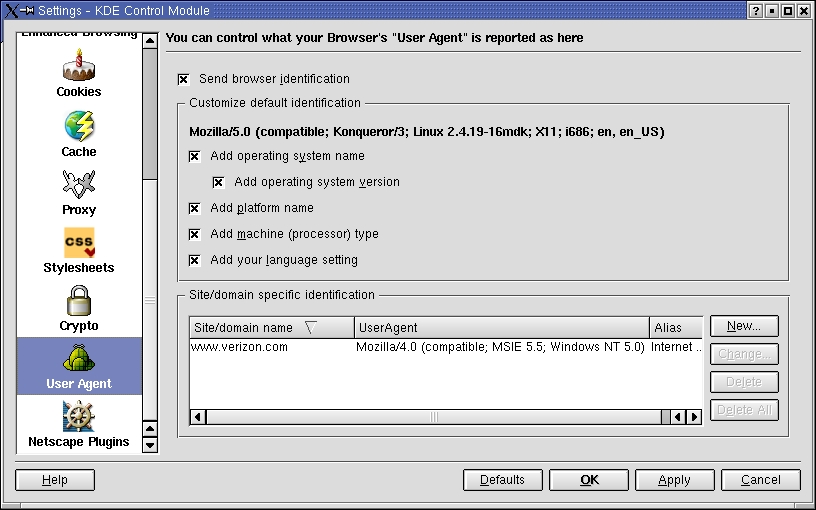
Figure 13. Konqueror's User Agent Feature
This is where the User Agent comes in (Figure 13). I simply changed my web browser's identity to Internet Explorer 5.0, and my web site transaction went through without a hitch. You won't run into this situation too often, but if you do, try changing the user agent and see what happens. Again, this demonstrates how Linux offers the user many different ways of accomplishing the same task in addition to tools for overcoming proprietary obstacles.
Once you earn your money, you need to keep track of it. Financial software usually fills the need. One of the best-kept secrets of Linux is the open-source accounting project GnuCash (Figure 14).
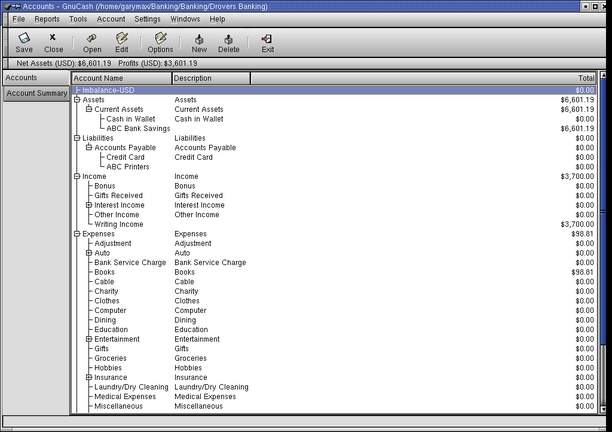
Figure 14. GnuCash Tracks Your Dollars
GnuCash is a robust, easy-to-use accounting system that makes balancing your personal books a snap. And GnuCash's Setup Wizard allows you to set up multiple accounts with different opening balances, simply by answering a few questions and making a few selections (Figure 15).

Figure 15. GnuCash Setup
Although GnuCash sports features of its proprietary counterparts, such as transaction auto-completion and check number auto-increment, it uses double-entry accounting, like professional accountants and enterprise accounting software.
The idea behind a double-entry system is that there is a debit from an account and a credit to an account for each transaction. This way, you know where the money came from and where it went. For instance, if I want to pay for some business-related books, I would debit my savings account and credit an expense account for books (Figure 16). This is an invaluable tool when you need to find out where all of your money went.
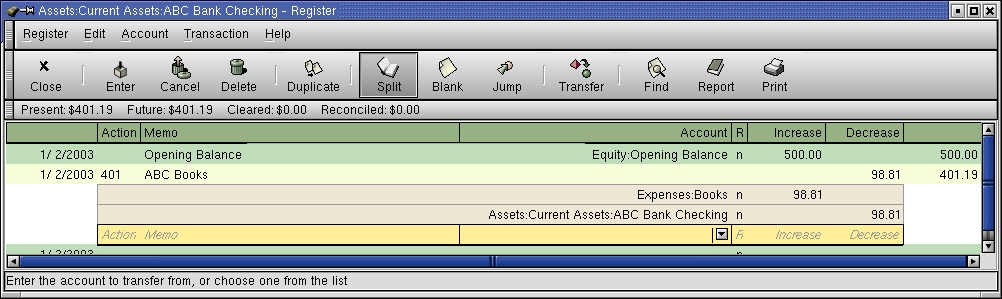
Figure 16. Where Did the Money Go?
What is really nice about GnuCash is you can customize it to suit your personal financial situation. A list of common accounts comes ready-made—expenses, income, stocks, investments—each with its own sub-account structure. However, you also can add your own accounts and delete those you don't use (Figure 17).
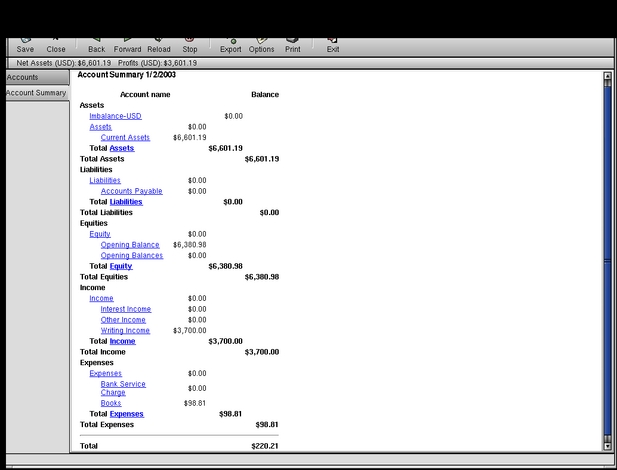
Figure 17. Customizing the Accounts
Another nice feature of GnuCash is the ability to split transactions, so you can include several debit or credit accounts in a transaction. This allows you to fine-tune a transaction and show every account involved in a specific financial activity.
Lastly, GnuCash has several graphical reports that show at a glance your net worth, your income, your expenses, profit-loss and so on. This alone allows you to manage your finances with greater precision.
Many more features—too numerous to mention here—come with GnuCash, but suffice it to say that for a one-person shop, GnuCash has all of the features you need and then some.
At the time of this writing, GnuCash is at release 1.6.7 and is designed to be used for personal finances. No business features, such as customer and vendor tracking or invoicing and bill payment, exist. But you can customize GnuCash to balance the books for a small business with a little tweaking, as mentioned previously. With the release of GnuCash 1.8, small-business accounting features will be available, including invoicing and bill payment.
After spending nearly 15 years with a Fortune 100 company, Gary Maxwell started a second career as a commercial writer. A Linux enthusiast, Gary operates his business completely with Linux and open-source software. He specializes in advertising copywriting and corporate communications. For questions or comments, he can be reached at gary@garymaxwell.com.
