
Linux Multimedia

May 8th, 2002 by Sander van Vugt in

Sander gives tips on how to play CDs, MP3s, MPEGs and DVDs on Linux.
Your rating: None

One of the greatest challenges, if you are working with Linux, is to fulfill all your multimedia needs. In this article we explore some of the available possibilities, using Red Hat version 7.2. Only the first two CDs were installed because the third CD only contains commercial software, and we don't want to use anything commercial, only openly available software.

Music

Generally, there are two kinds of music one can listen to on a computer. There's the CD you buy in a store, and there's the MP3, which can be downloaded from the Net. Let's start with the first and put a CD by the woman who is also known as "la guitara" in the drive. You would think you could put the CD in the drive, activate the CD player from the "Multimedia" menu item and it would work, but it isn't always that easy. On our first try, the system was mute. In such cases one should use the Red Hat-based tool sndconfig. This tool tries to find out which kind of sound card you are using. Alas, we had a card from Avance Logic with an ALS4000 audio chipset, which isn't supported. In this case, you could go out and buy a different card or try another Linux distribution. So, we tried SuSE Linux. SuSE has a very nice graphical tool to configure the sound card included in its YaST2 configuration tool, and yes, this time it worked. The card was recognized without any problem. Before you can listen to a CD with SuSE Linux, you need to open the Sound Mixer and switch on the CD as a sound source (which is not done automatically). Once that's done, you can use the CD player to listen to music. No big deal.

Listening to some MP3s is not a big challenge. All you have to do is find some MP3s on the Net and launch the KDE Media Player. In the media player, activate the File menu, select Open and play the MP3; that's all.

Video

Now that we've got sound working, which isn't very complicated if you use the right distribution, let's go on to the next step: the movies. Generally, there are three different kinds of movie files available. First, there are MPEG-1 files. There should not be any problem playing these because there is no proprietary compression program/decoder (codec) needed. This means you can just play the file on any player.

Besides these generally available MPEG files, there are AVI files. Most of the time, these are files that are coded and compressed by means of a proprietary codec. This means that if you want to play them, you need the right proprietary codec. This can be a real challenge because these codecs almost always are developed for the Microsoft Windows platform and not for Linux. So in fact, there are two problems if you wish to play any of these files. First you have to get the right codec, and second, you need a Linux program that is able to handle the codecs, which are developed for the Microsoft platform.

Apart from this, there's also a legal issue. Many of these files are compressed and encoded by means of the MPEG layer 4 codec, which is illegally ripped and used anyway. This codec is also known as the DivX codec, and the problem with it is that it isn't even legal to have it on your PC. Most PC users don't really care about that, but it does mean that it can be hard to find the right codec for a DivX-encoded file. If you try to watch these kind of files with the KDE Media Player we mentioned before, you won't see anything if you try to open it.
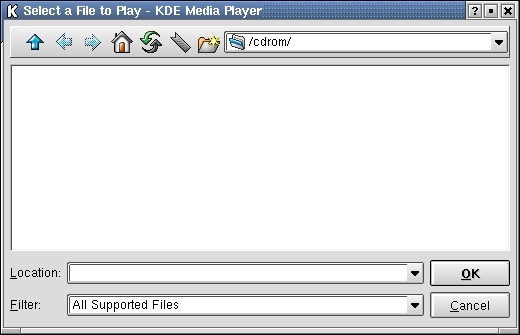
Figure 1. AVI is not among supported files in many players.

So, we have to try something else. One of the best things you can try in these cases, is Xine, which can be downloaded from xine.sourceforge.net. You will need two parts to be able to use Xine. One is the file with the necessary libraries in it and the other is a file that contains the binaries. The right procedure is to download the libraries first, compile them and once you've done that, go over to the ui-files. After downloading the files, compile and install them. Then go to the source directory, which was created while extracting the files, and give the following commands:

./configure
make
make install
make clean

First do this for the Xine libraries, then download the Xine ui-files and perform the same procedure on them. Chances are that you will get a nice error message while trying to configure the Xine ui. This could be because the installer couldn't find the Xine libraries. This is no problem. Just open /etc/ld.so.conf, add the location of your newly installed libraries (of course you didn't install them in /root/xine-lib-n.n.n did you?), save the file and run ldconfig to let your system know about this location. After that, you shouldn't have any more trouble running ./configure on the Xine ui-files.

Now that everything is configured and compiled, start it up by running the command xine. This starts a window and a panel like that of a CD player.

Figure 2. The Not-So-Intuitive Xine Panel

Now, in the Xine panel, click on the button with "://" on it in order to browse your filesystem. Browse to the file you want to play and when you find it, click on it once and select the Play button. The system should start playing your movie file now.
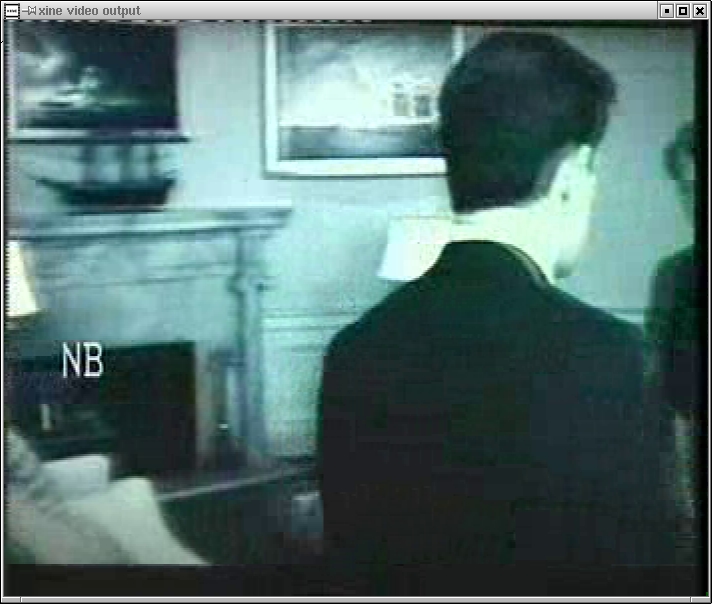
Figure 3. Playing an AVI File in Xine

Now the big question is, how does it work? Because most codecs are written to run on Windows exclusively, Xine looks for them in the directory /usr/lib/win32. So if you ever get a new Windows codec, put it there and you also will be able to use it in Xine.

DVDs

The last type of movie media you might want to enjoy is the DVD. However, the Hollywood movie industry didn't want to make it too easy to make copies of DVDs, so all their movies on DVD are encrypted by some kind of encoding mechanism. To perform this goal, the Content Scrambling System (CSS) was used. The software needed to decode these encrypted DVDs was sold to vendors of DVD players, for quite a lot of money. In the world of open source, no one wants to pay a lot of money to watch encoded DVDs. There are three possible solutions in the Linux world. The first solution is the software DVD player that only plays unencrypted DVDs. This is a perfectly legal solution, but the problem is that only a very small number of DVDs are not encoded, so not many people are really interested in this level of functionality. The second solution is the DVD player that uses illegally obtained software to decode the DVDs. It doesn't take a scientific degree to find out that this option has its own specific problems. The last solution is to wait for one of the big commercial manufacturers of DVD players to come out with a Linux DVD player.

So, the best way to test what kind of player Xine is, is to put in my homemade holiday-movie DVD and play it. Does it work? No problem at all. The next step is to try to play my favorite movie, Entrapment. Alas, in the background a message appears:

input_dvd: Sorry, Xine doesn't play encrypted DVDs. The legal status of CSS decryption is unclear and we will not provide such code.

Xine could do it, but due to legal restrictions, the makers of Xine are not willing to do it, which seems to make the use of any open-source DVD player in Linux very limited. What about the commercial DVD players? There is LinDVD from InterVideo, Inc. (www.intervideo.com), but this player is only available to manufacturers for evaluation and integration, so that's not an option. The same goes for CyberLink's PowerDVD, which exists but is only available to IA developers. So even commercial DVD players do not offer a solution.

The last options are the initiatives to provide a plugin for open-source software like Xine. As mentioned before, the big problem with this option is that it's illegal. At this time, the DVD-Copy Control Association and movie studio members of the MPAA have filed lawsuits to stop the development of independent players for DVDs. They say that decrypting the Content Scrambling System (CSS) encryption without a DVD-CCA licensed player violates their trade secrets and the Digital Millennium Copyright Act, so you might have a hard time finding a player that plays CSS-encrypted DVDs on Linux. To do it anyway, you need a plugin like the libdvdcss plugin and a player that can work with it. From our experience, it seems that such players don't work on SuSE, but they do work on Red Hat. At gape.ist.utl.pt/ment00/linuxdvd.html we found a tarball named complete_xine_0.4.3.tar.gz, which contains a complete version of our favorite player Xine--complete in this case meaning including the CSS snapin. So we tried; we configured; we made and we made installed and guess what? It works on Red Hat but not on SuSE. We quickly destroyed all the files from our system after we proved that it worked. We don't want to do anything illegal now do we? Let's be honest, isn't it fair to the producers of the DVD if you legally buy a DVD and legally buy a DVD player, that you can choose the operating system you like the most to watch it?
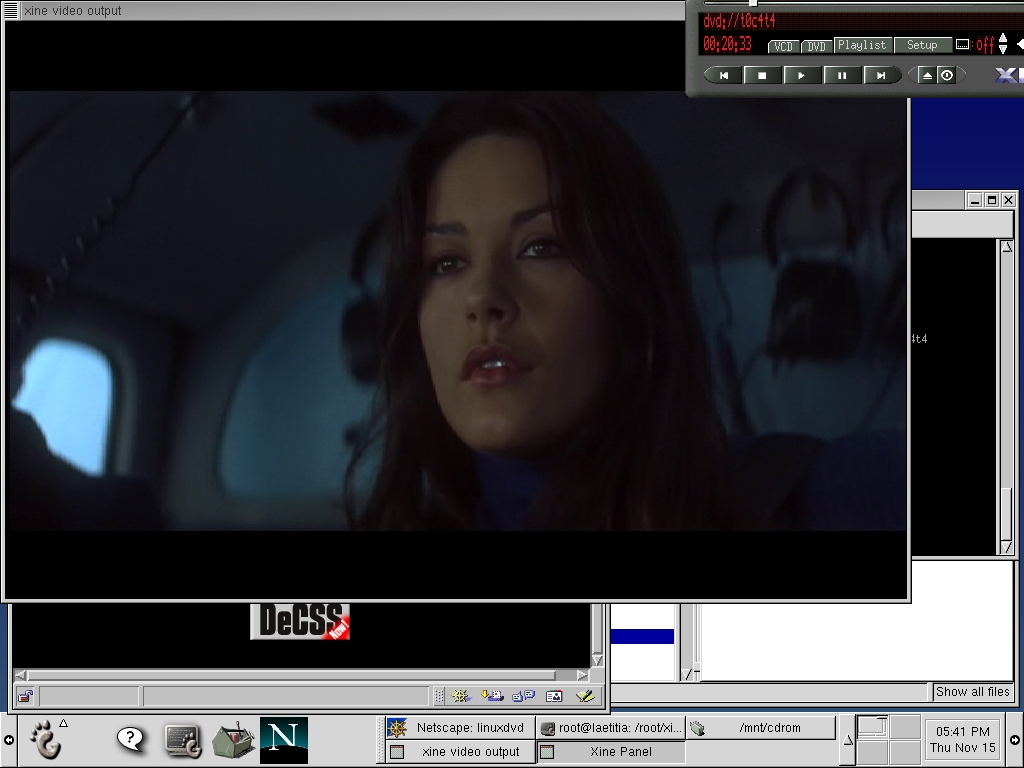
Figure 4. Watching CSS-encoded DVDs: also in Linux

Sander van Vugt lives in the Netherlands. He works for Azlan Training as a Linux, Novell and Nortel technical trainer and has written several books and articles about Linux.

__________________________


Special Magazine Offer -- 2 Free Trial Issues!
Receive 2 free trial issues of Linux Journal as well as instant online access to current and past issues. There's NO RISK and NO OBLIGATION to buy. CLICK HERE for offer

Linux Journal: delivering readers the advice and inspiration they need to get the most out of their Linux systems since 1994.

Sorry, offer available in the US only. International orders, click here.

Comment viewing options

Select your preferred way to display the comments and click "Save settings" to activate your changes.

Re: Linux Multimedia

On May 9th, 2002 Anonymous says:

Sounds quite, uh, amateurish to change distro just because sound card X isn't officially supported by distro Y. Just compile the kernel module for card X and install it with the help of one of the best configuration tools in existence, the vi editor. It's not rocket science after all...

Amateurish

On June 7th, 2005 jazzfixer (not verified) says:

"Sounds quite, uh, amateurish to change distro just because sound card X isn't officially supported by distro Y. Just compile the kernel module for card X and install it with the help of one of the best configuration tools in existence, the vi editor. It's not rocket science after all..."

Logically, it's not rocket science. But assuming you're not a dentist, consider this: "No problem. Just fix that cavity and the pain will be gone…"

Please post some guidelines for those not in the know but close to, will U? Thanks…

MPEG 4 comments

On May 8th, 2002 Anonymous says:

MPEG-4 is an internationally recognized standard, not a hacked codec. There was once "DivX ;-)" which was indeed a hacked codec, but now DivX represents a legal codec available for commercial and personal purposes at www.divx.com.

Re: Linux Multimedia

On May 8th, 2002 Anonymous says:

Remind me...

If you bought the CDs, why wouldn't you use CD #3?

You aren't advocating that people *NOT* use the software they paid for, are you?

Re: mplayer ?

On May 8th, 2002 Anonymous says:

Somehow you skipped the most impressive video tool in linux - mplayer. It will play anything Windows Media Player plays, and then some.

http://www.mplayerhq.hu/homepage/

Mplayer

On March 28th, 2006 Anonymous (not verified) says:

I couldn't care if the MPlayer team aacrificed small animals as part of their morning ritual...MPlayer woeks really well as does videolan-client.

Re: mplayer ?

On May 8th, 2002 Anonymous says:

Some how you forgot to mention that the mplayer authors are *howling loons*.

Re: mplayer ?

On May 13th, 2002 Anonymous says:

Hmm. Is Linus T. a kindly user-firendly guy?

Mandrake!

On May 8th, 2002 Anonymous says:

Hi,

Mandrake 8.2 comes with Xine as an application already integrated in the menu system. It has every (legal) plugin available for Xine.

Why, when talking about Desktop applications for Linux you always left *The* Desktop Linux Distribution out?

With Mandrake all the "desktop goodies" are already there, configured and properly available on the menu.

And, also, with some imagination, you can get the DeCSS / DivX stuff for your Mandrake.

Thank you.

Re: Mandrake!

On May 8th, 2002 Anonymous says:

I know what you're saying.

I just downloaded and installed Mandrake 8.2 and it came with Xine perfectly installed. I was surprised because I had never seen the app before.

After I loaded it (curiosity), I recognized the design because of my girlfriend's ATi DVD player... I don't have a DVD Drive, but I was excited because it opened many of the movie files that I wasn't able to access in Linux before.

Re: Linux Multimedia

On May 8th, 2002 Anonymous says:

Playing CSS-encrypted DVD's on linux using any of the existing apps (xine, ogle, mplayer, ...) is only illegal in the US. For someone with a decidedly non-US name you should know that. Ofcourse, it won't be long till laws are approved in europe and Japan that contain comparable language to the DMCA (the EU law is drafted and will pass this year, despite it being even worse than the DMCA and drawing heavy protest from tech circles)

Also, CSS' focus is not on blocking people's ability to copy DVD's, after all, you can copy a DVD if you want to, because a DVD is just a series of bits, and you don't need to decrypt those bits to copy them. The real purpose of CSS is to stop people accessing and using DVD's in non-approved ways, like happened with music CD's. You can't skip past commercials on DVD's, you have to suffer with region coding (which stops parallel import, so the movie industry gets 100% of profits, instead of 95%), you can't make screenshots, you can't cut segments out of movies (both of these severely cripple any possibility of fair use; too bad it's not a right, or we could sue 'em).

There will also never, ever, be a commercial player for linux that will be publicly released. Why? To make a DVD player you need to get a license from the DVD-CCA, which among other things says that it must be impossible to make a screenshot. The open code of the linux kernel and xfree86 ensures that whatever trick any company would use to try to stop people from making screenshots would eventually be circumvented. Only closed source OS's, or integrated systems (which don't allow access to the system's innards) have the option of running a legal (in the US) DVD player, in other words.

Mind that the plan is to switch music CD's over to music DVD's eventually, which will no doubt have exactly the same problem, and have no legal players on linux. Ever.

Re: Linux Multimedia

On May 9th, 2002 Anonymous says:

>To make a DVD player you need to get a license from the DVD-CCA, which among other >things says that it must be impossible to make a screenshot.

I don't think that this is one of their rules. I have a commercial 'legally purchased' DVD player for Windoze that allows screen shots and saves them to files. I'm sure you've heard of WinDVD from Intervideo?

Re: Linux Multimedia

On May 9th, 2002 Anonymous says:

I use CyberLink PowerDVD 3.0 on Windows, and it can save screenshots as .BMP files

Re: Linux Multimedia

On May 8th, 2002 Anonymous says:

Hmmm, I'm just wondering what a "decidedly non-US name" is.

Anyone who lives in the US has a European/African/Asian name. (unless you are Native-American).

RPMs for Mandrake ...

On May 8th, 2002 Anonymous says:

... capable of doing almost anything you want relating to MP3s and video (DVD/MPEGS/AVIs etc) can be found the the Penguin Liberation Front Lair

Re: Linux Multimedia

On May 8th, 2002 Anonymous says:

At gape.ist.utl.pt/ment00/linuxdvd.html we found a tarball named complete_xine_0.4.3.tar.gz, which contains a complete version of our favorite player Xine--complete in this case meaning including the CSS snapin.

xine 0.4.3 is *ancient*. You really should grab the latest version of xine from its homepage and use the dvdnav plugin (which provides full DVD menu support for xine) and the libdvdcss library which dvdnav uses to access encrypted discs.

Secondly, the later xines (0.9.x and above) natively support DivX videos and many other codecs (e.g. cinepak, etc) and some quicktime files and ASFs/WMVs without the Windows DLLs via code from the ffmpeg project.

--
Damocles

Re: Linux Multimedia

On May 8th, 2002 Anonymous says:

At gape.ist.utl.pt/ment00/linuxdvd.html we found a tarball named complete_xine_0.4.3.tar.gz, which contains a complete version of our favorite player Xine--complete in this case meaning including the CSS snapin.

xine 0.4.3 is *ancient*. You really should grab the latest version of xine from its homepage and use the dvdnav plugin (which provides full DVD menu support for xine) and the libdvdcss library which dvdnav uses to access encrypted discs.

Secondly, the later xines (0.9.x and above) natively support DivX videos and many other codecs (e.g. cinepak, etc) and some quicktime files and ASFs/WMVs without the Windows DLLs via code from the ffmpeg project.

--
Damocles

Re: Linux Multimedia

On May 8th, 2002 Anonymous says:

I take issue with your assertion that you can't play encrypted DVD's on SuSE Linux. I use SuSU and do exactly that.

You obviously haven't looked very hard to find Linux DVD software. Try Ogle, MPlayer or VideoLAN. All of these will play encrypted DVDs, and on SuSE.

And stop spreading FUD about the legality of playing legally purchased DVDs on Linux. Extreme paranoia about deleting the files from your disk is just scare-mongering.

Re: Linux Multimedia

On May 10th, 2002 Anonymous says:

Using Mplayer or Ogle on a linux machine, you _are_ performing acts with the css library that are a federal crime in the U.S. of A. DMCA upheld in the ebook case, right?

No problemo as long as you are on good term with your ex-. Otherwise, maybe she'll think you'd look good spending five years in a cell with "Bubba".

I just have a _real_ problem with laws that _CAN_ be used against people arbitrarily. It's a witch hunt waiting to happen.

Re: Linux Multimedia

On May 11th, 2002 Anonymous says:

Stop making assumptions and read the law!

It covers distribution of circumvention tools, not the use of them.

Re: Linux Multimedia

On May 8th, 2002 Anonymous says:

Although I'm not a person that goes around ripping dvd's, the author does have a point about the legalities of playing dvd's in linux.

So, If the cops see you playing a dvd on linux, they'll arrest you for not buying windows to watch your dvd's on.

Go figure tho, i have no idea what the legallities are. I, also, payed for the dvd player. Paid for the dvd movie. So, I should be entitled to play it on anything i want to, so long as i don't go ripping them or other obvious copyright infringements.

Yup, he's also stating that playing encrypted dvd's within linux are somewhat a pain. But after finally getting the xine libs to do encryption, I was also turned-on to another called "Ogle" that did play encrypted dvds on without any additional configuration (ogle is somewhat beta but quite usable. xine is more complete & more stable)

dvd playing

On April 27th, 2005 exorcist (not verified) says:

lol, if the cops see ya playing a dvd on linux they are gonna take no second glance.. christ the cops where i'm at are so stupid about technolgy claims, when i had 3 monitors on my system and was doing port scans on one, watching a movie on another, and chatting in the other monitor when the cops came for loud noise they looked at my setup and said wow i can't even turn mine on let alone do all that. I was like yeah, if you need any repairs done call me

-Exor

Re: Linux Multimedia

On May 8th, 2002 ghostdancer (not verified) says:

Do you want him to write an article and publicly admit/support of doing that??

You are kidding... right? ;P

---

I don't play DVD, in my part of the world, we play VCD...

Re: Linux Multimedia

On May 8th, 2002 Anonymous says:

Why not? It's _not_ illegal. He's in the Netherlands, after all, not the Corporate States of America. And, if I a.) had a DVD drive and b.) had DVD movies I would c.) find it perfectly ethical and moral to watch what I legally bought and paid for. In fact, I might even send a letter to the MPAA (cc'ed to my representatives and senators) stating exactly what I had done and why. We only legitimize the fear when we hide; if millions came out in the open, the fear would disappear and the stupid laws like the DMCA would be useless.

:Peter

Re: Linux Multimedia

On May 8th, 2002 Anonymous says:

>The second solution is the DVD player that uses illegally obtained software to decode the DVDs.

in no way follows from:

>The legal status of CSS decryption is unclear

It looks like we all might ha

On November 1st, 2004 Anonymous (not verified) says:

It looks like we all might have too much time on our hands. Let's just go watch a damn movie.

and maybe ...

On November 30th, 2004 Anonymous (not verified) says:

you'll use this time movix

damn right man damn right!!

On November 23rd, 2004 Anonymous (not verified) says:

damn right man damn right!!

Featured Videos

Email is one of the least private and least secure forms of communication, although few people realize this. MixMaster is one way to allow secure, anonymous communication even over the very public medium of email. This tutorial will get you started with MixMaster quickly and easily.

In case you were wondering about the fun side of Linux World Expo, we thought we'd give you a peek at our shenanigans. We at Linux Journal love what we do so much, that we can't help but have a ball wherever we go.

From the Magazine

September 2008, #173

Feeling a bit like a Thermian? Never give up, never surrender! Someday, you could go from underdog to top dog. Just take a look at a few of the underdogs we highlight in this issue: Mutt, djbdns, Nginix, Gentoo, Xara and the program voted mostly likely to fail just a few years back—Firefox. If Firefox is not radical enough for you, check out Chef Marcel's column for some more alternatives. Having trouble mapping your program data to your relational database? If so, Rueven Lerner shows you some tricks in his At The Forge column.

Need to run GUI applications on your server in the next state? In his Paranoid Penguin column, Mick Bauer shows you how to do it securely. Kyle Rankin keeps hacking and slashing and shows you a few split screen secrets you may not be familiar with. Finally, we all know what happens next February, but only Doc knows what happens afterward.

Read this issue