
New Projects - Fresh from the Labs
An ongoing fascination of mine has been with Synaesthesia: the crossing of senses, often leading to new and unique perceptions in the mind of the “Synaesthete”. This is particularly common among musicians (myself included) where individuals will “see” sound as color, possibly along with shapes, numbers, textures and so on. It seems that Jonas Wagner has the concept of linked sound and color quite firmly embedded in his own thoughts when it comes to his program Tiny Ear Trainer—an ear training program designed to teach you musical intervals with color association.
To quote the Web site: “Tiny Ear Trainer is a tiny piece of software that helps you recognize musical intervals. Tiny Ear Trainer is free/open-source software written for the GNU/Linux operating system.” According to the Web site, its features include:
Associates colors to intervals.
Features learning mode, which plays intervals together with color and name.
Plays harmonic or melodic intervals.
Uses fluidsynth/soundfonts for playback.
Uses Python/GTK.
Is tiny!
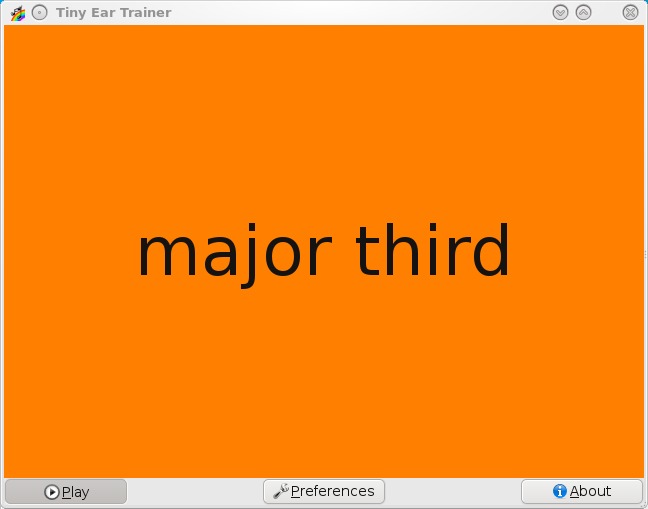
Tiny Ear Trainer takes the unique approach of teaching musical intervals through color association.
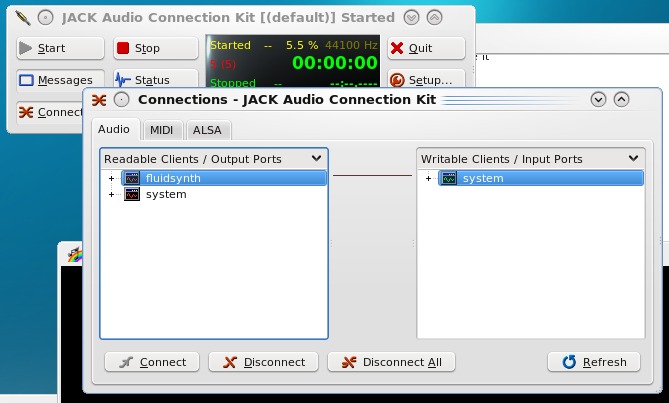
Making Tiny Ear Trainer work with JACK can be tricky for a first-timer, but all you need to do is connect “fluidsynth” with “system”, and you're away.
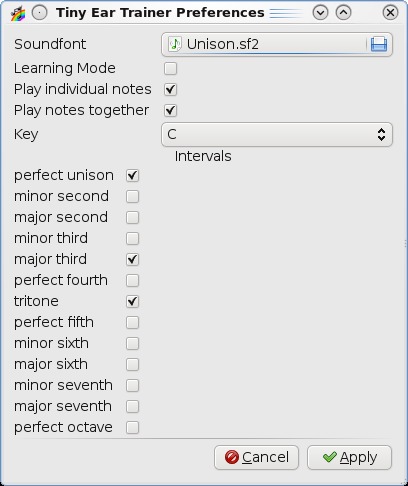
Tiny Ear Trainer gives you a number of useful options from which to choose (including a learning mode), all in one concise package.
Installation
i386-based Debian and Ubuntu users are in luck as a .deb file is available at the Web site. For those using other systems, the obligatory source tarball has been provided, but thankfully, the library requirements are fairly modest and don't require anything particularly obscure for installation. The documentation says you need the following:
Python 2.6 (2.5 might work too and will require simplejson).
PyGTK >= 2.10.
fluidsynth.
A soundfont (fluid-soundfont-gm).
Once you have the needed libraries, download the latest tarball, extract it, and open either a terminal or a file manager inside the new folder. For those with a modern file manager like Nautlius or Dolphin, you can install Tiny Ear Trainer simply by clicking on the file install.sh, where you'll be prompted to enter a root password. For those with a minimalist system, or those who prefer the manual method, you can install it by entering the following command either as root or by using sudo:
# python setup.py install
Once the installation has finished, Tiny Ear Trainer should be in your system menu, or you can run it by entering:
$ tinyeartrainer
Usage
Before going any further, I must warn you that Tiny Ear Trainer uses JACK. That's not a bad thing, but it can be tricky getting it to work for the uninitiated (experienced JACK users will have no trouble at all and can skip the next few paragraphs).
First, start JACK. Most people will be using the JACK Audio Connection Kit, which usually can be found in your menu as JACK Control, or you can run it from a terminal with the command qjackctl.
Now, click Start inside the GUI, and if you're lucky, it will start straightaway. But, I wasn't lucky. This was the first time I'd used JACK with this distro, and it came up with an error that I didn't understand until I looked further into it. You may encounter this too. JACK usually is set up by default to run in real time, generally coupled with a real-time kernel. Real-time kernels crash constantly on my hardware, so that wasn't an option for me. In this case, my only real choice was to disable real time in the Settings tab in the Setup option.
Now that JACK is running, start Tiny Ear Trainer, and in the JACK Audio Connection Kit, click Connect on the bottom left, and open the Audio tab. In the left pane under Readable Clients/Output Ports is the client fluidsynth, and in the right pane under Writeable Clients/Input Ports is the client system. Click on fluidsynth on the left and system on the right, and then click the Connect button on the bottom left, and you should be good to go.
Back over to Tiny Ear Trainer—the program will be sitting idly with a blank screen (presumably so you can connect to JACK in the meantime) until you click the Play button. When you do, several notes will play in a randomly chosen interval (for instance, a minor third), and when the notes are over, it will tell you what was played along with a colored background. This builds your association between sound and color, as well as trains your ear to intervals.
Now, let's take a look at the Preferences screen. Two default soundfonts usually are provided for you under /usr/share/sounds/sf2, but if you don't like these soundfonts, don't have any or want to change the instrument (a guitar springs to mind), you can change the soundfont with the Soundfont option at the top. The next option, Learning Mode, is equally important. Learning Mode plays the sound with the color at the same time (instead of a black screen), so you can learn it now and test yourself later.
From here onward, the options start getting musical. You can choose whether notes are played together, which intervals to play from a long list, as well as the all important key in which they'll be played (with the default being the obvious C). I recommend starting off with Learning Mode with only several intervals selected, testing yourself on these, and then gradually adding more to the list.
I'm not sure if Synaesthesia is what Jonas really had in mind, or if he just happened to strike upon the same theme, but this is the first time I've come across what Synaesthetes always have seen in their minds being used practically. Of course, it all could backfire as some other Synaesthete shouts, “No, no, a major third is light green, damn you!”, but personally, I look forward to the inevitable color arguments with glee.
Anyone chasing a lightweight file manager is pretty spoiled for choice when it comes to Linux. However, lightweight usually brings along with it some nasty compromises—perhaps an awkward interface, hideous grayness, bad design or a total lack of aesthetics. Not so with Sunflower. To quote the Web site:
Sunflower is an open-source, small and highly customizable twin-panel file manager for Linux. It supports plugins. It is possible to run this application on other systems (Mac OS, Windows), but you will have to install necessary libraries (Python, GTK 2.0+ and PyGTK).
Currently, this program is still in the heavy development phase and is open for testing. I plan on releasing versions often during development.
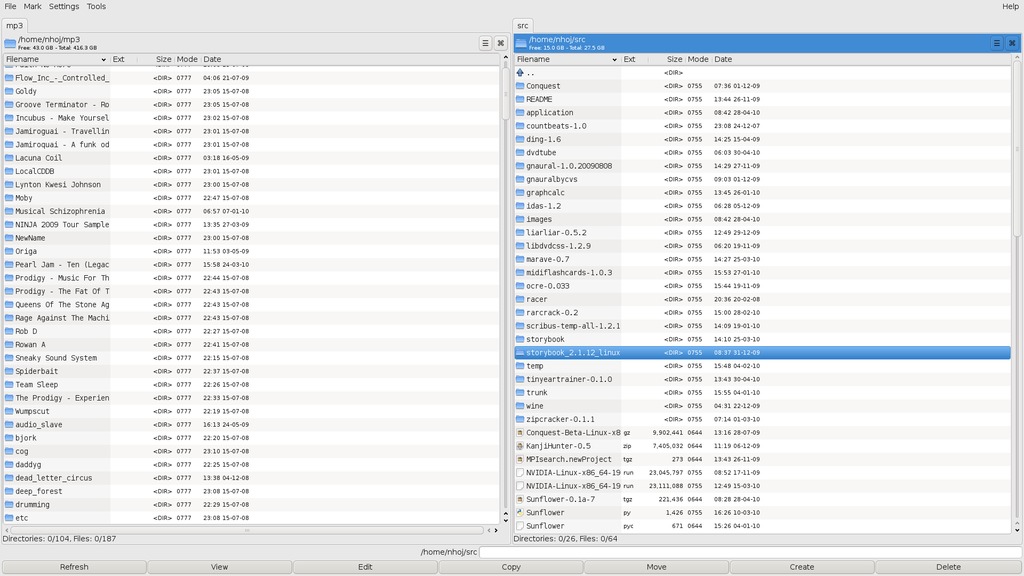
Keyboard-driven twin-pane file management in glorious full screen—it's lovely!
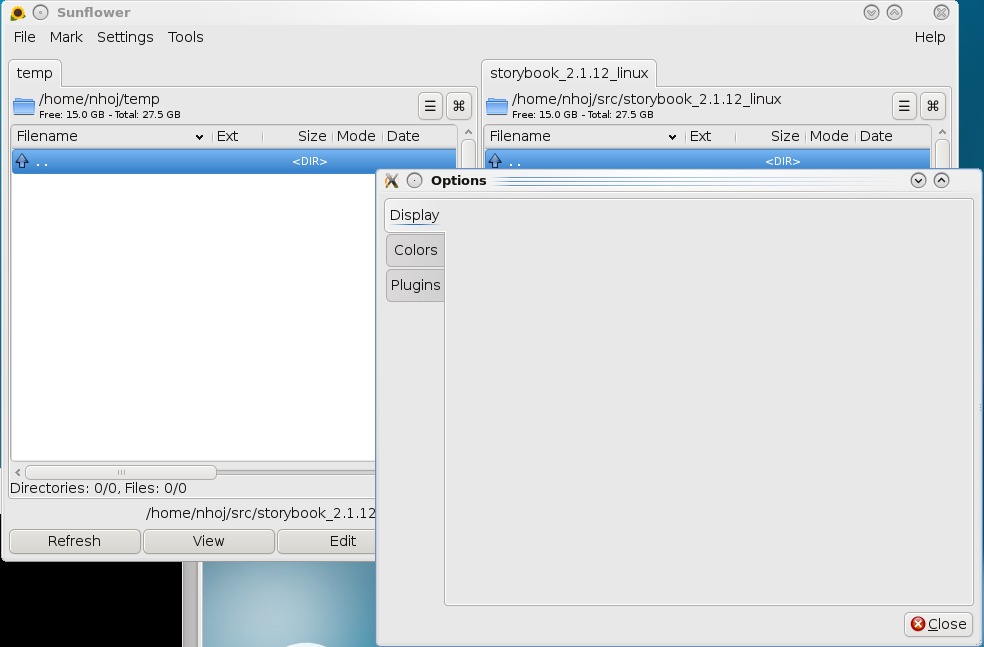
As these blank options show, Sunflower is at a rather early stage in life.
Installation
Installing Sunflower actually went off without a hitch. I just downloaded it and it worked. The hardest part was finding it on the Web site, but that shouldn't be hard for smart LJ readers! Head to the Download Section, click on Sunflower, and at the bottom is a download link where you can grab the latest tarball. Download and extract the tarball, and open a terminal where you extracted the contents.
As far as library requirements go, I didn't have to install anything, but anyone with a minimalist system may have to. As stated above, you'll need Python, GTK 2.0+ and PyGTK. Once you're ready to go, run Sunflower by entering:
$ ./Sunflower.py
Usage
Inside the Sunflower window, things feel like a cross between Norton Commander (hereby referred to as NC, along with its subsequent clones) and newer file managers, such as Nautilus, Konqueror and so on. Now I must say that this definitely is early alpha stuff, and as such, a great deal of features that most people take for granted are still missing, which is evident when you click on Tools, only to be greeted with nothing.
This current sparseness extends to the Options list where every tab also is empty (at least it was at the time of this writing). As a result of this, I recommend clicking on Settings→Show command bar, so basic functions, such as copying, moving, editing and others, at least will be provided for you at the bottom of the screen.
Nevertheless, don't let what I've just said put you off, because Sunflower has one supreme strength: it's delightfully keyboard-driven! It takes me back to the days of lazily browsing around inside the NC with only the arrow and Enter keys, without all of the comparatively headache-inducing GUI elements that were about to come, competing for your attention and getting in the way. As the keyboard is so essential to Sunflower, Here's a guide for your reference:
Ctrl-T: duplicate tab.
Ctrl-W: close tab.
Ctrl-Tab: next tab.
Ctrl-Shift-Tab: previous tab.
Ctrl-Z: open terminal tab.
Ctrl-R: reload list.
Backspace: go to parent directory.
F4: open text editor.
Alt-Letter: quick search.
Menu: open file/directory menu.
Ctrl-Menu: open with menu.
F7: create directory.
F8/Delete: delete selection.
F11: full screen.
Ctrl-F7: create empty file.
One of the first things you should try is pressing F11, which makes Sunflower go full screen, giving you that old NC feel but with modern GUI elements. You can open files and folders by double-clicking, but I recommend skipping the mouse entirely and just using the keyboard, with the well-known combo of the arrow keys for navigating up and down and Enter for opening or executing something.
Pressing Tab changes between the left and right panes, but unlike NC and its clones, each pane can have another tab added onto it, bringing this style of design ethic firmly into the 21st century. Something that seems to be missing in the Midnight Commander that I took for granted in NC is the ability to jump between the starting letters of filenames with two keystrokes (this saved untold amounts of time). Thankfully, this is featured early on and works well. Just press and hold Alt followed by whichever letter you're searching for, and you quickly can navigate inside huge lists of filenames with ease.
Sunflower may be a very early alpha, but it already feels pretty solid in parts and looks very promising. My apologies go out to developer MeanEYE for my constant Norton Commander references, but this old design ethic features here so prominently, and it's refreshing not only to see and feel it again, but also to have it re-interpreted in a way that fits 21st-century computing habits so well. Sunflower seems bent on keeping only what is necessary. And for those who keep stripping away, often to the extent where features and functionality are laughable, Sunflower retains what is genuinely useful over the last decade of computing, minus the bulk. Although this early Sunflower currently is far from what most people will be expecting from a file manager, as time goes by, expected elements (especially more mouse functionality) will make their way into the interface, and the beautiful design ethic behind Sunflower will really shine.
Brewing something fresh, innovative or mind-bending? Send e-mail to newprojects@linuxjournal.com.
John Knight is a 26-year-old, drumming- and climbing-obsessed maniac from the world's most isolated city—Perth, Western Australia. He can usually be found either buried in an Audacity screen or thrashing a kick-drum beyond recognition.

