
Rich Cross-Platform Desktop Applications Using Open-Source Titanium
Titanium is an open-source platform that enables developers to build rich desktop applications using standard Web technologies. Titanium applications run natively on Linux, Mac OS X and Windows operating systems. At a high level, Titanium competes directly with Adobe AIR, although it differs from AIR in three major ways. First, Titanium is open source; it's licensed under the Apache Public License (version 2). Second, Titanium is fully extensible; Titanium extensions can be written using a number of popular languages, including C++, JavaScript, Ruby and Python. Finally, Titanium opens up user interface programming to popular languages like Ruby and Python—a job typically reserved only for JavaScript. Both Ruby and Python have full access to the Document Object Model (DOM), which puts these languages on par with JavaScript for building rich, dynamic user interfaces.
It is important to note that Titanium is not a system that provides a point-and-click ability to build a single application that runs both on the Web and on the desktop; however, that is not to say code sharing across the Web interface and desktop interface is impossible.
Some developers may choose to develop with a share-and-segregate pattern: write a common set of shared libraries, then write platform-specific code for use in a Web interface and other code for use in a desktop interface. In this case, you'll still have a single codebase, but you'll end up with two different apps.
Other developers may choose to develop using progressive enhancement. With progressive enhancement, you start by implementing a basic set of features, then as new resources become available, you build up functionality to make use of these new resources.
A good example is Google Docs. There's a basic set of features you can access on-line, but if you install Google Gears, you get off-line access and other features as well. The same goes for Titanium apps. Developers can enhance their Web applications progressively by adding features and functions that will be available only when the app is run on a Titanium instance. Using this approach you have just a single app.
Both of these techniques are valid choices when it comes to developing apps. Both techniques have pros and cons, and it's up to you as the developer to choose which method to use.
No matter which technique you choose—two separate codebases, one codebase and two apps, or one app—at the very least, Titanium allows you to leverage your Web development knowledge to build desktop applications. It lets you use HTML and JavaScript, as well as other languages most often associated with Web development, to develop desktop applications.
Titanium is a development platform with one clear goal: leverage Web technologies to create rich, cross-platform desktop applications. Using Titanium, you can create desktop applications using HTML and JavaScript, yet still get features not available on browser applications. For example, Titanium Web applications built for the desktop can access the filesystem and interact with the underlying operating system.
The idea behind Titanium isn't new, but Titanium clearly separates itself by giving you something unique: unlimited possibilities with open-source choices. You aren't forced to use anything proprietary—you can use any library or framework you want. All technological decisions are yours to make.
Although I mainly program with JavaScript for Web applications, it isn't the only technology that powers the Web. Titanium works well with Python, PHP, Ruby, Java, Flash and Flex, and Silverlight. So whatever technology you're using right now to develop your Web applications, you'll likely be able to use it with Titanium.
Because Titanium is distributed under the open-source Apache Public License v2, you can download the source code, play with it, fork it and extend it. It's this extensibility that makes Titanium a platform that developers can grow with in the future. The platform can morph and evolve into different forms as new needs emerge.
Titanium is evolving rapidly and has experienced several major changes to its architecture in the past few months.
The initial preview release of Titanium (PR1) incorporated WebKit and a modified version of Google Gears. Essentially, Titanium PR1 used WebKit as its main component, and additional features were exposed to the runtime via a native extensions system, which gave developers access to features from a modified version of Gears.
Soon after this initial preview release, the Titanium team started to re-architect the platform. Google Gears was removed, and instead, a new system for exposing new features was created: Kroll.
Kroll is the microkernel that powers Titanium and extends the framework. This compact microkernel, written in C++, is a cross-language, cross-platform “binding” and invocation framework that enables mixing and matching code within the kernel. All the features that Titanium exposes are accomplished via Kroll modules. By using Kroll, Titanium gains the ability to support a multitude of languages and technologies. And, because Kroll is fully extensible, anyone can add more features to the platform, using any technology. You don't need to be a C++ guru to extend Titanium. You can create new modules using Python and Ruby, or even just plain-old JavaScript.
Titanium's use of WebKit was retained during the rewrite from PR1, and for good reasons. Not only is WebKit one of the best, standards-compliant engines available today, but it also features lots of goodies, such as HTML5 client database storage, CSS transformations and animations, and a fast JavaScript engine. All of these, of course, are available on Titanium.
Enough theory—it's time to get our gloves out and start working with Titanium. First, download the latest version of Titanium from titaniumapp.com/download, and execute the package:
$ chmod +x Titanium-PR3-SDK.bin
$ ./Titanium-PR3-SDK.bin
You'll be greeted by a window containing the License Agreement; click I Accept to continue. Wait for the installer to finish, and the next thing that pops up on your screen is the second tool that you'll use the most while developing applications for Titanium (aside from your favorite text editor): the Titanium Developer.
Titanium Developer is the main tool you need for developing Titanium applications. It features several tabs for different purposes, ranging from packaging your app, managing projects and discovering cool stuff from other developers (Figure 1).
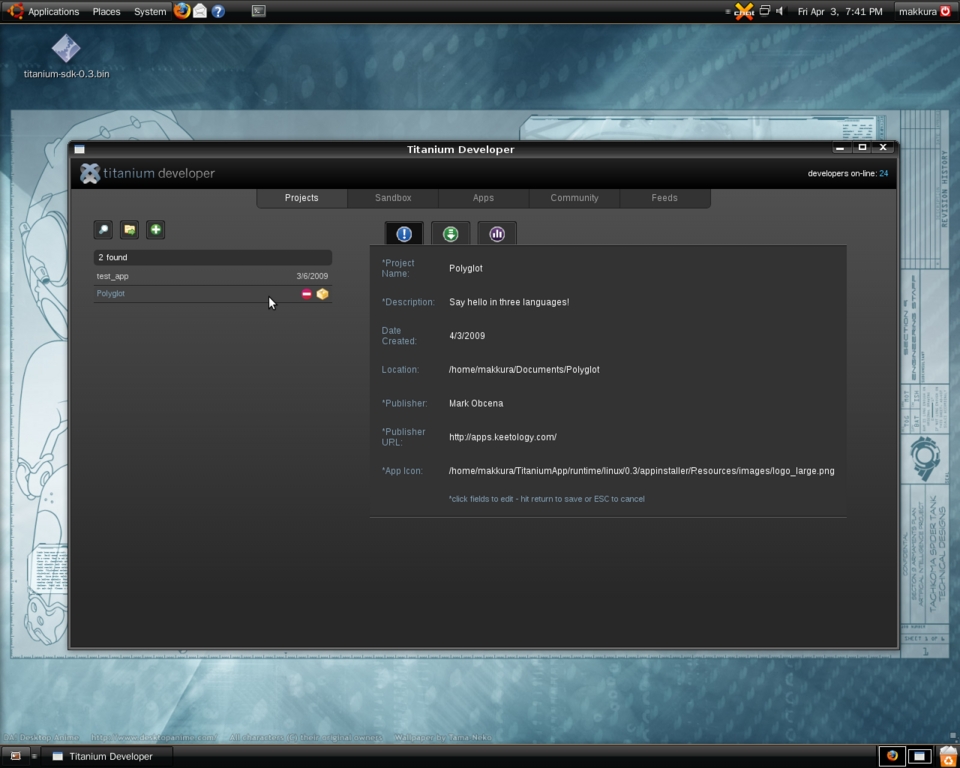
Figure 1. Titanium Developer
The first tab is Projects, which helps you manage your Titanium projects. Here you can create new projects, run them for testing and package them for distribution (Figure 2).

Figure 2. Projects
The Sandbox is a very useful tool for testing code without having to create a new project. To see it in action, try typing the following snippet of code into the text area on the Sandbox tab, then press Launch (Figure 3):
<div id="output"> </div>
<script>
document.getElementById('output').innerHTML
                        = "Hello World from Titanium";
</script>
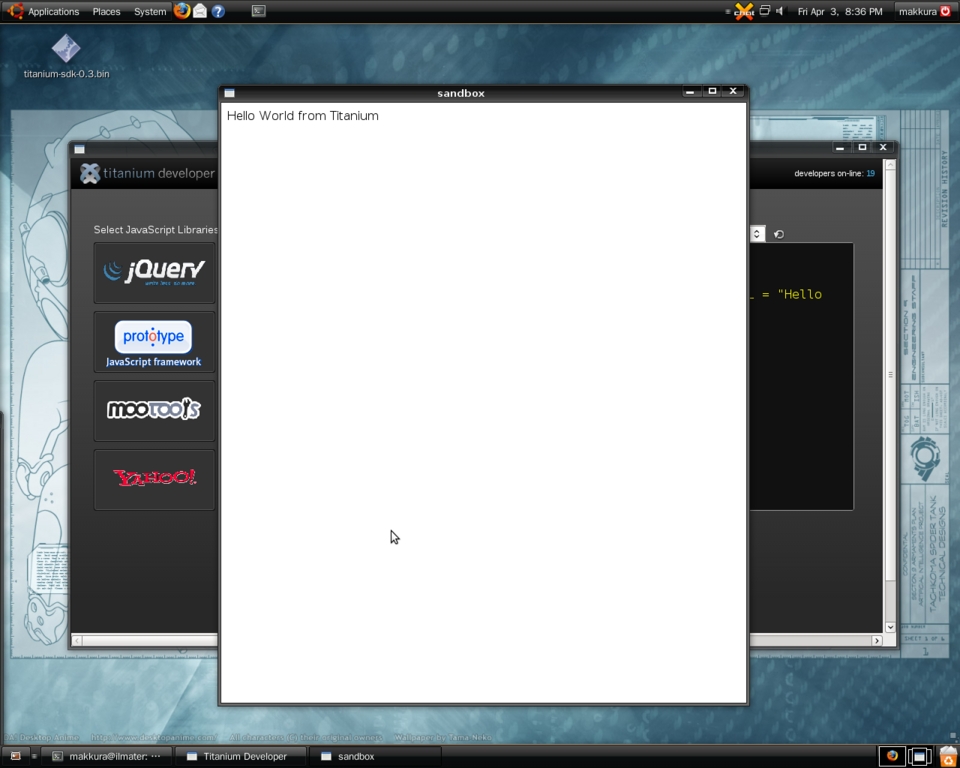
Figure 3. Sandbox
Congratulations! You just launched your first Titanium application via the Sandbox. Titanium Developer takes the snippet of code and launches a Titanium app using that code. On the side of the text area for the snippets, there are buttons for popular JavaScript frameworks. You can click one of those to add them to your sandbox application for testing instead of having to include them yourself.
The next tab, Apps, is a tool for discovering other awesome Titanium applications. Titanium enables you to distribute your applications easily via a distribution and packaging cloud. Every app that's packaged as public will be featured in the Apps tab, making it easier for you to share and distribute applications to your users (Figure 4).
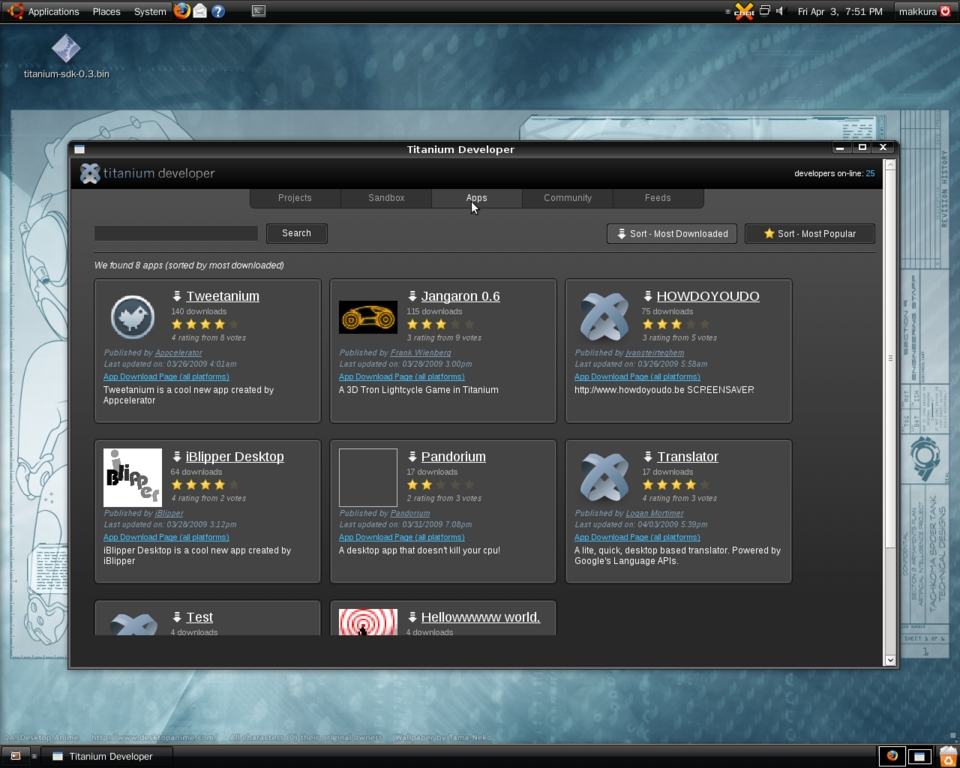
Figure 4. Apps
Up to this point, Titanium Developer probably seems like any other development tool. You use it to create new projects, test them and package them for distribution—normal development stuff. But it goes beyond that. Titanium Developer isn't merely a development tool, it's a social development tool. Social development harnesses the power of social media for engaging, learning and collaborating with a global community of developers. That's why Titanium Developer contains two other tabs: Community and Feeds.
The Community tab contains a full IRC client that connects to the official Titanium IRC Channel, enabling you to talk to other developers, get help with tricky code or even share tips and tricks. The Feeds tab features live Web feeds from Twitter and FriendFeed regarding Titanium, so you'll be up to date about everything that's going on with the platform. The same tool that you use to create, package and deploy projects is also a tool that connects you to the worldwide community of developers working with the same platform as you (Figure 5).
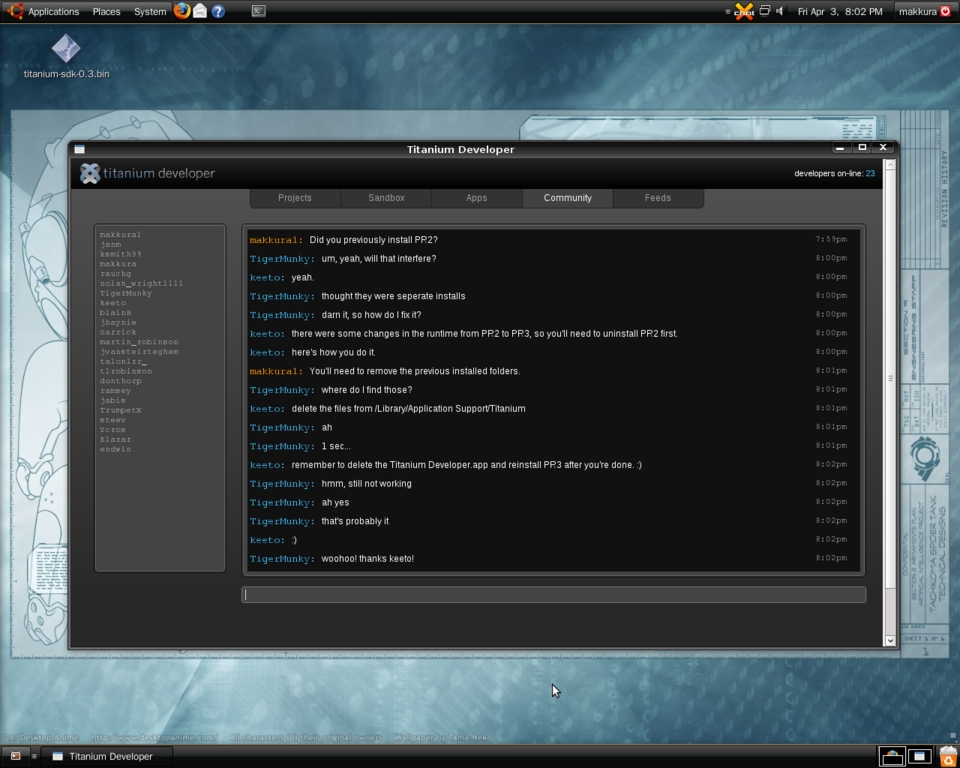
Figure 5. Community Feeds
And, the best thing about Titanium Developer? It's actually built using Titanium.
It's easy to create new projects using Titanium Developer. The Projects tab takes you step by step into creating a new project. The first step asks you which JavaScript libraries you'd like to add to your project. You can add libraries by clicking on their logos, and you also can opt out by not clicking any. For this example, try adding MooTools.
Next, you need to input information about your project. Type anything you want for the Project Name, Project Description, Publisher Name and Publisher URL fields. For the Project Location, click on the small folder icon on the side of the text field, and select the directory on your system where the project will be placed. Finally, you need an icon for the project, so click on the small folder icon on the side of the field for Application Image, and browse for an image file. Click Create Project.
The Project tab now displays your project on the list and some project information on a window on the right. This window has three tabs: the first one displays your project's information, the second one displays links to your application packages, and the third one displays distribution and download statistics for your application (Figure 6).

Figure 6. Create Project
Select the project in the list, and click on the small box icon. This brings you to the Packager where you can run, package or install your application. Click on the Package and Launch button to launch your newly created project.
You now have your first project, but it doesn't really do much at this point. So, open your file manager and navigate to the directory you selected for the Project Location when you created your project.
Inside your project directory, you'll see several files and directories (Figure 7):
dist: the directory where Titanium Developer stores your packaged app so you can launch it for testing.
manifest: a file used by Titanium to determine settings for packaging your apps, like your app's information as well as settings and versions of the modules you're using on your application.
tiapp.xml: the descriptor file for the application. This is used by Titanium to determine settings before running your application, such as settings for the initial window, version information and copyright information.
Resources directory: where all your application files are stored—your HTML pages, stylesheets and scripts all should be kept here.
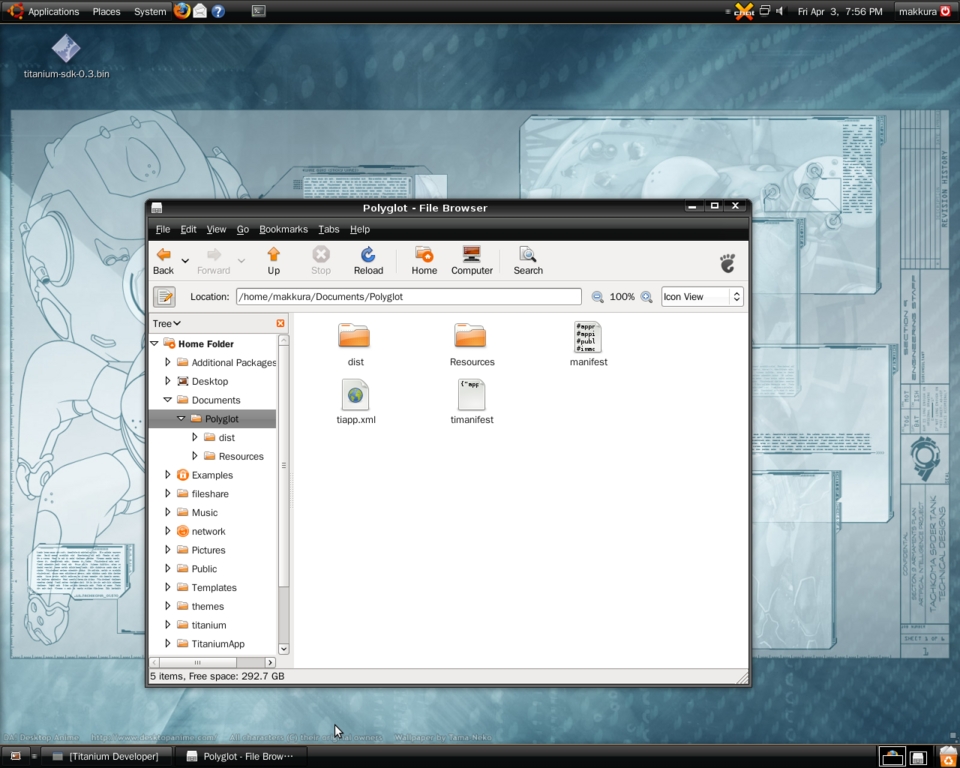
Figure 7. Project Directory
Titanium is very lenient when it comes to the structure of the Resources directory. You can create subdirectories to structure your project in any way you want, depending on your style.
Now, open the index.html file inside the Resources directory with your favorite editor. It should look like this:
<html>
<head>
<style>body{background-color:#292929;color:white}</style>
<script type="text/javascript" src="mootools-1.2.1.js"></script>
</head>
<body>
Welcome to Titanium
</body>
</html>
As you can see, it's just a simple HTML page, and Titanium Developer already included a link to the MooTools script (which also is included inside the Resources directory). Now, edit the file so it looks like Listing 1.
Listing 1. JavaScript, Python and Ruby, All in One HTML File
<html>
<head>
<script type="text/javascript">
function helloJS() {
    window.document.getElementById('output').innerHTML
                       = "Hello from Titanium using Javascript";
}
</script>

<script type="text/python">
def helloPython():
    window.document.getElementById('output').innerHTML \
                         = "Hello from Titanium using Python"

window.helloPython = helloPython
</script>

<script type="text/ruby">
def helloRuby
    window.document.getElementById('output').innerHTML \
                         = "Hello from Titanium using Ruby"
end

window.helloRuby = helloRuby
</script>

</head>
<body>
<div id="output">
</div>
<div>
<button onclick="helloJS()">helloJS</button>
<button onclick="helloPython()">helloPython</button>
<button onclick="helloRuby()">helloRuby</button>
</div>
</body>
</html>
Save the file, then go to the Titanium Developer's Project tab, and click the package icon on your project. Click Package and Launch, and test your application. Click the buttons to get a hello world from three different languages—all in a single page (Figure 8).

Figure 8. Hello World App
While you're writing code, you're sure to run into bugs. Luckily, Titanium includes WebKit's Web Inspector, which you can use for various developments tasks. To open the Web Inspector, simply right-click on your app, and select Inspect Element.
Once you're done writing code and perfecting your application, you're now ready to package your application, which is easy to do with Titanium Developer. In the Packager window, click the Package for Distribution button.
You are given several options. The first one is to select for which platforms to package your app—you can choose from OS X, Windows and Linux (or all three). Next, you need to decide whether to bundle the runtime with your application or install it via the network during launch. Then, you decide which modules you'll add to your project and whether to bundle them with your app (Figure 9).
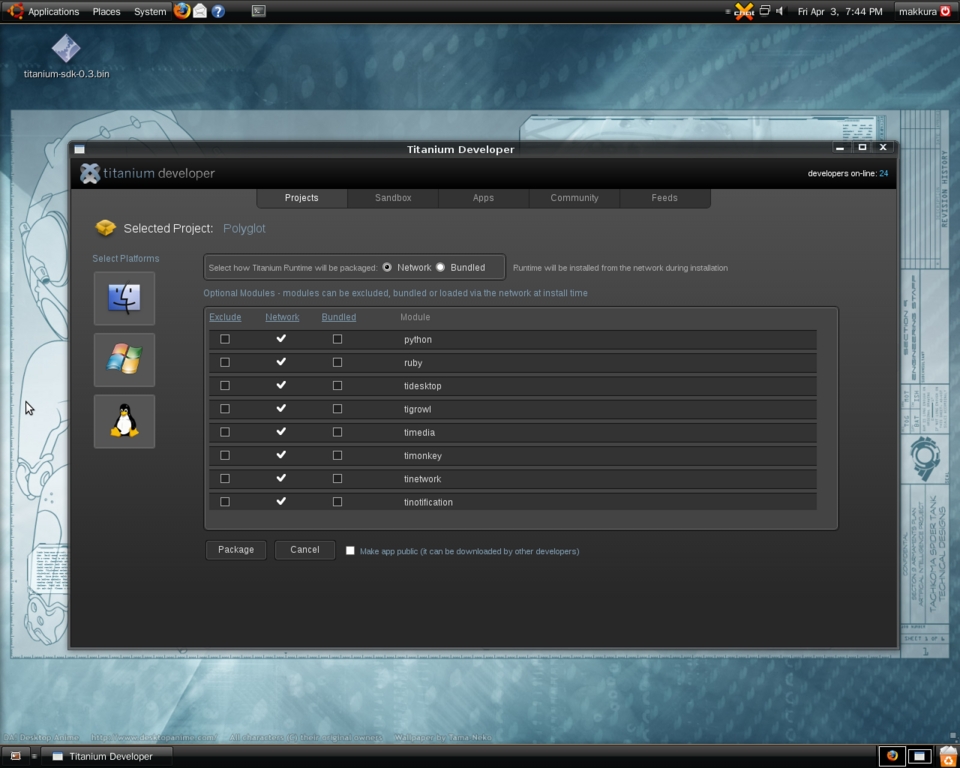
Figure 9. Packaging
Finally, you have the choice of making your project publicly available. By checking Make app public, your application will be added to the App directory and be made available to users everywhere. This helps immensely in distributing your application, because Titanium also hosts your files for you. When you're done, click Package.
Titanium Developer then uploads your project files to the Packager Cloud for packaging. When it's done, you are presented with links to your downloads for each platform you specified. If you made your app public, Titanium Developer also starts showing statistics for your application, such as the number of downloads for each platform and the user ratings for you application (Figure 10).
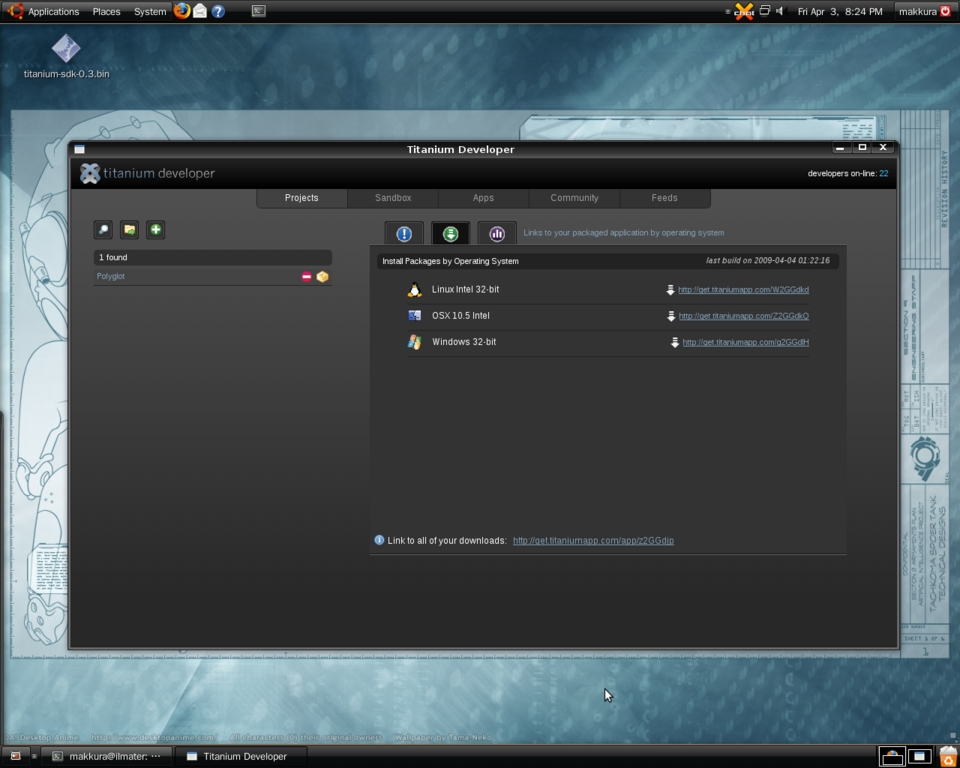
Figure 10. Stats and Links
As you saw in the code above, all languages supported by Titanium have a window object. This is the shared global object and is used to bind methods and objects that need to be available on all languages. The main namespace for the Titanium API is also bound to this global object and can be accessed via window.Titanium.
Aside from WebKit goodies, such as client-side database storage and CSS animations, Titanium's current API also contains many of the necessary features needed for desktop application development:
Titanium.Desktop: for launching third-party applications and opening URLs on the default browser.
Titanium.Filesystem: for working with the filesystem for things like reading and writing files, creating and managing directories and so on.
Titanium.Media: for working with media files, such as audio and video.
Titanium.Network: for working with network-related tasks, such as socket connections and IRC clients.
Titanium.Notification: for custom system notifications, as well as hooks to platform-dependent notification systems like Growl and Snarl.
Titanium.Platform: for getting information about the user's system.
Titanium.Process: for working with system processes, as well as launching and executing system commands.
Titanium.UI: for working with native windows, menus and system chrome.
Unfortunately, going over all of these APIs would require an article (or two) in itself. Fortunately, the official Titanium site provides documentation with more details.
Looking back, I wish that Titanium had already existed when my client asked me to do that project to store voice files. It would have saved me a lot of trouble fiddling with other solutions that couldn't truly satisfy the requirements of real, rich desktop development.
The good thing is that Titanium already is here, ready for action. You can download the SDK now, play with Titanium and join in on the community discussions to learn more about it.
Yes, Titanium might be a relatively new project. However, with the rapid rate of development I've seen so far, I'm planning to use Titanium to power the next generation of better, and certainly more powerful, desktop applications.
Mark Obcena is a professional Code Sport player from Manila, Philippines. Aside from being a core contributor and platform evangelist for Appcelerator Titanium, he also contributes to several open-source, Web development-related projects. When he's not practicing his patented Backhand JS-Closure Attack, he writes about design, development and all things nifty for his site, Keetology (keetology.com).
