
Zimbra Desktop
Zimbra Desktop is an alternative e-mail client. I don't mean that it is yet another choice in e-mail client-land. It is more than merely another choice. Zimbra Desktop is an attempt to blur the lines between a browser-based Web application and a traditional desktop application. In many ways, it is similar to applications like Evolution, Outlook or KMail—what Zimbra refers to as “fat” clients—but in other ways, it has more in common with browser-based e-mail platforms, such as Gmail, Hotmail and Yahoo mail. In a nutshell, Zimbra Desktop is the Web-based Zimbra Ajax Web client running inside a custom Prism install (for more about Prism, see the What Is Prism? sidebar).
What Is Prism?
Prism is a Mozilla Labs project. Its aim is to allow you to split Web applications out of your browser and run them directly on your desktop. In reality, it allows you to run your Web application inside a stripped-down Firefox window, with no buttons or bars to get in the way.
The reason this is useful is because of one of Firefox's design decisions. In order to save on memory and processor usage, all of your browser windows run under a single Firefox process. This generally works well, except when Firefox crashes. Because of the design, a crash in one Firefox window affects all other Firefox windows. Prism lets you separate Web applications into their own processes. In this way, they behave more like traditional desktop applications—for example, if my Prism Gmail application dies, it doesn't affect the other Web applications I have running or close the Web sites I currently have open.
Development is ongoing, and new features are coming out all the time. For example, a new plugin for Firefox 3 recently was released that allows you to convert a Web site into a desktop application simply by clicking Tools→Convert Website to Application.
More information about Prism is available at labs.mozilla.com/featured-projects/#prism.
At first blush, I thought to myself, “Why would someone want to do this? What's the point?” Well, the point, I came to discover, is that desktop e-mail suites have certain advantages over browser-based e-mail suites, and vice versa.
The main advantage desktop e-mail clients have over their browser-based brethren, in my opinion, is the ability to read saved e-mail when you are not connected to the Internet. There is also, in corporate settings especially, the advantage of integration with LDAP directory servers and scheduling functions through shared calendars and the like. On the other hand, the main advantage that browser-based e-mail clients have over desktop e-mail clients is that they run exactly the same, or very nearly the same, on multiple browsers and operating systems. There also is no lengthy install process; you simply go to the site and there it is. The aim of Zimbra Desktop is to give you the best of both worlds.
Unfortunately, because Zimbra Desktop acts like a traditional application, there is an installer. The installer itself is an approximately 40MB shell script. Actually, it is a 340-line shell script cat'ed to an approximately 40MB tar.gz file. The script extracts the tar.gz file from itself, gunzips and untars it, and then runs the Java-based installer that lives inside. This sort of installation bootstrapping, by extracting a file stored inside a shell script, is something commercial Linux software seems to prefer doing, and I have to say, it does work.
The GUI installer is nothing special. It uses install4j, and it gets the job done.
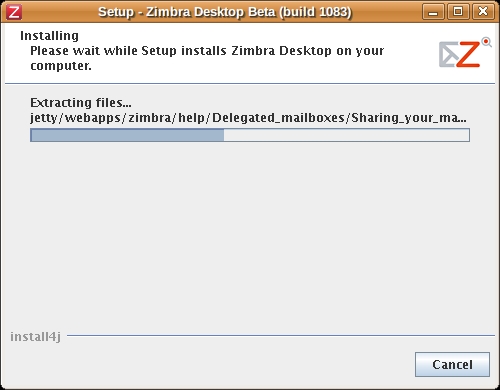
Figure 1. Zimbra Desktop Installer
At the end of the installation process, you'll have a zimbra folder wherever you instructed the installer to put it. The home folder of the user that performed the install is the default location. Optionally, you also will have a desktop icon, if you did not uncheck the Create Desktop Shortcut box.
Double-click the desktop icon, and Zimbra Desktop launches and prompts you to enter in the settings for an e-mail account of your choosing. Zimbra Desktop supports Zimbra Collaboration Suite (ZCS), Gmail, Yahoo Mail Plus and standard POP and IMAP accounts. I tested with Gmail and ZCS, as those are what I have.
The initial sync of my Gmail account took about an hour from start to finish. I just left it alone while it downloaded my mail. I didn't have much mail in my ZCS account, so that sync was almost instantaneous.
Using Zimbra Desktop reminds me a lot of using Evolution or Thunderbird. You can drag and drop e-mail messages from one folder to another, right-click on single messages or groups of messages and perform various actions (such as forward, filter, tag, mark as read or unread and so on), and you can do many of the other things that you would expect. It was easy to forget that the entire interface is built using HTML and JavaScript.
The e-mail composer has all the features I expect from a modern client. You can compose in HTML or plain-text format, and in HTML mode, you have all of the usual control over fonts, lists, colors, text size and so on.
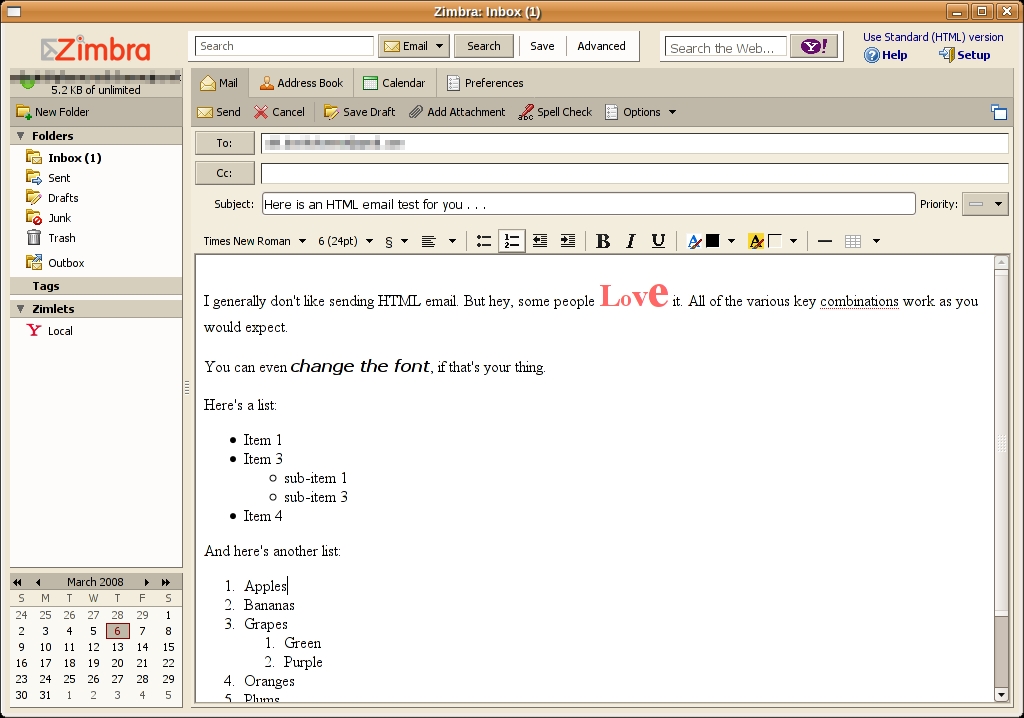
Figure 2. The Zimbra Desktop composer window offers all the features you would expect.
The e-mail viewing interface has the familiar three-pane view that most clients default to, and the HTML e-mail messages I used for testing rendered the same as in other clients.
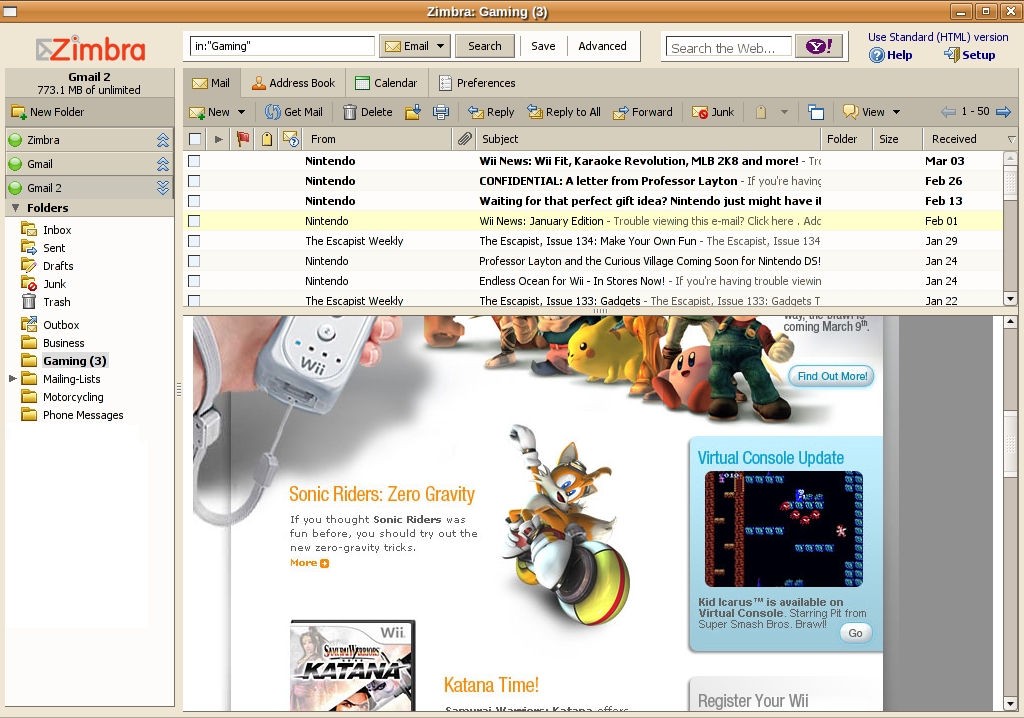
Figure 3. Zimbra Desktop has no trouble rendering HTML e-mail messages.
On the whole, using Zimbra Desktop is quite plain. It feels like what I'm used to with standard “fat” desktop mail clients. The interface is easy to navigate around, and things are generally about where I expect them to be, and when I wanted more information, the integrated help system was very useful.
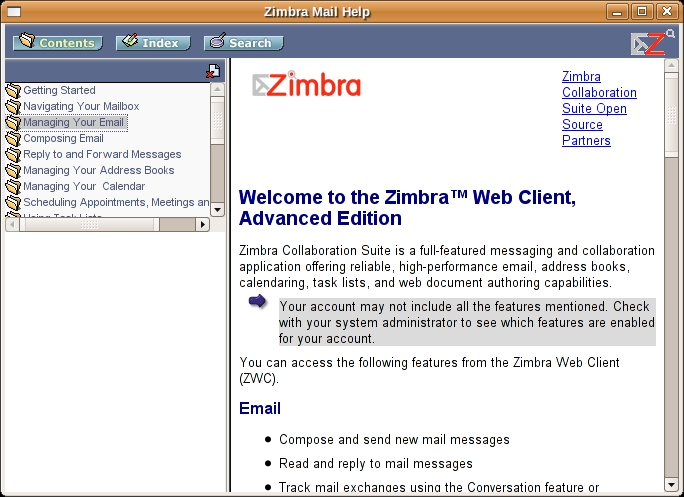
Figure 4. Help is just a click away.
One of the biggest differences between Zimbra Desktop and a standard client is that there aren't the normal File, Edit, View, Search (and so on) drop-down menus arranged into a nice menu bar. This is not a limitation as such, it's just different. In normal, everyday use, I didn't miss them.
One of my favorite features in Zimbra Desktop (which is also one of my favorite things about Gmail) is the extensive availability of keyboard shortcuts. In fact, many of the key combinations are similar, if not the same, so I quickly felt at home. This is something fat clients could learn from their browser-based cousins—easy keyboard shortcuts, such as pressing J to move down in the list of messages and K to move up, are great time-savers. The complete list of shortcuts is available under Preferences→Shortcuts.
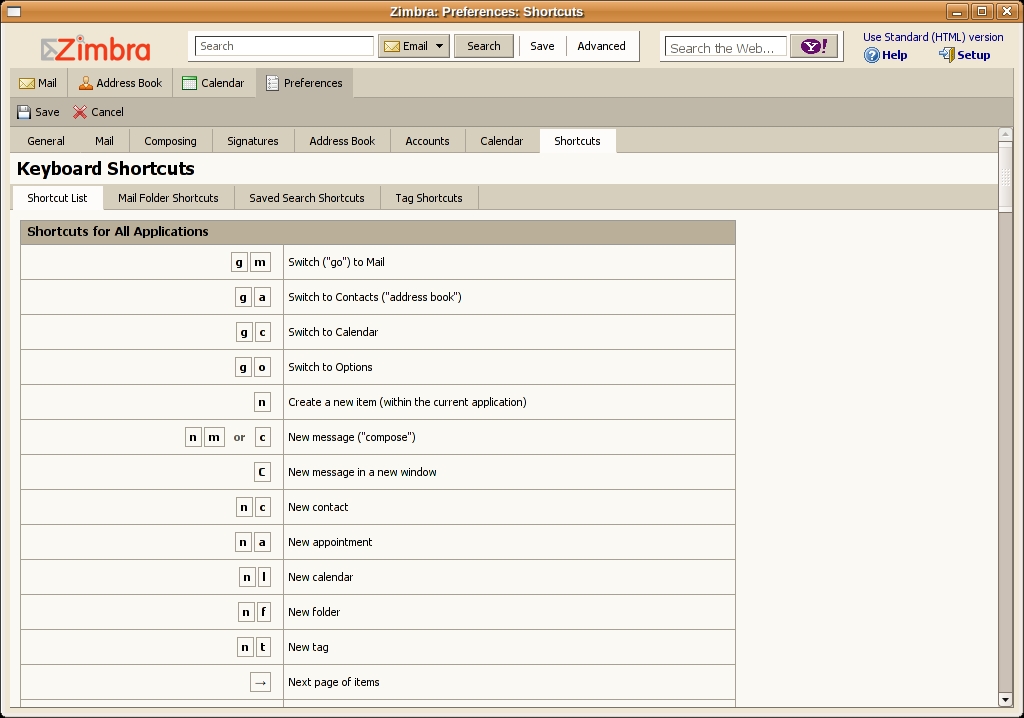
Figure 5. Zimbra Desktop has a lot of shortcuts.
The calendaring component of Zimbra Desktop is very nice. It's much better, in my opinion, than Google Calendar, if not quite as good as some of the other desktop calendar apps I have used.
You can create appointments by a click and drag on the calendar, and you can move appointments by selecting them with the mouse and moving them where you want. You can create new calendars simply by clicking the New Calendar button.

Figure 6. Zimbra Desktop can subscribe to remote ical calendars.
The shared calendars and scheduling features work only with ZCS accounts, so keep that in mind if you are thinking of using Zimbra Desktop in a multi-user setting. If you are using Zimbra Desktop with an e-mail account other than ZCS, the calendar works like a standard desktop calendar. You also can subscribe to shared ical calendars.
As far as the address book goes, it's an address book. If you're using ZCS, you likely will have access to a shared address book. There's nothing special here.
One thing that Zimbra Desktop has that other clients don't are Zimlets. Because the Zimbra Desktop's entire interface is based on HTML and JavaScript, it makes sense to include other pieces of on-line content into the client, and Zimlets are what allow this. Included with Zimbra Desktop are Yahoo Maps and Yahoo Local Zimlets. More Zimlets are available at gallery.zimbra.com that can do things like track flights and add support for Flickr to the e-mail composing window, but installing them is nowhere near as easy as say, installing a Firefox extension, and if anything, they should be easier to install. They're a neat idea though, and they enable functionality that you just can't get in traditional e-mail clients.
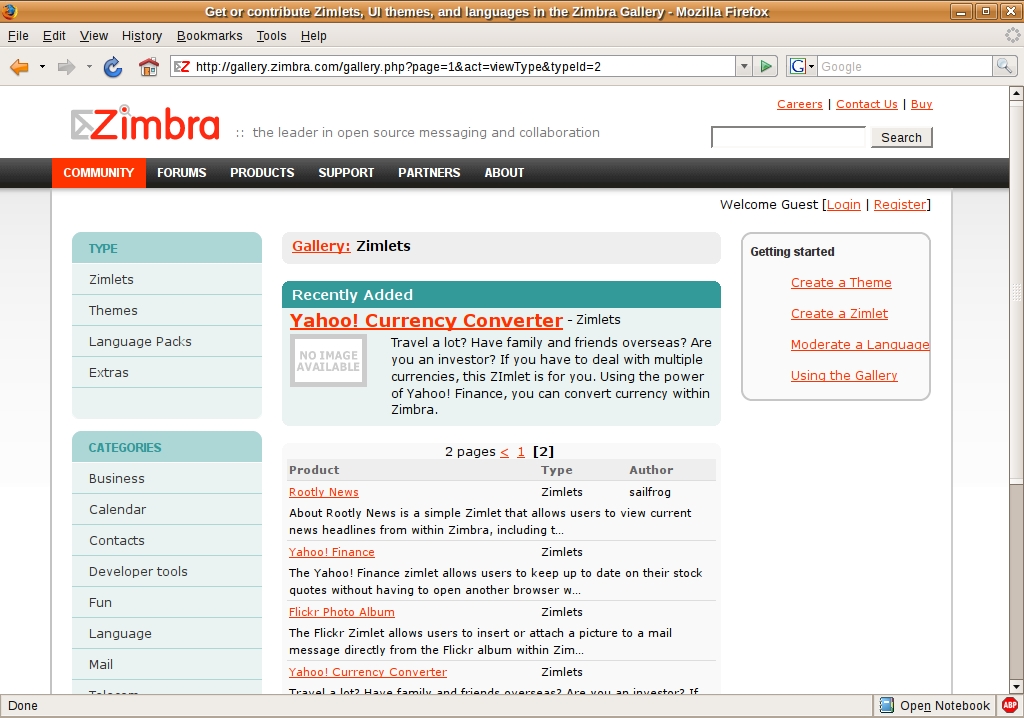
Figure 7. Zimlets are a nice way to extend your e-mail interface.
On the whole, I was impressed with Zimbra Desktop. But, there were some things I really didn't like. As Zimbra Desktop is in beta, take these criticisms with a big grain of salt, because they might have disappeared by the time you read this.
Setting Zimbra Desktop to connect to my Gmail account was an easy process, but using it was not so easy. When connecting to Gmail via IMAP, your Gmail labels show up as folders, and the first time you click on any folder other than the Inbox you get a “This folder is currently not syncing. Click here to sync this folder” message. This is silly, because if I did not want to view the messages in the folder, I would not have clicked on the folder. The very action of me clicking on the folder indicates that I want to sync the folder, so there is no need to ask me. In addition to this, after you click on the link, you are sent back to the Inbox for some reason. Clicking on the folder again finally gets you the folder you wanted. Three clicks just to view one folder seems excessive, and the effort involved in getting my entire Gmail tree syncing was unnecessary. I will grant that I have a lot of labels, and thus, a lot of folders, but Zimbra Desktop could have been smarter with its default behavior.
Another annoyance is that in the Zimbra Desktop interface you can view only one account at a time. Because of this, dragging e-mail from one account to another one is impossible, as far as I can tell.
Each account also has its own calendar and contact list. I have a work e-mail and a few personal e-mail accounts, and both work and home calendars. In Zimbra Desktop, there does not appear to be a way to view all contacts from all accounts at the same time. Ditto for calendars.
Another minor quibble about the calendar is this: because I'm using Zimbra Desktop with my Gmail account, when I saw the calendar, I thought to myself, “hey, this probably will sync in both directions to my Google Calendar”. It doesn't. Zimbra Desktop can read and show your Google Calendar by subscribing to the ical link you can get from Google Calendar, but it is read-only. The writeable calendar is only in Zimbra Desktop. I suppose I can't complain too much, as Zimbra never said the calendar would sync with Google Calendar, but I'm still sad it doesn't. Maybe in a future version?
On the topic of missing functionality, I was not able to get the touted off-line capabilities working with either Gmail or the ZCS server I set up for testing. I tested the feature simply by unplugging my computer from the network and then launching Zimbra Desktop. Instead of showing my e-mail messages, I received a message stating that the document could not be displayed in front of a blank window. This should improve with future releases and may well be fixed by the time this article is published.
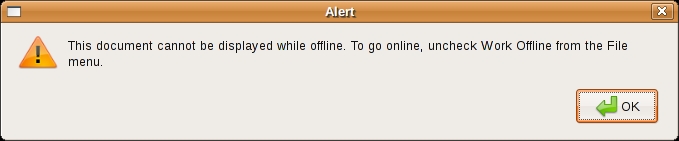
Figure 8. This error message would be more useful if there were a File menu in Zimbra Desktop, but there isn't.
There also is a dæmon that must be running for Zimbra Desktop to start. If it is not running, you'll get an error message.

Figure 9. The zdesktop dæmon must be running for Zimbra Desktop to work.
This dæmon lives at zimbra/zdesktop/zdesktop and must be launched with a single start argument. The installer does tell you about it, but it does not set it to start automatically, so in order to make sure it was always running when I was logged in, I created a Startup Program entry for it. This is a small annoyance, and one that hopefully will be automated in a future version of the installer.

Figure 10. A simple startup entry ensures that zdesktop starts whenever I log in.
One final thing to be aware of when using Zimbra Desktop with Gmail that I found is annoying is that if an e-mail does not have a label assigned to it and it is not in the Inbox, you won't be able to see it. So if you plan on using this with Gmail, label everything.
Will I be ditching other e-mail clients and switching over to using Zimbra Desktop full-time? In a word, no. Zimbra Desktop is a very nice e-mail client. It has the features I expect a modern client to have, it can handle multiple accounts easily, and everything is rolled up into a nice easy-to-install package. But being “just as good” as other e-mail clients is not enough to make me switch. Even the coolness of Zimlets is not enough.
The integration of Zimbra Desktop with the Zimbra Collaboration Suite is, naturally, very good, and if I were using ZCS as my primary mail server, the choice to use Zimbra Desktop would be obvious. I would. And, that is, I suppose, my final recommendation. If you are using ZCS, Zimbra Desktop lets you access your messages, contacts and calendars even when you're off-line (that's the promise, anyway), and you can use it for all of your other e-mail accounts too.
Zimbra Collaboration Suite
The documentation for Zimbra Desktop states that you have to have a Zimbra Collaboration Suite (ZCS) to connect to. This is not technically true, as you can use Zimbra Desktop with Gmail, Yahoo mail or any POP or IMAP server without a ZCS in sight. However, the integration with Zimbra server is, naturally, very strong, so if you run your own e-mail server, the ZCS + Zimbra Desktop combination is very compelling.
One of the main benefits of running ZCS as your e-mail server is that the installation is easy when you compare it to setting up your typical SMTP + IMAP + ClamAV + LDAP server installation.
ZCS comes in both a commercial Network edition and an open-source Community edition. Both have excellent documentation, which is great help in getting it up and running.
More information on the Network edition is available at www.zimbra.com/products. And, more information on the Community edition is available at www.zimbra.com/community.
Even if you do not use ZCS, you still might want to give it a try. The download and install process is easy, and you'll be up and running quickly. I think you'll find, as I did, that alternatives, such as Evolution, Thunderbird or Gmail work equally as well, and that there is no compelling reason to move away from what you are already using—in which case, there is a nice uninstaller.
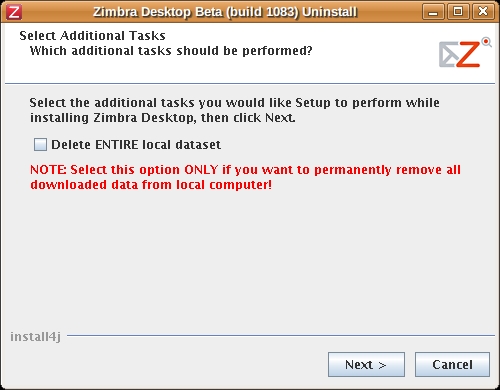
Figure 11. If Zimbra Desktop is not for you, there is a handy uninstaller located in the zimbra folder.
But, then again, maybe you'll love it and never want to use a traditional e-mail client again.
Daniel Bartholomew lives with his wife and children in North Carolina.

