
Work the Shell - FilmBuzz Trivia Goes Live
I was sure last month that we'd wrap up this film-trivia Twitter game, but, as you'll recall, I ended that column with “Oh. We've run out of space. Again.”
This month, I'll skip the prelude and jump in. You should follow the triviabot at twitter.com/FilmBuzz, and you can find back columns on the Linux Journal Web site if you need to get up to speed.
Last month, I ended by showing you a rudimentary solution to sending out twitters on the command line that looked like this:
#!/bin/sh
# tweet - command line twitter interface
user="filmbuzz"; pass="acctpasswd"
msg=$(echo $@ | sed 's/+/%2B/g;s/ /+/g')
$curl --silent --user "$user:$pass" --data-ascii \
  "status=$msg" "http://twitter.com/statuses/update.json" \
  > /dev/null
With that available, sending Twitter updates is as easy as typing:
$ tweet "My favorite film? Probably Lawrence of Arabia"
And, it's off into the ether (Figure 1).
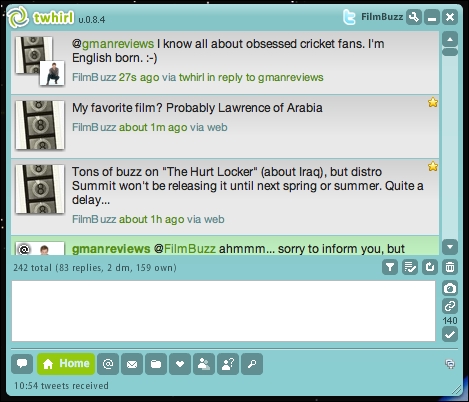
Figure 1. Notice the middle tweet. That's us!
So, clearly you can send tweet messages from the command line. In previous columns, we also pulled all the pieces together to be able to output trivia questions to standard out (stdout).
We have two command-line shell scripts that we need to put together: one sends its input as a message to Twitter, and the other actually generates a trivia question. Here's the latter, in action:
$ generate-trivia-question.sh
Film Trivia! Was the movie "Schindler's List"
 released in 1993, 1994 or 1996?
There are a bunch of ways to put them together, but I'm partial to subshells using the $( ) notation. So, here's how I can output the very first real live programmatically generated trivia question to the FilmBuzz Twitter account:
$ ./tweet $(bash generate-trivia-question.sh)
And, Figure 2 shows the output.
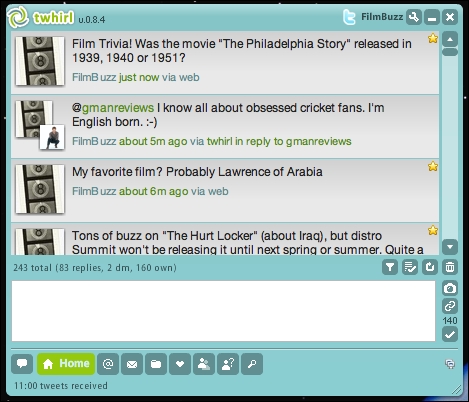
Figure 2. The topmost entry is our trivia question.
Hu-bloody-rah! Finally.
Now that we have a command-line-based method of generating and disseminating movie trivia questions via Twitter, we need to automate the process, because I am not going to log in every few hours and type that command on the command line!
The tool of choice for any sort of automation, of course, is crontab. If you're reading Linux Journal, I imagine you're already familiar with it, but if not, read the man page for this powerful utility (man crontab).
For all its strengths, crontab requires that you have a simple invocation, and I generally like to write a script specifically targeting that crontab entry—like this:
#!/bin/sh
# film trivia crontab job
tweet="/home/filmbuzz/trivia/tweet"
generateq="/home/filmbuzz/trivia/generate-trivia-question.sh"
question="$(/usr/local/bin/bash $generateq)"
$tweet "$question"
exit 0
Easy enough. This can, of course, be run from the command line to test it, but what we really want to do is run it from crontab to see if all the paths and file permissions are correct, so it can run unattended.
To create or edit a crontab file, type crontab -e. I'm going to send out only two trivia questions each day: one at 11am and one at 3pm. The format of crontab entries is a bit tricky though, as the time and date recurrence requirements are specified as minute, hour, day-of-month, month and day-of-week, followed by the command itself. Fields you don't want to specify can be left as an asterisk (a wild card). So, if I want to run this command seven days a week at 11am and 3pm, I can most easily specify it as:
0 11,15 * * * trivia-cronjob
That's not quite right, though, because generally you can count on cron jobs having a far more truncated PATH than you're used to interactively, so every path should be specified (including in any script that's executed). Here's what I actually have in my crontab:
0 11,15 * * * $FBDIR/trivia/trivia-cronjob
Oh, there's one more wrinkle. My server runs in UTC (Universal Time, Coordinated, aka Greenwich Mean Time), so when it's 11:22am here in Colorado, my server thinks it's 17:22:41 GMT 2008.
Because crontab uses the system time, I need to adjust my specified times to meet my expectations, moving from 11,15 to 17,21. Otherwise, we're good to test!
Hmm...nothing happened. A quick check of my e-mail reveals the cause:
/home/filmbuzz/trivia/trivia-cronjob: permission denied
That's easily fixed with a chmod call (Figure 3).
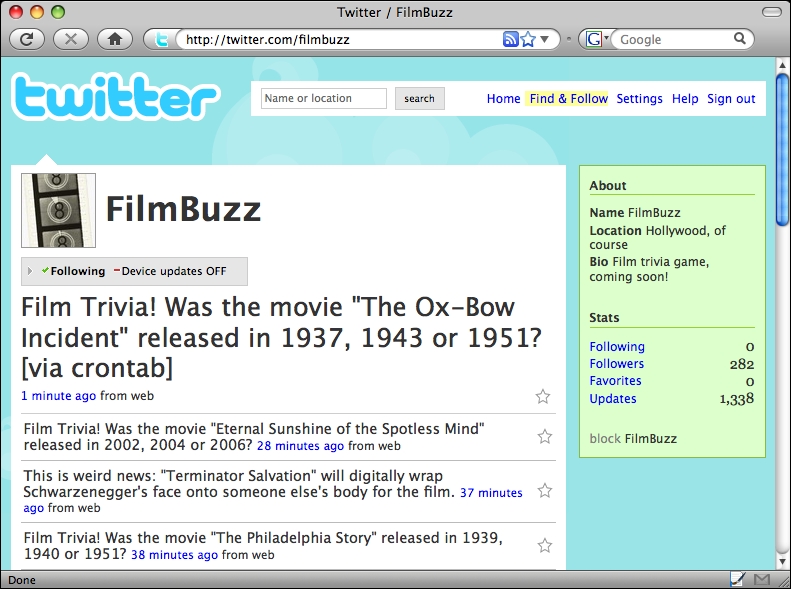
Figure 3. See the topmost entry. It lives!
As you can see in Figure 3, that fixed the problem, and now we've got a live trivia-question-injection system that scrapes the Internet Movie Database, figures out the correct and two likely, but incorrect, release years and puts it out on Twitter.
Next month, we'll finally move to a new scripting topic. And, in the meantime, if you want to enjoy the fruit of our extended labor and try your hand at film trivia, follow @FilmBuzz on Twitter at twitter.com/filmbuzz.
Dave Taylor is a 26-year veteran of UNIX, creator of The Elm Mail System, and most recently author of both the best-selling Wicked Cool Shell Scripts and Teach Yourself Unix in 24 Hours, among his 16 technical books. His main Web site is at www.intuitive.com, and he also offers up tech support at AskDaveTaylor.com. Follow Dave on Twitter through twitter.com/DaveTaylor.
