
Scalable OpenGroupware.org
This article is a follow-up to “Linux Groupware Roundup”, published in Linux Journal in July 2005. As you might know, a few things have changed since 2005:
CalDAV has been adopted by the IETF as a proposed standard, and open-source projects, such as Bedework, OSAF Chandler Server (Cosmo), Zimbra and SOGo, implement the protocol.
The Sync4j Project, a PIM-data synchronization server, is now called Funambol. It also has received major enhancements in the past few releases.
In 2006, Novell retracted all full-time employees from the Hula Project. In 2007, Messaging Architects announced the acquisition of NetMail, from which Hula is derived. Thereafter, faithful contributors to Hula forked the source code in a new independent project named Bongo.
The latest version of Apple Mac OS X Server (code-named Leopard) is shipped with a CalDAV server called Calendar Server.
OpenOffice.org's groupware client named Glow is being replaced by a Mozilla-based PIM suite.
A new project named Zimbra obtained considerable attention, especially from Yahoo!, who bought the company in September 2007.
The open-source collaboration servers mentioned in the 2005 article have all survived the competition:
Both OpenGroupware.org (OGo) and Open-Xchange (OX) remain good servers for companies that want to continue using Microsoft Outlook, even though these products have not integrated any new appealing features during the past three years.
Citadel has improved its GroupDAV support, but the authors still refuse to implement CalDAV.
Bedework has forked the UW Calendar Project and quickly brought the project to maturity.
This article focuses on Scalable OpenGroupware.org (SOGo), a complete open-source groupware that integrates all requirements one would expect from a collaboration suite: accessibility, consistent interfaces, scalability and stability.
Based on OpenGroupware.org, a project with more than ten years of maturity, Scalable OpenGroupware.org provides a complete groupware solution oriented toward scalability instead of depth in functionality. SOGo offers all standard groupware features, including the following:
Personal and shared calendars with events and tasks.
Personal and shared address books with LDAP sources.
Personal and shared e-mail mailboxes.
It also stores calendar information using the iCalendar standard and contact information using the vCard format. This avoids information loss when exchanging over protocols supported by SOGo, such as CalDAV, CardDAV and GroupDAV.
In development since 2004, the project has greatly improved during the past few months. Inverse, developers on the project, contributed many improvements, such as CalDAV, CardDAV and ACL support. Furthermore, it re-created SOGo's Web interface so that it matches the look and feel of Mozilla Thunderbird and Lightning (or its standalone equivalent, Sunbird). The interface now also makes use of Ajax. Although CalDAV and IMAP take care of the calendaring and e-mail integration of the Mozilla suite with SOGo, address books also needed to be synchronized. Inverse created a plugin for Thunderbird named SOGo Connector that adds this functionality among others.
These contributions allow SOGo to provide Web and native interfaces sharing the same look and feel, features and data—a considerable advantage and uncommon characteristic compared with other FOSS groupware solutions.
SOGo depends on a few core components, such as Apache, PostgreSQL, an LDAP server and an IMAP server (preferably Cyrus IMAP Server, Dovecot or Courier) that uses the LDAP server as the authentication back end. You need to install those (or reuse existing installations) and get them running properly before continuing with the SOGo installation instructions. SOGo supports other database back ends, but for this article, we assume the use of PostgreSQL and that all components, including the LDAP server, are installed on the same server. Furthermore, SOGo depends on the following components:
GNUstep make and base for compiling and installing the project and subprojects.
SOPE, for server-side Web application development.
Start with obtaining GNUstep make and base. If you're using Debian, you can install both components with apt-get:
% apt-get install gnustep-make libgnustep-base1.13
 ↪libgnustep-base-dev
Then, retrieve the SOPE and SOGo's sources from the official Subversion server:
% svn co http://svn.opengroupware.org/SOPE/trunk/ SOPE-trunk
% svn co http://svn.opengroupware.org/SOGo/inverse/trunk/ SOGo-trunk
SOPE needs to be patched so that it works well with SOGo. Once you have pulled SOPE from the trunk successfully, apply the SOPE patch included with SOGo:
% cd SOPE-trunk
% patch -p0 < ../SOGo-trunk/SOPE/sope-patchset-*.diff
Prior to compiling SOPE and SOGo, make sure to source the GNUstep.sh script that comes with GNUstep make. This will define some environment variables used by GNUstep make when building the packages. When using the Debian packages, this script is located in /usr/GNUstep/System/Library/Makefiles/GNUstep.sh. Once sourced, compile and install SOPE, as follows:
% ./configure --with-gnustep --enable-strip --disable-debug
% make && make install
And, finally, compile and install SOGo, its Web templates and resources:
% cd ../SOGo-trunk
% ./configure --with-gnustep --enable-strip --disable-debug
% make && make install
% cp -a UI/WebServerResources UI/Templates $GNUSTEP_LOCAL_ROOT/
↪Library/SOGo-0.9/
The first step in SOGo's configuration is creating a sogo user. The SOGo dæmon runs under this user:
% adduser sogo
Once you've created the user, you need to configure Apache. Do echo $GNUSTEP_LOCAL_ROOT, and remember the value, as it will be required shortly. Create the file /etc/apache2/conf.d/SOGo.conf (elsewhere if you are not using Debian) with the content shown in Listing 1.
Listing 1. Apache Configuration
Alias   /SOGo.woa/WebServerResources/ \
 <GNUSTEP_LOCAL_ROOT>/Library/SOGo-0.9/WebServerResources/

AliasMatch      /SOGo/so/ControlPanel/Products/(.*)/Resources/(.*) \
 <GNUSTEP_LOCAL_ROOT>/Library/SOGo-0.9/$1.SOGo/Resources/$2

<LocationMatch "^/SOGo*">
        AddDefaultCharset UTF-8
        SetHandler ngobjweb-adaptor
        SetAppPort <sogod-0.9 port>
</LocationMatch>

<LocationMatch "^/SOGo/so/ControlPanel/Products/.*UI/Resources/.*png">
        SetHandler default-handler
</LocationMatch>

<LocationMatch "^/SOGo/so/ControlPanel/Products/.*UI/Resources/.*gif">
        SetHandler default-handler
</LocationMatch>

<LocationMatch "^/SOGo/so/ControlPanel/Products/.*UI/Resources/.*css">
        SetHandler default-handler
</LocationMatch>

<LocationMatch "^/SOGo/so/ControlPanel/Products/.*UI/Resources/.*js">
        SetHandler default-handler
</LocationMatch>
You must replace <GNUSTEP_LOCAL_ROOT> with the echoed value of $GNUSTEP_LOCAL_ROOT (/usr/GNUstep/Local under Debian). Once the file has been created, restart Apache.
Now you can proceed with the SOGo database creation. Because we use PostgreSQL here, perform the following steps:
% su - postgres
% createuser --no-createdb --no-adduser --encrypted --pwprompt sogo
% createdb -O sogo sogo
% exit
Before starting SOGo, configure it with a basic set of configuration parameters. The configuration file is located in $HOME/GNUstep/Defaults/.GNUstepDefaults, where $HOME is the home directory of your sogo user. Create this file with the content shown in Listing 2.
Listing 2. SOGo Configuration Parameters
NSGlobalDomain = {
};
"sogod-0.9" = {
    AgenorProfileURL = "http://sogo:sogo@127.0.0.1:5432/sogo/
↪sogo_user_profile";
    NGUseUTF8AsURLEncoding = YES;
    OCSFolderInfoURL = "http://sogo:sogo@127.0.0.1:5432/sogo/
↪sogo_folder_info";
    SOGoAppointmentSendEMailNotifications = YES;
    SOGoAuthentificationMethod = LDAP;
    SOGoDefaultLanguage = English;
    SOGoDefaultMailDomain = example.com;
    SOGoDraftsFolderName = INBOX.Drafts;
    SOGoFallbackIMAP4Server = localhost;
    SOGoLDAPSources = (
        {
            CNFieldName = displayName;
            IDFieldName = cn;
            UIDFieldName = cn;
            baseDN = "ou=example,dc=com";
            bindDN = "cn=superuser,ou=Users,dc=example,dc=com";
            bindPassword = 0xdeadk0w;
            canAuthenticate = YES;
            displayName = "Corporate Directory";
            hostname = 127.0.0.1;
            id = public;
            isAddressBook = YES;
            port = 389;
        }
    );
    SOGoMailSpoolPath = "/var/spool/sogo";
    SOGoMailingMechanism = smtp;
    SOGoOtherUsersFolderName = "Other Users";
    SOGoSMTPServer = 127.0.0.1;
    SOGoSentFolderName = INBOX.Sent;
    SOGoServerTimeZone = Canada/Eastern;
    SOGoSharedFolderName = "Shared Folders";
    SOGoSpecialFoldersInRoot = YES;
    SOGoTrashFolderName = INBOX.Trash;
    SOGoUseLocationBasedSentFolder = YES;
    WOMessageUseUTF8 = YES;
    WOParsersUseUTF8 = YES;
    WOPort = 25000;
    WOUseRelativeURLs = NO;
};
}
For now, the most important parameters in the configuration file from Listing 2 are AgenorProfileURL and OCSFolderInfoURL, which must point to your PostgreSQL database server. SOGoLDAPSources must point to your LDAP server. In this example, the LDAP source will be used not only for authentication but also to provide a shared address book called Corporate Directory, which will be accessible both from the Web and native interfaces.
Finally, launch the SOGo dæmon:
% /usr/local/sbin/sogod-0.9
From Firefox, you now can access http://localhost/SOGo. You will need to provide the user name/password that you normally use for IMAP. Figure 1 shows SOGo's login window.
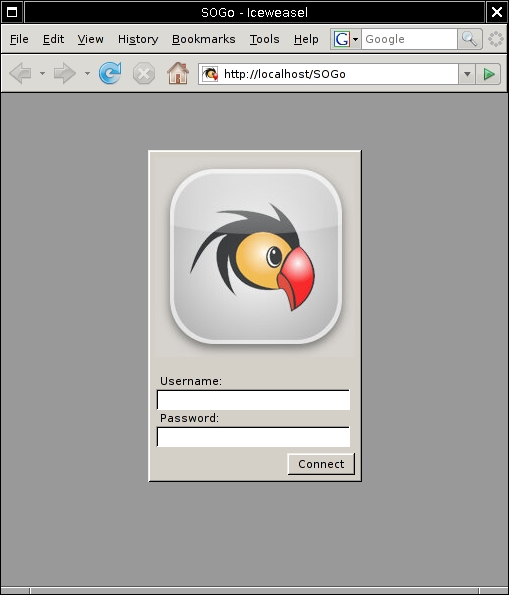
Figure 1. Login Window
SOGo integrates well with the Mozilla suite. Sunbird provides a complete client-side calendaring application, and Lightning provides a calendaring extension to Thunderbird. Combining Lightning and Thunderbird results in a complete PIM solution for managing e-mail, calendars (events and tasks) and contacts efficiently.
To connect the Mozilla PIM suite to SOGo, first install and configure Mozilla Thunderbird to use the IMAP protocol. Then, download the latest releases of Lightning and the SOGo Connector extension. From Thunderbird's Tools menu, choose the Add-ons option, and install the extensions you just downloaded. Restart Thunderbird to activate the extensions.
The next step is to configure Lightning's CalDAV connector. From Thunderbird's File menu, choose New→Calendar, and create a network calendar of type CalDAV. Specify the appropriate URL to connect to your SOGo server. Usually, it should be http://localhost/SOGo/dav/<username>/Calendar/personal/. Next, configure the SOGo Connector for Thunderbird. From the Address Book's File menu, choose New→Remote Address Book. Give your address book a name, and as the URL, specify something like http://localhost/SOGo/dav/<username>/Contacts/personal/.
You also can use the shared address book provided by SOGo (which uses your LDAP server, named Corporate Directory) from Thunderbird. To do so, repeat the procedure to create a remote address book, but as the URL, specify http://localhost/SOGo/dav/<username>/Contacts/public/ and check Read Only.
Once completed, your personal calendar and address book are now fully synchronized with SOGo. Events, tasks, contacts or e-mail are now accessible from either SOGo's Web interface or from Mozilla Thunderbird/Lightning.
Figure 2 shows SOGo's Web interface with one personal and one shared calendar. Figure 3 shows the same information, but using the Thunderbird and Lightning extension.
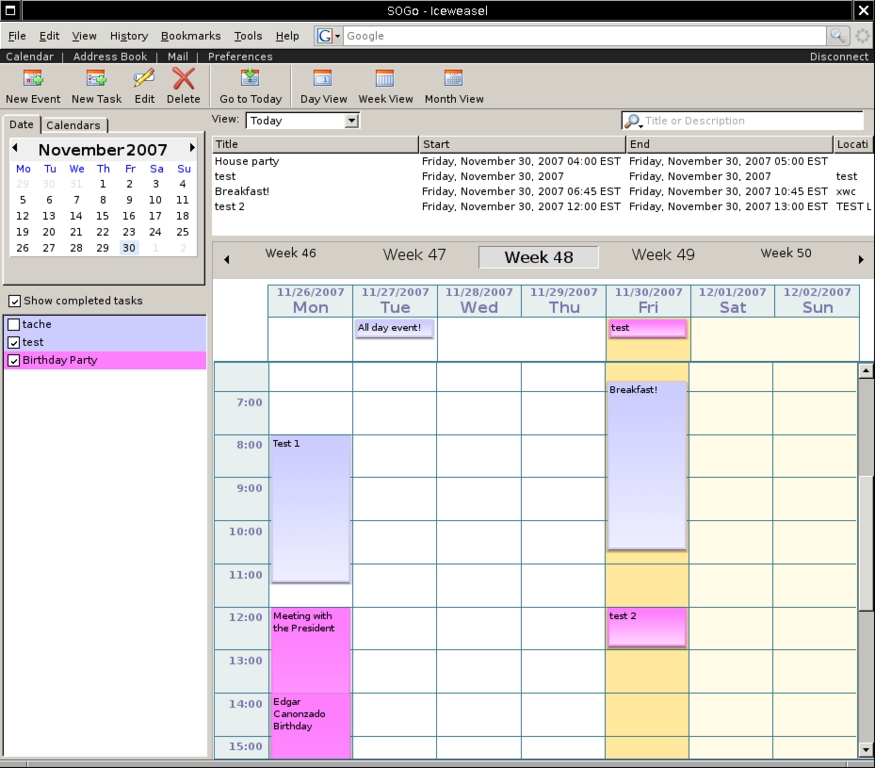
Figure 2. SOGo as Seen from a Web Browser
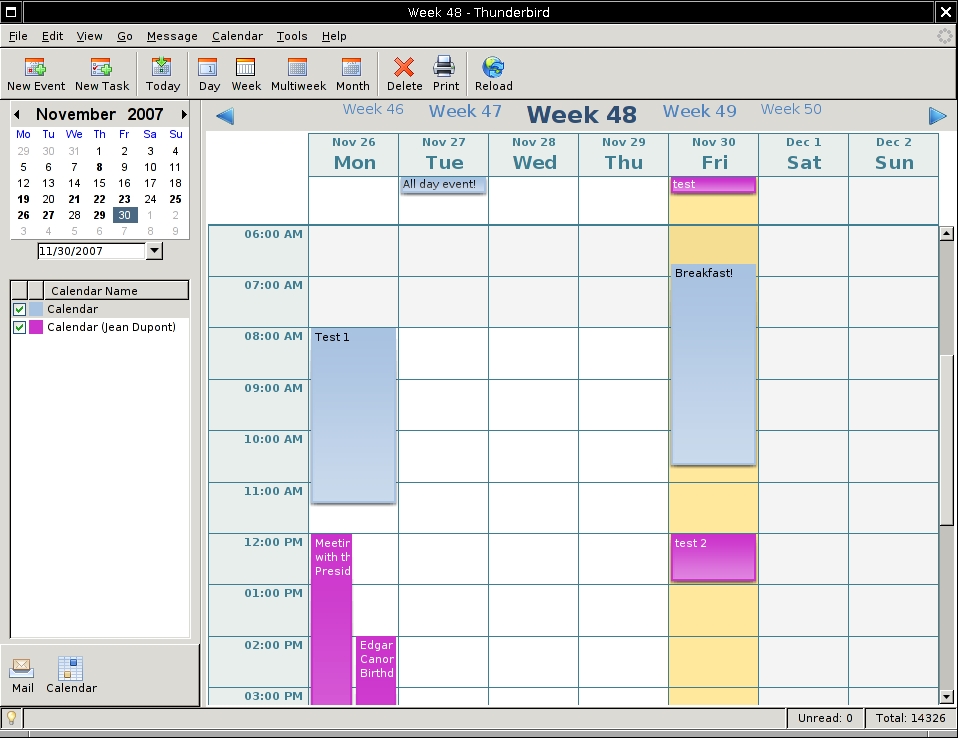
Figure 3. SOGo as Seen from Thunderbird and Lightning
Although SOGo's Web interface allows you to access all information from virtually any computer connected to the Internet, some power users need access from their mobile devices, such as cellular phones or personal digital assistants. Supporting the plethora of devices out there is almost impossible, but the SyncML standard finally emerged as an efficient protocol for synchronizing PIM-related information between your mobile devices and groupware platform.
Funambol, formerly known as Sync4j, is middleware that sits between a groupware server and SyncML-capable devices. Luckily for SOGo, a native connector is available for Funambol. This plugin lets you connect the middleware to SOGo, so users can synchronize their contacts, events and tasks with the SOGo server.
Mobiles devices require a SyncML client to synchronize data through Funambol. Most cellular phones have a built-in client, but PDAs or smartphones lack one. The recommended clients are as follows:
Synthesis SyncML standard if you're using PalmOS-based devices.
Nexthaus SyncJe if you're using a BlackBerry.
Funambol Windows Mobile clients if you're either using Windows CE on a PDA or a smartphone.
There also are clients for other applications, such as Microsoft Outlook. The latter allows you to synchronize contacts, events and tasks fully with SOGo through the Funambol middleware.
Figure 4 shows a PalmOS-based device insync with our SOGo server.
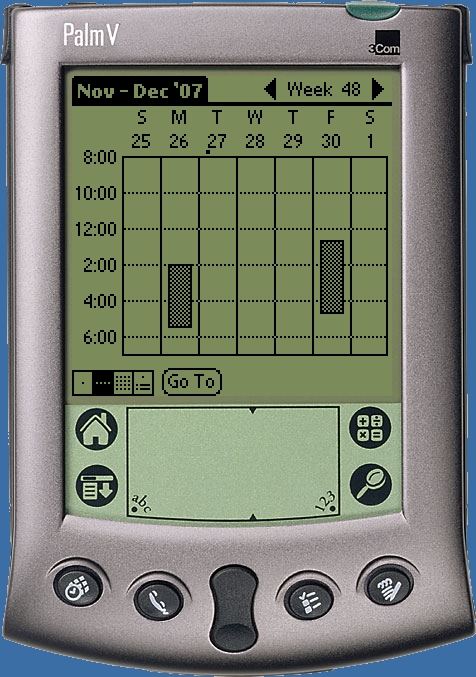
Figure 4. SOGo from a PDA
Whenever you're replacing an existing solution with a new one, data migration is a must for your users. Because SOGo stores its data directly using the iCalendar and vCard standards, migration is relatively easy if the legacy system speaks the same language.
For example, in Microsoft Exchange, you can obtain data from it through WebDAV. If you are trying to use a simple WebDAV client, such as cadaver, however, you will not be able to obtain the data, as the client does not specify in its requests a required HTTP header. You need to set the HTTP translate header to false if you want to obtain the data from the Microsoft Exchange server. Using wget, if you do:
wget --user=ludovic --password=***** --header "Translate: f"
↪http://exchange/Exchange/ludovic/Calendar/foo.EML
you will obtain the event with a summary “foo” in the foo.EML file. The EML file is actually an RFC 2821 message with a text/calendar part. That part can be extracted and imported into SOGo easily. WebDAV is de-emphasized in Microsoft Exchange 2007, so hurry and migrate from it.
A similar approach can be used with Oracle Calendar. A demo program bundled with Oracle's SDK provides an excellent starting point for becoming familiar with the shared library named capi. With this library, you can retrieve a user's events formatted with the iCalendar standard. As with Microsoft Exchange, the migration process is simply to push all events in SOGo through WebDAV. The Oracle Calendar's only limitation is related to recurring events; even though a series of events can be identified clearly, there is no easy way to retrieve the original recurrence rule definition. This frustration surely will be attenuated by the advantages of SOGo, such as endless recurring events and a much more modern Web interface.
Standards, such as CalDAV and SyncML, finally have emerged that improve interoperability between native groupware clients and various servers. Open-source developers have proven their commitment in supporting those standards and created competitive alternatives to commercial solutions.
The Scalable OpenGroupware.org Project always has followed the same motivation—to offer an open-source, scalable groupware solution that integrates nicely with the Mozilla PIM suite, while not neglecting mobile users. This article should help you get started with SOGo, so you can test its functionalities for yourself. Join the mailing list to discuss your experience with the developers.
Resources
Scalable OpenGroupware.org (SOGo): www.scalableogo.org
SOGo Connector for Thunderbird: www.inverse.ca/english/contributions/sogo_connector.html
Funambol: www.funambol.org
Funambol SOGo Connector: www.inverse.ca/contributions/funambol.html
Nexthaus SyncJe for BlackBerry: www.nexthaus.com
Synthesis SyncML Standard for PalmOS: www.synthesis.ch
Francis Lachapelle (flachapelle@inverse.ca) holds a Bachelor's degree in Computer Engineering from McGill University. He is currently a senior systems architect for Inverse, Inc., an IT consulting company located in downtown Montréal that specializes in the deployment of infrastructures based on free and open-source components like PacketFence and SOGo.
Ludovic Marcotte (ludovic@inverse.ca) holds a Bachelor's degree in Computer Science from the University of Montréal. He currently is the practice leader for Inverse, Inc., an IT consulting company located in downtown Montréal that specializes in the deployment of infrastructures based on free and open-source components like PacketFence and SOGo.

