
OpenOffice.org vs. Microsoft Office
How does OpenOffice.org (OOo) compare with Microsoft Office (MSO)? The question is harder to answer than you might expect. Few users have the experience or patience to do a thorough comparison. Too often, they miss features that have different names or are in different positions in the editing window. Or, perhaps they overlook the fact that some features, although missing in one, easily can be added through customization. Yet another problem when comparing something to MSO is which of the eight current versions of MSO do you use for the comparison?
To cut through these difficulties, as I compared OpenOffice.org 3.1.1 and Microsoft Office 2007, I assumed until a search proved otherwise that, if one office suite included a feature, the other also would have it. I also focused on the three core applications: the word processors, spreadsheets and presentation programs. The results suggest a close feature match for average users, but in some cases, a clear choice for expert users.
In Office 2007, Microsoft implemented its Fluent User Interface (better known as ribbons), replacing menus and taskbars with a combination of both. By contrast, OOo still retains menus and taskbars. Both use context-specific floating windows that open automatically when the cursor is at a particular type of formatting. When ribbons first appeared, they were both attacked and defended vigorously. Yet for all the effort, no independent study has proven conclusively that ribbons are easier or harder to use than the classic menus and taskbars. At first, you may have to search for repositioned features, but neither has a clear advantage once you adjust to it. Most users are likely to be exasperated with the arrangement of features with the classic interface just as often as they are with ribbons.
Much the same is true of the on-line help. With MSO, users hoping for help have to drill down deep to find answers, and the arrangement of topics by questions is both limiting and hard to scan. With OOo, the problems with help are incompleteness and out of date and poorly written entries, but the result is equally unfriendly, even though the help system is more thorough.
As for the editing window, one office suite needs only to implement a feature for the other one to copy it. For instance, OOo borrows a zoom slider bar from MSO, while MSO borrowed floating windows from OOo. And, although you can point to areas where the interface of one is easier or more efficient, such as the template selector in MSO or OOo's Navigator that allows you to jump from feature to feature, these areas are counterbalanced by other features in which each suite is at a disadvantage. Verdict: tie.
The interfaces vary in strengths and weaknesses, but neither stands out as particularly well done. The main reason for preferring one interface over another is that you are used to it.
For casual users, Microsoft Word is extremely convenient. For every feature, from templates and content pages to tables and bullets, Word offers libraries of standard layouts. These libraries are not particularly sophisticated by typographical standards. Some, like those for tables of contents, are frankly an aesthetic disaster, but for those who choose to ignore document design, they are good enough, especially in documents that will be used once and then discarded.
By contrast, the rumor is that OOo Writer's developers were required to use the word processor for their own documentation. Whether the rumor is true is uncertain, but it is true that Writer has more to offer for those who are concerned with document design. Writer comes with very few layout libraries, leaving you to download or create them, but in compensation, it allows you a degree of control that makes it as much an intermediate layout program as a word processor. Kerning, hyphenation, the exact positioning of list bullets, headers, footers and footnotes or endnotes—all these layout features can be set with far greater precision in Writer than in Word.
To help you organize this precision, Writer is distinctly oriented toward styles. As you may know, styles is a feature that allows you to adjust formatting once, then apply the settings where needed, instead of applying all the formatting manually each time you use it. Styles really save time when you are making major changes to layout and when saved into templates for re-use. Writer allows you to set styles for paragraphs, characters, pages, lists and object frames. Even more important, Writer is so oriented toward styles that even a simple act like adding a page number generally requires them. Some features, like outline numbering, are impossible without them. In comparison, Word is far more oriented toward manual formatting.
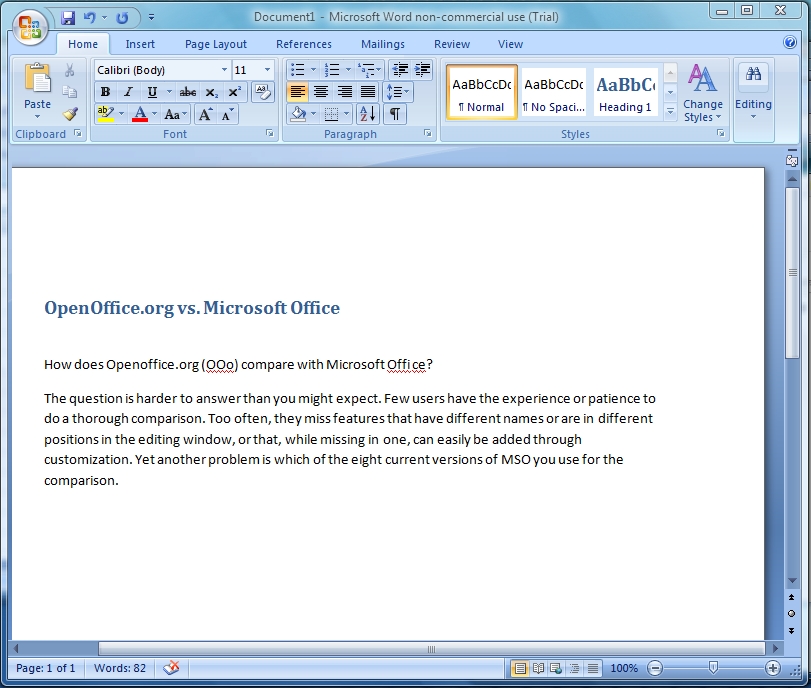
Figure 1. MS Word
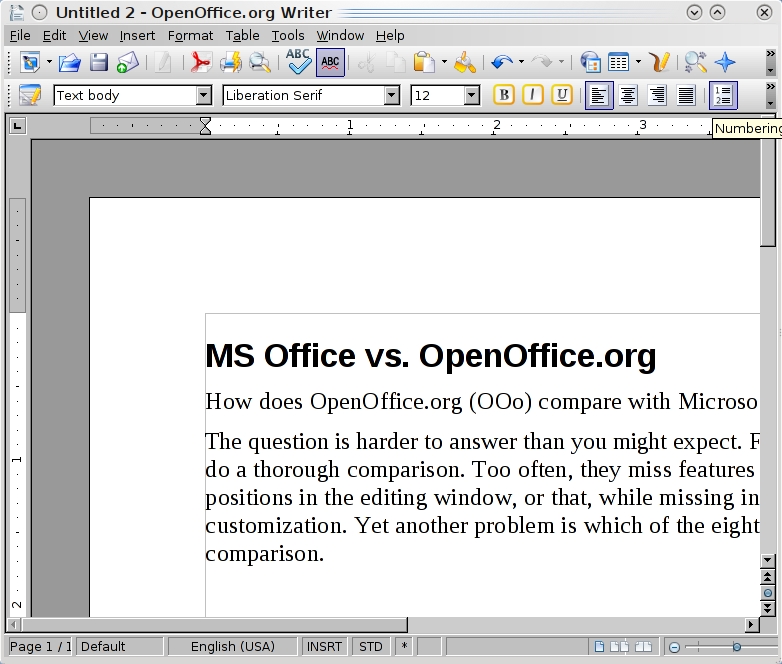
Figure 2. OpenOffice.org Writer
Although Word does include paragraph and character styles, you have to seek them out if you want to use them. When you do locate styles, you have to drill down into menus to change them, a process that is decidedly more awkward than Writer's arrangement of tabs in a window. Nor will you find the precision present in Writer's features. Rather than using styles, most Word users, I suspect, would prefer to stick with its layout libraries. In other words, Writer is more for advanced users, and Word for beginners. Word's orientation in particular, is implicit in the interface, which makes manual formatting tools easy to find and styles just one feature among dozens. The orientation is implicit also in the fact that advanced features like AutoText are so deeply buried, many users still believe that they were dropped when ribbons arrived. A corollary of the difference in orientation is that although Writer is adequate for documents of hundreds of pages, few experienced users ever would consider Word for documents of more than about 20 pages.
Despite the change in the interface, Word is still crash-prone at greater lengths. Word does include a master document feature, just as Writer does, but as one commenter said, files that use Word's master document feature tend to be in one of two states—corrupted or about to be corrupted. Verdict: Writer.
You have to do more initial work with Writer to set up the templates you need, but once you do, the result is more professional, precise and individual than with Word.
Calc and Excel have been in an arms race for years. Excel extends the numbers of columns and rows it can support in one release, and in the next, Calc matches it. Recent releases also have seen developers improving Calc's speed when processing complex equations. Consequently, both Calc and Excel now support spreadsheets that are so extensive, any sane user would have switched from a spreadsheet to a database long before bumping against the limitations. In much the same way, Calc always has been careful to match Excel function for function to maximize compatibility. In fact, Calc actually has several dozen more functions than Excel, not because Calc can do more, but because it often maintains two versions of the same function—one for compatibility with Excel and one with extra features that Excel lacks. Given the sheer number of functions in both spreadsheets, I cannot be completely certain that one has functions the other lacks, but if either does, those functions are specialized ones that average users are unlikely to miss.
For sorting cell entries and manipulating formulae, Calc and Excel have a roughly equivalent feature set. The main difference is in some of the names—for instance, where Excel refers to “pivot tables” and “trace precedents”, Calc refers to “datapilots” and “detective”. With the basics so close, the differences between Calc and Excel remain minor at best.

Figure 3. MS Excel
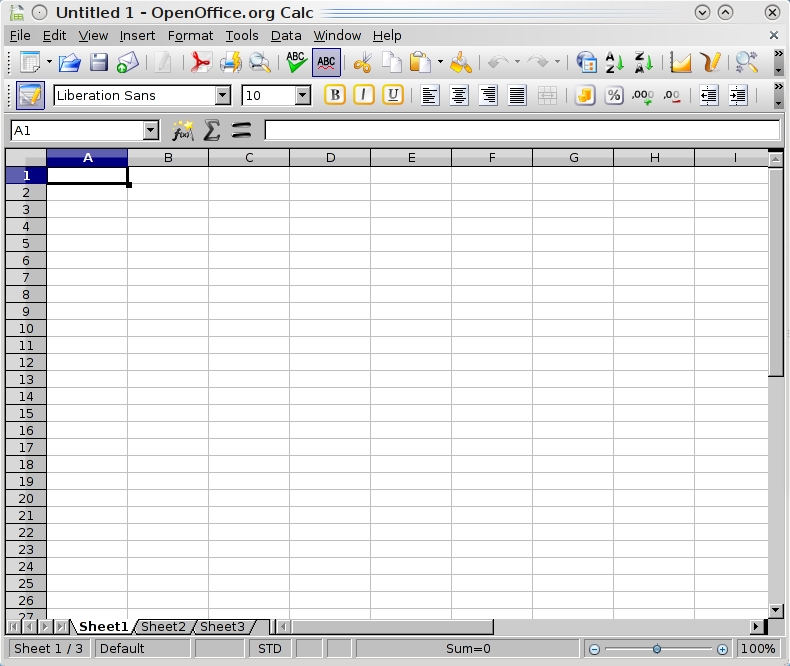
Figure 4. OpenOffice.org Calc
For example, pivot tables in Excel are easier to construct than Calc's datapilots and easier to manipulate later, although the use of cell and page styles in Calc makes formatting and printing easier. In the end, which application you prefer depends on what extras matter to you. Most users are unlikely to find any great difference in general functionality. Verdict: tie.
OOo Impress produces slideshows that serve the needs of most users. It always has been especially strong in object animation, and because it shares much of its code with OOo's Draw, it also is ideal for drawing charts and diagrams. One particularly useful feature is the ability to save object styles so that you easily can create copies and modify them all. Yet, despite such features, Impress always has struggled to catch up with MSO PowerPoint. Over its releases, it has narrowed the gap, adding built-in support for movie and sound clips and more recently tables. However, the gap remains in several key areas. For example, although PowerPoint allows the recording of continuous narrations, Impress is limited to adding sound clips to each screen. Similarly, Impress lacks the ability to use the pointer to draw on the screen during a presentation. If you want a Presenter View—a view that includes notes that display on your machine but not on the projector—you have to install the Sun Presenter Console extension in Impress. And, although PowerPoint includes a set of collaboration features similar to those found in Word, Impress's first step to match them is scheduled to arrive in only OOo 3.2, when notes will be added.
Another weakness of Impress is that it is divided into three panes: a slide pane, the current slide pane and a task pane. This makes Impress almost impossible to use except in a full-screen window. However, although PowerPoint occasionally opens a task pane, in general, its ribbon interface means that it does not usually need one. Verdict: PowerPoint.
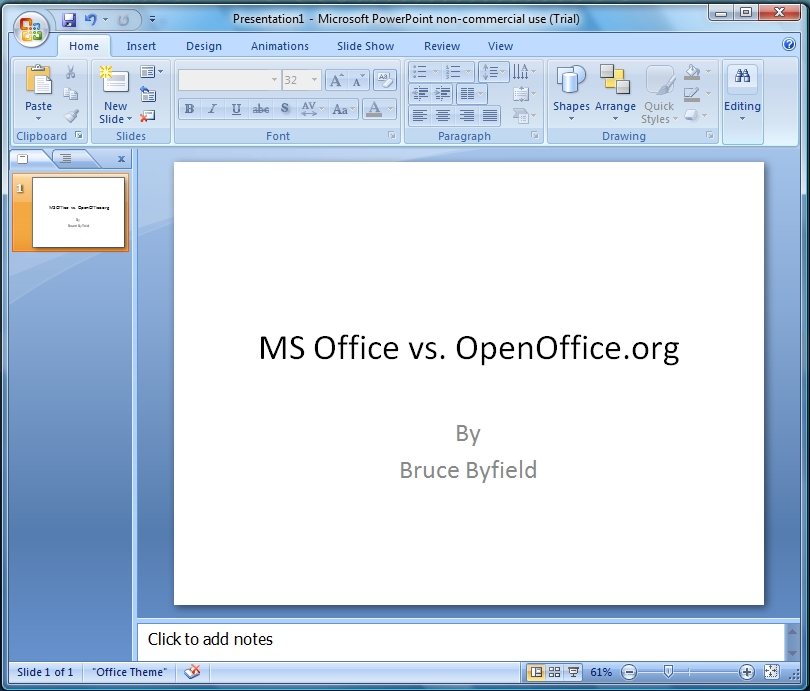
Figure 5. MS PowerPoint
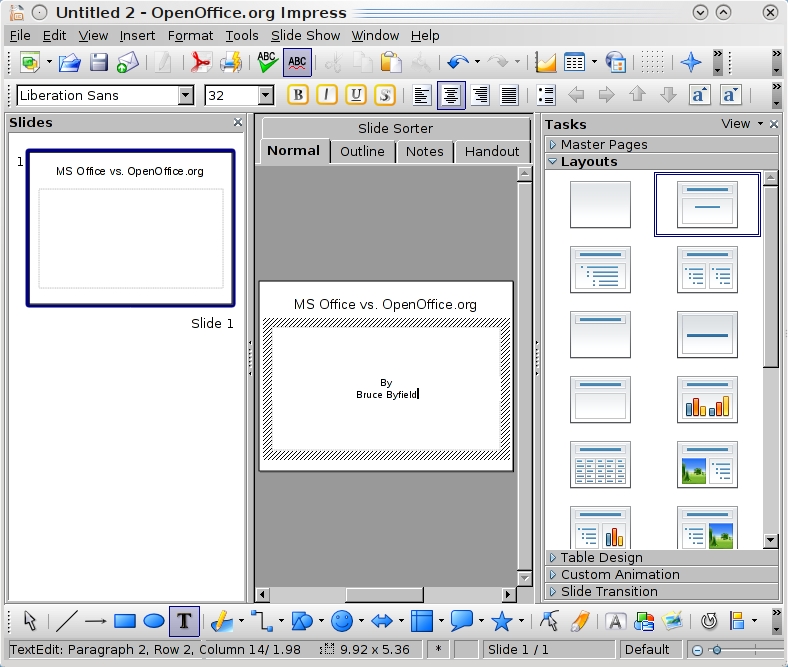
Figure 6. OpenOffice.org Impress
Beyond the core applications, both MSO and OOo include other programs. Both include a small database, although OOo's ability to connect easily to other database sources gives it a slight edge. In some editions, MSO includes Microsoft Outlook, a personal information manager; Visio, a charting program; Publisher, a basic desktop layout program, and a dozen more. The only other application in OOo is Draw, an SVG graphics editor, but as free software, OOo can be supplemented by dozens of other applications. Although these applications may not always interact well with each other, neither do the components of MSO. And, at least an increasing number of free software applications support OOo's Open Document Format, which means that a document written in Writer can be opened in AbiWord or KWord.
Yet another consideration is that, although MSO has an ecosystem of dozens of trainers and instructional Web pages built around it, instruction and resources for OOo are much scarcer. Conversely, OOo has developed a community of extension writers that is second only to Firefox's, while MSO's extensions are far fewer in number.
The fact that OpenOffice.org is free software predisposes me to prefer it. However, until I completed the analysis, I had no idea what the results would be. They ended (if you haven't been keeping score) with OOo and MSO in a tie for general interface and spreadsheets, OOo in the lead in word processors, and MSO ahead in slide presentations. What these results suggest, I think, is that both office suites are mature products. Given a moment's thought, that shouldn't be surprising, since OOo's development goes back more than 20 years. But we tend to think of OOo as a recent development, so the closeness of the comparison may come as a bit of a surprise.
This is the fourth time I have compared the two office suites. Each time, the differences between them have gotten smaller. Now, they are less than ever before. For those of us in the Free Software community, the latest results help to prove what we have known all along: opting for free software does not mean being satisfied with inferior tools. Of course, you might disagree with my conclusions, depending on your needs and expertise. But what they emphasize, more than anything else is that today free productivity apps can stand toe to toe with their proprietary equivalents, and win as often as they lose.
Bruce Byfield is a computer journalist who covers free and open-source software. He has been a contributing editor at Maximum Linux and Linux.com, and he currently is doing a column and a blog for Linux Pro Magazine. His articles appear regularly on such sites as Datamation, Linux Journal and Linux Planet. His article, “11 tips for moving to OpenOffice.org” was the cover story for the March 2004 issue of Linux Journal.

