
OpenFiler: an Open-Source Network Storage Appliance
I've set up quite a few file servers using Linux in my day, and although it's not particularly difficult, I've often thought that there should be a better way to do it. The folks at the OpenFiler Project definitely have built a better mousetrap. The OpenFiler team seems to be inspired by the NetApp filer family of Network Storage Appliances and has come out with an open-source clone that lets you take any x86 computer and give it nearly all the functionality of a NetApp filer.
The OpenFiler distribution is an easy-to-install, easy-to-use, nearly turnkey solution. At the time of this writing, the current version is 2.3, and it's based on rPath, so it's focused and lean where it needs to be, allowing the developers to pack it with features useful to its main purpose. It's even lean enough to run on some embedded systems. The feature list is comprehensive, and it compares very well with commercial appliances like those offered by Snap and others. Here are some of OpenFiler's killer features:
Full iSCSI target and initiator support.
Support for Fiber Channel devices (depending on hardware).
Support for software (md) RAID or hardware RAID.
On-line volume/filesystem expansion.
Point-in-time snapshots.
Synchronous/asynchronous replication of data.
NFS, SMB/CIFS, HTTP/WebDAV and FTP.
Supports SMB/CIFS shadow copy for snapshot volumes.
Supports NIS, LDAP and Windows NT/Active Directory authentication.
Flexible quota management.
Easy-to-use Web-based admin GUI.
The only real downside to OpenFiler is that you have to pay for the Administration Guide. The Installation Guide and a downrev version of the Admin Guide are both on-line and available for free, but the current revision of the Admin Guide is available only for paying customers, as this is how the OpenFiler Project is funded. Luckily, OpenFiler is easy to configure, thanks to its GUI, so that isn't a huge detriment.
If you are familiar with installing a Red Hat-based Linux distribution, installing OpenFiler will be old hat to you. The system requirements are fairly low. I've installed OpenFiler on an embedded PC with a 500MHz CPU, 512MB of RAM and a 2GB CompactFlash in this case, but it'll install on regular desktops and servers as well. Booting off the CD lands you into a graphical installer (unless you use the text argument when booting the system). Note that you must select manual partitioning when setting up the operating system disk in your machine; otherwise, you won't be able to set up data storage disks in the OpenFiler Admin GUI later. Aside from that, it's a fairly standard Red Hat-ish installation. Once the installation is complete, the next step is to configure your OpenFiler instance by pointing a Web browser to https://IP_OF_OPENFILER:446.
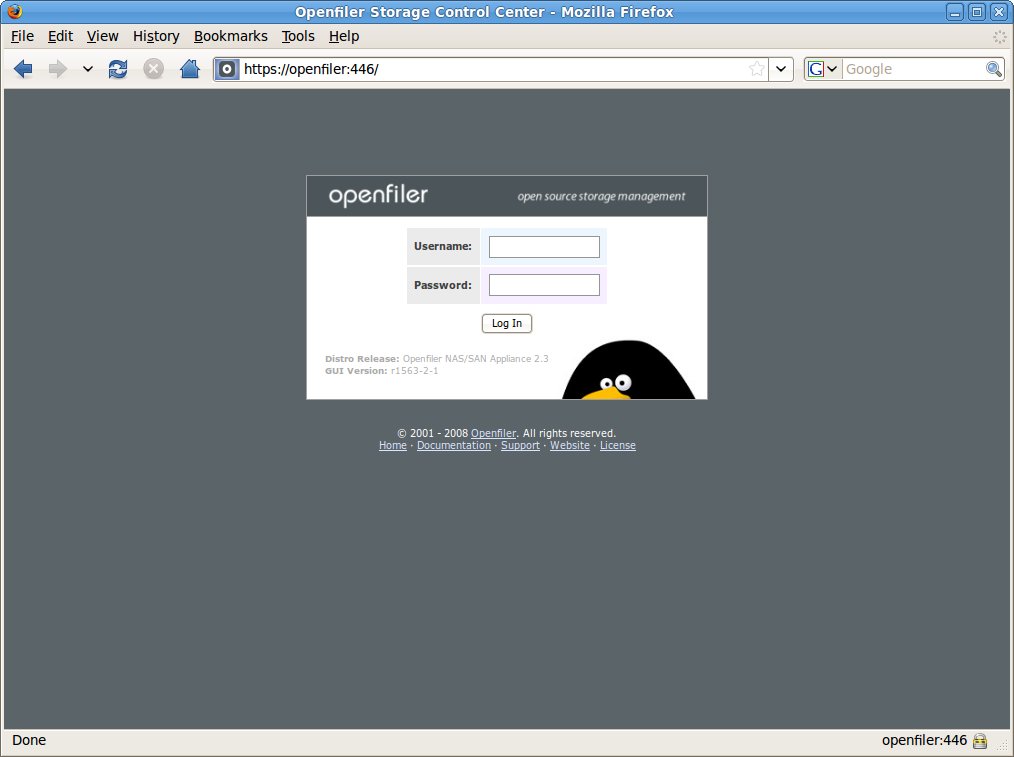
Figure 1. Logging In to OpenFiler
You now should have the OpenFiler management GUI open in your Web browser, as shown in Figure 1. As per the Installation Guide, log in with user name “openfiler” and password “password”. After you log in, you'll be in the admin interface, at the main status screen. From here, you can configure just about every aspect of your OpenFiler.

Figure 2. Admin Console: Status Screen
The status screen can show you vital system information at a glance. It's especially handy that the admin interface displays the uptime and load average of the machine in the title bar of the console. Not shown in the screenshot are the memory and storage graphs, similar to a graphical top.

Figure 3. Admin Console: System Screen
The system screen is where you can set up and adjust the overall system parameters, like the IP address of the machine or its high-availability/replication partner. It even embeds a Java-based SSH client in the console, so you can get a shell on the machine if you need to, although any SSH client works as well. Note: it's important to define the hosts or networks that your OpenFiler will serve here. If you don't do that, your OpenFiler will refuse to serve files via NFS or SMB/CIFS. It's not difficult to add—I simply dropped a statement to cover my 192.168.1.0/24 in there—but OpenFiler stubbornly refused to talk to any machines until that was added. Another thing to note here is that OpenFiler supports the creation of bonded Ethernet interfaces, so if you're building a mission-critical file server, you can put two network cards in the server, connect each card to a different network switch, and then you have fault tolerance at the network level.
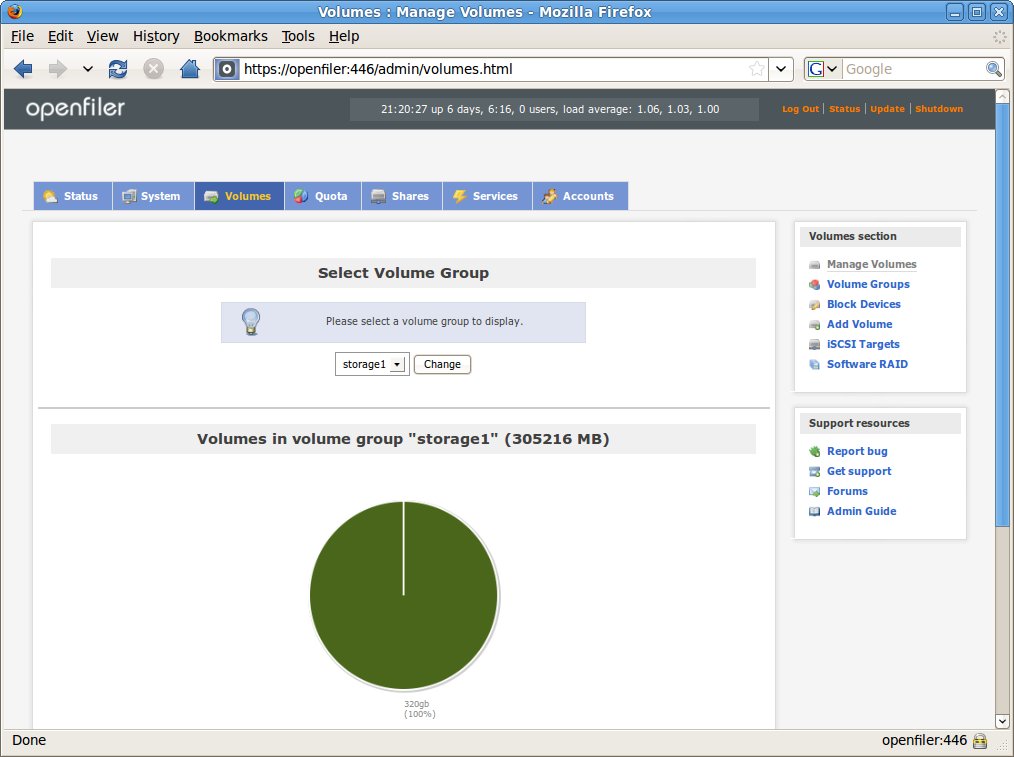
Figure 4. Admin Console: Volume Manager
The volume manager is where you can add disks to your OpenFiler, create filesystems and manage software RAIDs. OpenFiler uses the Linux Logical Volume Manager (LVM) as its volume manager, and it supports both ext3 and XFS filesystems for storage that's locally attached to the OpenFiler host. In this case, because I'm using an embedded PC, I had to attach a 320GB disk via USB to OpenFiler. It wasn't a problem—OpenFiler happily allowed me to create a volume group using that USB disk, and then I could create a volume within that group and start laying out the filesystem.
The next tab in the admin interface is the quota tab. The quota screen lets you set quotas per group, user or guest, and have a different quota for each volume. For example, if your OpenFiler was in a business environment, you could set everyone in the Marketing group to have a 2GB quota each, everyone in the Engineering group could have a 10GB quota, and everyone in the IT group could be uncapped—except for the CEO, who's also uncapped. Having flexible quota options allows you to tailor the OpenFiler to the needs of your business.

Figure 5. Admin Console: Share Manager
The share manager is where you make subdirectories within a volume, and then share out those subdirectories. This is where you'll spend a lot of time, setting up the directories, shares and access permissions. A nice feature of OpenFiler is that you can specify which network service shares out a specific directory. For example, I can set up a Sales share that is SMB/CIFS only (all the Sales folks run Windows), an Engineering share that is NFS only (all the Engineers run Linux) and a Sandbox share that is serviced by both SMB/CIFS and NFS. I then can use the same screen to lock down the permissions on the respective shares, so that only the members of those groups can read or write to those shares, while the Sandbox is wide open.
I discovered an interesting bit of trivia while researching this article. If you want to share directories via NFS to an Apple Mac, so the directory can be mounted in the Finder, you must specify that the share's origin port be above 1024 (this is otherwise known as an insecure NFS option). The Mac won't talk to NFS servers running on privileged ports. (And yes, I have a Mac. I view it as a flashier but less knowledgeable cousin to my Ubuntu machines.)
The next tab over is the services manager, where you can enable or disable the network services provided by OpenFiler. If you plan on using your OpenFiler only as an NFS server, you can turn off the SMB/CIFS services completely and save some memory on your server. This screen also is where you can specify options, such as of which workgroup the SMB/CIFS server is a member or whether there is a UPS attached to the OpenFiler, so it can auto-shutdown in the event of a power failure. OpenFiler also can act as an LDAP server, and you can back up or restore LDAP directories via this screen.
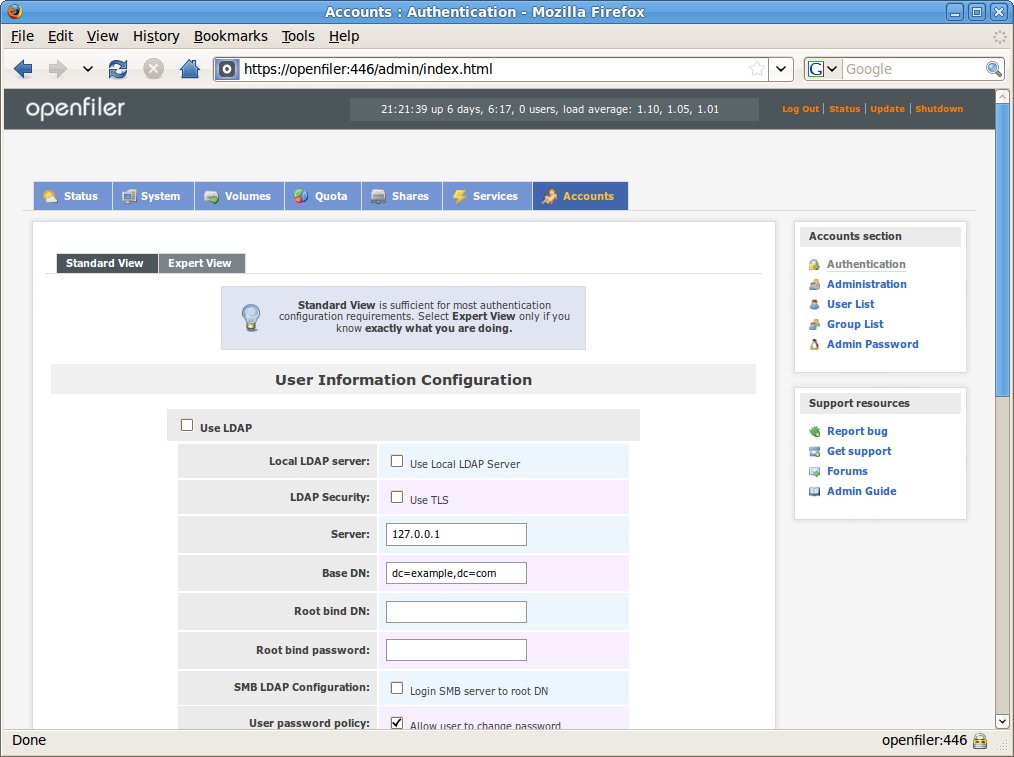
Figure 6. Admin Console: Accounts Manager
The last tab in the admin console is the accounts manager, which is where you define what authentication methods you'd like OpenFiler to use. You can run an internal LDAP server on the OpenFiler itself, and create the users and groups locally. You also can point the OpenFiler to your corporate LDAP if you have one. If you're in a Windows environment, you can set up OpenFiler to use your corporate Active Directory for authentication or even an old-school NT4-style domain.
Underneath the GUI interface, OpenFiler is powered by a bunch of open-source software. At its core, it is an rPath OS with a 2.6 kernel, very similar to Red Hat Linux. OpenFiler runs SSH by default, so you can just SSH to it and start poking around. The Web-based admin console is driven by Python and lighttpd. OpenFiler runs snmpd as well, so you can query it with SNMP. The HTTP/WebDAV engine appears to be Apache. It uses the standard Linux NFS server, has Samba to do the SMB/CIFS duty and leverages proftpd for its FTP server.
OpenFiler supports a wide range of physical block devices, like SATA, SAS, SCSI, IDE and FC disks. It also supports remote block devices, via the iSCSI, AoE (ATA over Ethernet) and FCoE (Fiber Channel over Ethernet) protocols. It supports the standard Linux software RAID as well.
One of the most interesting features of OpenFiler is the inclusion of the Distributed Replicated Block Device (DRBD) engine, as well as the Heartbeat HA cluster software. DRBD allows OpenFiler to replicate its block devices to another OpenFiler in either synchronous or asynchronous modes, so your backup OpenFiler could be in the next rack or in the next state. When combined with the Heartbeat HA software that allows two OpenFilers on the same LAN to use a Virtual IP address, you have a powerful, reliable, fault-tolerant data-storage cluster. In the event of a failure on the primary OpenFiler, the secondary will detect that across the private interconnect between the two units, step in, assume the virtual IP address and continue servicing requests.
Because OpenFiler uses Linux LVM, you easily can aggregate storage devices into a single pool and then slice that up as desired into whatever network share you want. Another benefit of using the Linux LVM is that point-in-time snapshots can be taken quickly and easily, allowing for consistent backups to be taken of the OpenFiler appliance.
OpenFiler is an easy-to-deploy and easy-to-use distribution that does one thing very well, and that's serve files to network clients. If you've got an older computer or laptop lying around, you can turn that system into a NAS appliance simply by installing OpenFiler and attaching a large USB disk. On the other end of the spectrum, OpenFiler is very well suited for installation on an enterprise-class server where it can act as a part of your corporate SAN. It's unfortunate that the developers elected to make the Administration Guide available to paying customers only, but the project needs to be funded by some means. If you've got a requirement for a file server or some form of networkable storage device, it's definitely worth checking out.
Installing OpenFiler via PXE
The little embedded PC on which I installed OpenFiler doesn't have an optical drive, so I had to install the distribution via PXE. I copied the distribution CD to an NFS server and exported that directory via NFS. Then I copied the vmlinuz kernel file and initrd.img initrd archive from the /isolinux directory on the CD to the tftp directory on my PXE server. The last step was to add the following lines to my PXE server's pxelinux config:
LABEL openfiler
KERNEL vmlinuz
APPEND initrd=initrd.img text askmethod ramdisk_size=8192 console=tty0
After doing that, installing OpenFiler was as easy as booting my system via PXE, selecting openfiler at the boot prompt, and then answering “NFS” and pointing it to the exported directory when it asked for the installation method. OpenFiler's Red Hat-like install (thanks to rPath) made installation very easy, and it installed very quickly over the LAN.
Resources
OpenFiler Home Page: www.openfiler.com
OpenFiler Architecture: openfiler.com/products/openfiler-architecture
OpenFiler Installation Documentation (Graphical): www.openfiler.com/learn/how-to/graphical-installation
OpenFiler Installation Documentation (Text): www.openfiler.com/learn/how-to/graphical-installation
OpenFiler 1.1 Admin Guide (downrev): wwwold.openfiler.com/docs/manual
DRBD (Distributed Replicated Block Device): www.drbd.org
Installing and Configuring OpenFiler with DRBD and Heartbeat: www.howtoforge.com/installing-and-configuring-openfiler-with-drbd-and-heartbeat
Unofficial OpenFiler HA Cluster Wiki: wiki.hyber.dk/doku.php/openfiler_2.2_ha-cluster_guide
Bill Childers is an IT Manager in Silicon Valley, where he lives with his wife and two children. He enjoys Linux far too much, and probably should get more sun from time to time. In his spare time, he does work with the Gilroy Garlic Festival, but he does not smell like garlic.

