
New Projects - Fresh from the Labs
This is definitely one of the most original and niche projects I've come across—and those two qualities are almost bound to get projects included in this section! gipfel has a unique application for mountain images and plotting. According to the Web site:
gipfel helps to find the names of mountains or points of interest on a picture. It uses a database containing names and GPS data. With the given viewpoint (the point from which the picture was taken) and two known mountains on the picture, gipfel can compute all parameters needed to compute the positions of other mountains on the picture. gipfel can also generate (stitch) panorama images.
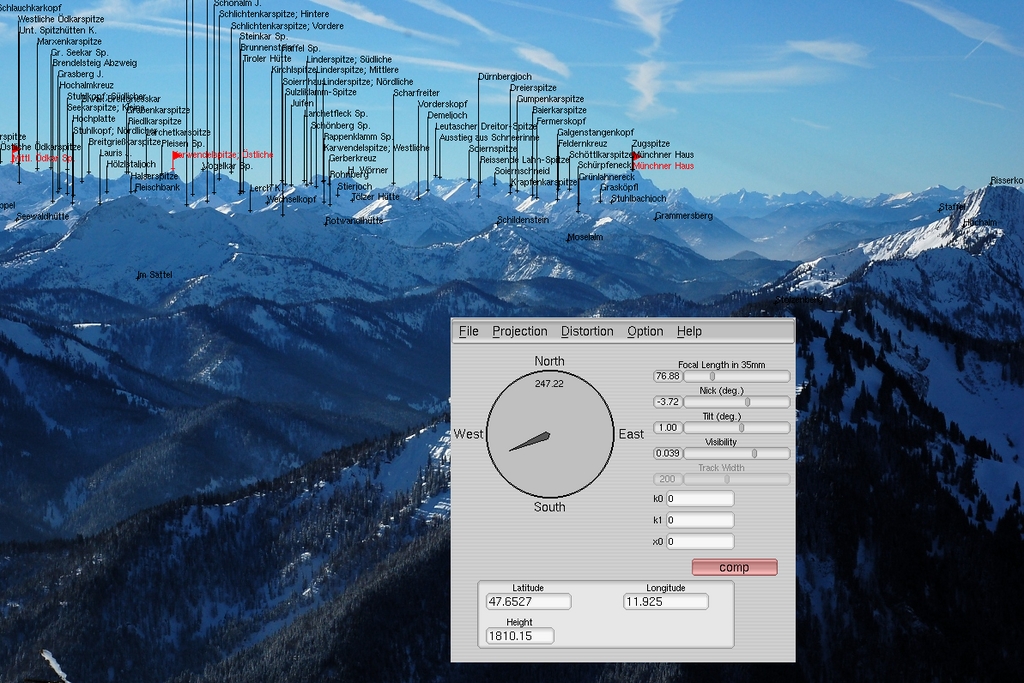
gipfel provides some amazing geological information when you position just two mountains.
Installation
A source tarball is available on the Web site, and trawling around the Net, I found a package from the ancient wonderland of Debian. But, the package is just as old and beardy as its parent OS. Installing gipfel's source is a pretty basic process, so I went with the tarball. Once the contents are extracted and you have a terminal open in the new directory, it needs only the usual:
$ ./configure
$ make
And, as sudo or root:
# make install
However, like most niche projects, it does have a number of slightly obscure requirements that probably aren't installed on your system (the configure script will inform you). The Web site gives the following requirements:
UNIX-like system (for example, Linux, *BSD)
fltk-1.1
gsl (GNU Scientific Library)
libtiff
I found I needed to install fltk-1.1-dev and libgsl0-dev to get past ./configure (you probably need the -dev package for libtiff installed too, but I already had that installed from a previous project). Once compilation has finished and the install script has done its thing, you can start the program with:
$ gipfel
Usage
Once you're inside, the first thing you'll need to do is load a picture of mountains (and a word of warning, it only accepts .jpg files, so convert whatever you have if it isn't already a .jpg). Once the image is loaded, you either can choose a viewpoint from a predefined set of locations, such as Everest Base Camp and so on, or enter the coordinates manually. However, I couldn't wrap my head around the interface for manual entry, and as Johannes Hofmann says on his own page:
...gipfel also can be used to play around with the parameters manually. But be warned: it is pretty difficult to find the right parameters for a given picture manually. You can think of gipfel as a georeferencing software for arbitrary images (not only satellite images or maps).
As a result, Johannes recommends the Web site www.alpin-koordinaten.de as a great place for getting GPS locations, but bear in mind that the site is in German, und mein Deutsch ist nicht so gut, so you may need to run a Web translator.
If you're lucky enough to get a range of reference points appearing on your image, you can start to manipulate where they land on your picture according to perspective, as overwhelming chance dictates that the other mountain peaks won't line up immediately and, therefore, will require tweaking.
If you look at the controls, such as the compass bearing, focal length, tilt and so on, these will start to move the reference points around while still connecting them as a body of points. Provided you have the right coordinates for your point of view, the reference points should line up, along with information on all the other peaks with it (which is really what the project is for in the first place).
gipfel also has an image stitching mode, which allows you to generate panoramic images from multiple images that have been referenced with gipfel. As my attempts with gipfel didn't turn out so well, I include a shot of Johannes' stunning results achieved from Lempersberg to Zugspitze in the Bavarian Alps, as well as one of the epic panoramic shots as shown on the Web site. Although this project is still a bit unwieldy, it is still in development, and you have to hand it to gipfel, it is certainly original.

Also included in gipfel is the ability to stitch several images together for amazing panoramic shots like this.
I covered this game only briefly in the Projects at a Glance section in last month's issue, so I'm taking a closer look at it this month. Widelands is a real-time strategy (RTS) game built on the SDL libraries and is inspired by The Settlers games from the early and mid-1990s. The Settlers I and II games were made in a time when the RTS genre was still in its relative infancy, so they had different gameplay ideals from their hyperspeed cousins, where a single map could take up to 50 hours of gameplay.
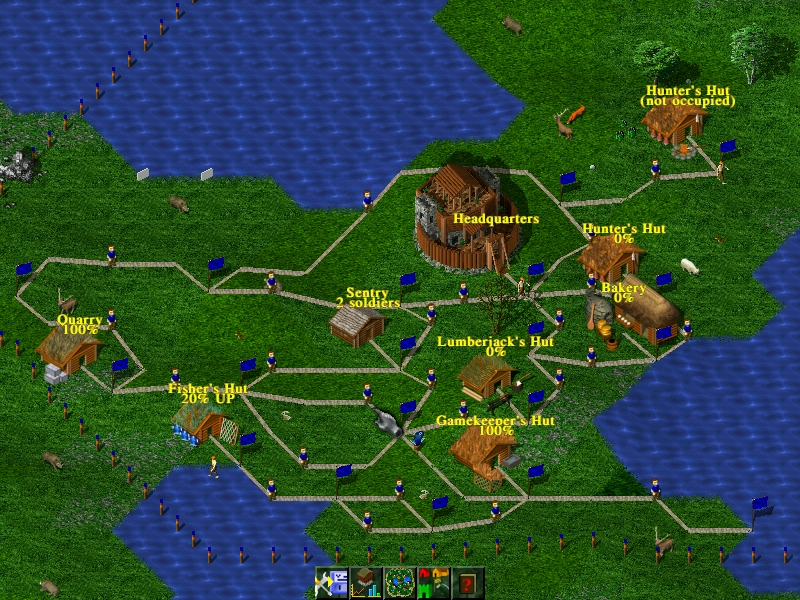
Widelands' main emphasis is on base building and how you build it.
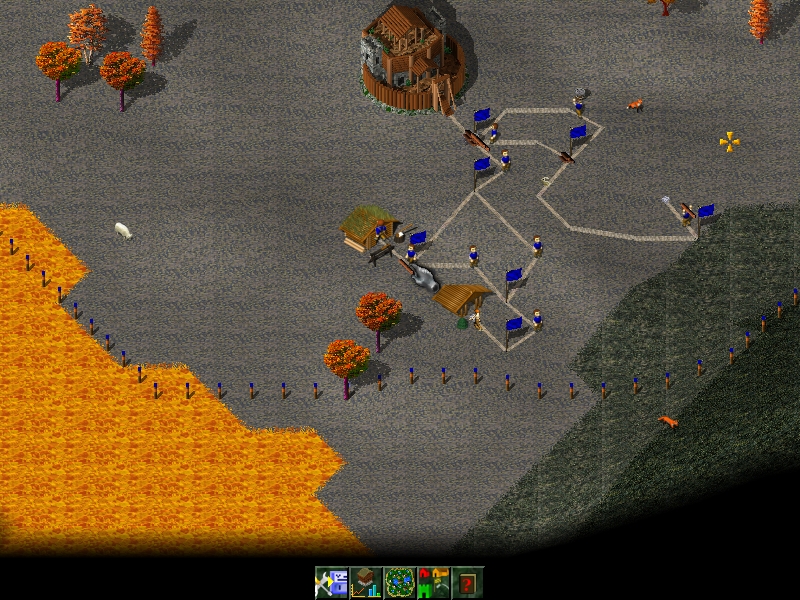
Widelands also has a lot of different settings and stories available to keep things interesting.
Thankfully, Widelands has retained this ideal, where frantic “tank-rush” tactics do not apply. Widelands takes a much slower pace, with an emphasis not on combat, but on building your home base. And, although the interface is initially hard to penetrate, it does lend itself to more advanced elements of base building, with gameplay mechanics that seem to hinge on not necessarily what is constructed, but how it is constructed.
For instance, the ground is often angled. So, when you build roads, you have to take into account where they head in order for builders to be able to transport their goods quickly and easily. Elements such as flow are just about everything in this game—you almost could call it feng shui.
Installation
If you head to the Web site's Downloads section, there's an i386 Linux binary available in a tarball that's around 100MB, which I'll be running with here. For masochists (or non-Intel machines), the game's source is available farther down the page.
Download the package and extract it to a new folder (which you'll need to make yourself). Open a terminal in the new folder, and enter the command:
$ ./widelands
If you're very lucky, it'll work right off the bat. Chances are, you'll get an error like this:
./widelands: error while loading
  shared libraries: libSDL_ttf-2.0.so.0:
cannot open shared object file: No such
  file or directory
I installed libSDL_ttf-2.0-dev, which fixed that, but then I got several other errors before I could get it to start. I had to install libSDL_gfx.so.4 and libsdl-gfx1.2-4 before it worked, but Widelands relies heavily on SDL (as do many other games), so you might as well install all of the SDL libraries while you're there.
Usage
Once you're in the game, the first thing you should do is head to the Single Player mode, and choose Campaign to start, as there's a good tutorial, which you will need. While the levels are loading, hints are given to you for when you get in the game, speeding up the learning process.
Controls are with the mouse and keyboard. The mouse is used for choosing various actions on-screen, and the keyboard's arrow keys let you move the camera around the world. Left-clicking on an insignificant piece of map brings up a menu for all of the basic in-game options. Right-clicking on something usually gets rid of it.
From here on, the game is far too complex to explain in this amount of space, but it's well worth checking out the documentation and help screens for further information. Once you've finished the intro campaign, check out the game's large collection of single- and multiplayer maps. You get a choice of multiple races, including Barbarians, Empire and Atlanteans, coupled with the ability to play against the computer or against other humans (or a close approximation). It also comes with a background story to the game, and if you spend your Saturday nights playing World of Warcraft instead of going to the pub, I'm sure you'll find it very interesting.
Delve into this game, and there's much that lies beneath the surface. It has simple things that please, like how the in-game menus are very sophisticated and solid, with none of the bugginess you get in many amateur games. But, it's the complete reversal of hyperspeed in its gameplay that I really love. I always want to get back to building my base when playing most RTS games, but I'm constantly drawn away by fire fights. This game lets you keep building, and places serious emphasis on how you do it.
The Web site also has add-ons, such as maps, music and other tribes, along with an editor, artwork and more, so check it out. Ultimately, Widelands is a breath of fresh air in an extremely stale genre, whose roots ironically stem from way back in the past in RTS history. Whether you're chasing a fix of that original Settlers feel or just want a different direction in RTS, this game is well worth a look.
This last project looks really cool and impressed me, but I'm afraid documentation is nonexistent, so hopefully some of you folks at home can help these guys out. According to the Freshmeat page:
Moonlight|3D is a modeling and animation tool for three-dimensional art. It currently supports mesh-based modeling. It's a redesign of Moonlight Atelier, formed after Moonlight Atelier/Creator died in 1999/2000. Rendering is done through pluggable back ends. It currently supports Sunflow, with support for RenderMan and others in planning.
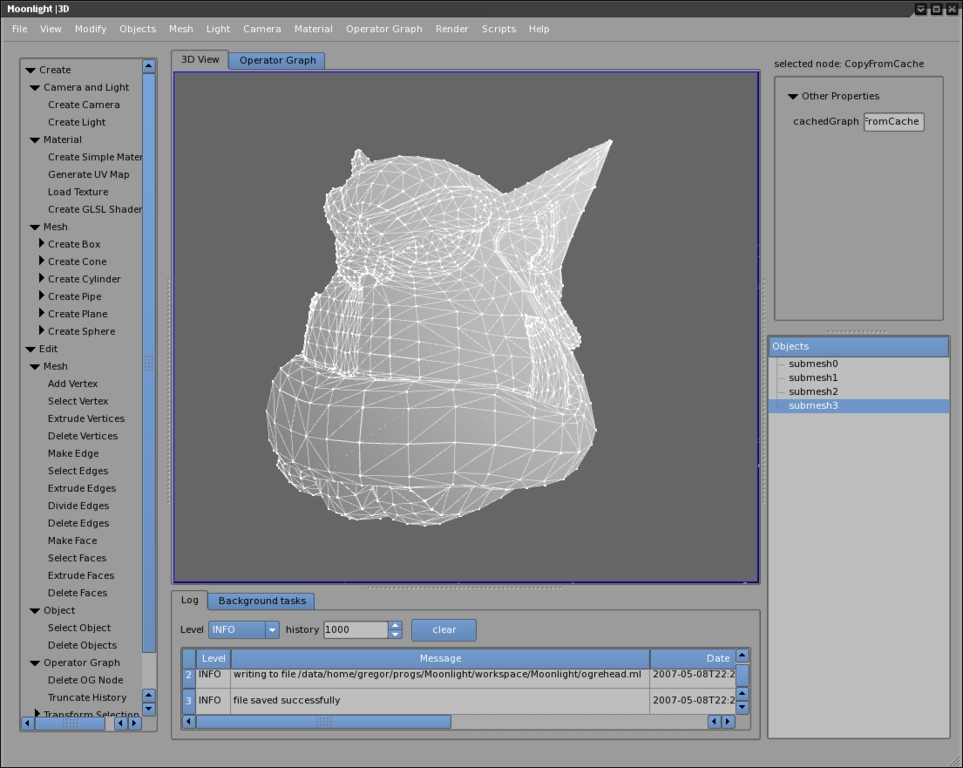
Some great results from someone who actually knows how to use Moonlight|3D.
The Web site sheds further light on the project, which states one of its goals as: “In order to speed up the progress of our development efforts, we open up the project to the general public, and we hope to attract the support of many developers and users, bringing the project forward faster.”
Installation
In terms of requirements, the only thing I needed to install to get Moonlight running was Java, so thankfully, the dependencies are fairly minimal. As for choices of packages at the Web site, there's a nightly build available as a binary or the latest source code (I ran with the binary). Grab the latest, extract it to a local folder, and open a terminal in the new folder. Then, enter the command:
$ ./moonlight.sh
Provided you have everything installed, it now should start. Once you're inside, I'm sorry, I really can't be of much help. There are the usual windows in a 3-D editor for height, width, depth and a 3-D view, and on the left are quick selection panes for objects, such as boxes, cones, spheres and so on (actually, the pane on the left has access to just about everything you need—it's pretty cool). Scouting about, a number of cool functions really jumped out at me, like multiple preview modes; changeable light, camera sources and positions; and most important, the ability to make your own animations. If only I could find a way to use them.
This project really does look pretty cool, and it seems to be a decent alternative to programs like Blender, but there honestly is no documentation. All links to documentation lead to a page saying the documentation doesn't exist yet and provides a link to the on-line forums. The forums also happen to have very little that's of use to someone without any prior knowledge of the interface, and I assume all those already on the forum are users of the original Moonlight Atelier. Nevertheless, the project does look interesting and seems to be quite stable. I look forward to seeing what happens with this project once some documentation is in place.
Brewing something fresh, innovative or mind-bending? Send e-mail to newprojects@linuxjournal.com.
John Knight is a 24-year-old, drumming- and climbing-obsessed maniac from the world's most isolated city—Perth, Western Australia. He can usually be found either buried in an Audacity screen or thrashing a kick-drum beyond recognition.
