
New Projects - Fresh from the Labs
If you remember last month's column, I was excited about a particularly cool-looking submarine simulator, Danger from the Deep. This month, I'm proud to feature it as one of the main projects. According to its Web site:
Danger from the Deep (known as dangerdeep or DftD) is a free (as in free speech), open-source World War II German submarine simulator....This game is planned as tactical simulation and will be as realistic as our time and knowledge of physics allows. Its current state is alpha, but it is playable.
DftD currently is being developed on Linux (i386 and AMD64) and Windows. There are binaries available for Linux (i386 and AMD64) and Windows (32-bit), and there are some old packages for Mac OS X. Danger from the Deep makes use of SDL/OpenGL and, thus, should be portable to other operating systems or platforms.
DftD has even been reported to work on Windows (2000/XP/98), Linux (i386/x86-64/SPARC64) and FreeBSD (x86-64/SPARC64/IA64).
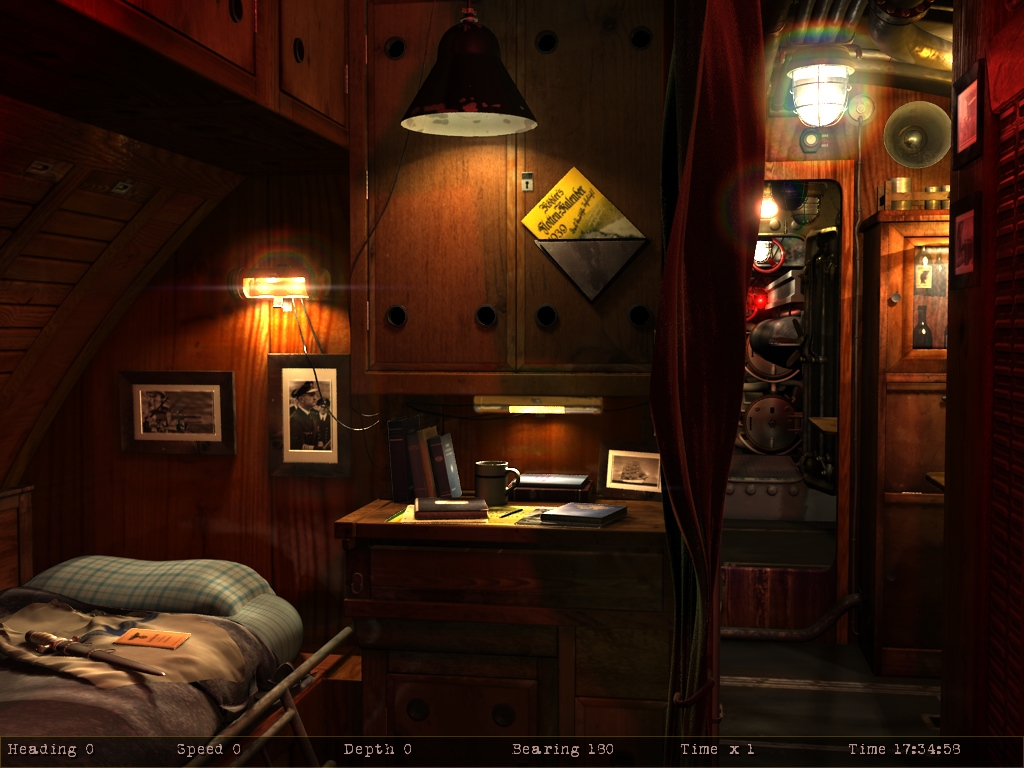
Authenticity and romance are almost taken to extremes here, and touches like these captain's quarters really help you get into the feeling and atmosphere of the game.
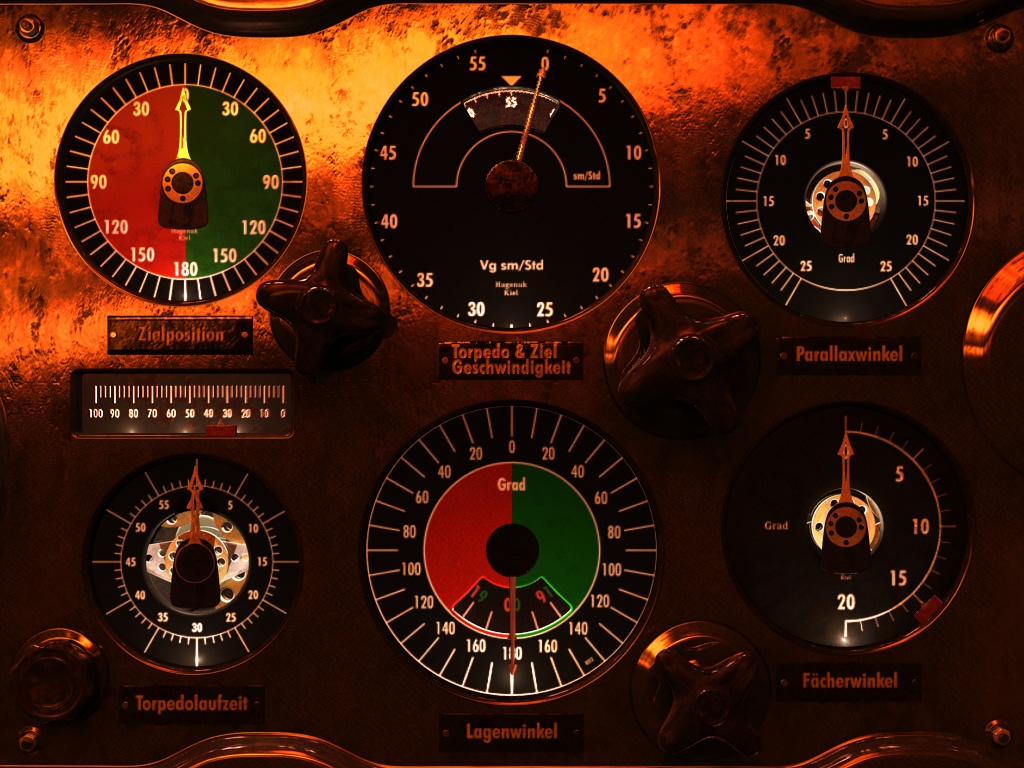
Ah, authenticity! Don't speak German? Too bad! The controls stay that way, whether you like it or not (which I do).
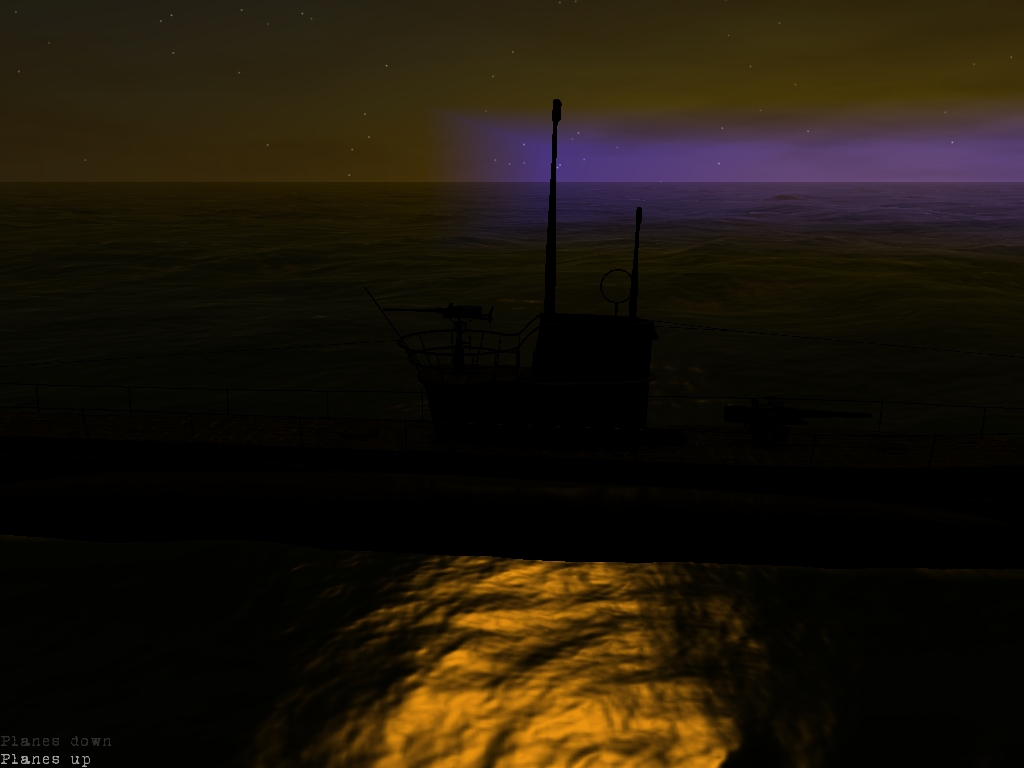
Sometimes the environment can be quite beautiful, such as this sunset, which makes long hours in a sub much easier to bear!
Installation
In terms of hardware requirements, you'll need the following:
An OpenGL 1.5-compliant graphics card (OpenGL 2.0 or greater is recommended).
A fairly fast CPU (anything from 1.0GHz up should be okay).
256MB RAM (512MB is recommended).
The Web site provides a lovely binary installer that feels much like that of a commercial game. You can compile the game from source if you want, but would you really do that when you can simply click Next, Next, Next?
The binary installer runs most things by itself, but as is the usual way with these things, you need to flag it as executable. If you're running this through a file manager, you probably need to right-click and choose executable in whatever properties section is available, but I'll leave this part up to you. For those who prefer to run things from the command line, you can flag it as executable with the following:
$ chmod u+x dangerdeep-0.3.0-linux-installer.bin
Then, run the installer with:
$ ./dangerdeep-0.3.0-linux-installer.bin
(Note: do this as root or sudo if you're installing it system-wide.)
The installer will go through the usual Next, Next, Next...Finish process, and once it's done, you can run the game with:
$ dangerdeep
Usage
As soon as you're at the main screen, you'll be flooded by a wave of romantic nostalgia that never lets up! From the sepia-colored menus, German-labeled controls and wartime background imagery to the crackly WWII-era music, this game wears its heart on its sleeve.
Assuming you have a decent graphics card, you'll want to crank up the video resolution in the Options menu, as the graphics in this game actually are quite impressive at times.
Because this game is currently in alpha stage, the number of gaming options are limited. Nevertheless, several kinds of missions are available in single-player mode. For those wanting something to blast at from the get-go, try Historical Mission first under the menu Play single mission.
Before you embark on any voyages, however, I suggest that you print out the game's PDF manual, which is downloadable at the Web site. This game's controls are extensive (hey, you're piloting a submarine), and each key often is assigned to something different between other view modes. Here are a few basic universal controls to get you started though.
F1 through F12 all have a different view or function on the ship. Some keys bring you to actual locations within the submarine, such as the torpedo room or captain's quarters, and others bring up equipment, such as the ship's sonar. Of particular joy and amusement is the control screen on F1 and the torpedo screen on F6. The gauges and dials are in German, and as far as I know, there's no option to have them in English, so you'll have to find out what HalbeFarht and Lagenwinkel mean on your own.
Now, I'm sure at this stage you'll be keen to blast at something, so let's cover that. You may want to try surfacing for this, as it makes the above-water enemies easier to spot using more view modes, but it also shows off some of the cool graphics this game has.
Press the S key to surface, and when you're up there, have a look around with various different view modes (check out that deck for starters, and, yes, you can man that surface gun). If a target is somewhere in sight, press I to identify the target. Pressing the spacebar selects it, and T fires a torpedo.
I could go on and on, but it's been a privilege to see a project with such polish and passion as this one. In the hands of your average open-source team, a submarine simulator like this could be a bland, grey, blobby mess, and spending several hours with it might be a guaranteed cure for insomnia. This, on the other hand, is a colorful world of fine touches and authenticity that's guaranteed to bring a smile to your face.
Considering this game is in the alpha stage, it's an extraordinary effort with nice graphics, a brilliant installer and even a small soundtrack! Submarine buffs, do yourself a favor, and check out this game.
I'm always on the lookout for original projects, and this particular application really took me by surprise. According to its Web site, “Flinks is a text-mode flashing word Web browser. It is intended for speed reading and/or skimming Web pages and text.”
Martin Bays, the author of the project, was first inspired by a mobile-phone program that rapidly flashed words one after the other on screen, which promised reading speeds of 600–700 words per minute (WPM) after a few days of practice. Intrigued by the idea and put off by the thought that such a technically simple program cost $20, Martin set about making Flinks.
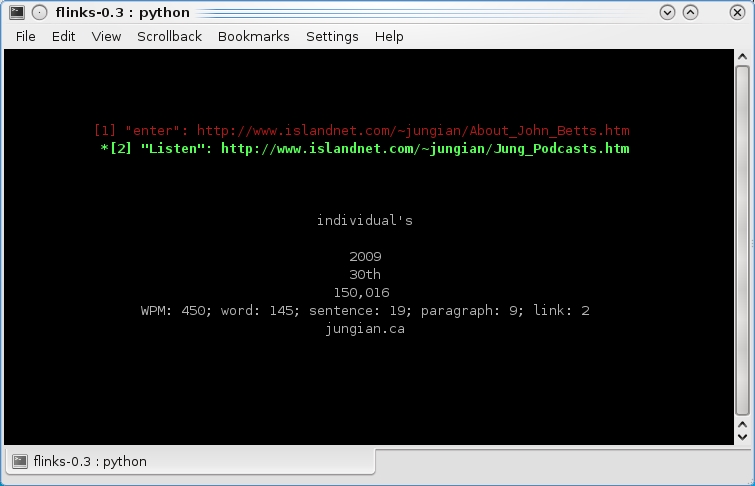
Although I can't really demonstrate the effect on printed page, Flinks rapidly flashes individual words of a Web page one after the other in rapid succession to help train your brain for speed reading.
Installation
Getting Flinks up and running is very easy, because no real installation is necessary, and its dependencies are very minimal. All you need is Python, version 2.4 or later, along with a working version of Lynx.
Download the latest tarball from the Web site, extract it, and open a terminal in the new folder. At the command line, enter:
$ ./flinks
Usage
Given the simple design, Flinks is best used with Web sites consisting of mostly text and easy navigation. A good example of this is Wikipedia, and as a result, Martin has chosen it as the default Web site upon opening Flinks.
To get going, press the g key to enter a URL (you don't have to enter in the “http://”, something like “metallica.com” is fine). Once the page loads for a few seconds in the browser, press the spacebar to “play” the Web page. Pressing the spacebar again will pause the browser. At this point, a great deal of words starts flying at you, one after the other at a rapid speed. The effect is kind of startling at first but pretty darn cool.
Flinks is set to a default speed of 450 WPM, but if you want to speed up or slow down the word rate, the up and down arrow keys adjust it accordingly. The left and right arrow keys allow you to skip through sentences, and the / or ? keys let you search forward or backward within the text. Other basic navigation includes b to go back, u to go “unback” and q to quit the program.
In the end, this program is a great trip. Put on some Speed Garage (or conversely some Stoner/Prog rock for a time-warp effect) in the background while you try reading at 700 WPM, and you'll be in hyperspeed geek heaven. And, to quote Martin himself:
But perhaps the most important plus of using Flinks is that having this almost direct jack from the computer to my brain makes me feel like I'm living in the future. And the future is in text mode, just as I always dreamed it would be.
Sounds good to me.
Finally, this month, we have RedNotebook, a nifty little diary application. According to its Web site:
RedNotebook is a graphical diary and journal helping you keep track of notes and thoughts. It includes calendar navigation, customizable templates, export functionality and word clouds. You also can format, tag and search your entries.
RedNotebook's many features include the ability to add text, images or links to any day within the excellent calendar navigation; backup utilities; HTML exportation—the list goes on.
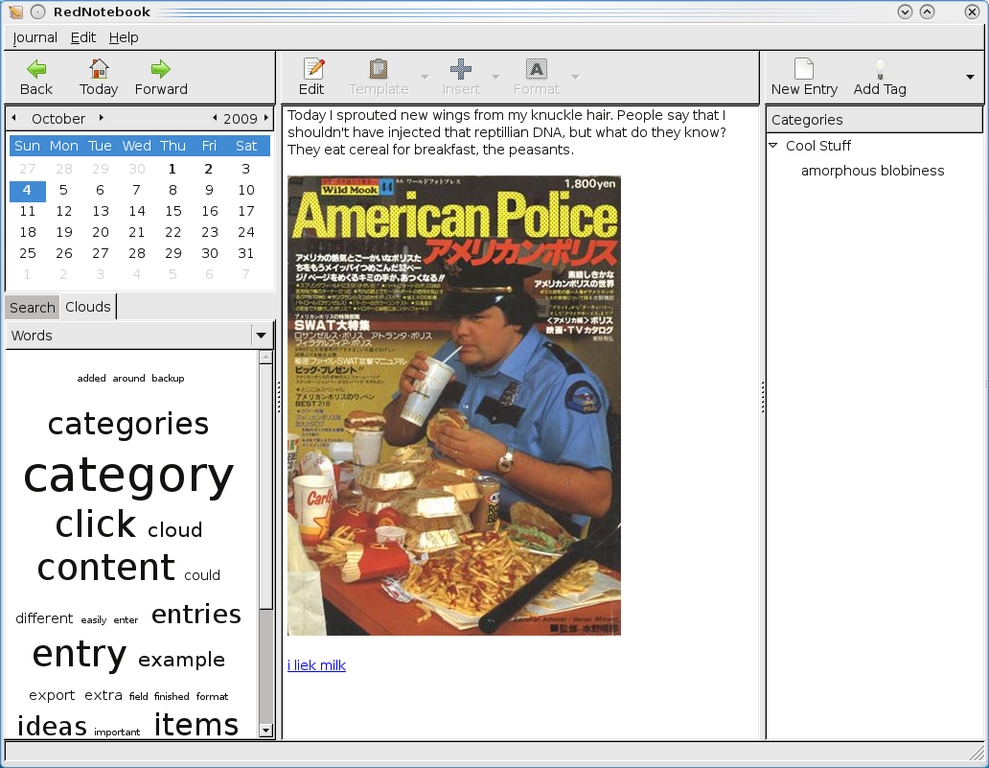
RedNotebook lets you keep a daily journal with organizational categories, multimedia attachments and more.

RedNotebook has some unique organizational structures and search functions, such as its unique cloud interface.
Installation
Installing RedNotebook from source is quite easy, but there also are a number of different binaries available, so you might want to check those first on the Downloads page. In terms of library requirements, you'll need Python (2.5/2.6), PyYaml (>=3.05) and PyGTK (>=2.13). Depending on your distro, package names will be something along the lines of python, python-yaml and python-devel.
If you're going with the source, download the latest tarball from the Web site, extract it, and open a terminal in the new folder.
If your distro uses sudo, enter:
$ sudo python setup.py install
If not:
$ su
# python setup.py install
If Lady Luck is smiling, an entry for RedNotebook may appear in your main menu in the Office section.
Usage
When RedNotebook starts, you should be at today's date on the calendar automatically. You can attach journal entries to each day on the calendar, and you can have text along with pictures, links and so on. Near the top right is the New Entry button. Click that, and you'll be presented with a small window with two fields. The first is to select or create a category (such as Todo, Cool Stuff and so on), and the second is for naming your entry.
Once this is done, the big pane in the center of the window is where you enter text and other material. Write the text for today, and in the top row of buttons is Insert. Use this to add any images, links, formatting or for numerous other options. During the editing process, you'll see each attachment only as bracketed text, but if you click Preview, you can see your work in progress. When you're done, click Save under the Journal menu, and you can create or browse any other journal entries on the calendar and come back to your entry at any time.
Also, well worth looking at are the Search and Clouds sections, which make navigating through your old entries easy and may save you some headaches in the future. There are many more features that are worth covering (especially the ability to encrypt journals), but I'm afraid I'm well out of space for this month!
Overall, this is an intuitive program with an easy installation that should appeal to someone looking for a good journal program that's both well designed and easy to use.
Brewing something fresh, innovative or mind-bending? Send e-mail to newprojects@linuxjournal.com.
John Knight is a 25-year-old, drumming- and climbing-obsessed maniac from the world's most isolated city—Perth, Western Australia. He can usually be found either buried in an Audacity screen or thrashing a kick-drum beyond recognition.

