
New Projects - Fresh from the Labs
During this decade, Texas Hold'em rapidly has become one of the most popular variants of poker across the globe. Taking center stage in such films as Casino Royale and being the main feature in the World Series of Poker, Texas Hold'em is now the coolest game around. However, unless you want to use some kind of tacky on-line game, it's hard to find a sim that feels any good. Well, PokerTH steps up to the plate quite nicely indeed. According to its Web site: “PokerTH is a poker game written in C++/Qt4. You can play the popular Texas Hold'em poker variant against up to nine computer opponents or play network games with people all over the world. This poker engine is available for Linux, Windows and Mac OS.”
Installation
The PokerTH downloads page has a number of binary packages, and PokerTH also is included in a number of repositories. A distro-neutral binary package also is available as a tarball, along with a binary installer and source.
For those going with source, grab the latest tarball, extract it and open a terminal in the new folder. Chances are, you won't have all the needed libraries, so install the following as recommended by the PokerTH Web site:
Qt version >= 4.4.3, 4.5.1 recommended.
zlib version 1.2.3.
libcurl version >= 7.16.
gnutls (version 2.2.2).
libboost_thread, libboost_filesystem, libboost_datetime, libboost_program_options, libboost_iostreams, libboost_asio and libboost_regex (version >= 1.36, 1.38.0 recommended).
libSDL_mixer and libSDL.
I also had to install libqt4-dev. Once you have all the needed dependencies, enter the following commands:
$ qmake-qt4 pokerth.pro
$ make
$ sudo make install
When the installation is over, run PokerTH with this command:
$ pokerth
If you're lucky, it will be in your system's menu, and there also may be a new desktop icon.
Usage
The starting screen will have the options to start a local game, an Internet game, create a network game or join a network game. Obviously, you'll want to learn the game's interface before playing anyone else, so choose Start Local Game. A screen appears with a default number of players, starting cash, blind settings and game speed. Unless you really know what you're doing, stick with the given defaults.
I'm assuming you know the basics of Texas Hold'em here, but even if you don't, the game goes to some lengths to make the learning process fairly intuitive. As soon as you're in the actual game screen, you'll be right in the action with two cards dealt. Here you can bet for more cash on the table, check/call or fold. As soon as you make your choice, things move on to the next player and the round continues.
As the game moves on, more bets can be placed before everyone has called/checked, more cards are revealed, and the round finishes with someone winning the pot. Above the Raise, Call and Fold buttons is also the option to go all-in. The field with the numbers next to the All-In button with the slider below lets you adjust how much you want to bet/raise, rather than being stuck with the game's defaults.
A helpful feature for new players is that it actually displays what hands you should play for on the left, along with the terminology. On the right are some tabs with brilliant features.
The first tab contains a log of all that's happened so far. The second tab has what actions to choose when you're away from the computer. And best of all, the last tab has a dynamically updated chance section, telling the mathematical chance you have of getting each kind of hand.
This last feature is particularly of use for new players, because it tells what chance you have of getting the hand you're after, so you don't need to be a mathematical savant. This is great for getting a feel for the game and avoiding stupid errors. Once you've played for a while, the dynamics and mathematics of Texas Hold'em should start to come more intuitively.
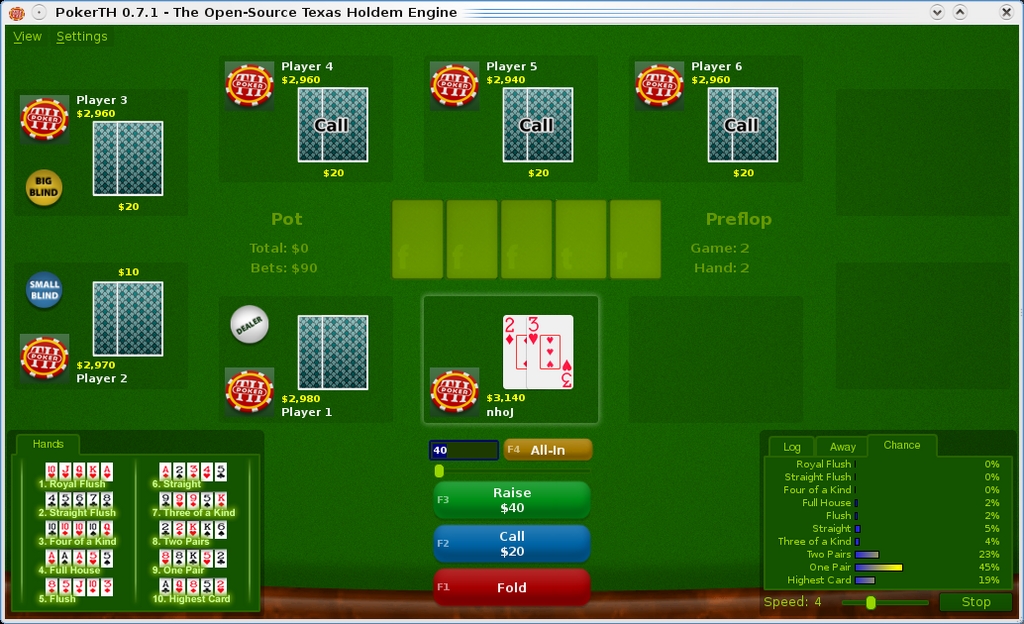
Note the helpful guide of possible hands for new players on the left and a chance meter on the right.
Playing the computer becomes tedious after a while (the computer is all math and no instinct), and you'll be wanting to play some humans soon. Close the game, go back to the PokerTH main screen, and choose Internet Game. You'll be taken to a screen with lots of games from which to choose. Pick an open game that has a decent number of players, and when the host is ready to start, the game will proceed.
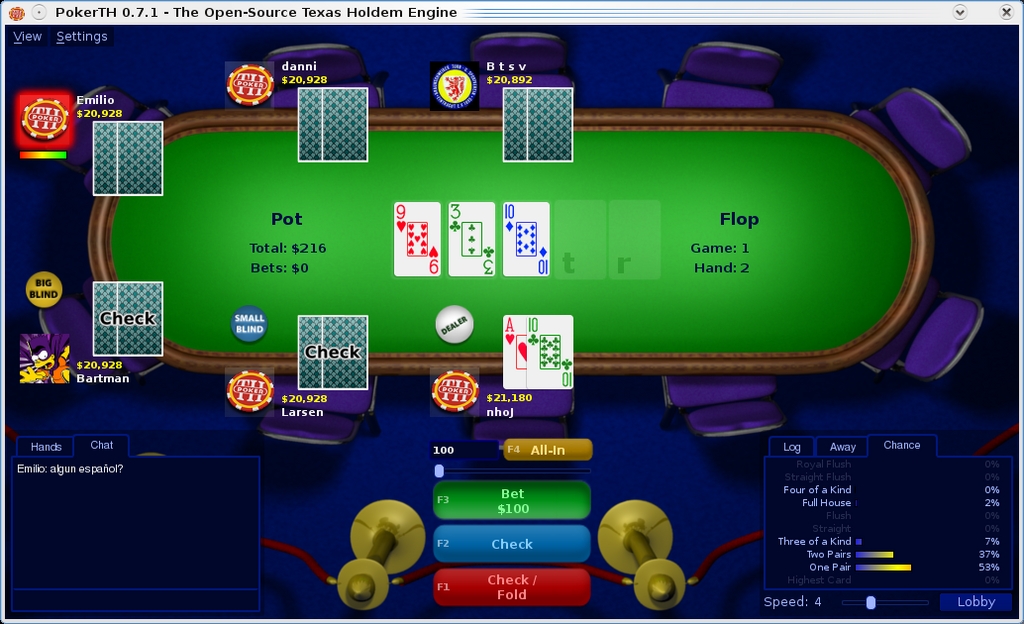
Playing on-line, you get a time limit and a chat window. Note the four color suits—great for avoiding mixups in quick situations like this.
The first major difference you'll notice between on-line play and local play is that a timer bar is applied in on-line mode, which takes care of tardy players. If you are going to be away from the computer for any amount of time, it's worth changing your settings in the Away tab on your right. An on-line chat tab also is available—great for a social game like poker. When you're ready to leave, press the Lobby button on the bottom-right corner. I'll let you work out the rest of the game from here.
It's definitely worth having a look at the game's Web site, where users have made a number of themes and additions. I find the default theme a little bland, but some other themes are quite snazzy. Some card themes have four different colors as well, which really helps you differentiate between suits quickly when it's midnight and you have a head full of whiskey!
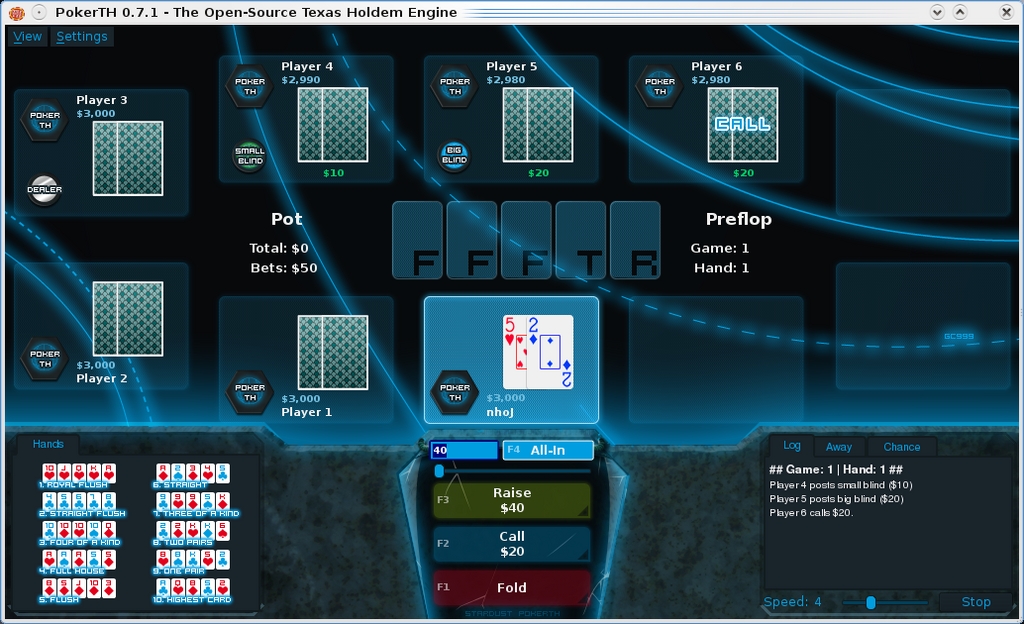
Some of the themes, such as Stardust (shown here), look snazzy and make PokerTH a real class act.
I'm sure Texas Hold'em fans will love PokerTH. Its use of open protocols, such as IRC, should help its longevity, and its large fan base is testament to this (I've never once had trouble finding a game on-line). It's a great poker sim for newbies and veterans alike, and I highly recommend it.
Something that's been making a buzz at SourceForge, X-Moto appears to be a remake of an old DOS game I used to play, Action Supercross, along with its earlier Windows remake, Elastomania. Some tweaks have been made to the the physics engine, new community levels have been added, and it's now about ten times harder! This game is a physics engine gone mad, allowing for some truly hilarious moves and addictive gameplay. The actual premise of the game and its controls are simple, yet the dynamics and gameplay are complex. The result is that despite its simplistic look, this actually is one of the hardest games I've ever played.
Installation
If you look on the Web site, lots of installation methods are available, and installing X-Moto is easy. Packages are provided for various distros in deb, rpm and Slackware form, and X-Moto is provided in a number of repositories, so it's well worth having a look in your package manager first. And, for those who like to do things the hard(er) way, a source tarball also is provided.
In terms of requirements, you'll need: aclocal, SDL_mixer, liblua, libode0, build-essential, sqlite3, zlib, libjpeg, libpng, libbz2, glu, SDL_ttf, liblualib50 and libcurl. For the source, download the latest tarball, extract it, open a terminal in the new folder and enter:
$ ./configure
$ make
$ sudo make install
To run the game, look in your system's game menu, or enter:
$ xmoto
Usage
When the game first starts, it prompts you to connect to the Net. I recommend saying yes, because there's a whole swag of things you can do when connected, such as rate levels, get new ones and so on. If you don't like being connected, you can turn it off with F8 anyway. Let's get playing. Click Levels, and in the menu below in the Level Packs tab, look under All Levels and choose a level. I recommend working your way through the “aeRo's Training” levels first and going onto harder levels from there.
Once you're in the game itself, the bike is controlled purely with the arrow keys and the spacebar—that's it. The up key controls the bike's throttle, and the down key controls the brakes. The right key rotates/pitches the bike clockwise, and the left key, anti-clockwise. The spacebar flips the direction of the bike between left and right, and this can be performed anywhere, at any time. When you need to restart the level, press Enter (you'll be doing this a lot). You'll probably notice that each level has a timer, and each level has a high score Internet-wide. If you're an X-Moto fanatic, I'm sure you'll wanna take someone down!
Although this game may look simple at first glance, beginners will have trouble just keeping the bike upright. Full throttle starts generally result in a wheelie, and if you don't “feel” the physics engine and its inertia, you'll quickly flip the bike over and land on your head. The main things to grasp are what the active objects are in this game, how everything is controlled and what this will allow you to do.
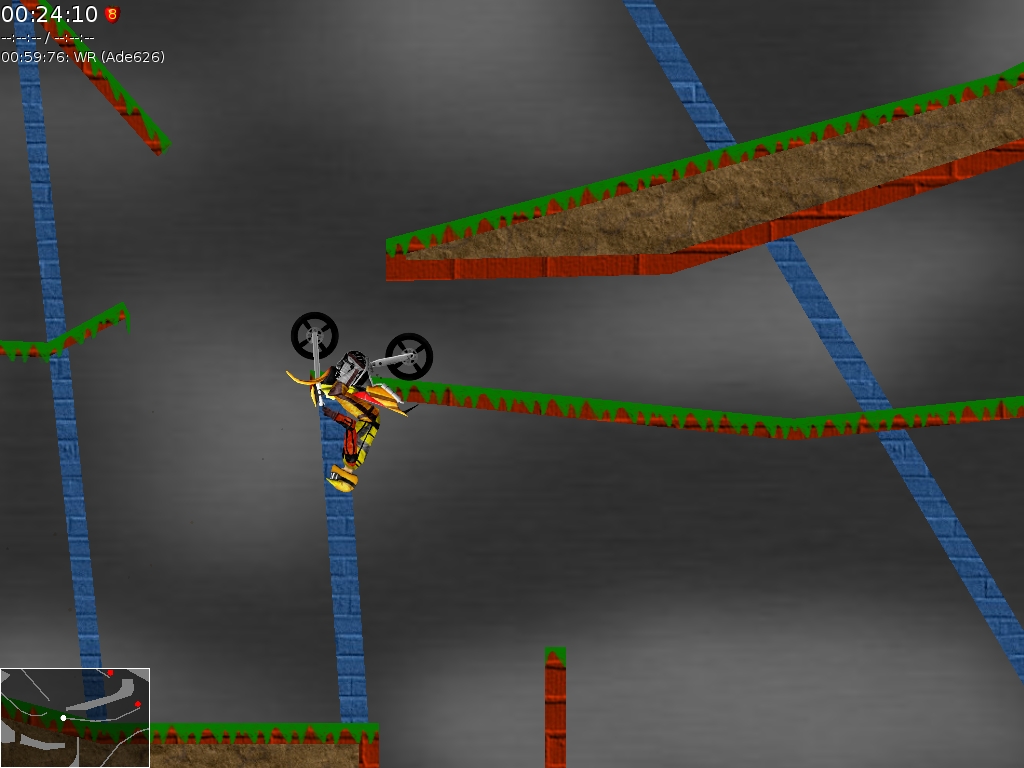
The wacky physics engine allows you to do some truly mind-boggling stunts!
First, there's the rider's head. Don't hit it on anything, or the level ends, and you have to restart. However, things also can go through the rider's body. Now this might sound strange, but it allows for some truly hilarious possibilities, such as hanging upside down on a rail with the wheels on top. The suspension reacts in real time and is a big part of the physics engine. The tires will react in time with the suspension also, so pay constant attention to your terrain. Remember that like most motorbikes, this is rear-wheel drive only, so if you try to feed on power when you're only on the front wheel, it won't do any good. Braking, however, works on both wheels.
Braking is very important in some often unexpected ways, because many puzzles require you to lock your wheels and actually flip the bike over. Don't forget that the body of the rider itself also will flip forward under braking inertia, not just the bike, so if you pull up too hard and too late before a wall, the rider might hit his head, even though the bike is still okay.
Learning to feel the actual game is really important—get to grips with the physics engine, especially on tricky hills where the bike can tip over and you lose all of your momentum—you want your reactions to come naturally. Learn to use opposing power, flipping the bike around and applying power in the reverse direction, as braking isn't always the answer. Don't glue down the accelerator. Some puzzles require quick dabs on the keyboard, and just about every level requires a lot of delicacy. Finally, remember that when the bike is riding upside down hanging on a ledge (yes, it's crazy, but it's what the game is all about), the wheel will be turning in the opposite direction to when the bike is upright. This is counter-intuitive at first, but you'll get used to it.
I've covered only basic single-player stuff here, but this game has many more features and some very clever adaptations, especially in the scripted levels, which really show off what this crazy engine can do. If you check the Web site, you'll notice it has a very extensive community and, most important, a level editor. Try making your own levels, and explore the dynamics of this game intimately.
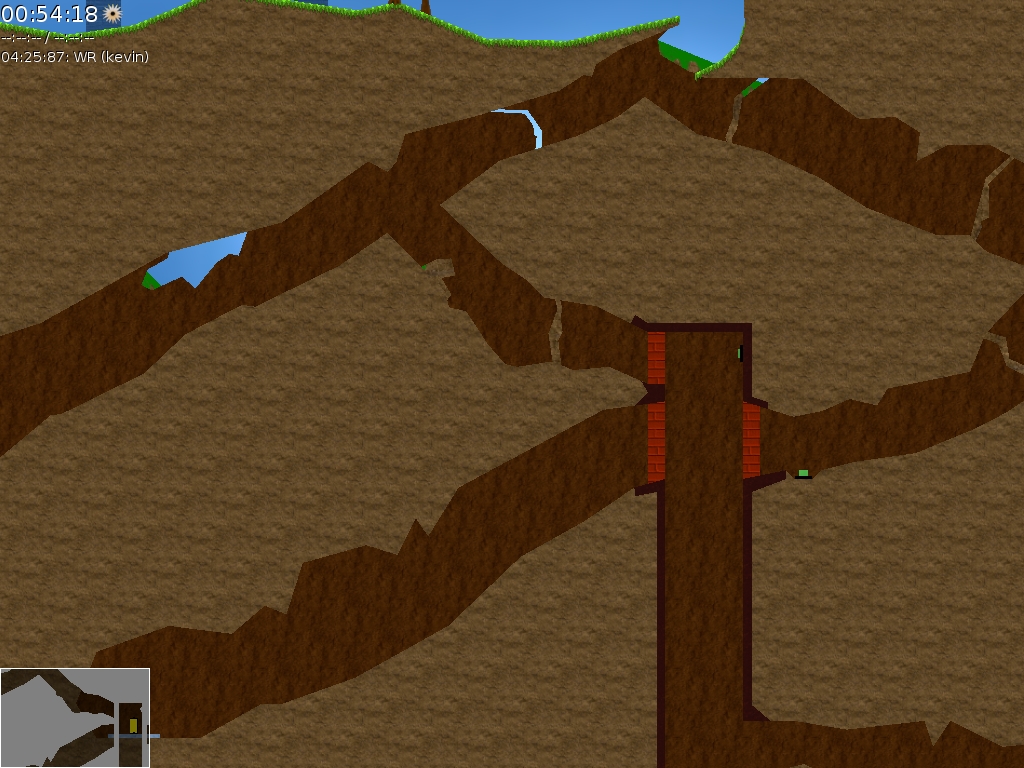
In-game scripting allows people to make their own modifications freely, sometimes with elaborate results as shown here.
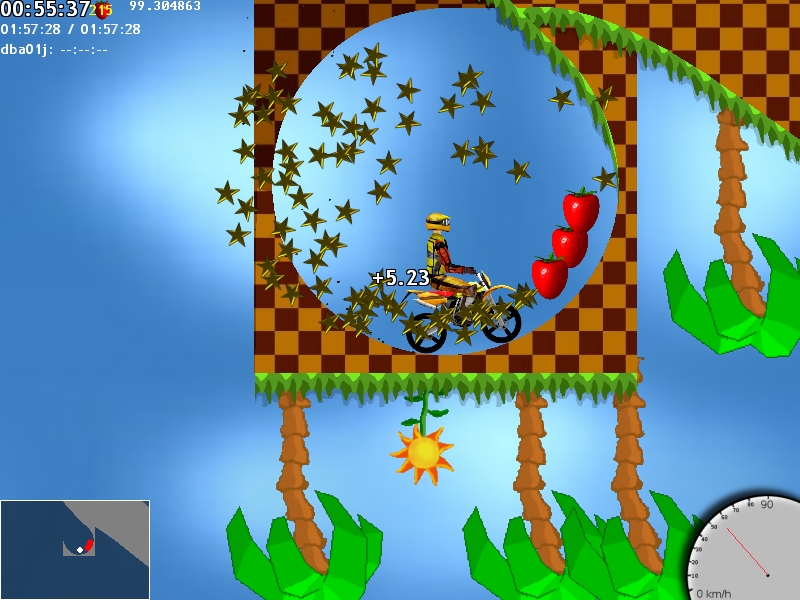
Look on-line and you'll find some truly crazy levels!
Brewing something fresh, innovative or mind-bending? Send e-mail to newprojects@linuxjournal.com.
John Knight is a 25-year-old, drumming- and climbing-obsessed maniac from the world's most isolated city—Perth, Western Australia. He can usually be found either buried in an Audacity screen or thrashing a kick-drum beyond recognition.
