
New Projects - Fresh from the Labs
htop aims to be a better version of the long-lived UNIX program, top. Allowing you to browse through your system processes with the keyboard, htop is a much more intuitive way of doing things than the traditional and archaic UNIX way. The htop Web site gives the best summary with this comparison of htop and top:
In htop, you can scroll the list vertically and horizontally to see all processes and complete command lines.
In top, you are subject to a delay for each unassigned key you press (especially annoying when multikey escape sequences are triggered by accident).
htop starts faster (top seems to collect data for a while before displaying anything).
In htop, you don't need to type the process number to kill a process; in top, you do.
In htop, you don't need to type the process number or the priority value to renice a process; in top, you do.
htop supports mouse operation; top doesn't.
top is older, hence, more used and tested.
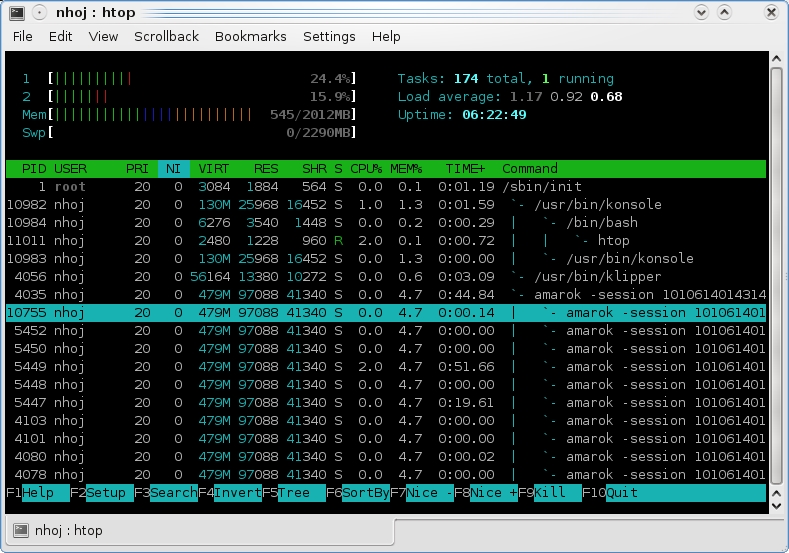
htop vastly improves on the old top UNIX tool, with an interface that lets you browse through your processes with the keyboard.

Being able to choose what kind of signal you want to send to a process adds versatility.
Installation
If you're chasing binaries, packages are provided in either native or third-party form for GoboLinux, Debian, Fedora, Red Hat, Slackware, Gentoo, ALT Linux, OpenSUSE, Mandriva, KateOS and Zenwalk. For those going with source, head to the Downloads/SVN page, grab the latest tarball and extract it, or SVN the nightly development tree. In terms of requirements for compiling the source, the only oddity I ran into was that I needed to install the development files for ncurses (in my case, libncurses5-dev).
Open a terminal in the new source directory (whether from an extracted tarball or SVN), and enter the usual:
$ ./configure
$ make
$ sudo make install
Once the compilation finishes, run the program by entering:
$ htop
Usage
Once inside the htop screen, you'll see things arranged in a way that will make instant sense to those used to some Linux mainstays, such as xosview, Midnight Commander and various system monitors, including, of course, top. At the top of the screen is a selection of handy system information, such as CPU usage, free memory, swap usage and so on. In the center of the screen are all of your system's processes waiting to be browsed, and in classic Norton/Midnight Commander style, the functions of the program are sensibly linked to the function keys of your keyboard, laid out clearly on the bottom of the screen. Take note of that in particular, as you'll be using those functions the most.
To get started, you can browse through your processes with the arrow keys along with Page Up and Page Down. If you want to kill or tinker with a process, press either K or F9. At this point, htop brings up a menu of possible signals to send the program, with SIGTERM being the default choice. Scroll through these if you want to play with more-advanced features, but for most users, just pressing F9 and Enter will do the job fine.
You can kill multiple jobs by pressing the spacebar on each one. The Search function is mapped to F3, allowing you to search for any part of text in the name of the process you're chasing, which comes in handy particularly for overburdened systems with too many processes. The SortBy function, mapped to F6, also is of great help, especially when you want to sort between system- and user-owned processes. And, the Tree function, mapped to F5, is fantastic for seeking things like tricky child processes. This program is fairly loaded with features, so it's worth checking the htop man page and the help screen (assigned to F1) for more information.
Ultimately, htop is a good evolutionary step from unintuitive, older programs like top, and with any luck, it will be included by default with most distros in the years to come. Although the interface still might be a little intimidating for novices, intermediate or advanced users should come to grips with it easily (and let's face it, they're the ones who'll be using it anyway).
Open Cubic Player (OCP) is a text-based audio player that runs in various incarnations on Linux and Windows, and there's even an older DOS version. First appearing in late 1994, the original program was a binary-only freeware version called Cubic Player (running primarily in DOS). It had a reputation for being one of the best module players around, as it supported a great deal of soundcards as well as audio formats. As Windows grew more popular and people demanded GUI-based software, popularity and support for the program died off, as did the project itself.
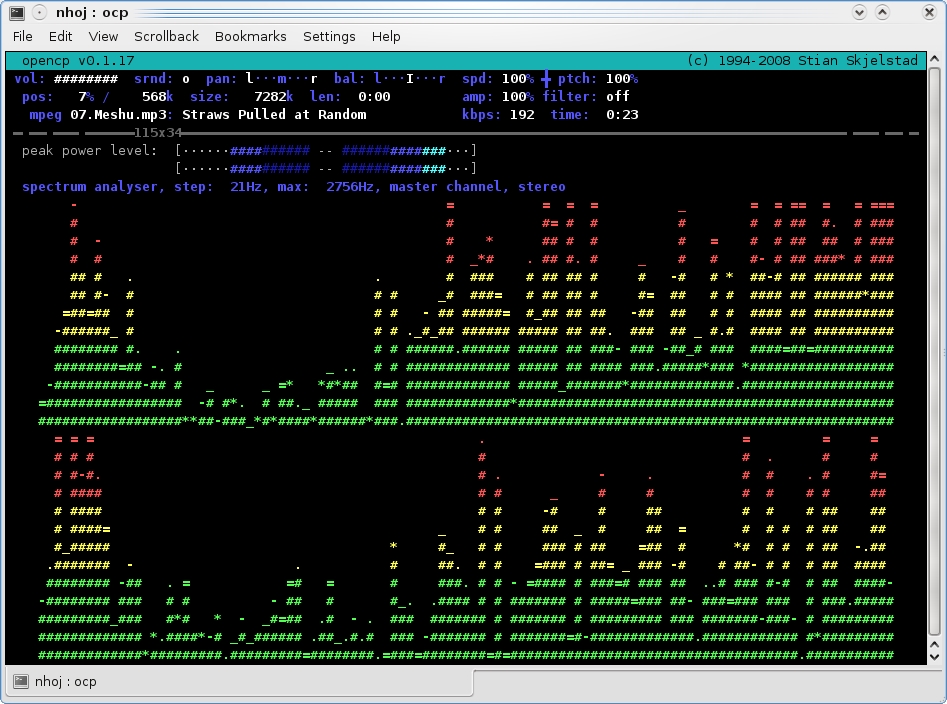
Open Cubic Player gives wonderful visualizations rendered in real time with pure ASCII.
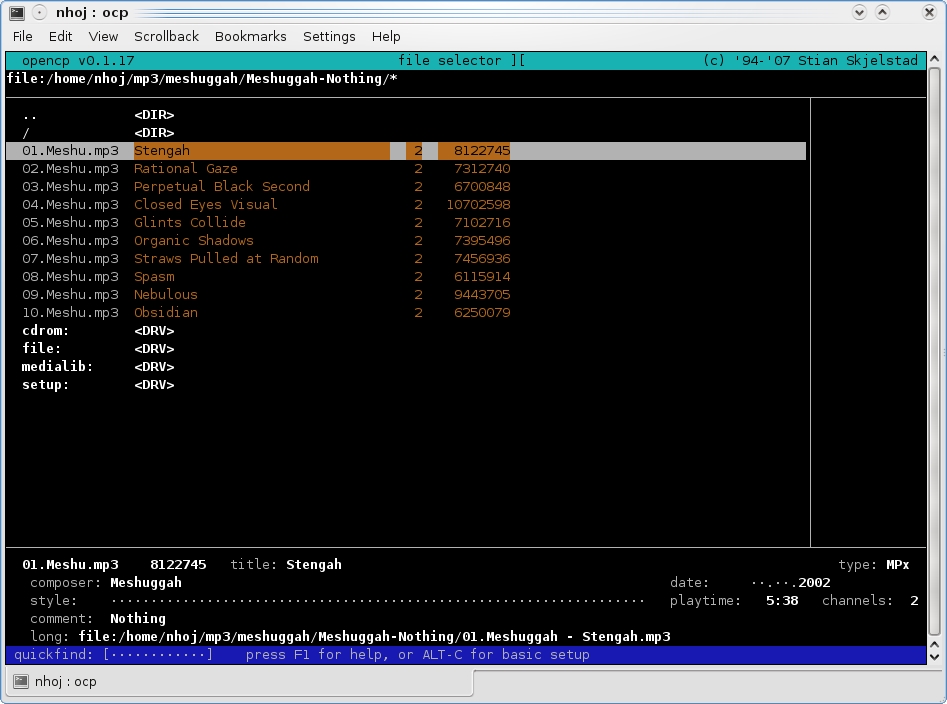
Thankfully, browsing for audio files is an easy affair, and there are many advanced features that major GUI players don't even have.
Eventually, the source code was opened up to the public in the hope that someone would find it useful, and in late 2003, developer Stian Sebastian Skjelstad started playing around with it, attempting to get the source to compile and run under Linux. After a great deal of tinkering around, Stian eventually got something working, and today, it's available in beta form. And quite frankly, it's a little ripper of a player!
Installation
Binary packages are provided for Debian and Ubuntu, as well as some specific information for installation on other systems, but if you're not using the basic .deb packages, you might as well install OCP from source. Grab the latest tarball from the Web site, extract it, and open a terminal in the new folder. As for strange requirements with the source, I had to grab the development files for both ogg and vorbis, which were liboggz1-dev and libvorbis-dev, respectively. Being a wacky console program, you probably need the ncurses development libraries too, but I already had those on my system after compiling htop (see above).
When it comes to compiling the source, documentation is sorely lacking, but thankfully, compilation is a simple case of the usual:
$ ./configure
$ make
$ sudo make install
When the compilation is over, run the program by entering:
$ ocp
Usage
Although I'm still coming to grips with the basic controls, playing singular files is a simple affair, as is exploring the program's many functions. When you enter the OCP screen, your first encounter is with the file browser, where you can select your songs, append them to a playlist and so on. I'm not too sure how to operate the playlist functions confidently enough to explain them (you can work out the contents of the manual yourself), but playing a single file is easy. Simply search for the file you want with the up and down arrow keys. Entering directories or playing a file is done by pressing the Enter key.
When a track is playing, this whole project comes to life, and the point becomes clear—you instantly have full visualizations of your music along with neat power-level indicators and all manner of tinkering functions. This is designed for control freaks—seriously. On screen is a load of information, right down to file size, frequency and format information, and so on. However, it's the functions that are the meat of the program. You can alter the panning, balance, speed, pitch, amplification and more. You even can turn on a surround function—not bad for a text-based player!
These functions are mostly spread over the function keys, but the coolest feature (although admittedly a little gimmicky) is actually pausing a song. Press P, and your song winds down and dies like someone has just pulled the plug on an old reel-to-reel player. Unpausing winds it back up to life again. It's really cool and adds genuine charm to the player.
Working your way around this program is initially unintuitive, and the documentation feels as if it's written more for other programmers than new users, but the charm of this program is unavoidable. The beautiful spectrum analyzer patterns rendered in real-time ASCII are enough to bring a tear to any geek's eye, and the advanced controls one expects only of complex, resource-intensive GUI applications will entrench this player firmly in the heart of many a technophile. Awesome stuff—if you can work your way around it!
Projects at a Glance
UnixTree (www.unixtree.org)
Much like Midnight Commander captured the feel and essence of the popular DOS application, Norton Commander, UnixTree models itself closely on the once popular XTreeGold. XTreeGold was the introduction that many first PC users had with DOS, which, much like Norton Commander, had a semi-GUI interface to ease the transition into a tricky environment. Although this may not strike an instant chord with command-line purists or full-blown X users, I know a number of people for whom XTreeGold was their primary interface day to day, and hopefully, UnixTree will ease their transition into the UNIX shell in the same way XTreeGold did for DOS. I've had a chance to use it, and I'm quite impressed, especially as certain essential UNIX commands are assigned to single keystrokes to speed up your daily command-line usage.
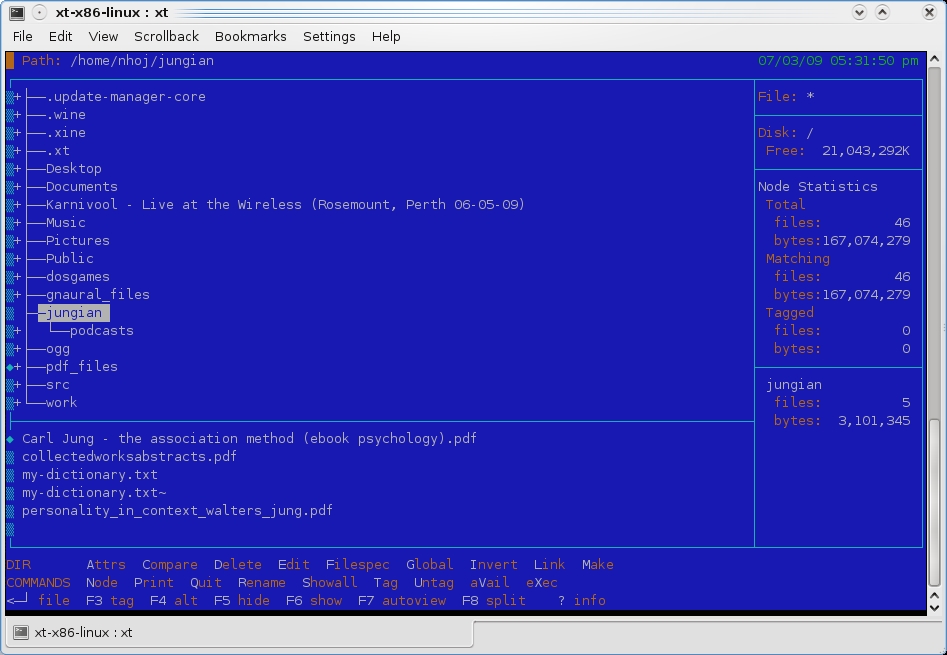
UnixTree
Gnake lightless.org/gnake)
Anyone who has a mobile phone will know the time-old classic game, Snake. I still play the popular X game Gnibbles from time to time, and I've always had a soft spot for the style of gameplay. Gnake brings that gameplay to the console in a rather simplified form, but still, it's damn hard. Compilation is easy; simply grab the tarball, enter make and then ./gnake. I'm not sure whether the levels progress (I haven't passed stage one), but some of the options that can be altered include the playground size, speed, number of apples, growing length and the ability to add computer-controlled snakes.
Console Commander (concom.sourceforge.net)
Console Commander brings you a selection of information and system tools under an easy-to-navigate group of menus that should be of serious comfort to anyone not familiar with the Linux shell. Some of the clever features group together the sorts of information I've always had to dig through large GUI programs to reach, like Kinfocenter. Information, such as CPU type, free memory, partition usage, distro info and so on, is usually a pain to hunt down individually. Combined with tools that automate tasks like package and repository upgrades, how-tos and many more features, this is a handy program indeed. Although there's nothing technically amazing happening here, it has no pretenses about what it is and will save time for many users. I love it.
Brewing something fresh, innovative or mind-bending? Send e-mail to newprojects@linuxjournal.com.
John Knight is a 25-year-old, drumming- and climbing-obsessed maniac from the world's most isolated city—Perth, Western Australia. He can usually be found either buried in an Audacity screen or thrashing a kick-drum beyond recognition.
