
The Kindle 2
Everyone knew Amazon would announce a successor to its popular Kindle ebook reader. What people did not know was when. Thankfully, the time between when the Kindle 2 was announced and when it started shipping was short. Now that it has been released, it's time to put Amazon's Linux-powered book reader to the test.
Like the original, the Kindle 2 is built around an e-ink display. The dimensions of the display are the same, but every other aspect of the device is either new or modified. Instead of being shaped like a wedge, the Kindle 2 is a flat slab. Instead of a rubberized back, it has brushed aluminum. Instead of angled rectangular keys in a split keyboard configuration, it has circular keys in a rectangular grid. Instead of a scroll wheel, it has a five-way thumbstick. Instead of four shades of gray, it has 16. You get the idea.
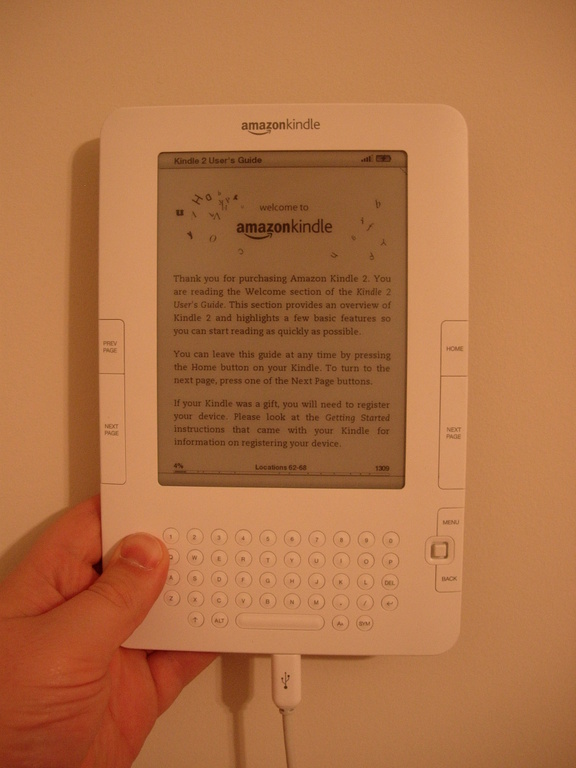
Figure 1. The Kindle 2 is the length and width of a paperback book and much thinner.
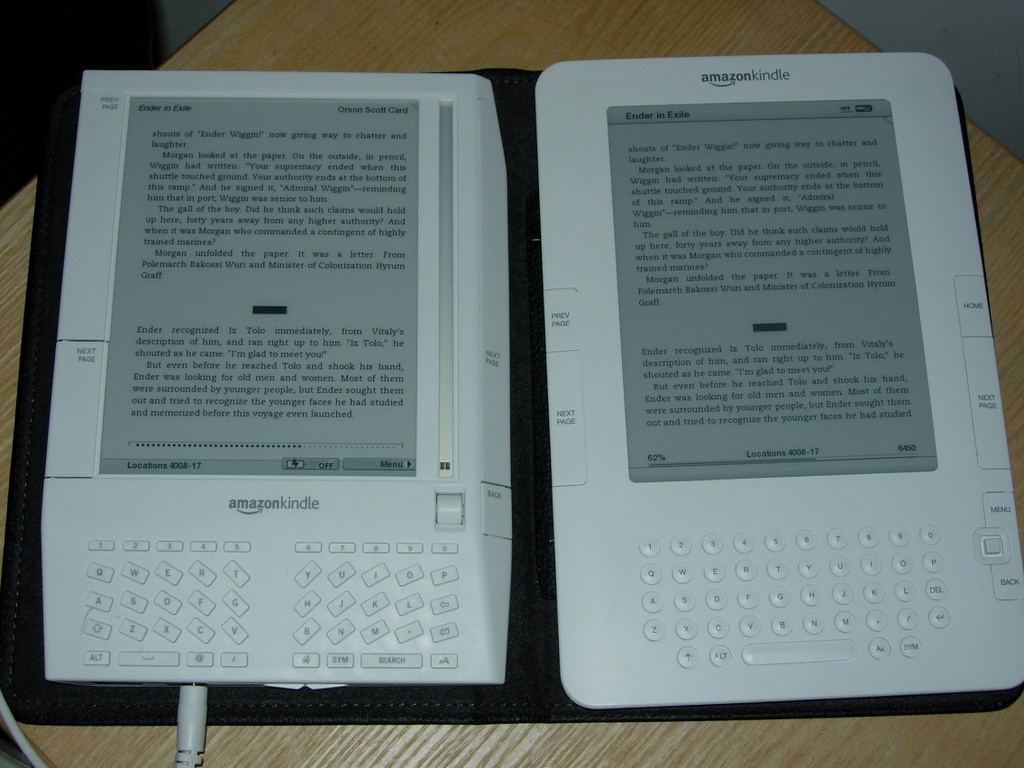
Figure 2. The screen size has stayed the same between the two versions of the Kindle.
Let's start with my favorite Kindle 2 improvement: battery life. Of all the changes, this is the one I appreciate the most. With the wireless turned on, I can use the Kindle for several days before having to charge it. With the wireless turned off, I have to charge the Kindle only two or three times a month. This is a vast improvement over the original Kindle—when I did not have the charger with me, I had to be careful never to turn on the wireless except when I wanted to purchase something or knew I had a subscription waiting for me to download. Turning on the wireless on the original Kindle is a sure way to kill your battery life.
Another improvement is that newspapers and magazines are easier to navigate on the Kindle 2. Instead of having to use the scroll wheel to select links to jump between different articles, I can move the joystick to the left or right anywhere on the page to jump between stories. Likewise, a single click takes me to the section list.
Browsing Web sites also is better on the Kindle 2. The combination of better graphics and a faster processor makes the experience tolerable. It still could be improved, sure, but it is a definite step up from the original. Web pages appear quicker and are much easier to navigate.
On the entertainment front, the Find the mines! (aka Minesweeper) game (that you can get to by pressing Alt-Shift-M) works much better on the Kindle 2. For one thing, it's actually playable, which I consider to be a requirement for games. The game works so well, I wish there were more games. Hangman, Scrabble or some other word game would be nice, for example.
Another improvement is that you now can attach notes to individual words, thanks to the five-way joystick controller. The original Kindle let you attach notes only to individual lines of text. Of course, that being said, there aren't many instances where I have wanted multiple discrete notes per line, but just in case I do, the feature is there. Unfortunately, although the original Kindle can see the multiple notes per line that I made on the Kindle 2, it can't select or edit them properly.
The power and USB ports have been combined on the Kindle 2. The included power adapter is really just a standard USB-A to micro USB-B cable with a wall adapter. The use of a micro USB end instead of the more common mini USB that the original Kindle used is a disappointment, because I can't use the same cable to connect both Kindles to my computer. A lot of manufacturers are moving to micro USB, because although the width of the plug is the same compared to mini USB, it has about half the height, which makes it easier to incorporate into thinner devices. Two years from now, I'll probably have lots of micro USB cables, because most devices will have moved to it, and it won't be a big deal. Right now, the cable that came with the Kindle 2 is my only micro USB cable, so I need to keep an eye on it. At least Amazon did not do something stupid and create its own custom connector. I also hope more manufacturers take Amazon's lead and combine both the data and power cables. Fewer cables is good, and the more devices I can charge with the exact same cable, the happier I'll be.
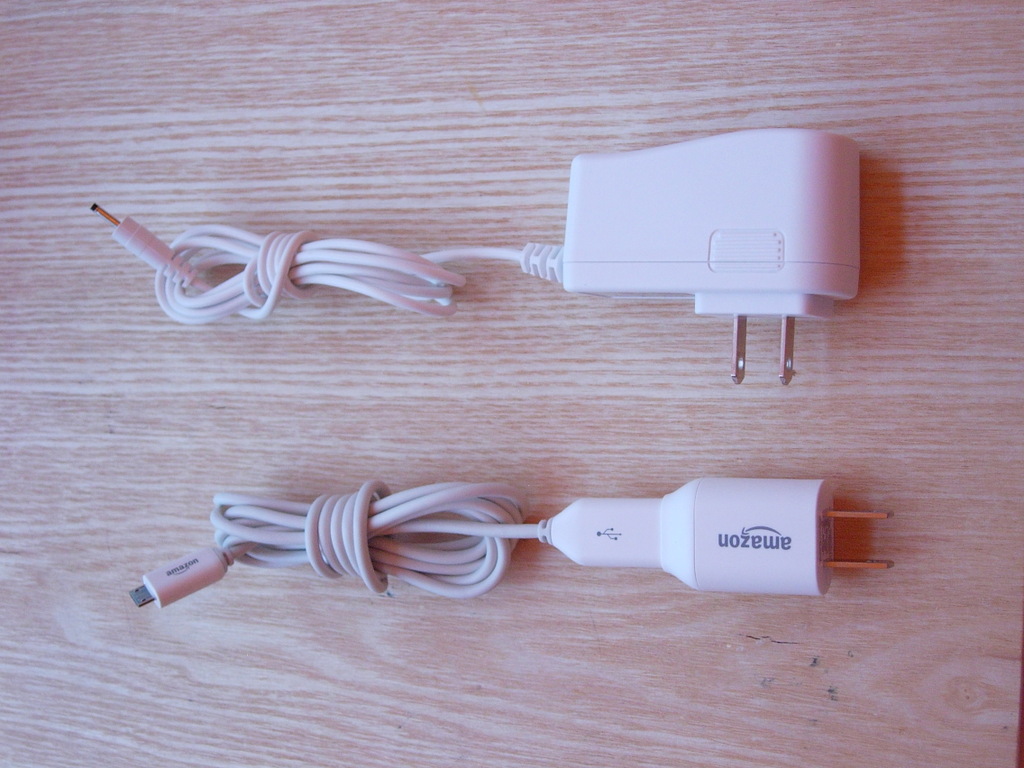
Figure 3. The Kindle 2 plug (bottom) is much smaller than the plug for the original Kindle.
There is no longer a physical button for turning the Kindle's wireless on and off. This has both good and bad sides to it. For one, if you attempt to do something that needs the wireless, the Kindle 2 offers to turn the wireless on for you. On the other hand, it takes more effort to turn the wireless off now that it is not a physical switch. It takes only a couple clicks from anywhere in the Kindle 2 interface, so it's not a big deal. And, with the longer battery life, I don't need to stress as much about leaving the wireless on like I did with the original Kindle.
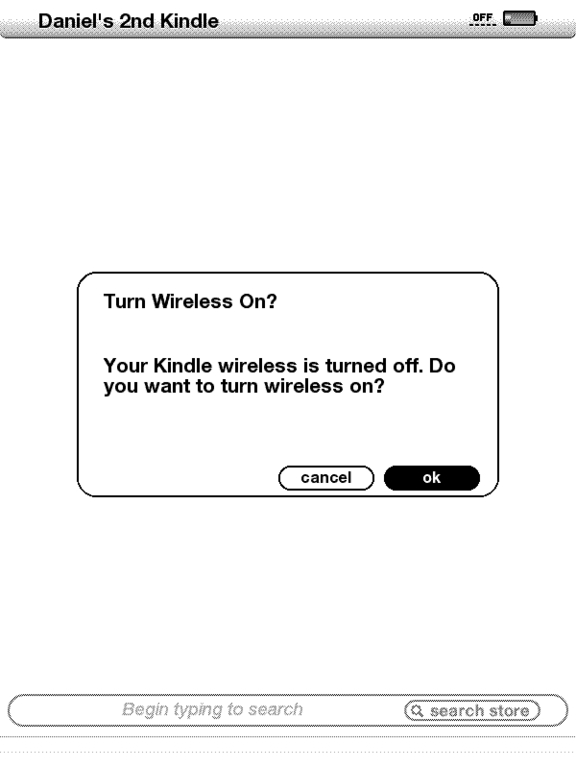
Figure 4. There is no physical switch to turn the wireless on and off, so the Kindle offers to turn it on for you if you try to do something that requires it.
Despite all the nifty new features, the original Kindle did a few things better than the Kindle 2. For one, no cover is included. Instead, you are forced to purchase one. I say forced, because with a device this expensive and fragile, going out without a cover is not a good idea. The original Kindle's cover was not anything to be proud of, but it was included with every Kindle, and it worked well enough, most of the time. I happily admit that the covers are much better this time around. They snap securely into the left side of the Kindle 2, and I'm not worried about the Kindle 2 falling out of the cover like I was with the original Kindle.
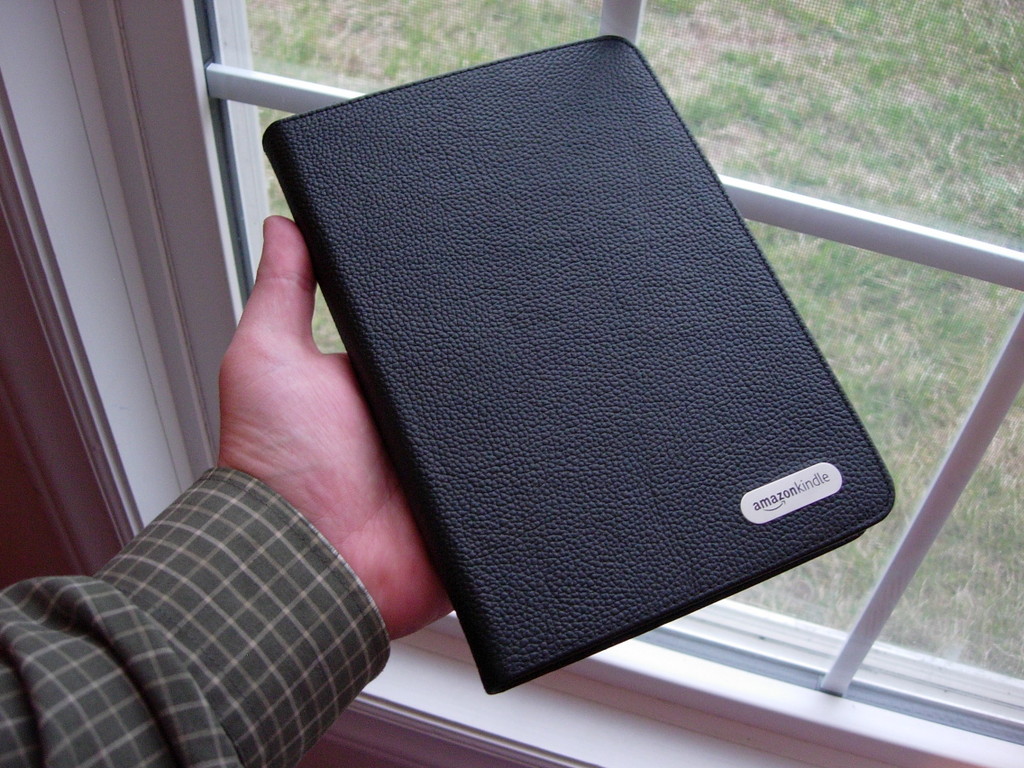
Figure 5. The Kindle 2's covers are nice, but they are no longer included. You have to purchase them separately.
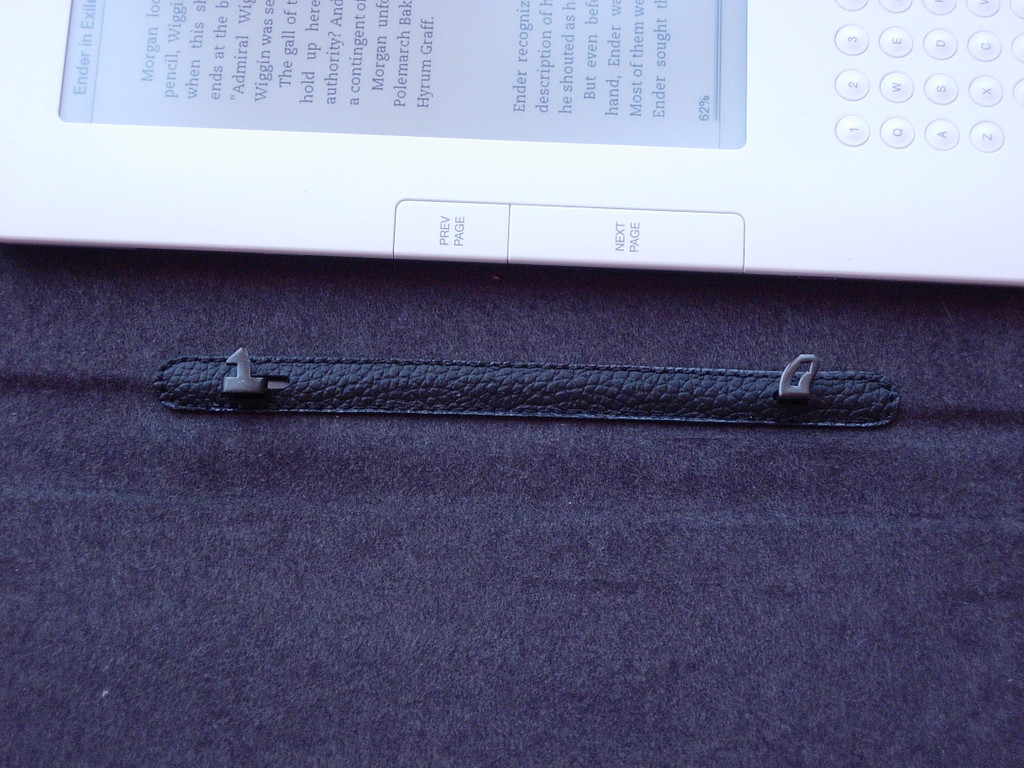
Figure 6. The way the Kindle 2 attaches to the covers is more secure than it was with the original Kindle.
Another thing the original Kindle did better was contrast. The contrast between the gray-ish background and the text is just not as good as on the original Kindle. It's hard to notice unless you have them side by side, but if you do, it's instantly recognizable. The text on my original Kindle is sharper, darker and easier to read than the text on my Kindle 2. If there was one thing I wish they would have kept from the original, the screen is it. I would happily go back to four shades of gray if it means better contrast. I use the Kindle for reading, not looking at gray-scale pictures, and why Amazon thought that improving picture quality was more important than text legibility is a mystery to me.
There also are a few things the original Kindle had that the Kindle 2 does not. For one, the Kindle 2 does not have a removable battery. This seems to be a trend among consumer electronics manufacturers these days. It's a trend I do not like. Maybe it was necessary to get the desired thinness and battery life, but I still would prefer a removable battery. If the battery dies on my Kindle 2, I likely will have to send it in to Amazon to be fixed. On my original Kindle, I can replace the battery myself and even carry around spares.
Another thing that got axed this time around is the SD card slot. The internal memory of the Kindle has been beefed up to 2GB, but that's no excuse in my opinion. Using SD cards was one of the ways I used to organize my growing collection of ebooks. On the Kindle 2, I can carry them all with me, but I have to page through screen after screen to get to a particular book. Since they have removed removable storage, Amazon really needs to update the Kindle software to allow for some sort of organizational hierarchy, manual or otherwise—folders, tags, genres, whatever. Right now, things can be displayed alphabetically (by title or author), or by how new they are. That's a poor way to organize things if you have 100+ ebooks on your Kindle.
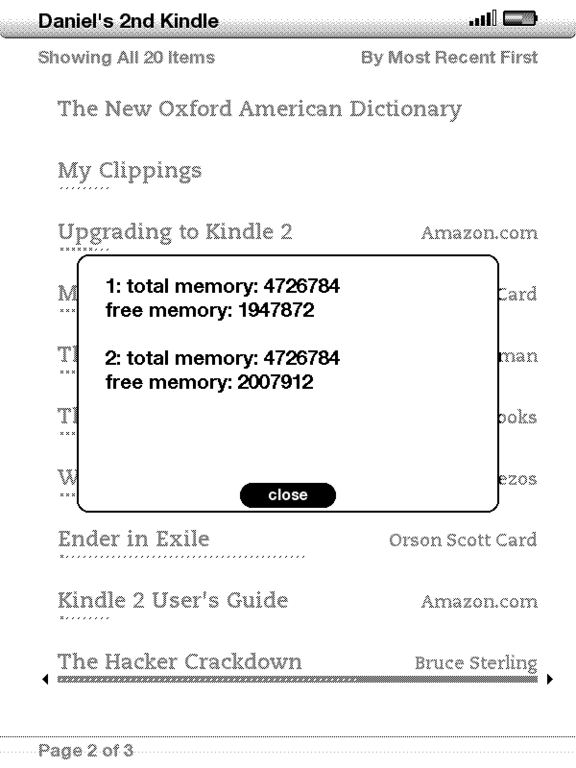
Figure 7. The meminfo screen shows current memory usage.
So, the question you probably are asking is “What's new?” The answer is, not a lot. There are a pair of major new features. The first of these is Text-To-Speech (TTS). Personal computers have had TTS of varying quality for decades. I remember toying around with a rather primitive TTS system for Apple IIe computers back in the early 1980s, and then there was the Macintosh that famously introduced itself using TTS, so it's not surprising that TTS has found its way to handheld devices like the Kindle. I have found it to be a useful feature.
The TTS system on the Kindle 2 is powered by RealSpeak Solo from Nuance Communications. The quality is good, and great strides have been made in the past few years with regard to making computer-generated male and female voices sound more natural. It is not a replacement for an audio book, but it does come in handy for times when I can't look at the Kindle but still want to continue reading. While driving is the obvious time when it would be bad to read the Kindle. I also have used the TTS when cooking and exercising.
The Kindle 2 can read text at three speeds. The middle setting works the best for me, but if I want to cruise through several newspaper articles quickly, the fast setting does a good job. As far as the voices go, I personally prefer the male voice. The female voice sounds more robotic to me, but I'm sure others will feel the same way about the male voice.
For all of its benefits, the TTS feature of the Kindle has not been without controversy. As soon as it was announced, the Author's Guild cried foul and claimed that TTS violated authors' copyrights on recorded performances of their work. The legal validity of this claim is debatable, but Amazon quickly moved to settle with the Guild by changing TTS through a firmware update so TTS could be turned off at the discretion of the rights holders.
In honor of the 15th anniversary of Linux Journal, I had the Kindle 2 “read” the Linus Torvalds interview from the very first issue. It's not perfect, and it's unintentionally funny in places, but it does a good job overall. The .ogg file I captured is available at www.linuxjournal.com/site_files/video/interview_with_linus.ogg if you want to listen to it.
The second major new feature is synchronization of your page position, bookmarks and notes between devices. Now that there are multiple versions of the Kindle out there, and a Kindle iPhone application, it's a safe bet that people will read their Amazon ebooks on two or more different devices. When I first turned on the Kindle 2, part of the getting started process had me go to the Archived Items section of the Kindle interface and download the books I had purchased previously for my original Kindle. A week before the Kindle 2 started shipping, Amazon made a firmware update available for the original Kindle that added the synchronization functionality, so when I opened the books on the Kindle 2, they opened to the page I was reading when I last had them open on my original Kindle. All of my notes and bookmarks were there too. This made switching to the new device painless.
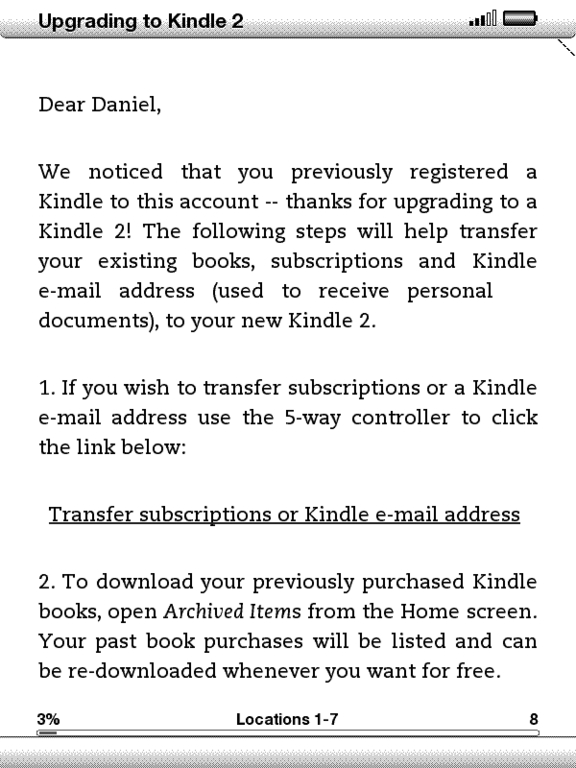
Figure 8. The Kindle 2 includes a helpful and personalized letter to walk you through downloading your files.
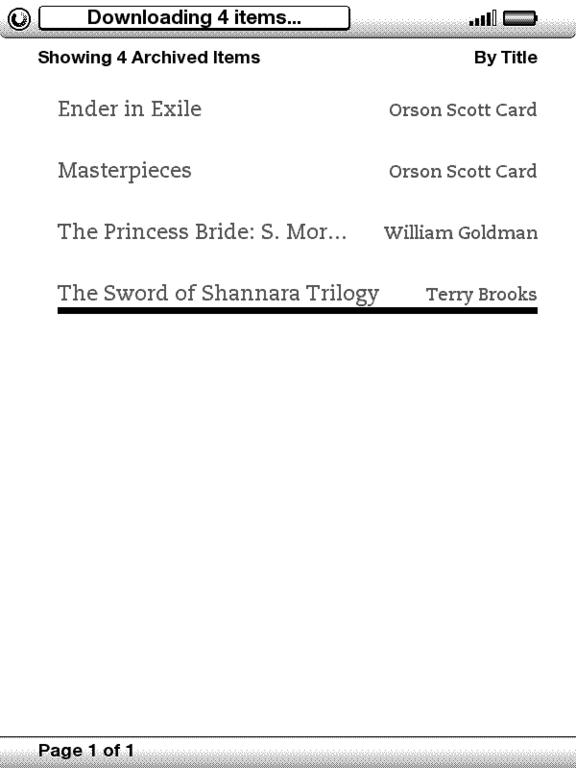
Figure 9. If you have an original Kindle, you will be prompted to download your previously purchased items.
The unfortunate thing about all this synchronization goodness is it works only with items purchased from Amazon. Books from other sources cannot be synchronized wirelessly. I wish it weren't this way, but I can see Amazon's reasoning. The cell network access the Kindle uses is not free, after all, but I still don't like the synchronization not working for non-Amazon items.
Like the original Kindle, the Kindle 2 has several hidden features. One of these is the 411 information page. To display it, go to the main screen, choose Settings from the menu to go to the settings page, and then type 411. The 411 page then appears. I would include a screenshot, but the page is filled with things like the Kindle's serial number and other information that should not be made public.
Another thing the Kindle 2 has that the original Kindle had is a debug mode. To get to the mode, bring up the search box and enter ;debugOn, and press the Enter key. Then, bring up the search box again, and enter `help to show the various debug commands that are available. There's no documentation for what the listed commands do. And, if you break your Kindle messing around with them, Amazon probably will consider you to have broken your warranty.

Figure 10. The debug mode `help screen—the backticks (`) are required.

Figure 11. Turning on the hidden debug mode.
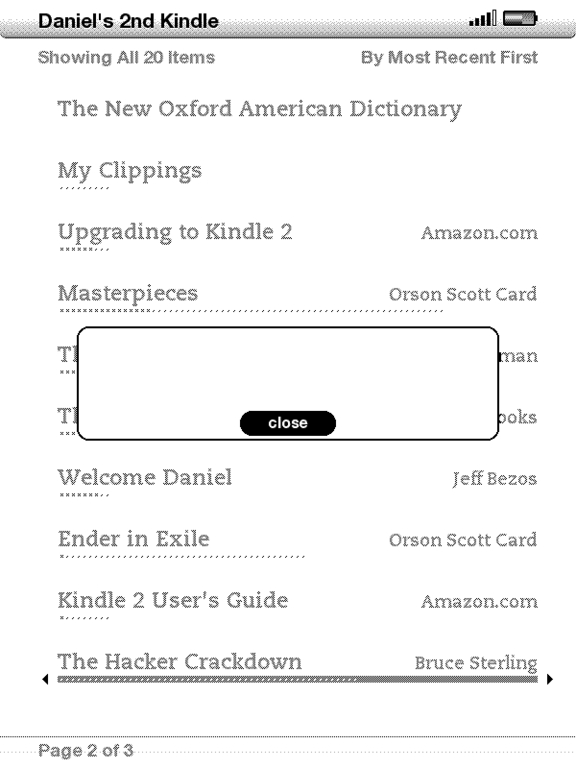
Figure 12. Some of the dialogs that appear when mucking around in Debug mode are less than helpful.
That said, one hacker found that the `usbQa and `usbNetwork commands enabled him to tether his Kindle 2 to his computer. It's not the kind of tethering where the computer was getting its Internet access from the Kindle 2 (like what you might do with mobile phone tethering). Instead, the Kindle 2 was able to connect to the Internet using the network connection of the computer. This is not terribly useful, but it's there if you want to experiment.
The Kindle 2 runs Linux, and a lot of the software it uses is licensed under the GPL or the BSD license. Some of the more interesting pieces of software include syslog-ng, u-boot, monit, lrzsz, iptables, gstreamer, BusyBox, dosfstools, e2fsprogs, ALSA, mtd-tools, bzip2, libpcap, ncurses, ppp and strace. The presence of BusyBox in particular suggests that a command-line environment of some kind should be available—if BusyBox had the right features enabled when Amazon compiled it, which it didn't. One hacker discovered that statically compiled Linux ARM binaries work just fine on the Kindle 2, and he was able to replace the onboard BusyBox with one he had compiled for the Android platform, which had Telnet enabled. This let him Telnet into his Kindle when it was connected to his local network via the USB tethering trick.
The Kindle 2 is less hackable than the original Kindle (there's no external serial port, for example), but determined individuals have been able to poke and prod at the hardware.
On the software side, there's a cat-and-mouse game currently being played out that looks a lot like what went on a few years back with Apple and its iTunes/iPod DRM. People are posting scripts that help you use encrypted Mobipocket files purchased from other on-line sources, to which Amazon responds by serving DMCA takedown notices. The scripts then surface on different sites hours later. Amazon then changes its DRM, which breaks the scripts. Updated versions of the scripts surface the next day. And, the cycle keeps going.
There is one neat project all of this hacking has enabled that I'd like to mention in closing: Savory. This is software that runs on the Kindle that will convert .pdf and .epub files into Kindle-compatible .mobi files automatically. It also updates the built-in Web browser to accept .pdf and .epub as valid, supported media types. Battery life is impacted with this package installed, but not by much, and the ability to navigate to, download and automatically convert .pdf and .epub documents without having to make a trip to my desktop computer makes it worth it.
So, is the Kindle 2 worth it? Maybe. If you have an original Kindle, it's a tossup. There are a lot of nice improvements, but if the original Kindle is working for you, there really is no compelling reason to make this a must-have upgrade. If, on the other hand, you don't have a Kindle, the reasons and justifications for getting the original Kindle still apply: get one if you love to read and don't like (or can't) carry around all the books you want to read. The Kindle 2 is the best of the current crop of ebook readers, and if you've been wanting to get an electronic reader, you could do a lot worse than the Kindle 2.
My Kindle Wish List
I believe the Kindle 2 is the best ebook reader on the market right now. However, it's not perfect. Here is a list of six things I hope will be part of the Kindle 3:
A touchscreen: a device like the Kindle needs a touchscreen. When I hand the Kindle to people to try, nine times out of ten, they will try to tap on the screen to select an item. Every review I've read of the Kindle 2 talks about how much better the joystick is than the scroll wheel on the original Kindle. I say a touchscreen would have been better.
Folders or tags: there needs to be a folder or tag method for organizing files. Empirical ordering by author, title or date has its place, but for ease and speed of access, a good logical layout works best for me (especially when I create the layout).
Slide-out keyboard: the keyboard isn't used much on the Kindle. For the 95%+ of the time when I'm not using the keyboard, I would like it to disappear. Cell phones have had sliding keyboards for years. It shouldn't be too difficult to add one to the Kindle and free up space for either a bigger screen or a smaller physical size.
Real keyboard keys: while I'm on the subject of the Kindle's keyboard, the chiclet keys are terrible. The Kindle 2 has the space—put some decently sized keys there. I realize both this and suggestion #3 will make the Kindle thicker, and I'm okay with that. The Kindle still would be thinner and lighter than nearly every book on the market. Call it the “pro” version and charge a premium. Better still, make the current version the “lite” version (and drop its price by $100+) and sell the “pro” version for the current price.
Microphone: add a microphone to the Kindle 2 and make it possible for me to create voice notes. Let me attach them to specific passages in books just like regular notes.
Removable battery: bring back the removable battery. Don't get me wrong, I love the extended battery life, I just don't like that the battery is now not removable.
Resources
Instructions on connecting to the Internet from your Kindle, through your computer: blog.fsck.com/2009/03/tethering-your-kindle.html
An unofficial firmware update tool for the Kindle 2: igorsk.blogspot.com/2009/03/kindle-2-tidbits.html
Telnet on the Kindle 2: blog.fsck.com/2009/03/a-productive-evening-so-far.html
DMCA Takedown Notice from Amazon: www.mobileread.com/forums/showthread.php?t=41929
Savory: a native ebook converter for Kindle 2: blog.fsck.com/2009/04/savory.html
Daniel Bartholomew lives with his wife and children in North Carolina.
