
KDE 4 Preview
KDE 4, first announced two years ago, is the next step for the popular UNIX desktop environment. With the shift to a new major version of the toolkit used to build KDE, developers are able to break free of requirements for compatibility and make radical changes to the codebase.
Qt 4
Qt 4 is a library for building user interfaces in C++. It provides most of the graphical elements of KDE applications.
Qt 4 heralds vastly better memory efficiency and a new painting system that is able to leverage new advances in X.org for previously unseen levels of eye candy. It also provides, for the first time, a GPL'd version of the library on Apple's OS X and Microsoft's Windows, making porting KDE applications to other platforms a possibility.
The default desktop infrastructure, well remembered as operating on similar lines since KDE 2, is being completely redesigned. The new desktop shell, Plasma, promises to re-invent the desktop paradigm. Headed by Aaron Siego, Plasma's team of developers has been working on a complete replacement for the previous infrastructure of the KDE panel and desktop, and the results are breathtaking.
Plasma incorporates most of what is seen on screen at first login. It is a flexible, fully scalable and rotatable desktop shell with the ability to embed mini-applications and media as applets or widgets known as plasmoids. The concept of applets is not a new one to desktop design, but Plasma brings a few innovations to the table.
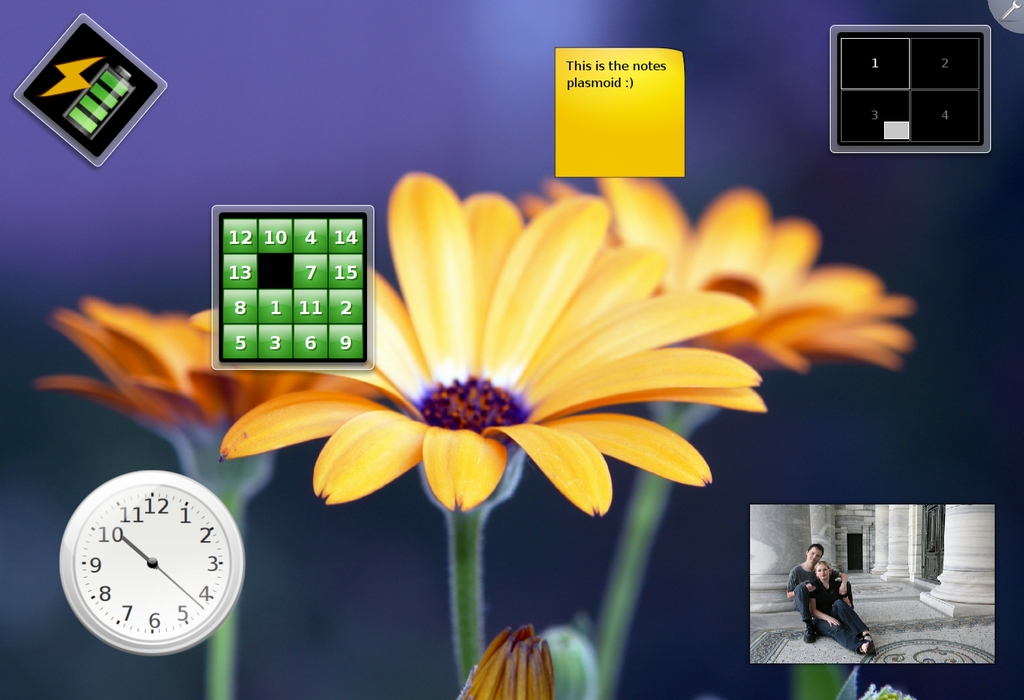
Figure 1. Plasma, Showing Some of the Included Plasmoids
Plasma divorces the data engine from the presentation, allowing developers to write a data engine once and then present this in an arbitrary number of ways in an applet. For example, once an engine to extract system performance state has been written, multiple plasmoids can present this information in different ways. A desktop plasmoid might have a large, detail-rich display, but the same data displayed on the panel might recognise its spatial constraints and display a simpler view.
Native Plasma applets can be implemented as containments, which are simply applets that can contain another applet. The panel is a containment, as is the desktop itself, and an applet contained within the panel can be dragged to the desktop or another panel, and vice versa, reforming and reflowing itself to fit its physical constraints.
This flexibility opens up, among other possibilities, the ability for scalable displays to enable a content-rich desktop on a PC or a display that's more suited to low-screen resolutions on an embedded device. KDE 4.1 plans to support OS X dashboard widgets, hinging on new features in a release of WebKit scheduled for early 2008.
Oxygen is the name chosen for the cohesive look and feel for the new KDE desktop. As well as creating beauty, the Oxygen team of artists is working with user interface guidelines to ensure that identification of elements is a priority. The result is a clean break from the previous KDE style, obviously inspired in part by already-existing artwork, but bringing it together with something fresh that is distinctly Oxygen's own. Oxygen also incorporates the system sound package, combining with the rest of the artwork to create something that is uniquely KDE.
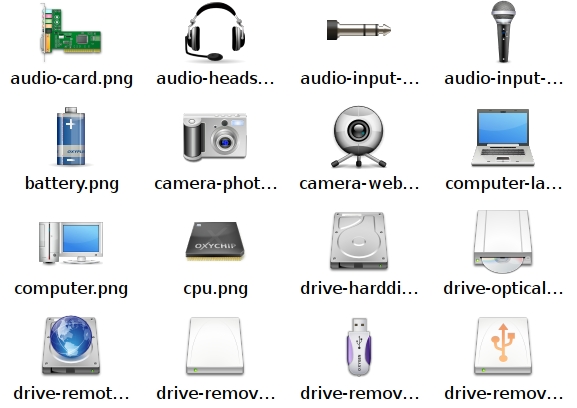
Figure 2. The Oxygen Icon Set
With a team of three core icon designers, Oxygen relies on a set of strict style guidelines and an official colour palette to ensure a consistent result. The colours chosen are rich without being overpowering, and the icon design is modern and appealing.
An advantage of the new Oxygen icon theme is that it will be the first truly open KDE icon theme. The previous default for the long-running KDE 3 series, Crystal, never had its sources made available. The Oxygen team has been working exclusively in SVG, ensuring the set remains open.
The Oxygen style and window decoration is a large-scale departure from the Plastik style that became default in the late 3.x series. The muted pale gray and blue colours have made way for a brilliant off-white for both window decoration and controls. Green, orange and blue highlights are used sparingly with pleasing effect. The result looks extremely clean and modern, although such a large departure no doubt will draw some criticism. A wide range of colour schemes are available to suit almost every taste.
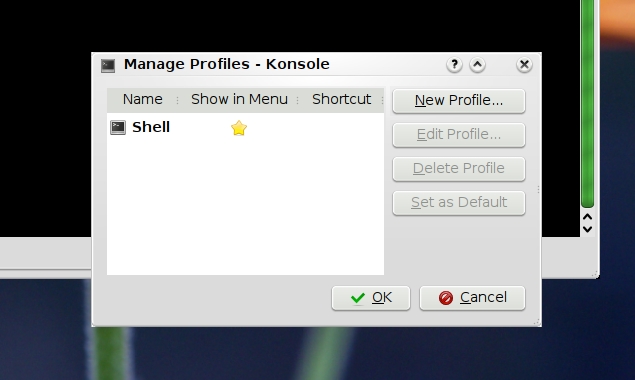
Figure 3. Oxygen uses bold highlights with low-contrast widgets to achieve a clean and modern look.
One minor concern about the new style is how much screen real estate it seems to use. We looked at KDE 4 on a Lenovo ThinkPad at 1400x1050 pixels, which seemed adequate for the task but by no means overgenerous. People still using 1024x768 or lower resolutions may struggle with the defaults.
A new wallpaper set has been collated, with the Oxygen artists acting as judges to select community submissions. The team chose 15 wallpapers, and the results are breathtaking. This kind of community involvement is unquestionably one of the strengths of the open-source development model.

Figure 4. A Small Selection of the KDE 4 Default Wallpapers
Unfortunately, we were unable to preview the Oxygen sound theme properly—at the time of this writing, KDE 4 had not yet been released, and something about our sound card was causing the KDE sound system, Phonon, to crash.
Another core KDE 4 technology is the introduction of Solid. Solid is a library for hardware discovery, network and power management. It's an attempt to deal better with the ever-changing devices and connections of portable systems in our increasingly wireless world. Solid will integrate with popular frameworks, such as freedesktop.org's HAL and Novell's Network Manager, to leverage their features on supported platforms.
Solid implements graceful handling of off-line/on-line state for applications that use it. A Solid-aware e-mail client would, for example, know that you were off-line and not attempt to connect to your mail server if you opened it to check an older e-mail message or look up a contact while off-line.
Solid also includes a command-line utility called solidshell to manipulate its API for scripting purposes.
Phonon is a sound framework that was created to supply a stable and consistent API for KDE applications. It's capable of using a variety of engines as its back end and can switch between those engines on the fly. Phonon integrates closely with Solid to maintain awareness of sound-capable hardware attached to the system. It's capable of per-application volume settings, grouped by category, and also is able to route different categories through different devices—for example, selecting to deliver a VoIP conversation only through the headset and leaving the other system sounds to play through the sound card.
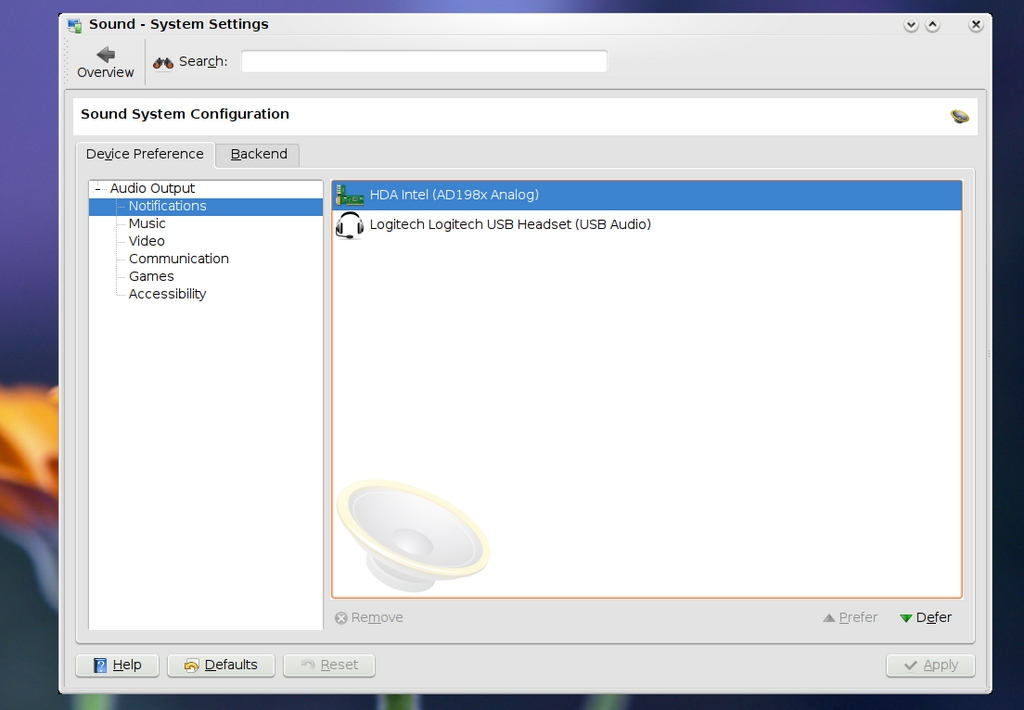
Figure 5. Phonon Settings Dialog
Phonon is written to be cross-platform, needing only a platform-specific engine as a back end to it. Along with the Xine back end that the KDE Project developed, the maker of Qt (Trolltech) has released Phonon back ends for GStreamer (Linux), DirectShow (Windows) and Core Audio/QuickTime (OS X) to be developed in KDE's source repository. Trolltech has stated its intention to include Phonon itself in Qt from version 4.4.
This is excellent news for the future of Phonon, signaling significant amounts of funded development time, as Trolltech will be maintaining the engines and contributing to Phonon.
KDE has long had a policy of leaving hardware support to the distribution. Although KDE 3.x has very basic support for removable storage devices with support for freedesktop.org's hardware abstraction layer, HAL, in the 3.5 series, many KDE installations have less than stellar hardware management due to the limitations of the distribution implementation. Whether it's correct or not, to many users, the desktop is the computer and their expectation is that it should handle their hardware well.
Solid and Phonon look to overcome these issues, leveraging what user-space support they find into as consistent an experience as possible for KDE users, regardless of platform. Although the project has come under some criticism for creating Yet Another Abstraction Layer, Solid and Phonon make porting KDE to other platforms just a little bit easier. They also remove a lot of the complexity in dealing with hardware from most basic individual applications and keep it in a single place. Phonon isn't considered to be a one-size-fits-all solution, however; it's recognised that some applications may require more than Phonon's simplistic view of the world, like professional music editing applications.
Another major change for KDE 4 is the inclusion of Dolphin as the default file manager. Konqueror's file management abilities still will be available for the nostalgic or power user. Some of Dolphin's features include a “breadcrumb” style location bar and side panes for information and tree or bookmark views.
Dolphin as a project focuses on usability and simplicity. One of the larger benefits of including Dolphin is a long-sought-after separation of configuration between the Web browser and the file manager. A standing complaint among KDE users is the way that Konqueror's profiles mechanism doesn't achieve adequate separation between roles. Rearranging the toolbars in one profile would affect another, and bookmarks were the same between the browser and the file manager. Possibly even more confusing, clicking the Home button on the browser toolbar took one to the file management view of the user's home directory.
Although Konqueror is an exceptionally powerful and flexible tool, these configuration quirks were extremely frustrating to users who expected their file manager and Web browser to behave as separate applications. Not all flexibility is lost in the name of usability, however; Dolphin fully supports KDE's Kioslaves and Konqueror service menus.
There are myriad other changes to look forward to in the 4.x development cycle, but it would require far more space than is available here to detail them all. At the time of researching this article, KDE 4 was in a release-candidate state, with features still in a state of flux.
KDE 4 has been promising a desktop revolution, and it really looks as though it just might deliver. The first generation of new KDE technologies is shaping up to transform our expectations of what the Linux desktop should bring. When one considers that this is the state of the 4.0 release, and then looks at the length of the 3.x development cycle, the path that the evolution of the 4.x series will take stimulates the imagination.
Jes Hall is a Linux Technical Specialist and KDE developer from New Zealand. She's passionate about helping open-source software bring life-changing information and tools to those who would otherwise not have them.
