
iPod + Rockbox = Entertainment Extravaganza
Wouldn't it be great if you could customize an iPod and run third-party software on it? Wouldn't it be great if you could download games and applications along with the songs and videos you already have? Wouldn't it be great if all those features were open source and free? Wish no longer. Rockbox offers all those things, wrapped in an easy-to-use installer.
Rockbox is an open-source firmware replacement for a variety of music and video players. The interface is very similar, regardless of the device, and as I don't have access to anything other than an iPod, this review focuses on it. You certainly don't need an iPod to use Rockbox, but because Apple's products are so popular, I was happy to see a wide variety of iPod models are supported. Check out the Rockbox Web site to see whether your media player will work.
To get Rockbox on your iPod, the developers offer two options, automatic and manual. The automatic option appealed to my lazy nature, but unfortunately, it didn't work for me. I think this was largely because my iPod was formatted with the HFS (Apple) filesystem instead of the FAT32 (Windows) filesystem. On an iPod with the FAT32 filesystem, the automatic installer is very slick and downloads the latest version of the programs directly from the Internet. I wish the automatic installer had worked for me off the bat, because then I could have just suggested you use it (which I still do) and forget about the manual stuff.
Thankfully, the documentation is very helpful even if you are forced to use the manual method. Here's a brief overview of the procedure, but be sure to read the documentation before attempting it on your own. It's not terribly difficult, but it requires extensive use of the command line. My suggestion is to try the automatic installation program first, and resort to the following method only if the installer doesn't work for you.
Go to www.rockbox.org, and click on Manual at the left. Find your specific device on the list, and go to the instruction manual provided. The installation section is helpful, and following it will ensure success. Here's a rundown of the steps:
If you have an iPod that was formatted for use with OS X, you need to convert the filesystem to FAT32. You either can plug the iPod in to a Windows machine and have iTunes reformat it, or follow the directions provided in the Rockbox manual to reformat it with Linux command-line tools.
Download the appropriate version of Rockbox from the Web site and extract it directly to the iPod. If done properly, there should be a folder on the iPod called .rockbox with the program inside. It should be at the root level of the iPod (not the root level of your computer), and because it starts with a dot, it won't be visible by default.
Next, download the font package, available from the Extras section on the Web site. The font package is the same, regardless of what media player you have, so you can't go wrong when downloading it. Just like with the Rockbox software, the fonts need to be extracted at the root level of the iPod. (The fonts actually reside inside the .rockbox folder, but the zip file is designed to be extracted at the root level of the iPod, and it will put them in the correct place.)
Finally, install the Rockbox bootloader. This is the part that causes the iPod firmware to load Rockbox instead of the original iPod software. Download the Linux version of ipodpatcher (link provided in the installation manual), and execute it as root:
# chmod +x ipodpatcher
# sudo ./ipodpatcher
Assuming all goes well, you should see a message telling you the bootloader has been installed. Feel free to do a happy dance, and then hold down Menu + Select to reboot your iPod into Rockboxy goodness (Figure 1). If you have problems along the way, and corrupt the partitions on your iPod (as I did once), just plug it back in to your iTunes machine, allow it to repair itself, and start over.
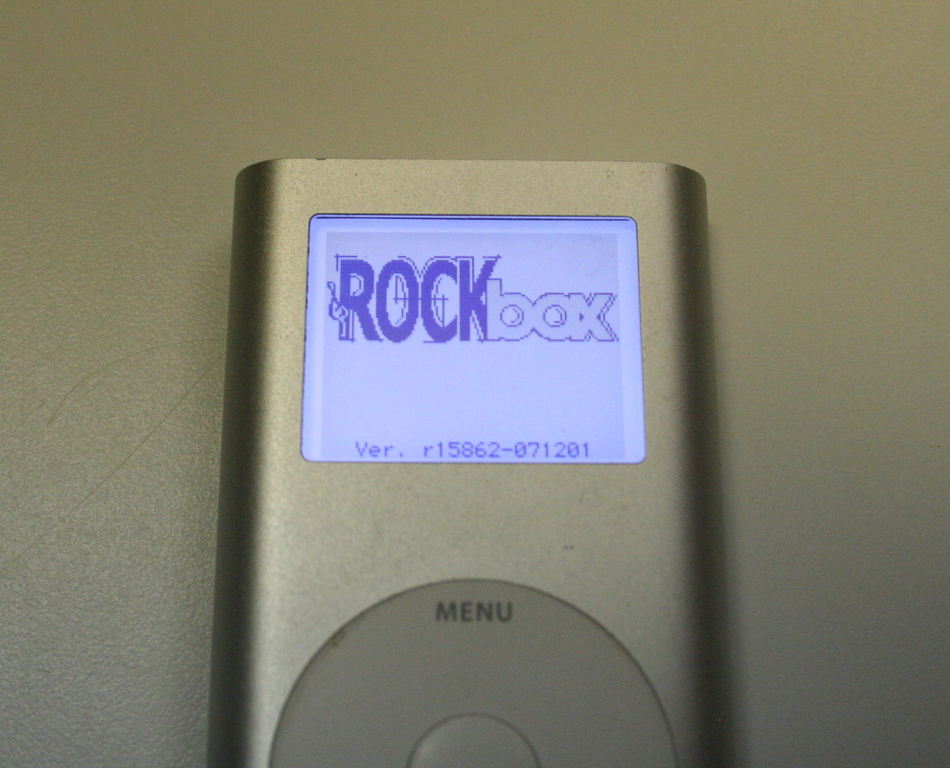
Figure 1. The Rockbox bootup screen: if you see this, you've succeeded.
Now that you have Rockbox installed, let's talk a bit about what you can do with it. Yes, with a name like Rockbox, your iPod now sounds threatening and weapon-like. And sure, if you throw it hard enough, you probably could hurt someone with it, but really, there are more productive things to do with your new media player. Let's look at a few.
Apple ships iPods with a few games, and the newer models allow you to purchase additional ones, but the sheer number of Rockbox's available titles leaves the commercial alternatives in the dust. Although many of the games are the type you'd expect to see on a device the size of an iPod, one game surprised me—Doom. Seriously, as hard as it is to believe, id Software's Doom runs natively on the iPod (Figure 2). I'll admit, controlling it was a bit awkward, but there it was in all its glory.
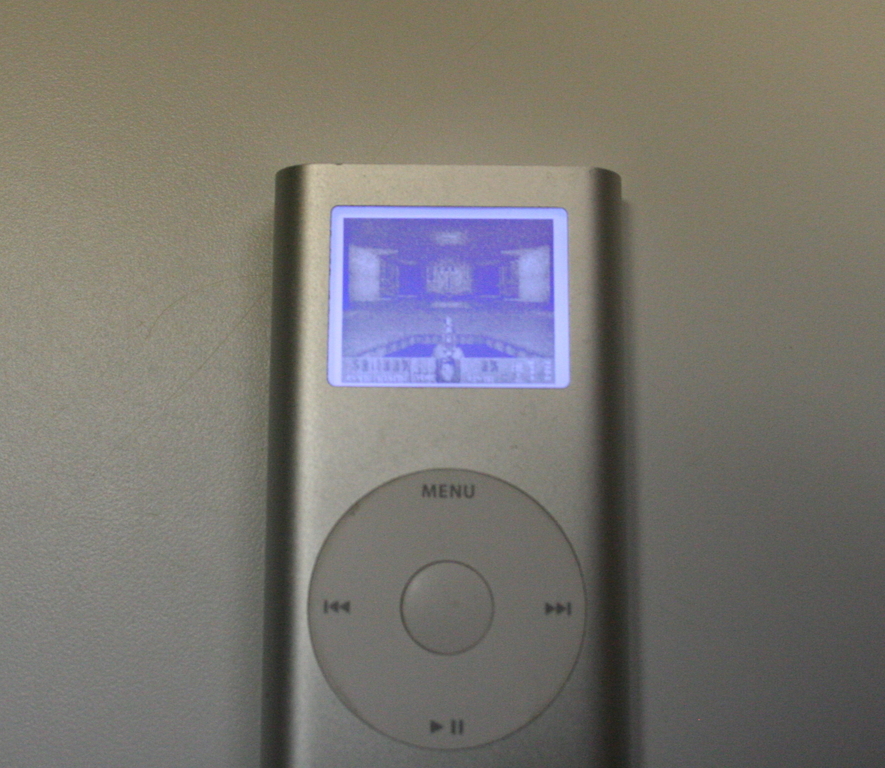
Figure 2. Here's Doom running on the iPod Mini. No, really, it is.
Although high on the cool factor, Doom wasn't the best game available. I found Bubbles (much like Frozen Bubble) and Jewels (much like Bejeweled) to be the most fun. Just like the computer version of these games, their iPod counterparts easily will suck hours of productivity from your life. You've been warned.
Along with the games, Rockbox also includes a handful of applications. The metronome was particularly useful, and the text editor was particularly difficult. I'm impressed there is a text editor at all, but the interface is severely limited by the lack of buttons. I'd rather use a cell phone to text-message an entire novel than try to write an article of this size with the Rockbox text editor. Still, it's nice to have the option. One oddity worth mentioning is that there's not really a standard way to exit games and applications once they start. Sometimes, pressing the menu button exits. Sometimes, you must press the select and menu buttons. Other programs require you to press play and select in order to get back to the main Rockbox program. I'm sure this is because the different programs (or plugins, as they are called in the Rockbox interface) are developed by separate programmers, but I wish there was a standard in place regarding how to exit.
Along with games and applications, there's also a group of programs called demos. If you were a computer user back in the early 1990s, you may remember hacking groups releasing what they called demos, in which they would show off their programming skills and push the graphics processors of the time to their limits. These Rockbox programs follow a similar road, and the demos mainly show off the iPod's graphics and processor. They aren't useful for much more than oohs and aahs, but they do make for interesting conversation starters. The demos vary from a simple starfield simulation to a 3-D cube to a complex digital fire scene.
Rockbox has a plugin (again, that's what these add-on programs are called) that allows playback of MPEG-1 and MPEG-2 video. The main focus of the program, however, is to play music. Rockbox supports pretty much any non-DRM music file, and Rockbox claims the audio playback is better quality than with the original iPod software. Honestly, I can't tell the difference, but perhaps audiophiles will notice the improvement. Locating and playing files is done mainly by traversing the folder structure on the drive. Rockbox also can create a database of information (Artist, Album and so forth), but unfortunately, it can't read the database created by iTunes. To add insult to injury, if you try to find songs placed on the drive by iTunes, you'll find cryptically named files in equally cryptically named folders.
Playlists are created easily in Rockbox, and it's possible to create and save several playlists on the fly. They are standard M3U files, so uploading a playlist you've created on a computer is a fairly painless endeavor. Because the Rockbox iPod mounts as a standard USB drive, manipulating songs and playlists from the computer is literally as easy as dragging and dropping. Most Linux-based MP3-playing software, like Amarok or Rhythmbox, will recognize the Rockbox player as well. There's really not a best way to handle music management; it's a matter of personal taste.
What Rockbox does, it does very well, and very completely. I found the installation procedure easy enough that everyone should be able to accomplish it, and yet it was geeky enough that I felt a level of satisfaction when it was complete. The number of features Rockbox has compared with the standard iPod software is astronomical, but that's only a good thing if you're looking for lots of features in your media player. Let me explain.
I installed Rockbox, and played with games, demos and applications for a long time. Then, I played some music and realized one of the advantages the original iPod software has over Rockbox—simplicity. If you just want to listen to music, without the complexity of multiple dynamic playlists, auto/manual-generated databases, playlist queue positions and sound file gap lengths, you might want to consider sticking with the original software. Thankfully, the developers even have admitted that to themselves and offer a painless way to run the original software right alongside the new. If you reboot your iPod (hold down menu and select for 3–5 seconds) and immediately toggle the hold switch, the iPod boots the original firmware. So if you like everything about the Rockbox music player, except the way it plays music, don't worry; you can have the best of both worlds. Well done, Rockbox.
Apple iPod Original Firmware Pros and Cons
Pros:
Simple, intuitive interface.
Automatic syncing with iTunes playlists.
Ability to play DRM music from iTunes store.
Cons:
Limited to MP3 and AAC playback.
Proprietary database is frustrating to interface with non-iTunes programs.
Very limited number of games and applications.
Not expandable, except for commercial games on some models.
Rockbox Replacement Firmware Pros and Cons
Pros:
Numerous games, applications and demos available.
Customizable themes for varied look and feel.
Supports more music formats.
Rockbox is open for development, changes, additions and third-party plugins.
Music quality is better—or so they claim. (I can't tell the difference.)
Music management is simple and flexible.
Multiple dynamic playlists can be created on the fly.
Playlists are standard M3U files.
Allows for dual-booting, with the option to start original iPod firmware.
Cons:
Very complicated due to a number of features. Playing music isn't as simple as with the original firmware.
Battery life isn't as long as with the original firmware (a solution is in development).
Programs (plugins) don't have consistent controls, especially for exiting.
Can't read iTunes database.
Can't play DRM'd files.
I'm sure on an iPod with a color display, the features would have been even more visually appealing. Running it on the iPod Mini was a good way to compare it to the simplicity of the Apple firmware though. Rockbox does exactly what it says it will do. It met all my expectations and exceeded them in many areas (namely, the quality and quantity of games). Oddly enough, however, more often than not I found myself booting the iPod into the original Apple firmware. That's not to say I don't reboot into Rockbox when I have time to play around, but for listening to music, I have to give the advantage to Apple. The one thing I'm thankful for, is that with Rockbox, at least I have a choice. My choice is to keep both operating systems on board, because quite honestly, they're both great.
Resources
Rockbox: www.rockbox.org
Apple's iPod Page: www.apple.com/ipod
Creators of the Original Doom Game: www.idsoftware.com
Shawn Powers is the Gadget Guy at www.linuxjournal.com. He's also the Technology Director for a K–12 school in northern Michigan. He loves to read science fiction and is quite a Star Trek fan. He's married to a beautiful woman and has three lovely daughters. Feel free to contact Shawn via e-mail at shawn@brainofshawn.com.

