
Hack and / - Wii Will Rock Linux
In my August 2008 column, I wrote about how to use a Wiimote from a Nintendo Wii on a Linux system as a general-purpose wireless joystick. In that column, I covered how to bind use buttons not only on the Wiimote, but also on the Nunchuck and Classic Controller, so that you could use them with a number of different video game emulators. Well, since that column, Rock Band for the Wii was released, and with it three extra peripherals: a wireless guitar, a microphone and a drum set.
Everyone knows that only old people play real guitars, so I couldn't pass up the opportunity to rock out with an entire band of plastic instruments on my Wii. I hadn't read too much beforehand about the instruments that came with Wii's Rock Band, so when I unpacked everything, I was surprised to note that all three instruments were connected to the Wii via USB. That left me with only one question, do these instruments work in Linux?
It turns out that not only do all three Rock Band instruments work in Linux, they also all work with very little extra effort. In this column, I describe how to configure Linux to see these instruments and highlight some applications you can use them with.
Probably the simplest instrument to get working with Linux was the microphone. The moment I plugged it in, I got dmesg output that identified it:
[  188.006918] usb 1-1: new full speed USB device
    using uhci_hcd and address 2
[  188.132102] usb 1-1: configuration #1 chosen
    from 1 choice
[  188.474088] usbcore: registered new interface
    driver snd-usb-audio
I then fired up Audacity, one of my favorite sound recording programs, to see if the microphone would work. By default, Audacity was set to my system microphone, so I clicked Edit→Preferences, and under the recording section of the Audio I/O window I chose ALSA: Logitech USB Microphone: USB Audio from the Recording Device drop-down menu. I also changed it to be a Mono device.
After I clicked OK to accept my changes, I clicked the big red Record button on the main Audacity window and started talking. I was able to see my voice in the output immediately, and once I clicked the Stop button and played it back, I definitely was able to hear myself.
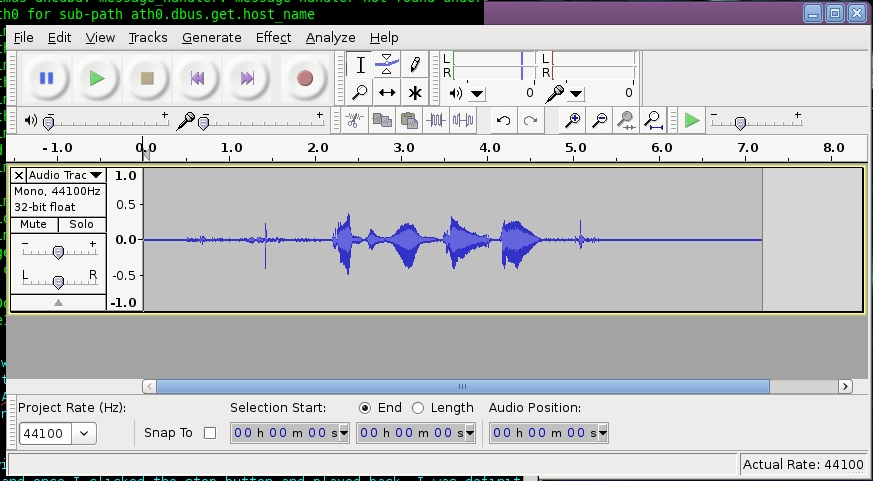
Figure 1. Audacity
Considering how easy it was to use the microphone, I wondered what Linux would make of the wireless guitar. It appeared to connect a lot like a wireless mouse or keyboard with a small USB dongle that had a connect button you could use to sync with the wireless device. When I connected the dongle, I could see in the dmesg output that my Ubuntu Hardy install had detected the device as some sort of USB Human Interface Device (HID):
[  775.322361] usb 1-1: new full speed USB device
    using uhci_hcd and address 3
[  775.369009] usb 1-1: configuration #1 chosen
    from 1 choice
[  775.525791] usbcore: registered new interface
    driver hiddev
[  775.531822] input: Licensed by Nintendo of America
    Harmonix Guitar Controller for Nintendo Wii as
    /devices/pci0000:00/0000:00:1d.0/usb1/1-1/
↪1-1:1.0/input/input10
[  775.545411] input,hidraw0: USB HID v1.11 Gamepad
    [Licensed by Nintendo of America  Harmonix Guitar
    Controller for Nintendo Wii] on usb-0000:00:1d.0-1
[  775.545444] usbcore: registered new interface
    driver usbhid
[  775.545451] /build/buildd/linux-2.6.24/drivers/hid/
↪usbhid/hid-core.c: v2.6:USB HID core driver
It appeared like a new gamepad device had been installed under /dev/input/js0, so I used the useful jstest utility (packaged by a number of distributions) to test whether the buttons on the guitar generated events. To use jstest, simply execute the program with the joystick device to test as an argument (in my case, /dev/input/js0). Each time a joystick event is registered, the output in the terminal updates. The four lines shown in Figure 2 are examples of the output when I pressed and released the green and red buttons on the guitar, respectively.

Figure 2. jstest Output
If you compare the lines, you can see that the green button corresponded to button 1, and the red button corresponded to button 2. Because the guitar interfaces directly with Linux like a regular joystick device, that means I can use its buttons with any game that supports joysticks.
Of course, probably the best game for the Rock Band guitar on Linux is Frets on Fire. Frets on Fire is an open-source guitar game written in Python and packaged for a number of distributions and operating systems. By default, it is designed to be used with your regular keyboard held in your hands somewhat like a guitar. The F1–F5 keys are frets on the guitar, and the Enter key can be used to strum. That works okay, but it certainly is nicer to use a guitar intended for the purpose, and sure enough, Frets on Fire supports remapping the default keyboard keys to joystick buttons.
To configure Frets on Fire for my guitar, all I needed to do was start the game, go into Settings and then modify the key settings. I just went through each key configured for the game, selected it, and then when it asked me to press a new key to set it to, I chose the corresponding key on the guitar. After you change the keys in this method, you will notice that you can navigate the Frets on Fire game completely from your guitar. You can strum up or down to move through the menus and use the green button to make selections.
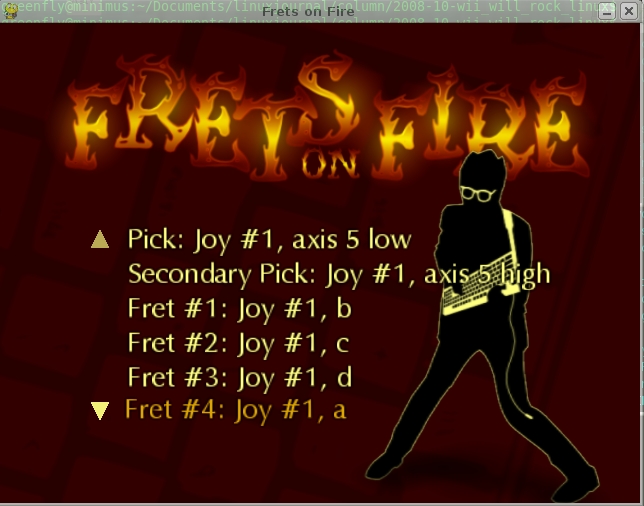
Figure 3. Frets on Fire Key Settings
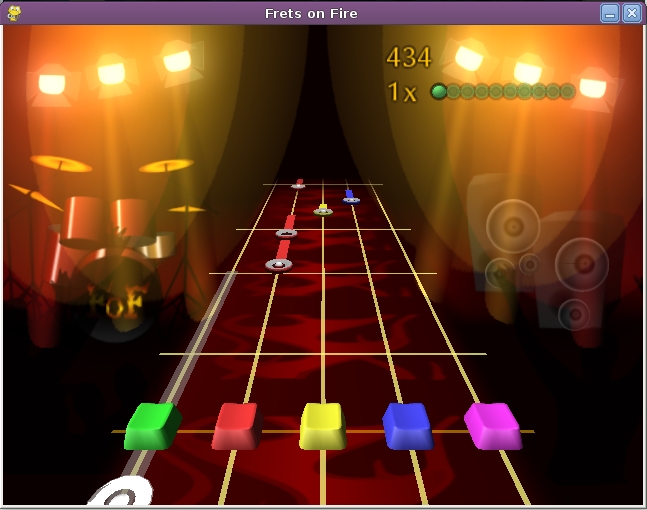
Figure 4. Frets on Fire Gameplay
The final Rock Band instrument is also my favorite—the drums. Although you could argue, I suppose, that the microphone is the closest to a real instrument in the game, the drums feel the most real to me. The big question, of course, was whether the drums registered in Linux. Upon connecting the drums to my machine, I had hope from the dmesg output:
[  400.997524] usb 1-1: new full speed USB device
    using uhci_hcd and address 7
[  401.059524] usb 1-1: configuration #1 chosen
    from 1 choice
[  401.078667] input: Licensed by Nintendo of America
    Harmonix Drum Controller for Nintendo Wii as
    /devices/pci0000:00/0000:00:1d.0/usb1/1-1/
↪1-1:1.0/input/input14
[  401.104320] input,hidraw0: USB HID v1.11 Gamepad
    [Licensed by Nintendo of America  Harmonix Drum
    Controller for Nintendo Wii] on usb-0000:00:1d.0-1
It turns out the drums show up as a joystick device, just like the guitar. I ran jstest (as with the guitar), pointed to the new joystick device, hit a few of the drum pads, and was able to see that they definitely generated button events. Specifically, I saw that blue was button 0, green was button 1, red was button 2, yellow was button 3, and the foot pedal was button 4.
Now, although I could presumably use the drums with Frets on Fire, or really any game that supported joysticks, unfortunately, I wasn't able to find a free game for Linux that specifically used the drums. Instead, I found something arguably better: a free Linux drum kit program called Hydrogen that lets you create your own drum tracks and can interface with the keyboard or a MIDI device. Hydrogen was packaged for my distribution, or alternatively, you can download and build it from the official site. Unfortunately, the Wii drum kit doesn't act as a MIDI device, and Hydrogen isn't set up to accept input from a joystick. Hydrogen does allow you to use keys on the keyboard to activate different parts of the drum kit, so I had to figure out a way to map the joystick buttons to key events. Lucky for me, such an application already exists called joy2key. joy2key is a pretty basic program. You run the program on the command line and tell it which joystick to use and which keys to map to particular joystick buttons. Then, you can click on the application to bind it to, and it will send all joystick events to that particular window.
joy2key also already was packaged by my distribution, and after it installed, I simply had to choose to which keys to bind buttons. The first five drum types are activated in Hydrogen by the Z, S, X, C and D keys, respectively. So, first I launched Hydrogen, and then in a terminal, I typed:
joy2key -X -buttons d c s x z -dev /dev/input/js0
 ↪-thresh 0 0 0 0 0 0 0 0 0 0 0 0
In addition to the -buttons option, the -X option tells joy2key to send X events. The -dev option points it to your joystick device, and the -thresh option sets the low and high thresholds to trigger events for each button. If you don't specify -thresh, joy2key prompts you to set the values each time you run it, and as these buttons are either on or off, I just set them to zero. After you run this command, your mouse icon should turn into a cross. Click on the Hydrogen window, and then joy2key will start sending events to Hydrogen.
The order of drum sounds and how they correspond to keys is set in the Hydrogen pattern editor (Figure 5). There are any number of different ways to arrange the sounds and button mappings, but probably the easiest order to keep straight sets the pattern editor as though you played across the Wii drum kit starting at the foot pedal. By default, this probably won't be set correctly to suit the joy2key settings, so click a particular drum sound to highlight it, and then press the up/down arrows on the top of that column to rearrange its order. On the bottom, put Kick, then a Snare, then a Hi Hat (like Open HH), then a Tom, then a Cymbal (Crash). Once you have arranged these sounds, hit some of the drum pads on the drum kit, and you should hear their corresponding sounds on your computer. Go ahead, play a drum solo or two to get accustomed to the current pattern.
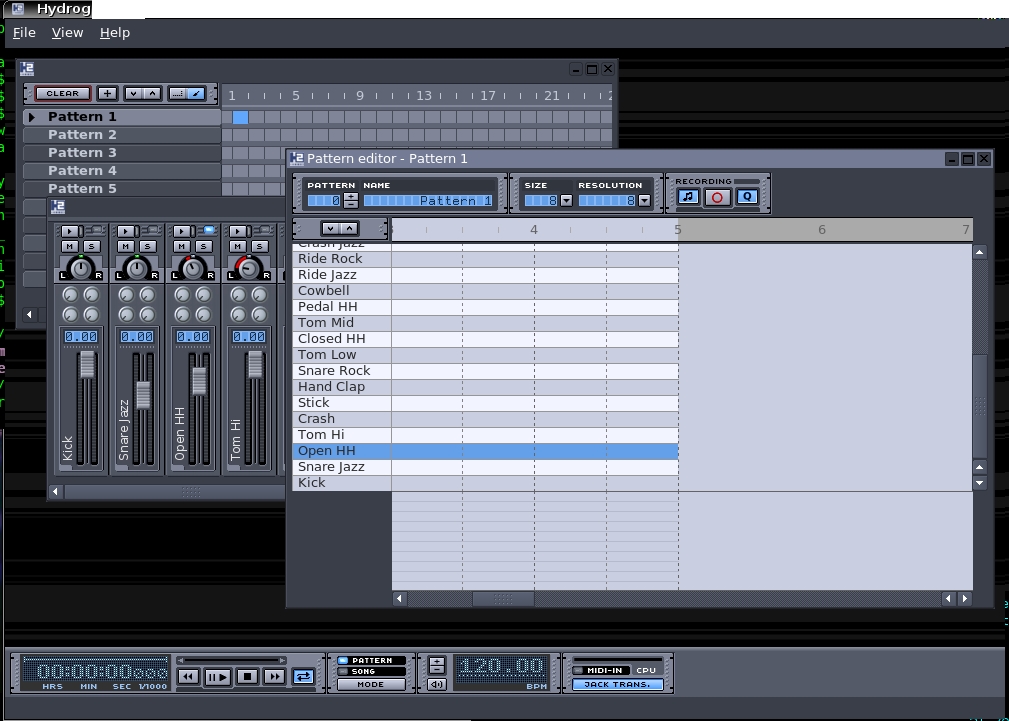
Figure 5. Hydrogen with the Pattern Editor Window Selected
Hydrogen is a complicated enough program to warrant its own article, but here are some of the many things you can do now that the Wii drum set works with it. For one, Hydrogen includes a number of different drum set samples from which you can choose, and you even can create your own, so you can experiment with a lot of different sounds for your drums. In addition, you also can use your drum set when recording different beat patterns. Finally, if you want, you could just hook up your computer to a loud set of speakers and start playing. Hydrogen includes a mixer for each sound, so you can adjust the relative volumes.
Well, if you weren't already tempted to buy a set of Rock Band instruments just for your Wii, now you have another excuse...er, reason...why you need them. It's a testament to how far Linux has progressed that you can get random devices like these working on your computer with minimal effort. As for me, I'm going to switch up the drum patterns in Hydrogen so that they feature more cowbell.
Resources
Audacity: audacity.sourceforge.net
Frets on Fire: fretsonfire.sourceforge.net
Hydrogen: www.hydrogen-music.org
Kyle Rankin is a Senior Systems Administrator in the San Francisco Bay Area and the author of a number of books, including Knoppix Hacks and Ubuntu Hacks for O'Reilly Media. He is currently the president of the North Bay Linux Users' Group.

