
Cooking with Linux - Really Useful Gadgets...Sort of
What on Earth is that, François? Something to make your job easier? Come on, mon ami, let's be honest. I don't work you that hard. So what does that thing do? Quoi? It's a combination corkscrew, pen, pocket knife, compass, notepad, wine thermometer, music player and crumber? That's the silliest thing I've ever heard of. You know I love gadgets as much as you do, but I think you outdo me with your choices. Our guests are arriving, François. Pay attention, and I will show you some really useful gadgets.
Good evening, everyone. It is wonderful to see you, mes amis. Welcome to Chez Marcel. François has prepared your usual tables and was just about to get tonight's wine. And, what a wine, mes amis. This 2006 wine from Tuscany is produced by Ornellaia and goes by the name of Le Volte (Figure 1). It's a rich, full-bodied, almost chewy red with lots of dark fruit on the palate. Your mouth will thank you. François, you'll find our shipment in the east wing of the cellar, near the secret passageway. Vite!

Figure 1. Tonight's Wine, Sampled and Approved
These days, software gadgets are designed to exploit the eye-candy capabilities of modern systems, and we'll look at some of those in a moment. But, what if your system isn't a modern computer? What if you have only limited memory and no high-end graphics system? Have no fear; I've found a couple gadgets guaranteed to be resource-friendly while still providing little productive value. The first is necessary for people using a Linux system who feel they may be missing out on that most important of Windows tools. Yes, I'm talking about the Blue Screen of Death, lovingly crafted for Linux by Folkert van Heusden.
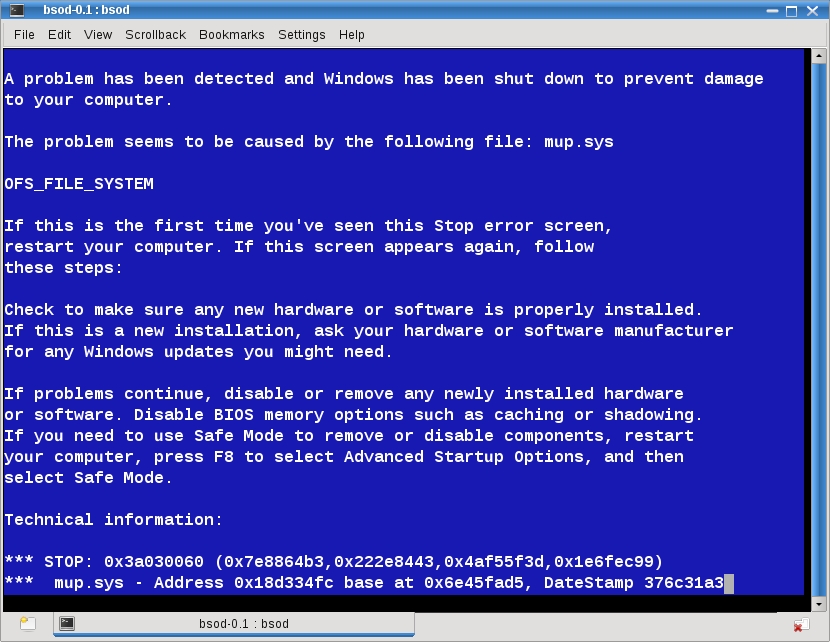
Figure 2. Every computer needs a Blue Screen of Death—sort of.
Get the source from www.vanheusden.com/bsod, extract it and then simply type make (or make install) to build it. To run it, type bsod. Your console, or terminal window, displays the Blue Screen of Death. There are no options or flags, so it's very easy to use.
Of course, the Blue Screen of Death doesn't do much. And, it's nowhere near as interesting as, say, watching fish in an aquarium. We've got that taken care of as well with our next gadget. In keeping with our low-tech, low-end gadget needs, this aquarium doesn't require a graphics card. It's Kirk Baucom's ASCIIQuarium (Figure 3). The program displays a variety of fish, the occasional sea monster or man-eating shark, all in glorious ASCII.
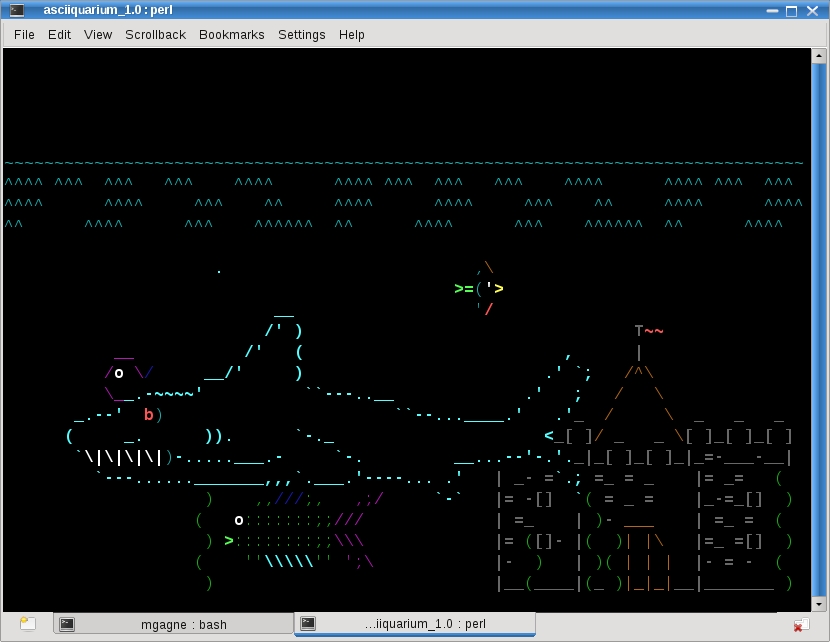
Figure 3. Fish are endlessly fascinating to watch, even when they're merely ASCII characters in a terminal window.
Believe it or not, ASCIIQuarium is included in the repositories for various distributions, so you probably don't need to build it. However, source is available should you choose to go that route. There is no building to be done because ASCIIQuarium is a single Perl script. It requires only that you have the Curses and Term::Animation Perl modules installed. While the aquarium displays its two-dimensional life, you can press R to force a redraw, P to pause the display or Q to quit.
If ASCII seems just too, ahem, quaint for a desktop gadget, you'll be happy to know that you can get a different kind of aquarium with some nicer graphics. Most modern software gadgets tend to be small programs that run on your desktop background or wallpaper. Sometimes they become the background. One such program is xfishtank (Figure 4), written by Eric Bina. Once again, this is an easy program to find in your distribution's repositories.
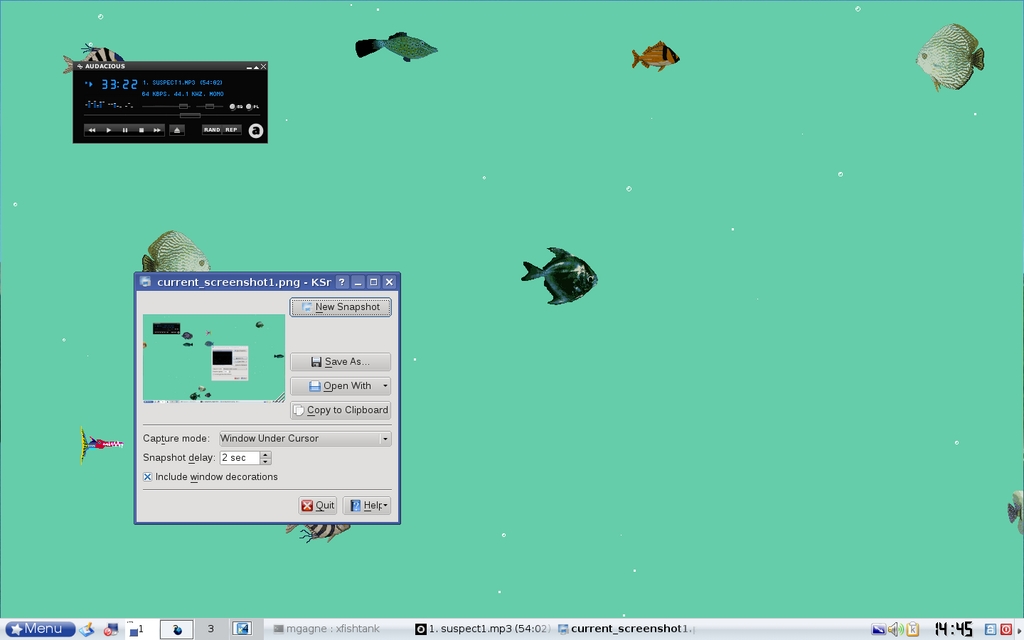
Figure 4. xfishtank, because people need fish swimming across their workspaces.
Running xfishtank on most systems is as simple as typing the program name. You also can fire up your program launcher (Alt-F2), and type xfishtank to populate your aquarium. Whether you see something right away depends somewhat on the desktop environment you are running. Most environments, GNOME included, don't require any additional steps, but KDE does need to check with you before allowing programs to run on the desktop background. Right-click on your desktop, and select Configure Desktop from the pop-up menu. When the dialog box appears, click the Behavior icon in the left-hand sidebar. A three-tabbed window appears on the right-hand side. Look near the top on the General tab, and you'll see a check box with the words Allow programs in desktop window. Click that check box, and then click OK.
I mention this now because you may need it again with some of our other gadgets. A lot of the newer background gadgets are small programs that take up a small portion of your screen, quietly displaying useful information, such as system load, memory usage or network traffic. But, wouldn't you rather see Tux running around on your screen, walking across your windows, skateboarding or parachuting down to your taskbar? Me too. You can thank Robin Hogan for writing xpenguins to help us out of that productivity conundrum. When you run xpenguins, Tux, in all the forms I mentioned, suddenly takes over your screen (Figure 5).

Figure 5. The penguins in xpenguins are an industrious lot—floating, skateboarding, drilling, walking, reading and more.
Should you decide your screen isn't busy enough, you can increase the default number of penguins by using the -n flag. That default is defined in the current theme. Theme? Did I say theme? If those wonderful little penguins vying for your attention aren't enough, you are running the right program, mes amis. One of the really fun things about xpenguins is that it comes with multiple themes. To discover those themes, type xpenguins -l at the command line:
$ xpenguins -l
Big Penguins
Bill
Classic Penguins
Penguins
Turtles
To select a particular theme, do the following:
xpenguins -t Bill
Figure 6 shows the result. Bill, the famous hacker from Red Mond, wanders across your screen taking away Linux systems and replacing them with his own brand of OS. Yes, this is a takeoff of the (in)famous xbill game.
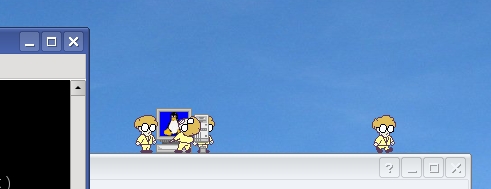
Figure 6. The evil hacker known only as Bill can replace those cute little penguins on your desktop.
Even more themes are available. Visit the xpenguins Web site, and check out the user-contributed themes at xpenguins.seul.org/contrib. Before we move on, I want to mention one last flag available with xpenguins—the -s flag. That one makes it possible for you to squish the characters with your mouse cursor. If you find yourself a little squeamish at the result, the -b option means no blood.
I could pass the next one by, but I really need to mention it. It's a little less tasteful, but it's lots of fun if you want to turn off your coworkers. xcockroach, written by Nicolas Adenis-Lamarre, generates a variety of cockroaches that scurry across your screen and hide under your active windows. Move the window and the critters run off in all directions. It's pretty disgusting, but certainly entertaining. Unlike xpenguins, there is no squash function. You can, however, change themes and behaviors for your roaches. For a full list of options, type xcockroach -h.
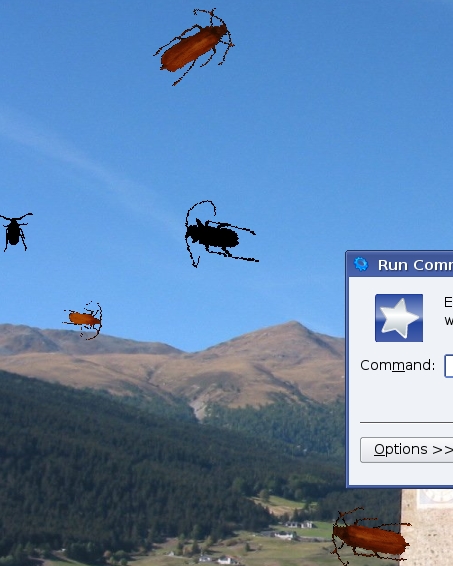
Figure 7. A close-up of a roach-infested desktop—luckily, getting rid of them is as easy as issuing a kill command.
Let's get off the nostalgia bus now and take a look at the modern state of desktop gadgets. KDE 4.1's impressive desktop features a new desktop shell called Plasma. Plasma is, in a way, the ultimate gadget—it's a gadget that runs gadgets. Inside Plasma, you run programs (or widgets or gadgets) that appear on the desktop. Each of these programs is commonly referred to as a plasmoid. Plasmoids are more than programs, however. Each is a containment that can contain other plasmoids, all of which are, technically, able to communicate with one another. Plasma, the desktop shell, is just one big containment that contains other plasmoids. The panel at the bottom of the screen with its system-tray icons, taskbar, clock and program launcher is yet another containment. Shakespearean fans can think of it as a play within a play.
Plasmoids use scalable vector graphics (SVG). These graphics can be zoomed and rotated smoothly, meaning that plasmoids can live pretty much anywhere on your desktop, in any size and any orientation. The result is super-sweet eye candy of the gadget variety.
Note:
Yes, we have a real issue with this whole gadget thing. It's called language. Some people call them gadgets, and others refer to them as widgets. KDE 4.1 calls them both widgets and plasmoids. Other environments refer to these things as toys. Gadgets and widgets and plasmoids and toys, oh my!
To add a plasmoid to the KDE 4 desktop, click on that cashew icon in the top right-hand corner of your screen. A small pop-out menu appears. If it says Unlock Widgets, make sure you click that first, then recall the menu. Now, you should see Add Widgets at the top of that menu (Figure 8).

Figure 8. Click the cashew to add desktop widgets, or plasmoids, or gadgets, or whatever you like to call them.
When you click Add Widgets, a window labeled Add Widgets appears (Figure 9). It contains a list of all the plasmoids installed on your system, and each one has a description below its name. Some of my favorites include Dictionary, a live desktop word lookup; Luna, a moon-phase display; and the Twitter Microblogging applet. I also enjoy a variety of clocks, including a classic analog clock as well as a binary model. Those little yellow sticky notes also are handy. There's even a plasmoid that pulls in and displays your favorite comic strips right on your desktop. Figure 9 shows a number of different plasmoids running on my desktop.

Figure 9. KDE 4.1 plasmoids seriously dress up a desktop. Shown here are the KDE Twitter, Luna, binary and analog clock, notes, dictionary, calculator and trash plasmoids.
While the plasmoids are unlocked, you can pause over any of them to fade in the controls (Figure 10). Each has a rotate handle, a resize handle and a button to close the plasmoid. Many, though not all, also are configurable and offer a settings icon.

Figure 10. Control handles (or buttons) fade in when you hover over a plasmoid, letting you rotate, resize, configure or close the plasmoid.
Running all these cool desktop gadgets is great, but what if you've got a dozen windows open, and you want to re-read today's comic? Minimizing all those windows can be a pain, but it's one you don't need to suffer. Press Ctrl-F12, and the Plasma dashboard jumps to the forefront of your running windows, letting you see and interact with any of your plasmoids.
The last item on tonight's menu comes from those gadget-crazy people over at Google who come to us with the aptly named Google Gadgets. Unlike plasmoids, you can't rotate them, and they live only on your current virtual desktop, but the sheer number of gadgets, not to mention coolness factor, makes Google Gadgets a must. I was able to install Google Gadgets for my system from the Mandriva repositories, so check yours first. You also can get the latest from code.google.com/p/google-gadgets-for-linux.
When you install Google Gadgets for Linux, you'll find that there are two versions of the code: one for the Qt toolkit (KDE) and another for GTK (GNOME). When you first run the program (with a shortcut command named ggl), an icon appears in your system tray. To add gadgets to your desktop, right-click the icon and select Add Gadgets. Figure 11 shows a sampling Google Gadgets running on my desktop. There's a nice flowerpot that requires you to water and care for the flowers in order for them to grow (ignore the flowers and they wither and die). If, like me, you never can have enough trivia, check out the Absolut Trivia gadget (yes, that Absolut), which displays a new piece of trivia every few seconds. To help me make decisions, I've got a Magic 8 Ball. The weather, always important, shows up in a cool weather globe. And, of course, when I've been working too long, the RSI Break gadget tells me to take a break.

Figure 11. A sample of the hundreds of gadgets available from Google Gadgets for Linux.
One gadget you likely won't need by the time you read this is the George Bush “days left in office” countdown gadget, which is either a countdown to freedom and renewed sanity, or a dark day for American politics, depending on where you sit on the GBW fence. Although I can't say for sure, I suspect that an Obama or McCain countdown timer probably is in the works.
There are tons of gadgets available, so how do you choose? When you select Add Gadgets from the system-tray icon, it fires up the Gadget Browser. Using the Gadget Browser (Figure 12), you can select from hundreds of gadgets, categorized according to interest and function, as well as new and updated gadgets. Those created by Google have their own category.

Figure 12. Google's Gadget Browser lets you select from several categories of gadgets, including those created by Google.
For instance, click on Lifestyle, and you will be able to choose from more than 150 gadgets that do all sorts of wonderful things, including display horoscopes, recipes, quotes from various sources or pictures from the world's greatest beaches. You know, that last one doesn't sound half bad.
Well, mes amis, I fear it is that time again. The hour is late, and closing time is upon us. As you have seen, useful tools need not be all business, just as business in this fine restaurant is, in fact, much closer to pleasure. With one of the world's finest wine cellars and undoubtedly the finest waiter in the world, how could it be anything else? Speaking of whom, François, kindly refill our guests' glasses a final time. Please, mes amis, raise your glasses and let us all drink to one another's health. A votre santé! Bon appétit!
Resources
ASCIIQuarium: robobunny.com/projects/asciiquarium/html
BSOD: www.vanheusden.com/bsod
Google Gadgets for Linux: code.google.com/p/google-gadgets-for-linux
KDE Plasma Wiki: techbase.kde.org/Projects/Plasma
xcockroach: xcockroach.free.fr
xpenguins: xpenguins.seul.org
Marcel's Web Site: www.marcelgagne.com
Cooking with Linux: www.cookingwithlinux.com
Marcel Gagné is an award-winning writer living in Waterloo, Ontario. He is the author of the Moving to Linux series of books from Addison-Wesley. Marcel is also a pilot, a past Top-40 disc jockey, writes science fiction and fantasy, and folds a mean Origami T-Rex. He can be reached via e-mail at marcel@marcelgagne.com. You can discover lots of other things (including great Wine links) from his Web sites at www.marcelgagne.com and www.cookingwithlinux.com.
