
Android Everywhere!
It seems you can't hit a tech news site or read a magazine these days without encountering some mention of Android. If you've not been keeping up on the news, Android is a Linux-based OS, designed by Google that's geared to run on lightweight devices like cellular phones and Webpads. One of Android's key features is that developers can write code for the OS in Java, making it a very easy platform for developers to work with.
The first Android-powered product was the T-Mobile G1, made by HTC and known as the Dream. The Dream has a 528MHz ARM11 CPU, 192MB of RAM and 256MB of Flash, so it's a capable smartphone, and it's part of an open standards effort from the Open Handset Alliance and Google. As a result of Google's involvement, it's been touted as “The Google Phone” by the press.
For this article, I set out to see how many devices I could put Android on and how difficult each one was to get running. Because we're hearing buzz about Android-powered Webpads, phones and even Netbooks, I wanted to discover just what the hype was about. I elected to skip past the gloss and dive into the OS itself and see exactly what it takes to get it running on a device.
The HTC Dream/T-Mobile G1 phone (Figure 1) comes in a developer version that allows unsigned binaries to be run, and it does a few other things that the regular G1 doesn't do. Because I had a regular G1, I figured a good place to start my Android exploration would be to see if I could get the developer OS running on a release device. Not surprising, T-Mobile frowns upon anyone doing this and puts roadblocks in the device to prevent it from happening. Also surprisingly, it turned out to be really easy, as there are holes in the firmware that allow you to gain root access on the phone.
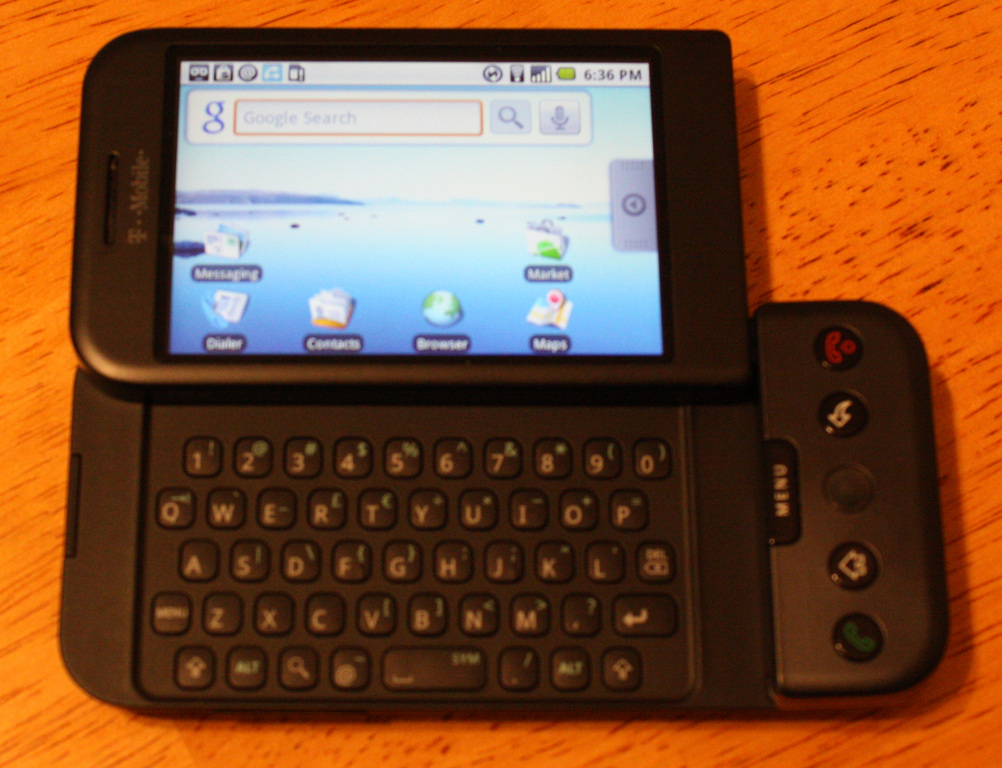
Figure 1. The HTC Dream/T-Mobile G1 Smartphone
Once you get root, you pretty much can do what you want to the device, including flashing the developer version of the OS. The “Hacking Your G1/Dream” link in the Resources section of this article contains the details, but basically the steps are mostly standard Linux command-line fare, taking advantage of a bug in the firmware where everything you type at the keyboard is sent to the OS. (Try typing reboot on an older G1 at any time. It will reboot spontaneously!)
You most likely will have to downgrade your firmware to a version that has the known exploit, and then take advantage of the exploit to gain root, but once that's done, you can reflash the device with any firmware you choose, using the standard update method. If you choose to do this, standard disclaimers and waivers apply about breaking your hardware (see the Disclaimers and Waivers sidebar), as you're definitely doing something that has the potential to turn your several-hundred-dollar smartphone into an expensive brick. If you do decide to do this, however, I recommend JF's excellent 1.51 ADP build, as that retains root capabilities and allows you to run unsigned binaries (see the link to JF's Blog in the Resources section).
Once the latest build of the OS (code-named Cupcake) is on the now-rooted phone, you can build your own binaries for it, if you're a coder type, or grab things others have done from the Internet. Of course, if you do download someone else's binaries, standard disclaimers apply there too. Can you imagine the data charges that could be possible if you had a rootkit or trojan on your always-connected mobile device? This is exactly why T-Mobile doesn't want the devices hacked, as it could congest its network.
As getting control of a G1 was relatively easy, I started wondering about installing Android on other devices. A quick scan of my desk revealed an unused AT&T Fuze cell phone, otherwise known as the HTC Touch Pro (code-named Raphael100). The HTC Touch runs Windows Mobile, not Android, but the units are both made by HTC and seemed to have similar hardware. I began to wonder if it would be possible to run Android on that phone, because they had the same manufacturer.
I started researching the feasibility of running Android on the Touch Pro, and I discovered that a group of enterprising developers already had done this very thing. Luckily for me, they made their distribution available as well (see Resources), so getting Android running on the HTC Touch Pro was almost as easy as getting it going on the G1 (Figure 2).

Figure 2. Android Booting on a WinMo Phone
As it turns out, getting Android running on the Touch Pro was as easy as downloading a .zip file of the distribution and unzipping the contents of that file to a MicroSD card. Once that was done, I put the card into the phone and used the Windows Mobile file manager to navigate to a directory on the card called tmp. Within that directory was a program called haret.exe. I ran that, and the screen on the phone went black, and then it showed me the familiar Linux kernel messages as it began to boot Android (Figure 3).
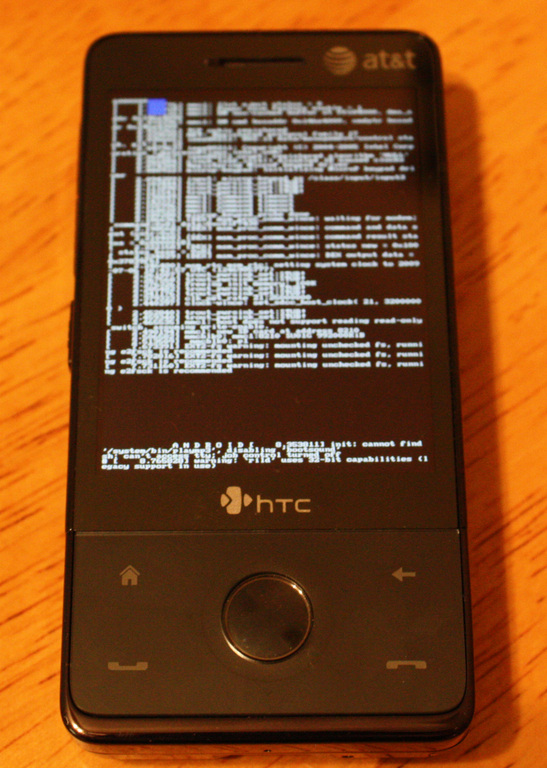
Figure 3. Kernel Messages on Windows Mobile?
Just like the loadlin days, when a DOS program could bootstrap the Linux kernel into booting, haret.exe bootstraps Android from the Windows Mobile environment. Before long, I was greeted with the Android desktop environment. However, all was not right with this port of Android. Although I could launch some of the applications, like the contact manager and browser, the 3G modem inside the phone was not operational, nor were the microphone or speaker. About the only thing I could do was send and receive SMS messages, though it did do that exactly like the G1. Yes, just like the early days of Linux, it seems that device drivers for various pieces of hardware don't exist or don't work properly. However, this is a rapidly moving target, and the Android developers are working hard to make progress in this area.
Because I had such relative success with Android on a Windows Mobile device, I proceeded on to see what it would take to get it running on my Netbook, an Acer Aspire One. I found that there is a project underway to port Android to x86 platforms, so I started to investigate. This seemed semi-straightforward, even though it required me to custom build the distribution myself.
The x86 porting project allows you to build either a VirtualBox virtual machine or an installer for an ASUS Eee PC as the target. I found the main Android code repository, which had excellent instructions on how to set up your build environment and get all the various libraries installed (see Resources). If you're running Ubuntu, all that's needed is a simple apt-get statement, and all the build dependencies and libraries are installed in a snap. However, once you've done that, you shouldn't get the source from the main Android repository.
Although you can get it from the main repository and patch it yourself, there is a prepatched source tree available at the x86 porting site via SVN (see Resources). I spent a lot of time trying to patch the main source of Android for running on x86 only to have it fail near the end of the three-hour-long build cycle, or worse, fail to boot the OS image after it reported a clean build.
The prepatched code built correctly on the first try, and I was able to get the VirtualBox virtual machine going with little hassle (Figure 4). One thing I did discover is that the VirtualBox virtual machine failed to boot unless the VM was configured to have a serial port.
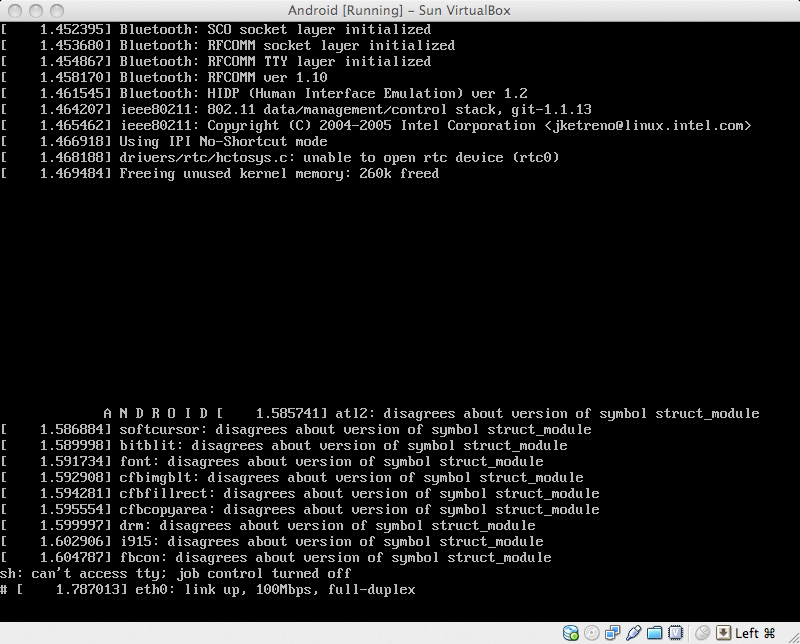
Figure 4. Android Booting in a VM!
Once my Android VM was up and running, I started playing with it. Unlike the HTC Touch Pro port, this port had full networking. The first thing I did was fire up the browser (Figure 5) and was that ever surprising! It's possibly the fastest browser I've ever seen. Granted, it's optimized for a 500MHz ARM, and I was running it on a 2GHz dual-core CPU, but it was lightning fast. It's still a mobile browser, however, so it's not full-featured by any stretch of the word.
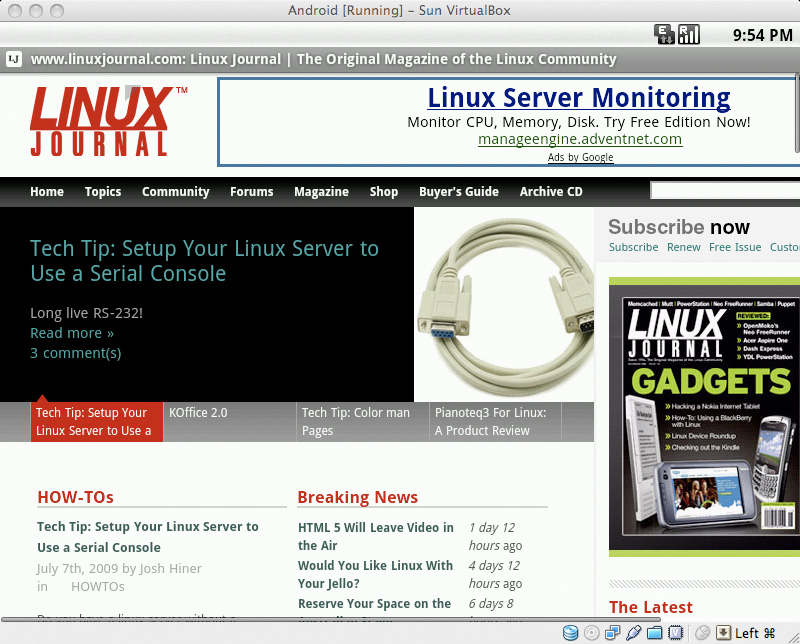
Figure 5. Linux Journal—Android Style
However, aside from surfing the Web, mobile style, and playing with the Terminal application, there wasn't much of interest with Android on a VM. The applications aren't compelling enough to run there. As I had it built on a VM, I tried to port that to my Aspire One to see any performance differences, but there were enough hardware incompatibilities that I reached the point of diminishing returns. I figured I'd learned enough from the virtual machine, and going through another round of extensive troubleshooting just wasn't worth the effort.
My exploration of Android was a fun and educational exercise, even if it was very frustrating at times. Android proves that Linux has come a long way from the days of the Sharp Zaurus on mobile devices, and on the T-Mobile G1, it's smooth, fun and easy to use. The G1 definitely is a contender for top smartphone, and when you're competing with the likes of the iPhone and BlackBerry, that's saying a lot.
Android as an alternative to Windows Mobile holds a lot of promise. Its open architecture means it can take advantage of the Open Source movement to roll in new features, and it can give many current Windows users their first taste of how sweet Linux and open source can be. Unfortunately, it's not ready for prime time now, but that'll change as developers figure out the hardware and get driver support for the various handsets—much like Linux's desktop support has grown during the past few years. This is a moving target, and a lot can change quickly. I plan to keep an eye on this space for more news on Android on formerly Windows Mobile handsets.
Android on a Netbook, however, gives me pause. After spending some time with the VirtualBox virtual machine, I can't really see how this is better than, say, Ubuntu Netbook Remix or even regular Ubuntu. Android is optimized for small touchscreens and tiny CPUs. Most Netbooks have a lot more CPU than is required to run Android, yet they don't have the touchscreen. Android is designed for use with a minimal or onscreen keyboard, and Netbooks have full, functioning keyboards. After fiddling with it, the use case for Android on a Netbook just doesn't seem very compelling. I think there's more value in using a Netbook as a tiny, full-featured laptop than using it as a large mobile Internet tablet. However, don't let my opinion sway you. Go test it for yourself! You'll learn a lot, and if you have the skills to improve the port, contribute some fixes. The developers probably would appreciate the help, and you'd be contributing to something that could touch a lot of people.
Disclaimers and Waivers
I can't stress enough: take extreme care when hacking mobile devices. Besides the obvious peril of bricking the device and making it unusable, there is the even greater danger of causing yourself an extremely large cellular bill. This is a really good way to test to see if your “unlimited” data plan truly is unlimited. You'll find out the hard way that most aren't. Take precautions, and try to find hacks that other people have done and reported success doing. Unless you have unlimited funds, blazing a trail in this area can become expensive quickly.
x86 Specifics
I had a difficult time getting Android going on my Netbook, but that doesn't mean you will. In particular, the ASUS Eee PCs (701, 900, 901, 904 and 1000) are known to work fairly well under Android. Brock Tice has made a ready-to-go USB installer image for the Eee PCs, although the Wi-Fi support in his build doesn't work at the time of this writing. If you have a different model of Netbook (like my Acer Aspire One) your experience may vary. This is still very much proof-of-concept code.
Breaking News
Just before press time, a team of Android developers released a live CD for Android. If you want to test drive Android on your Netbook, laptop or even a virtual machine, it's extremely easy now. Simply download the image, burn it to CD, and boot from it—no compiling needed. Check it out—you may get hooked on it enough to buy a G1 phone!
Where Are You Using Android?
We want to know what devices you're running Android on. Share with our editors in the Android Everywhere forum at www.linuxjournal.com/forums/hot-topics where author and LJ Virtual Editor Bill Childers will be moderating.
Resources
The Open Handset Alliance: www.openhandsetalliance.com/android_overview.html
JF's Blog (Android Developer Extraordinaire): jf.andblogs.net
Hacking Your G1/Dream: forum.xda-developers.com/showthread.php?t=442480
Android for the HTC Touch Pro: connect-utb.com/index.php?option=com_rokdownloads&view=folder&Itemid=68&id=3:htc-raphael
Porting Android to x86: code.google.com/p/patch-hosting-for-android-x86-support
Setting Up Your Machine to Build Android: source.android.com/download
Getting the Patched x86 Version of Android: svn checkout http://patch-hosting-for-android-x86-support.googlecode.com/svn/trunk/ patch-hosting-for-android-x86-support-read-only
Brock Tice's Eee PC Build of Android: virtuallyshocking.com/2008/12/20/building-android-for-the-asus-eeepc-701
Bill Childers is an IT Manager in Silicon Valley, where he lives with his wife and two children. He enjoys Linux far too much, and probably should get more sun from time to time. In his spare time, he does work with the Gilroy Garlic Festival, but he does not smell like garlic.
