
Zonbu
Although you may not yet find preinstalled Linux too easily at your neighborhood computer superstore, our beloved OS is bubbling up in more scintillating ways, including in the recently released Zonbu PC. Zonbu is a mini, fanless Gentoo Linux-driven PC that, with its on-line storage (sans hard drive!), functions with a “computing as a service” ethos. In addition, Zonbu is one of the few PCs that markets its green “street cred”, aiming to provide us concerned citizens with a means to reduce our energy consumption and thus our impact on the environment.
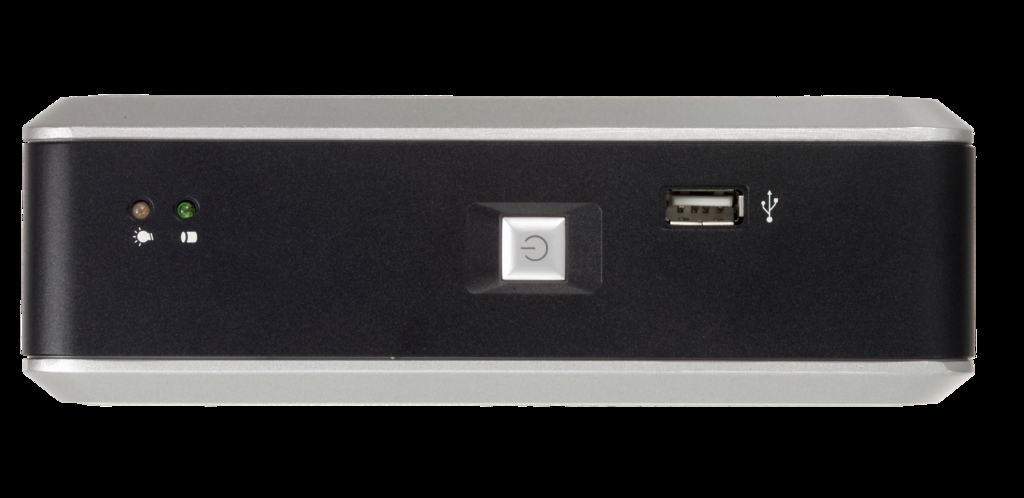
Figure 1. Zonbu Front View
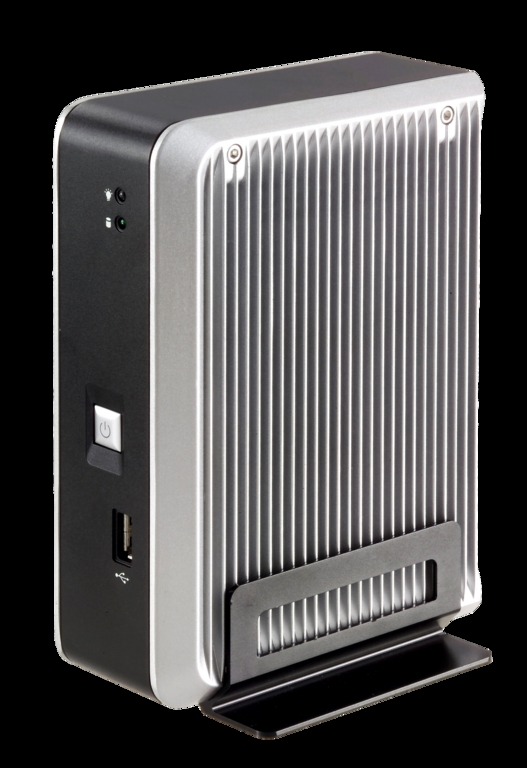
Figure 2. Zonbu Side View
Specifications
Company: Zonbu, www.zonbu.com.
Bandwidth requirement: 64KB/s minimum, 256KB/s or faster recommended.
Physical dimensions (height x width x depth): 6.75" x 4.75" x 2.25" (17.1cm x 12.1cm x 5.7cm).
Processor: 1.2GHz Via C7.
Graphics card: Integrated Via C7.
RAM: 512MB.
Flash memory: RiData 150x 4GB CompactFlash card included.
Hard drive: none (storage is on-line).
Memory: no HD, only a 4GB CompactFlash card, which contains the OS and applications.
Optical drive: none included; optional CD-RW/DVD drive available for $49.
Ports: six USB, VGA out, speaker, mic.
Networking: built-in 10/100 Mbps Ethernet, 802.11 b/g Wi-Fi available via optional USB adapter for $29.95.
Subscription options: $249 per month + optional month-to-month subscription fee ($12.95–$19.95) depending on on-line storage space. $150 discount on machine with prepaid two-year subscription, and $50 discount with a one-year plan.
Zonbu plugs itself as a “compact, totally silent, ultra-low-power mini with all of the bells and whistles”. Although true to a degree, the Zonbu arrives on your doorstep in a compact box with simply the machine and a power cord. You'll have to purchase, or more likely scrounge for, the requisite monitor, keyboard and mouse. Zonbu also lacks the monstrous hard drive to which we've accustomed ourselves in PCs these days. Instead, the machine includes a 4GB CompactFlash card containing the Gentoo Linux OS and a local cache (around 3GB) for a limited number of files. The bulk of your files likely will reside on your on-line storage space.

Figure 3. Zonbu keeps recent files in its 3GB local cache. Other files reside in on-line storage if you subscribe to a storage and maintenance plan.
Here is where the “computing as a service” ethos comes in. Yes, you could purchase a Zonbu outright for $249 and go your own way, simply taking advantage of Zonbu's free upgrade service and storing your files on a Flash drive. What Zonbu would rather you do is pay for the convenience of its subscription service, which includes secure on-line storage space of varying sizes, secure backup, 30 days live support and e-mail support thereafter, and transparent upgrades of the OS and installed applications. You can pay full price and subscribe on a month-to-month basis, or if you prepay for a subscription, Zonbu will kick in a discount of $150 for two years or $50 for one year.
At the time of this writing, you can subscribe to a plan with 25GB of storage for $12.95 per month, 50GB for $14.95 or 100GB for $19.95.
The on-line storage system is nice, as Zonbu transparently manages the interplay between the 3GB local cache and the larger storage space. You also can go on-line anytime from any computer with a browser and access your files.
So, let's take a look at what we've got here with Zonbu. Consider that you're getting a machine loaded with a 1.2GHz low-power Via C7 processor and 512MB of RAM, but no hard drive, mouse, monitor or keyboard. Let's also say you purchase the 50GB of storage/service plan for two years, as well as the optional Wi-Fi dongle and CD-RW/DVD drive, all of which will set you back around $500. Then, consider that you will have to renew your subscriptions after those two years, or else drag all of your files down onto your own storage device.
From another angle, consider Zonbu's conveniences, such as its diminutive and quiet presence and letting someone else worry about backup, security and updating tasks. In addition, if you're bouncing around the globe, think of how nice it would be to log on from any computer in the world and access all of your files. As always, the trade-off is time or money. Personally, I would pay for this convenience when getting less geeky friends or family running Linux and minimizing their support requests to me.
Don't forget that Zonbu is a power-miser, consuming roughly 10–15 Watts, depending on the load, which compares well with laptops. Most PCs of similar robustness (without monitor) will gulp 60–100 Watts or more, depending on numerous factors. Zonbu's marketing folks say you'll save more than 1,200 kilowatt hours over the course of a year, which seems generous given their assumption that a typical PC averages 175 Watts, but let's be conservative and assume a savings of half that amount—that is, 600 kilowatt hours. I currently pay $0.07 per kilowatt hour, which would save me $42 over the course of a year.
If you set out to buy a Zonbu, you'll find the Standard Edition preloaded in a configuration as elaborated above, either with or without subscription plan. However, dig deeper and you'll also find three other Zonbus—Developer, Free Edition and Kiosk editions.
Because the standard Zonbu PC has a fixed OS configuration and application set, this version is ideal for Linux evangelism—that is, introducing Linux to people or organizations with limited computing requirements.
However, we insatiable tinkerers might pop an artery with the fixed configuration and lack of control found in the Zonbu Standard Edition. Therefore, the LJ crowd will likely find more joy in the alternative Zonbu editions.
Let's have a look at each of these editions.
If only I had a nickel for each time I've heard one of you tell me “All my [insert non-geek relatives/friends] need is Web access, an office suite and MP3s. There's no reason they shouldn't be using Linux.” For situations like these, consider Zonbu your “Linux Conversion Appliance”.
Though your grandmother likely won't care, Zonbu Standard runs Gentoo Linux and uses Xfce as its desktop environment. Our review machine ran Version 6.999 of its software, with Linux kernel 2.6.22.4, which Zonbu still considers betaware. Meanwhile, the hardware is not in beta.
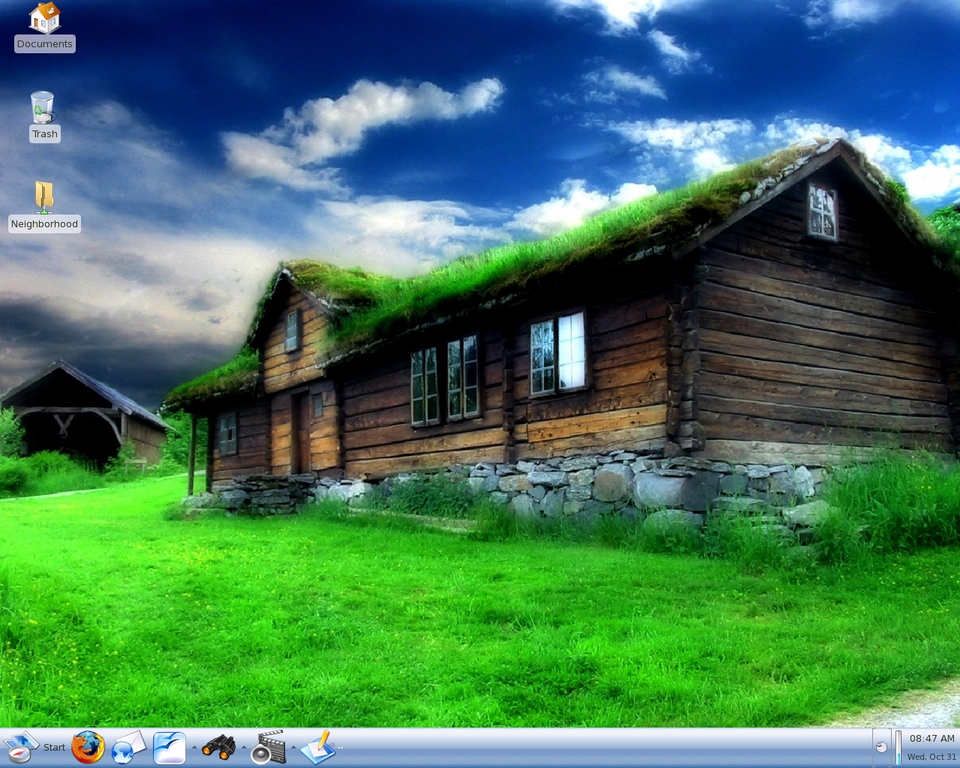
Figure 4. Zonbu runs Gentoo Linux and the Xfce desktop environment. In the Standard Edition, Zonbu maintains the OS and all applications. If you want to change anything, set up the Developer Edition instead.
For better or worse, neither you nor your grandmother can change a Zonbu build in the Standard Edition, not even install additional applications. On the flip side, Zonbu contains a wide range of standard Linux apps and presents them to the user in a very functional, logical manner. See the Included Applications sidebar for a sample of Zonbu's applications.
Zonbu's Included Applications
Firefox
Evolution
Pidgin (supports IRC, AIM, ICQ, MSN and Yahoo! networks)
Skype
Azureus
aMule
OpenOffice.org
Acrobat Reader
GnuCash
Banshee
MPlayer
F-Spot
GimpShop
Scribus
Nvu
Numerous games, including FreeCiv, Supertux, Frozen Bubble, Penguins and others.
Support for printers, Flash drives and digital cameras is as good as any Linux machine, and other music players and iPods (though not fully) are supported as well. Buyers beware that neither Bluetooth, scanners nor Webcams are currently supported, and the Belkin F5D7050 is the only supported Wi-Fi device.
Although media codecs are always an issue with Linux, Zonbu has much of that pretty well solved. One can play back the following: MP3s, WMA, WMV, AVI, QuickTime, MPEG/MP4, RealMedia and DVDs from around the globe (given you've got the optional CD/DVD drive).
Another issue to consider is Internet connection. Luckily, you're not completely up a creek if your Internet access is down, because most recent files will be stored in the onboard cache. You simply won't have access to your older files in on-line storage. In addition, Zonbu needs only 64KB/s to work, but a minimum of 256KB/s is recommended. I tested Zonbu with a slower connection, around 100KB/s, and found it to work fine under everyday working conditions with small files. However, logic tells you that pumping gigantic files though small pipes is no fun, so keep this in mind if you'll be transferring large files frequently.
Those computing in the wacky world of Windows who wish to take their existing files along into the Zonbu universe can utilize the Windows Importer Tool. This tool, which runs on Windows, allows you to select the files to transfer, including e-mail, and will upload them to the storage space. Zonbu will synchronize the e-mail files from Outlook, Outlook Express, Netscape Composer 4.0 and Eudora to work with Evolution. We were able to get a bunch of Outlook-based e-mail synchronized without a hitch.
Beyond the annoyance of the inability to change either the OS or your applications, a few other minor issues arose. In addition to making annoyingly loud beeps while starting up, Zonbu's boot time is a bit slow even for Linux—close to two minutes (20–30 seconds longer than our SUSE Linux and Ubuntu systems).
Another annoyance in my book is Zonbu's avoidance of Linux to the general public, saying that “The Zonbu OS looks and works like the latest PC operating systems” and offering advantages like superior security. Clearly when reading the Web pages for developers, Zonbu is zealous about Linux, and yes, we do want to present Linux's modern, user-friendly face to new recruits. Nevertheless, why not use this as a teaching opportunity to plug Linux to the world not just by functional advantage but by name too?
As mentioned previously, Zonbu has three additional editions that are interesting to users seeking more control and configurability: the Free, Developer and Kiosk Editions. Though not promoted heavily, you can find a wealth of information about them in Zonbu's Developer Corner on its Web site.
If you want to forego Zonbu's subscription and storage offerings, simply buy the $249 machine and follow the instructions to set yourself free. With the Free Edition, you still can take advantage of free system and application upgrades, but as with the Standard Edition, you cannot change anything. Later, you can reactivate the Standard Edition and choose a subscription plan if so desired.
For full control and root access, go with the Zonbu Developer Edition, which can be activated quite easily. In this edition, you can install additional system files and applications while still taking advantage of the subscription service. Luckily, Zonbu still offers support for Gentoo if you go this route, but other distributions are not supported. Regardless, Zonbu does provide tips and pitfalls about using other distros. In addition, you can find information on installing the Zonbu OS on a VMware virtual machine, as well as putting the Zonbu OS onto a CompactFlash card.
Finally, Zonbu gives you the option of activating the Kiosk Edition, which functions the same as the Standard Edition. Unfortunately, unless you're using the Developer Edition, very little customization is possible besides determination of the home page.
Although a number of computer companies are greening their operations and products, Zonbu appears to be one of the first to use its “environmental cred” as a core selling point. Furthermore, Zonbu is trying to cover all of the bases, which is summed up in its EPEAT Gold rating for strong overall environmental performance. Only 12 desktop machines have reached this mark to date. Specifically, Zonbu delivers, as illustrated above, significant gains in energy efficiency, achieving the US EPA Energy Star 4.0 rating. Second, Zonbu purchases carbon offsets from the firm Carbon Trust, which invests in projects that reduce net carbon emissions society-wide, such as wind energy or methane capture in landfills. Third, Zonbu builds its hardware with recycling in mind and follows the European RoHS Directive, such that no more than 25% of the hazardous substances (such as lead and mercury) that go into typical desktops are used. Fourth, when you're ready to upgrade, Zonbu will take back your old device and foot the bill for its recycling.
To answer our question from above, the Zonbu mini-PC indeed adds up if you're leaning toward convenience over penny-pinching on your next PC purchase. You'll save a great deal of time on backups, updates and other maintenance, and you'll get excellent functionality out of the box. Furthermore, if your situation calls for a plug-and-play Linux solution with basic functionality and without a lot of esoteric Windows-only applications, Zonbu is an excellent choice. Also, remember that you can activate the Developer Edition and add applications and functionality to your heart's delight.
If greenness is part of your calculus, then Zonbu is nearly peerless. Its credentials regarding low power consumption, recycling and carbon footprint are all industry-leading.
So, should you commit to a two-year subscription with Zonbu? Two years is an eternity in our business. Given the plethora of positive press Zonbu has received, it seems that the firm should expect success. However, fame is fleeting and users fickle. My gut says start with a one-year plan and see how things go.
Resources
Zonbu: www.zonbu.com
Electronic Product Environmental Assessment Tool (EPEAT): www.epeat.net
US EPA Energy Star Program: www.energystar.gov
The Climate Trust: www.climatetrust.org
James Gray is Linux Journal Products Editor and a graduate student in environmental science and management at Michigan State University. A Linux enthusiast since the mid-1990s, he currently resides in Lansing, Michigan, with his wife and cats.

