
Multimedia Dynamite
What should the Linux movie player of your dreams do? It should play any movie/video that you throw at it. No questions asked—just play. It should allow seeking and volume control with the keyboard and mouse. It should work with an infrared remote controller and also play television. It should play DVDs and VCDs too. MPlayer can do all of this and much, much more.
MPlayer also is an award-winning, mature, open-source program that still is actively in development. Perhaps one day in the not-too-distant future, support for DVD menus, color subtitles, picture in picture video, MIDI and audio effects plugins like the ones for SoX will be added.
MPlayer is admirably stable for the job it does. However, it does crash under certain circumstances, such as with certain video drivers.
It is a mature application that has no parallel. MEncoder, its companion video encoder program, does a much better job than FFMPEG in transcoding videos, although it is a bit difficult to use and learn.
Now, let's take a look at MPlayer's magic. The following command plays a stream URL after resampling it to 48,000Hz and combining channels into left-right stereo:
$ mplayer -af lavcresample=48000,hrtf
 ↪'http://mp3.streampower.be/radio1-mid.mp3'
The following command grabs the same URL stream and dumps it to a file named stream.aac:
$ mplayer -dumpstream -dumpfile stream.aac
 ↪-softvol -softvol-max 2000 -af
 ↪lavcresample=48000,volnorm=2:0.5
 ↪'http://mp3.streampower.be/radio1-mid.mp3'
You can open the stream file from another terminal window with this command:
$ mplayer stream.aac
Then what happens? The first instance of MPlayer continues to dump the network stream to a file and the second plays it for you—time-shifted Internet radio. Cool, eh?
Most of the switches are not necessary to accomplish this, but they show MPlayer's ability to use the Linux command line so elegantly. The -softvol and -softvol-max switches invoke the software volume control feature of MPlayer. It reduces the signal-to-noise ratio, but it can amplify the signal to very high levels.
The volnorm=2:0.5 filter invokes the volume normalization audio filter. The first argument, 2, specifies that several samples are to be used to smooth the volume variations. The 0.5 sets the maximum amplitude to which you want the volume normalized. As you can see, MPlayer provides a high level of customization.
The other options on the command line should not be difficult to decipher.
The following is a command similar to the first one above. In this case, however, you specify a playlist URL. Unlike the above command, this one may not work for you, depending on whether the file happens to be available from the SHOUTcast site when you try it:
$ mplayer -af lavcresample=48000,hrtf -playlist
 ↪'http://www.shoutcast.com/sbin/shoutcast-playlist.pls?rn
↪=1025&file=filename.pls'
The -playlist option is used only with stream URLs that have a .pls extension in the stream.
You can create your own playlists in a variety of ways. Here is one way to do it with the find command:
$ find /home/girish/music -name "*mp3
 ↪-or -name "*ogg" > ~/playlist.txt
Now, fire up MPlayer with:
$ mplayer -playlist ~/playlist.txt
The following variant shuffles the list and plays songs in random order without repeating songs:
$ mplayer -shuffle -playlist ~/playlist.txt
Naturally, MPlayer is a media player. You don't have to limit yourself to audio files. You could add any MPlayer-playable media file into the mix, including videos, movies, television, radio and, of course, Internet streams.
In addition to this simple line-based playlist format, MPlayer also has excellent support for ASX, M3U and other popular playlist formats.
There is good support for audio effects, and the karaoke effect especially gets interesting with certain songs. It is not perfect, but you can attenuate the voice in a song a great deal. Use the following command to activate karaoke mode:
$ mplayer -af karaoke song.mp3
MPlayer also has a ten-octave band equalizer. The following command ignores the middle frequency bands and amplifies the frequencies around 31.25Hz by 7dB, 62.5Hz by 8dB, 125Hz by 5dB and all of the frequencies around 4, 8 and 16Hz are attenuated by 2dB:
$ mplayer -af equalizer=7:8:5:0:0:0:-2:-2:-2 video.mpg
The following command gives a live effect to playback. Try it with songs that sound monotonous:
$ mplayer -af extrastereo song.mp3
You can issue a command like the following to play the third song five times:
$ mplayer song1.mp3 song2.ogg file.wav -loop 5
If you want to repeat the whole list five times, type the following instead:
$ mplayer { song1.mp3 song2.ogg file.wav } -loop 5
You also can use -loop 0 to play something over and over again.
Additionally, there are many audio effect plugins designed especially for multichannel and 3-D audio. If you want some really advanced audio effects, try the SoX Swiss Army knife. It is another command-line application that excels in professional audio effects.
You can specify multiple audio filters on the command line and they are applied one after another in a chain.

Figure 1. MPlayer Audio/Video Filter Chaining
What if you like a certain audio filter chain and you want to save the resulting audio to a file? The following command saves the output of filtering to the file named filtered.wav rather than playing it:
$ mplayer -ao pcm:file=filtered.wav -channels 4 -af
lavcresample=48000,hrtf,pan=2:1:0:0:0.3:0.5:0.5:0:12 audio.ogg
The lavcresample filter resamples the frequency of audio.ogg to 48,000Hz.
The pan filter is a very powerful and sophisticated filter. It mixes the input audio channels into the specified output channels in various amplitudes.
In this example, we use the -channels switch to specify four input channels. The first argument to pan is 2 to specify two output channels. In the first pair of arguments after that, the 1:0 specifies the amplitude of the first input channel that is fed into the two output channels. It goes into the left channel with an amplification factor of 1. The second input channel goes into the right channel with an amplification factor of 0.3 (0:0.3), and the third input channel is divided equally into both output channels (0.5:0.5). The fourth channel goes into the right channel with an amplification factor of 12.
You can use the following command to re-encode the WAV file to Ogg:
$ oggenc -q 9 filtered.wav
MPlayer has a very rich input command processing subsystem that can be manipulated with the keyboard, mouse, joystick or LIRC remote control. You also can customize several keyboard keys to invoke MPlayer's controls.
The following provides the list of keys that can be configured. The defaults are very sensible, and you may not need to change them:
$ mplayer -input keylist
You also can find MPlayer's controls for seeking, volume control, brightness correction and other things with the following command:
$ mplayer -input cmdlist
The slave.txt file that comes with MPlayer's documentation explains how to customize the input.conf and menu.conf files that come with the MPlayer package in your Linux distribution.
You also can have MPlayer accept input commands from a FIFO file (FIFO stands for First In, First Out). This comes in handy when it is reading the media from the standard input:
$ mkfifo /tmp/fifo
$ cat playlist.txt | mplayer -input
 ↪file:/tmp/fifo -cache 8192 -playlist -
Typing the following mutes and executes it again with the audio unmuted:
$ echo 'mute' > /tmp/fifo
You can use the mouse for the usual seek operations. The mouse wheel is configured by default to seek files in both directions.
Apropos of input methods, MPlayer has excellent support for on-screen display (OSD). I normally use only the superb scalable TTF fonts. These are not available on the MPlayer Web site.
The following command displays a timer:
$ mplayer -osdlevel 3 -font
 ↪/home/girish/.ttffonts/Comicbd.ttf video.avi
See Figure 2 for a sample of this display.
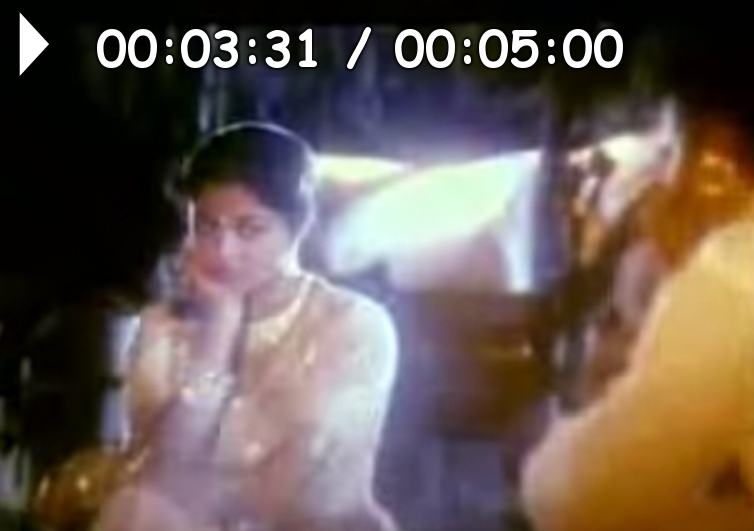
Figure 2. MPlayer with Basic OSD Support
You can create a custom menu to browse using the keyboard with the OSD facility. It even has a console where you can enter MPlayer slave commands.
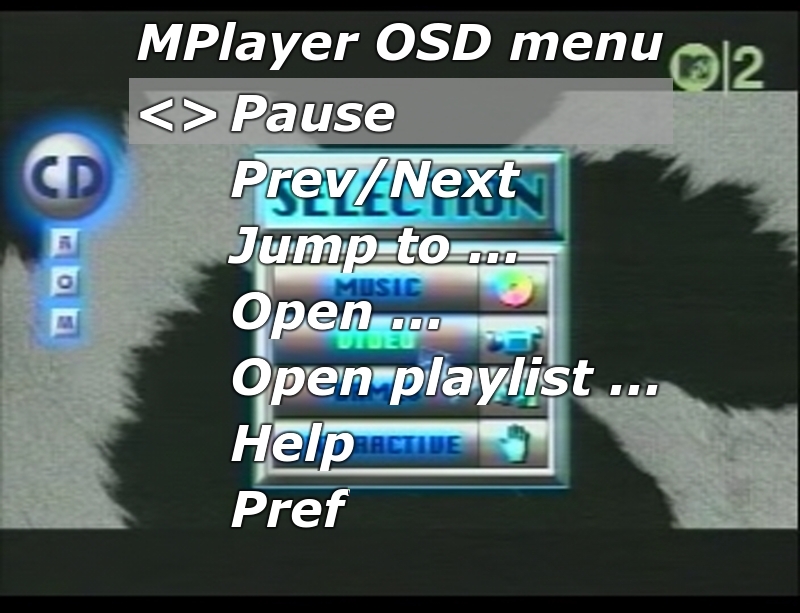
Figure 3. MPlayer OSD Menu
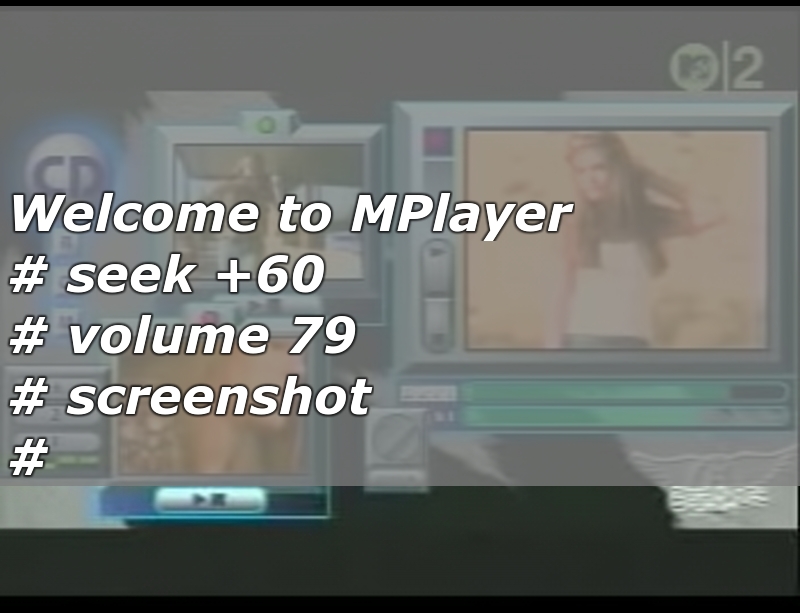
Figure 4. MPlayer Built-in Console
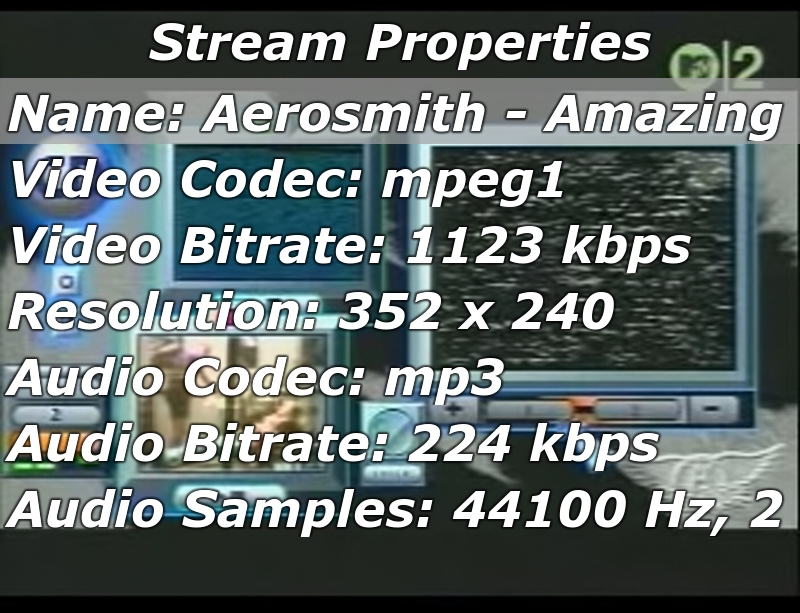
Figure 5. MPlayer with OSD of Media File Information
As you can see, the scalability of the OSD fonts does not break with the video scale filter.
Here is how to create this kind of configuration. First, set up most everything in the config file. Here is my ~/.mplayer/config file:
# Write your default config options here!
# Use Matrox driver by default.
vo=sdl
font=/home/girish/.ttffonts/comicbd.ttf
vf=hue,eq,screenshot
#menu-startup=yes
menu=yes
subfont-autoscale=3
subfont-osd-scale=8
subfont-text-scale=8
subpos=50
spuaa=4
osdlevel=3
# I love doing headstand (Sirsasana) while watching videos.
#flip=yes
# Decode/encode multiple files from PNG,
# start with mf://filemask
mf=type=png:fps=25
# Eerie negative images are cool.
#vf=eq2=1.0:-0.8
The input configuration and menu configuration are stored separately in input.conf and menu.conf, respectively. The menu.conf file needs to have a section that looks something like this:
<cmdlist name="main" title="MPlayer OSD menu" ptr="<>" >
     <e name="Pause" ok="pause"/>
     <e name="Prev/Next" ok="pt_step 1" cancel="pt_step -1"/>
     <e name="Jump to ..." ok="set_menu jump_to"/>
     <e name="Open ..." ok="set_menu open_file"/>
     <e name="Open playlist ..." ok="set_menu open_list"/>
     <e name="Help" ok="set_menu man"/>
     <e name="Pref" ok="set_menu pref_main"/>
     <e name="Properties" ok="set_menu properties"/>
     <e name="Console" ok="set_menu console0"/>
     <e name="Quit" ok="quit"/>
</cmdlist>
You need this line in input.conf in order to tell MPlayer what event invokes the menu. The setting here invokes the menu if you click the left-mouse button:
MOUSE_BTN0 menu main
Not surprisingly, MPlayer understands close to 12 subtitle formats, and it has its own MPSub format too. The options for subtitle display are the richest I have seen. You can display subtitles in any size, any position on the video, move them dynamically with the keyboard, adjust the delay, change the transparency, format them into multiple lines and so on.
Here is the most basic usage of the file subtitles.txt:
FORMAT=TIME
# first number  : wait this much after
# previous subtitle disappeared
# second number : display the current
# subtitle for this many seconds

2 3
What is going on?

4 3
How are you doing?

8 3
You are wrong!

0 3
A long long, time ago...
in a galaxy far away...

0 3
Naboo was under an attack.

0 200
I don't understand this.
Tell MPlayer to use this file with a command like this:
$ mplayer -sub subtitles.txt
 ↪-font ~/.ttffonts/Verdana.ttf video.avi
This next command dumps the subtitles file into the srt format into the file dumpsrt.sub in the current directory:
$ mplayer -sub subtitles.txt video.avi -dumpsrtsub
You can take a quick look at all subtitles in the file by pressing the Y and G keys. Of course, you can specify multiple subtitle files, and you can switch between them.
Want to take screenshots with MPlayer? It's easy. Here's a sample command to use when you start to play a video:
$ mplayer -vf screenshot video.avi
Press S when you want to take a screenshot. If you want a screenshot every five seconds, try the following command:
$ mplayer -vo png -vf screenshot -sstep 5 video.avi
What if you want to take a screenshot of every frame? Set MPlayer to accept slave commands with a FIFO, and type these commands:
$ mkfifo /tmp/fifo
$ mplayer -input file:/tmp/fifo video.mpg
$ echo 'screenshot 1' > /tmp/fifo
Toggle the screenshot process with the following command while the video is playing:
$ echo 'screenshot 1' > /tmp/fifo
You might want to use the -vf spp,scale=1024:768 switch to get full-screen screenshots.
There's much more MPlayer can do. You can encode image files into a video and extract frames into image files with MPlayer. You also can watch analog television with the tv:// option and watch DVB channels with the dvb:// option. It supports a wide variety of streaming protocols, including RTP, RTSP, MMS, SDP and LIVE5555 streaming.
The following command lists the available filters:
$ mplayer -af help
The man page and MPlayer's HTML documentation have more thorough descriptions of its options. Typing:
$ mplayer -vo help
lists the compiled video output drivers.
You can play an arbitrary audio file with the video using:
$ mplayer video.mpg -audiofile audio.aac
Of course, MPlayer can play a wide variety of audio and video media files. The following commands list them:
$ mplayer -vo help

$ mplayer -ao help
Try using the -audio-demuxer switch along with -rawaudio.
I hope this gets you started in discovering the awesome power of MPlayer. Enjoy your multimedia experience!
Resources
MPlayer: mplayerhq.hu
MPlayer HTML Documentation: www.mplayerhq.hu/DOCS/HTML-single/en/MPlayer.html
MPlayer Tips: freshmeat.net/articles/view/747
SoX: sox.sourceforge.net
Girish Venkatachalam is an open-source hacker deeply interested in UNIX. In his free time, he likes to cook vegetarian dishes and actually eat them. He can be contacted at girish1729@gmail.com.
