
The HAL Project
Ah, the joys of hacking Linux on inexpensive commodity hardware. We are the Montréal community wireless group Ile Sans Fil, which was covered in this magazine in October 2005. During the last three years, we have deployed embedded systems that run Linux in public spaces across our city in an effort to encourage local communities. Our all-volunteer group now has more than 100 hotspots located in cafés, libraries and parks around the city, and more than 26,000 users. To accomplish this, we used the Linksys WRT54G, a favorite of hackers, and developed the captive portal suite WifiDog.
Our latest project is HAL, the Local Artist Hub (the acronym works in French). HAL boxes are small NSLU network storage devices that we install locally at certain of our Wi-Fi hotspots and then remotely fill with music and movies by local creators. Because the box is directly on the local area network, the content can be streamed at HDTV resolution without stalls or buffering and without bandwidth charges. Plus, because we use Zeroconf, the user's media player discovers the content automatically. Besides promoting serendipitous discovery, the user gets to interact with the content using a familiar interface that is specifically designed for rich media. We hope to make HAL servers a cultural meeting spot—an easy way for passers-by to engage with works by artists from that community.
The technologies we have plugged together also can be used in many ways, either as single installations or deployed in networks across multiple sites. In this article, we describe our setup so that you can get started on your own projects.
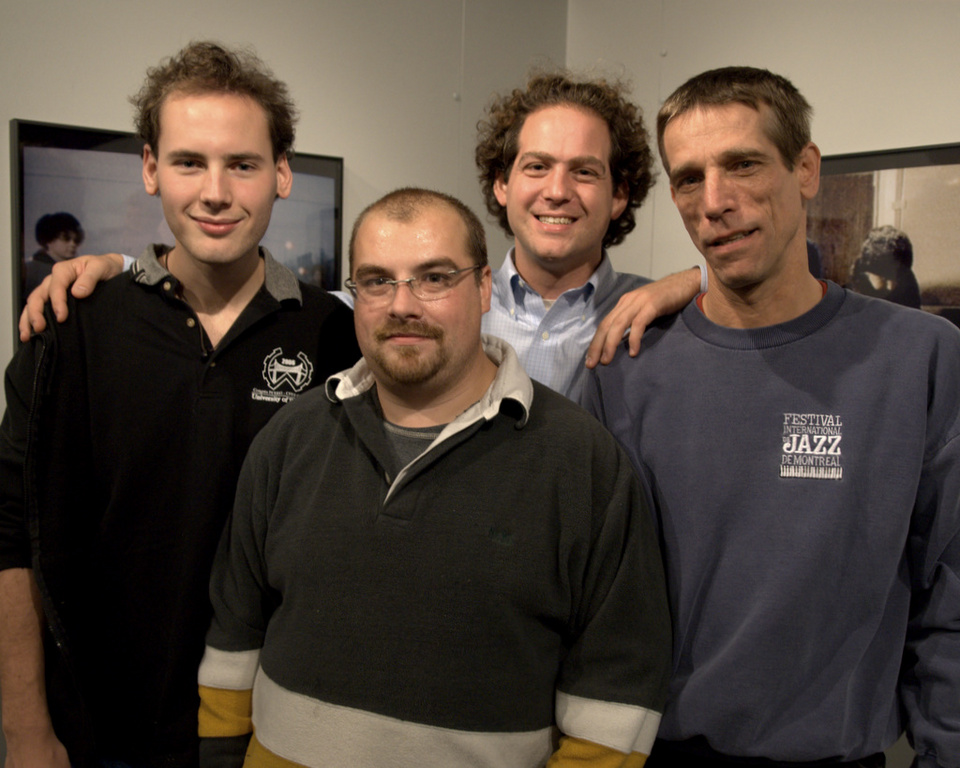
Figure 1. The HAL Team: Pascal Charest, Francis Daigneault, Michael Lenczner and Richard Lussier (missing François Proulx)
HAL uses the NSLU2 network device from Linksys. It's a small board with a 266MHz XScale CPU (ARM architecture, by Intel), two USB 2.0 ports and one 10/100Mbps network interface. The NSLU2 is another favorite among hackers. There are two alternative firmwares available for it, Unslung and and OpenSlug, both of which are supported by an active community. We've chosen OpenSlug for this project.
As we cannot vouch for the electrical system at the venue, we physically wire the boards with an auto-on circuit. If you want instructions on how to do that, you should visit the Web site and read through the appropriate disclaimers about voiding your warranty and burning down your house.
Because the NSLU doesn't have any built-in storage, we connect a small Seagate 5GB hard drive. The hard drive we use has the form factor of a small hockey puck. Richard Lussier, our local hardware maven, was able to package both the hard drive and the NSLU board tightly in a new enclosure, while maintaining the access to the other unused port. We suggest you do the same, if you can find your own Richard.
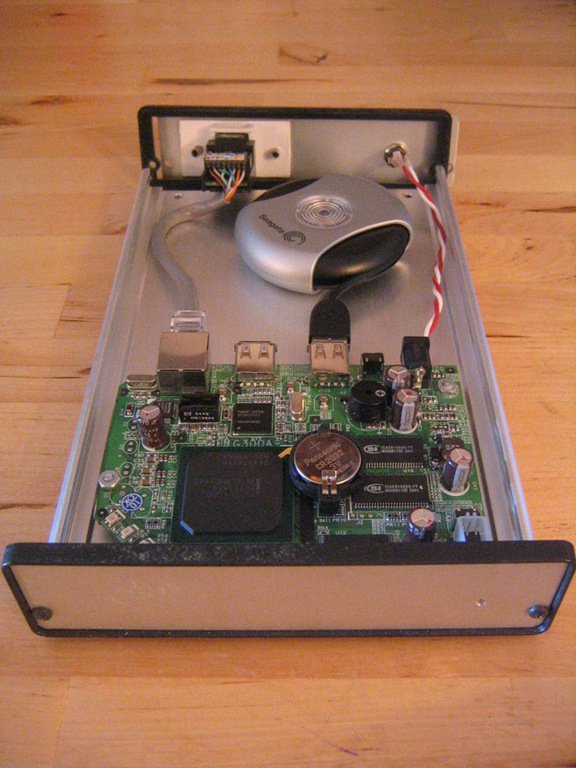
Figure 2. HAL Version 1.0
HAL uses the open-source media distribution software Firefly Media Server (formerly known as mt-daapd), developed by Ron Pedde. Firefly servers stream media with Apple's daap protocol, making the HAL box accessible for anyone running iTunes or any other daap-enabled media player. And, Firefly does not have the five connections per day restriction of iTunes servers, which is a plus.
To install Firefly, you need to have Linux on the NSLU2. Because the NSLU2 is an ARM architecture, you need Linux binaries that have been cross-compiled for the NSLU2. If you want to try the system before flashing anything, you can install the x86 binary packages for Windows and Linux on your computer.
The OpenSlug distro contains most of the needed tools and libraries, already cross-compiled and ready to go. Whatever was missing we cross-compiled ourselves, and we put the resulting binaries on the Web for you to use. Near the end of the installation instructions below, you will launch a script that will download and install them.
To simplify the daap stream discovery process, we use multicast dns (m-dns) technology as defined by the IETF's Zeroconf Working Group. This is the same technology that printer manufacturers employ to make installation and configuration seamless for Mac users. We use the m-dns dæmon included in Firefly, which does not implement any of the extra functionality available in the protocol beside daap. This is okay; daap is all we need.
Finally, we push the content to the HAL boxes from a central server via rsync and a series of small bash scripts.
Let's get ready to hack the box. For this article, we skip the Mac OS X instructions. It is a special case that gets complicated; visit our Web site for more information. Otherwise, it's a four-step procedure: flash the device, move the operating system to the hard drive, install Firefly Media Server and customize your configuration.
First, you need flashing software. Under Microsoft Windows, use Sercomm's utility, and under Linux use upslug2. You can find both of these via our Web site at www.halproject.net/wiki/Hal-LinuxJournal.
Then, download “OpenSlug firmware for NSLU2, binaries version” for the distribution page, which you also can reach via our Web site.
Be careful—this next step is the one that you do not want to mess up. Hold down the reset button and power-on your NSLU. Release the reset button when the yellow light turns red (about ten seconds). If everything worked, NSLU's LED should blink green and red. This indicates that the NSLU is in upgrade mode. Now, follow your software's instructions to upload the firmware. Within about three minutes of initiating the transfer, the software should indicate that the flash procedure was successful.
Restart the NSLU. At this point your hard drive is still sitting on your desk, unplugged. At the end of the boot sequence, once the light on the NSLU stops blinking, connect your hard drive to the first USB port (the one near the power source).
Log in to the box via SSH. Depending on the device's version, past settings and the stellar alignment, the IP could be 192.168.1.77 (Linksys' default), a static address you configured before, or it could have been obtained via DHCP. The user name is root, and the password is opeNSLUg.
Once logged in, use fdisk to create partitions on the sda device.
We use the following schema:
/dev/sda1 : 500 megs, type 82 (linux)
/dev/sda2 : 258 megs, type 83 (swap)
/dev/sda3 : "the rest", type 82 (linux)
The first partition is for the operating system (mounted on /). The second is the Linux swap. The third is going to be mounted on /home/musique by the installation script.
With the partitions in place, create the filesystem (nslu> is the prompt):
nslu> mkreiserfs -q /dev/sda1 ; mkreiserfs -q /dev/sda3
nslu> halt
The NSLU will turn itself off. Unplug the hard drive, and restart the NSLU. Once it is booted, ssh in, replug the USB hard drive in the same port (the one near the power, remember?), and launch the following three commands:
nslu> turnup init
nslu> turnup disk -i /dev/sda1 -t reiserfs
nslu> reboot
The first command returns all kinds of questions (new root password, hostname, network information); the second copies the OpenSlug operating system to the hard drive, and the third reboots the NSLU. From then on, there is no need to remove the hard drive again.
If everything went well, you now have OpenSlug installed, with your own hostname and your own custom network settings. This gives you a great little Linux box with which you can run all kinds of software. The package system of OpenSlug is ipkg. Get going!
Installing HAL is really easy—really. All you need to do is get the admin.sh script from the HAL_Project server:
nslu> wget http://files.halproject.net/lj/admin.sh
nslu> sh admin.sh
This script installs all the other required parts (such as mt-daapd, OpenSSH, rsync, libraries and so forth).
You will want to change the default configuration. Check the HAL-Help command for more information. You also should run HAL-SetName to change the name advertised to iTunes clients.
That's it. That's all the knowledge you need to build a HAL box from scratch. Plug your HAL box in to your network to see your now-empty share automatically appear. You can add media sources with the HAL-AddSources command at the OpenSlug prompt.
We would like to switch to an mdns server that is more powerful than the one distributed with Firefly Media Server. In particular, we would like to advertise other services in addition to daap shares. Imagine locative bookmarks that would automatically, and only temporarily, be added to users' browsers (Safari already supports this feature), or collaborative tools like SubEthaEdit.
Another feature high up on the to-do list is completing the central server. Media synchronization is easy with two or three HAL boxes, but in larger HAL deployments, central management tools become a necessity.
We also are investigating other hardware platforms. This article focuses on the Linksys NSLU2, but many other fun pieces of hardware exist. The ASUS WL-HDD2.5 pairs a 2.5" hard drive enclosure with a Wi-Fi radio, which would be ideal for HAL. But, its CPU is a lot slower than that of the NSLU, and its memory is almost non-existent, so it is not clear whether our software fits or whether it can be made to fit. The device is on our order-and-test list, along with many others.
Another aspect of the project open for further development is copy protection. Content providers (in our case, student-run radio stations and artist groups) are more ready to contribute media for the project when they are confident that it won't end up on a P2P network the next day. We know techniques exist for ripping content from a daap feed, but we will be working hard to limit those possibilities (knowing we won't be able to eliminate them all).
While keeping this technology suitable to individual HAL use, we're excited to bring this project to a larger scale. We have 12 boxes currently deployed, and we plan to expand to 25 by the end of 2006. Also, we hope to assist the community wireless group WirelessToronto set up its own network of HAL boxes in the near future. The goal of creating a richer, more diverse, more accessed local culture is a lofty one, but hopefully this project will have an impact.
The HAL Project has much work ahead of it. We look forward to hearing from people who feel like rolling up their sleeves and joining in.
Resources for this article: /article/9459.
Pascal Charest is a network consultant. He's the technical coordinator of the HAL Project as well as a board member of Ile Sans Fil. He spends too many nights hacking hardware.
Michael Lenczner helps develop free information infrastructures through his organization CivicSense.ca. He is the cofounder of Ile Sans Fil and the nontechnical coordinator of the Montréal HAL Project.
Guillaume Marceau is a computer science graduate student at Brown University and a new volunteer with Ile Sans Fil.
