
LyX and Lulu
Writers are everywhere. They can be in school, in business or trying to make a living printing text on the page. The Internet abounds with various Microsoft Windows tools to aid in writing books, transcripts and other media. Many of these sites and programs still rely on traditional word-processing programs for output.
LyX is different. It's a typesetting tool designed on LaTeX. In short, LyX makes your printed documents look more like what comes from a professional publishing company. Lulu.com is a fast-growing Web site where you can publish that book you've been meaning to write for the last ten years.
Together, LyX and Lulu make a great pair. Although they can't fix your poor writing habits, they will make your final publication look professionally printed and bound.
This is part one of a two-part series. In this first article, I explain some of the striking benefits of LyX and how to get your final document into the Lulu.com Web site. The next article will focus on using Pixel to create your final book cover for the publication.
LaTeX is a typesetting system, not a word processor. Word processors fit nicely in the business world, because they give command of fancy document layout to the end user. They also have other tools you expect, such as spell checkers or an automated thesaurus.
LaTeX did not impress me at first. Its raw form is ugly and difficult to understand. Just looking at the text, you cannot realize what it will look like in final printed form. Consider the following text example from the LaTeX Web site:
\documentclass{article}
\title{Cartesian closed categories and the price of eggs}
\author{Jane Doe}
\date{September 1994}
\begin{document}
   \maketitle
   Hello world!
\end{document}
This is what you need to type into a text editor for LaTeX to render a graphical output. But what you get after using LaTeX is:
Cartesian closed categories and the price of eggs
Jane Doe
September 1994

Hello world!
So what's the big deal with the output? I'll admit in short documents, it is not easy to see a difference with LaTeX typesetting. However, in longer published works, you begin to see the subtle differences expand dramatically.
Looking closer, you will find LaTeX treats printed output with refined precision. Specifically, the kerning, letter spacing and layout is different from what comes out of a word processor. Consider Figures 1 and 2 from dartar.free.fr/w/?wakka=latex.

Figure 1. An Example of Microsoft Word Kerning—Incorrect Kerning for the Ta Letter Pair

Figure 2. The Word Table Processed by LyX/LaTeX—Adjusted Kerning for the Ta Letter Pair
As you can see in Figures 1 and 2, the kerning between characters is slightly different. One word does not make a big difference, but a whole page of text does.
As you can see from the previous example, LaTeX is ugly to work with in plain-text format. The commands provide fine-looking output, but no one wants to key these in by hand. To fix this problem, several popular LaTeX editing programs are available to do the command formatting for you.
LyX is a GUI document-processing front end for LaTeX. With LyX, you can key in the text and let the program organize how it looks on paper. LyX calls this the What You See Is What You Mean (WYSIWN) way of document processing—meaning you don't need to play with formatting the document. You focus on what you're writing and let the LyX commands do the work of making it look good.
LyX is likely in the repository of your Linux distribution. So, all you probably need to do is use your package manager to install the program, and you're ready to begin. If LyX is not in the repository, you can download and install it from www.lyx.org.
Besides the LyX package, it's also important to download and install a spell-checking program, such as ispell or aspell. Again, use your package manager to install these.
Prepare yourself—the starting screen of LyX appears stark compared to a typical word processor (Figure 3). Remember, it's not a word processor; it's a text publishing system. LyX won't disappoint you in its capability for delivering good results.
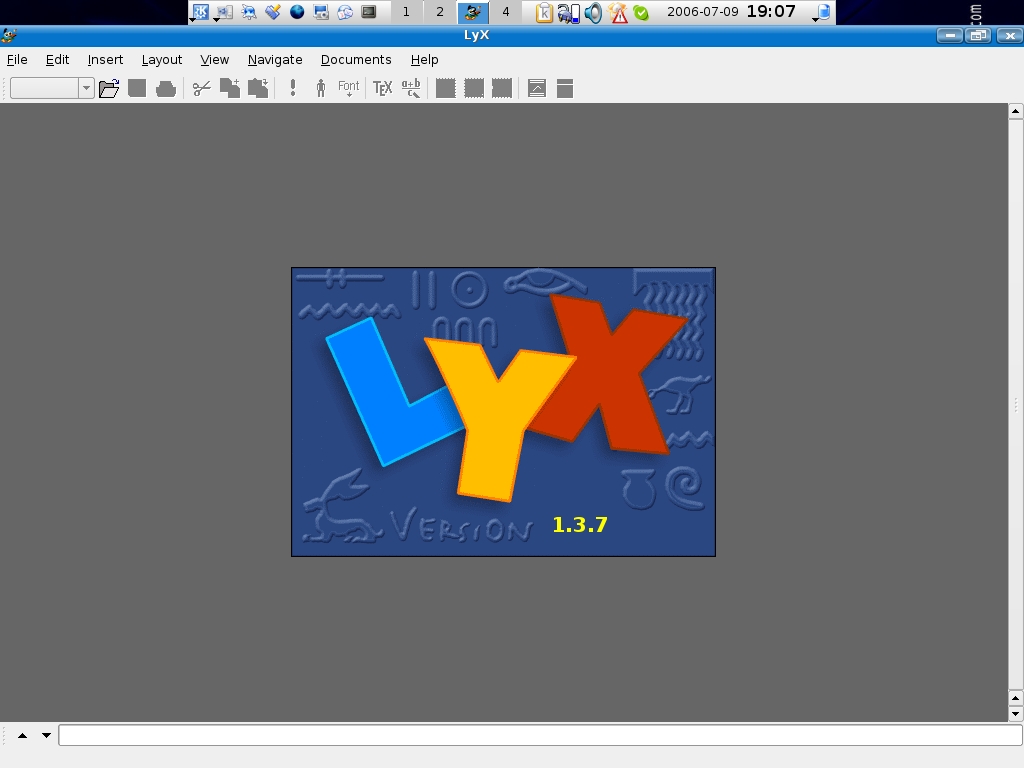
Figure 3. LyX Starting Page
Before going further, set up some defaults applicable to your environment. First, go to Layout→Document (Figure 4). Here you need to define what document you are creating. For this two-part series, we work with the book class in 8.5x11 US Letter. After selecting the book class, select Paper, as shown in Figure 5. Use the drop-down list to find US Letter.
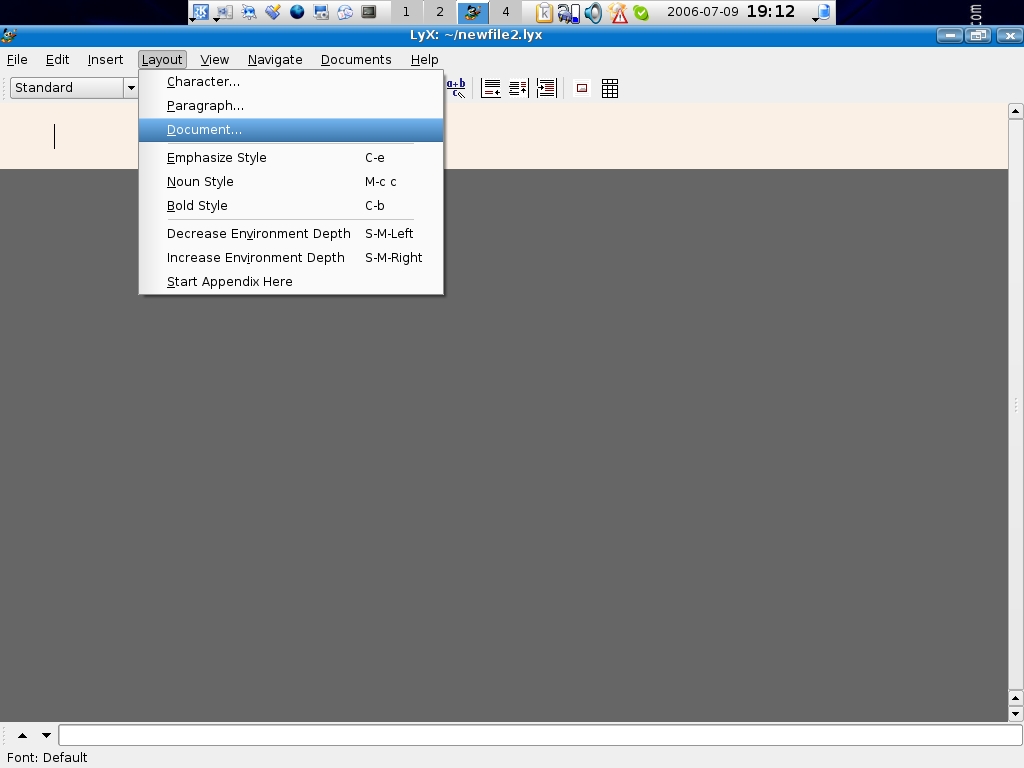
Figure 4. Choose Document to change the characteristics of the whole document.
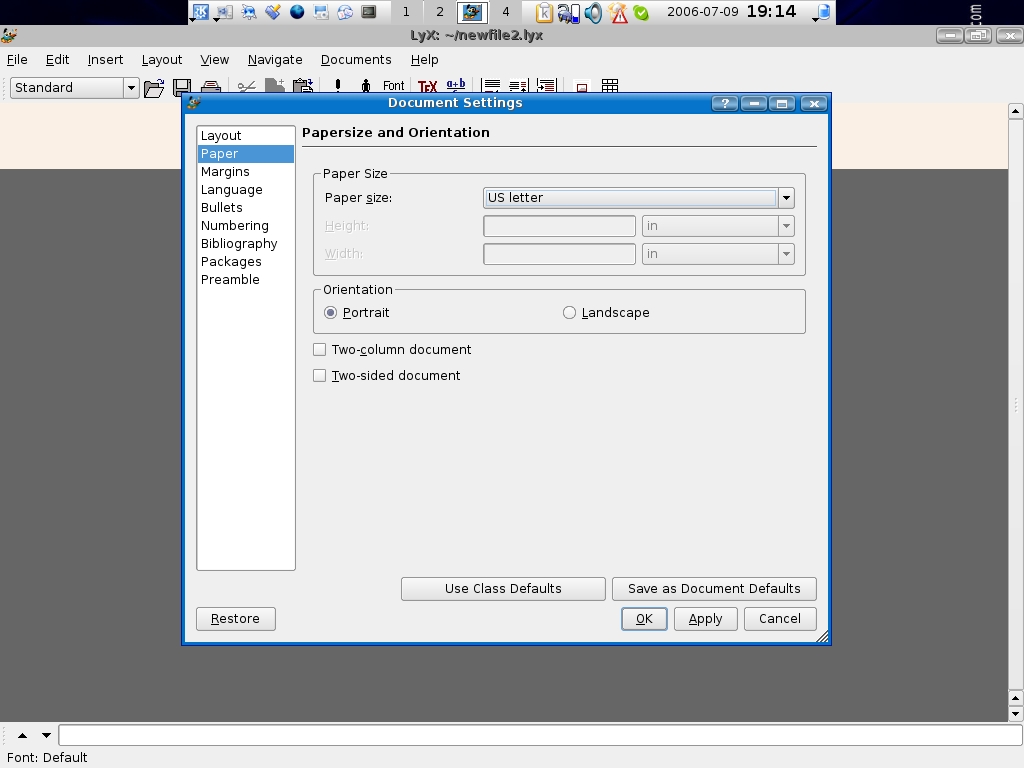
Figure 5. For the right paper size, I chose US Letter.
Next, include either ispell or aspell as the assigned spell checker for LyX. Go to Edit→Preferences, and select Spellchecker under Language Settings. In Figure 6, I have selected aspell as the spell checker for LyX.

Figure 6. Select aspell or ispell for spell checking.
Finally, review the document converters installed with LyX. Look further down the Preferences screen, and you will see Converters. Select this, and make sure your distribution lists the proper .dvi and .pdf programs in the right location (Figure 7).

Figure 7. Some distributions (like Kubuntu) have the right converters installed by the package manager.
When finished, you must reconfigure LyX for it to work properly. Go to Edit→Reconfigure, then restart LyX. Now you're ready to learn this powerful program.
At this point, you're ready to start entering text. Although it's best to get a good understanding of how LyX works first, so you can lay out the final text properly.
Go to Help→Tutorial, and LyX loads the tutorial into the working screen. Read through the LyX Tutorial, and follow the instructions for creating your first document. The tutorial is easy to understand, and completing the exercises will get you familiar with the program.
I know most of us will prefer the Quick Start Tutorial—so here it is. Go to File→New and create a new file. Type some sample text on the first line, as shown in Figure 8.
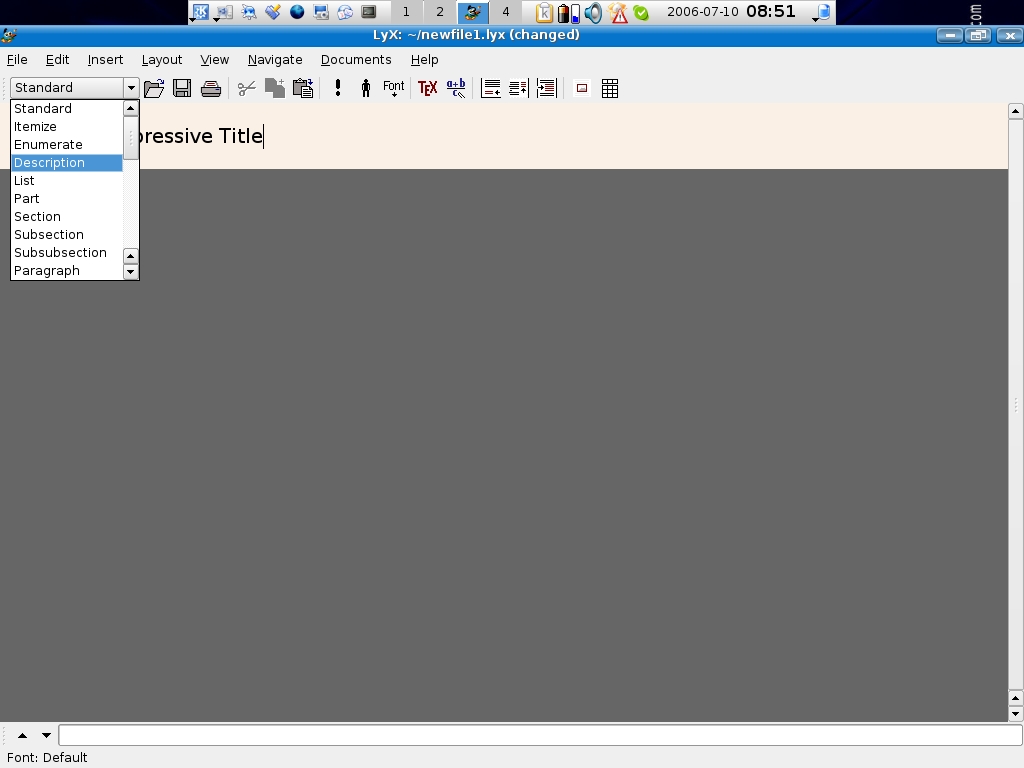
Figure 8. Using the sample text, choose Title to assign the proper format.
Remember, LyX handles what you want the text to look like on paper based on the assigned document class. So, to create a title page, all you need to do is select Title from the drop-down list. LyX marks these words as the book title, and you're done. Now if you press Ctrl-D, LyX exports the text into a .dvi file and displays your results on-screen. Notice that LyX has centered the text, added the date below the title and turned it into its own separate page—pretty cool.
Like a word processor, LyX has a few features to help you produce your final work. Academic math people use LyX because it can produce complex formulas fairly easily in printed documents. Doctoral students also use it to conform to standards for their final dissertations.
I find using the mouse awkward when writing. Consequently, I prefer to use command keys and other shortcuts to format text in LyX. LyX comes with a lot of documentation; however, finding answers to your questions can take some looking. A LyX help file titled customization.lyx describes various command keys and bindings to help speed up typing. Print out the file and look through the existing key bindings; they will improve your speed with document processing and keep your focus on what you're writing.
Also, keep in mind that entering a carriage return does not translate into an extra line in LyX. I'll admit, letting the program handle the formatting is unnerving at first, but the results will please you.
LyX automatically creates links to specific parts of the text file. Figure 9 shows how LyX builds a navigation tree based on the text in the document. This is similar to the Outline feature in other word processors and is handy for editing large files.
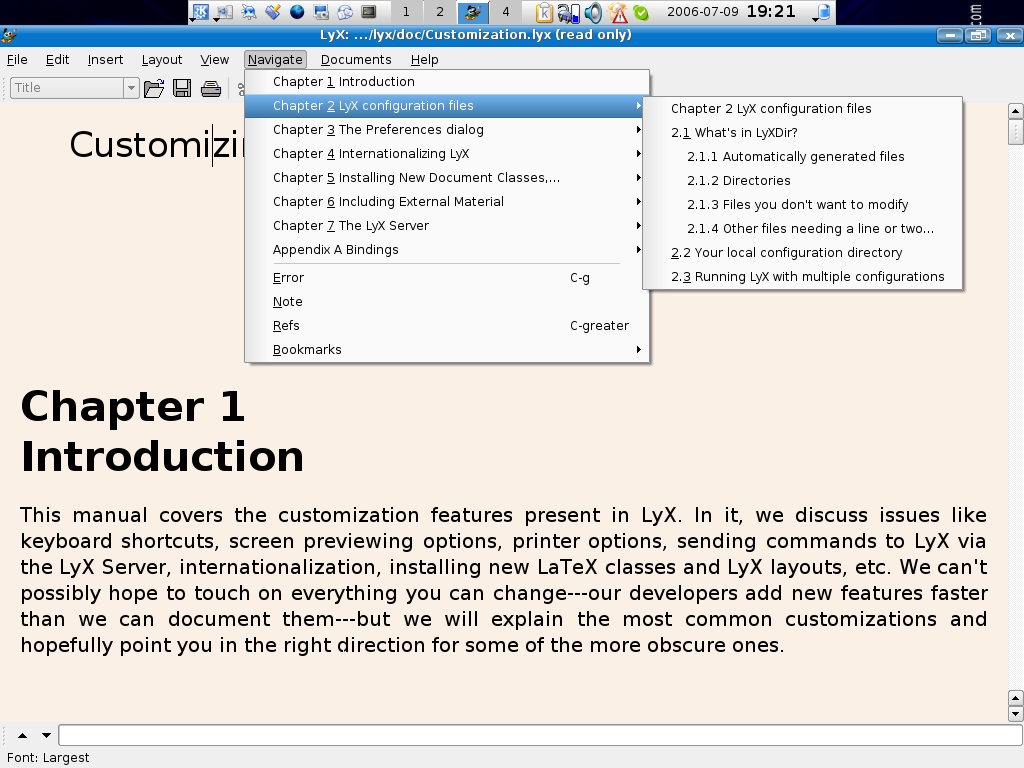
Figure 9. Use the drop-down menus to move through your document quickly.
Like a word processor, LyX handles tables and graphics with ease. To add a table, go to Insert→Tabular Material, and define the table size. Use the Insert drop-down list to place graphics in the document. As an alternative, you can click on the associated icons below the toolbar for graphics, tables and to alter text justification.
Finally, LyX has superior ability to handle cross references, citations and footnotes. While typing, use the Insert drop-down list to add footnotes, citations or cross-reference markers. Each has its own window for the text entered. To keep from viewing them, click the inserted icon, and they disappear off-screen. LyX automatically adjusts the output to keep the footnotes on the proper page.
LyX is powerful, and the documentation is lengthy—too large to cover in this short article. No doubt, using LyX is uncomfortable at first, but the benefits of letting the program sort out the document formatting are profound.
If you haven't heard, Lulu.com (lulu.com) is a Web site for self-publishing. That's right, you can write your own books, articles, handouts and more. Once it's complete, send your written material to Lulu and select how you want it to be published.
With Lulu, users can choose various publication sizes and bindings. As the author, you can decide whether to glue, staple or stitch the final work. In addition, Lulu even offers hardcover binding.
Further, authors can publish and promote their books directly through Lulu. Lulu has an on-line store where you can browse by subject matter and author. If you want, you even can publish your work as a downloadable book.
As the author, you don't pay anything ahead of time. People who want to buy your work pay a preselected fee, and Lulu takes a cut of the price. Check out Lulu.com for pricing details.
I think it's likely that most of Lulu's authors use a word processor for their publications. Lulu's help system even provides examples on how to lay out your work from within Microsoft Word and OpenOffice.org. So, using LyX to publish your work will strengthen the professional look of your documents. Thus, even if you write badly, it'll look great.
Lulu.com is a helpful Web site, and authors can upload their work in many different file types. I think the safest way to maintain your work is to use .pdf or .dvi files for upload. This way, you're sure to maintain the nice typesetting look LyX provides.
Go to Lulu.com, and sign up for a free account. Then, look through the wide variety of products it offers. For extra fees, you can have Lulu.com help you with the layout of the book and cover design as well.
As a test, I used the LyX tutorial to see how well Lulu works. I exported the file in .pdf format (Figure 10) and used the on-line Lulu instructions to send my file. After Lulu accepts the document, it prompts you to select the binding type, color content and finally the cover design. When you're finished, you can preview the cover of your book and order a copy for final proofreading in the polished format. Each step of the way, Lulu calculates the price of your publication, so you can tailor it for the intended audience.

Figure 10. Here is the same file using Adobe Acrobat.
Lulu gives you several choices for publications. You can keep your uploaded documents private for only you to view, or you can release them for public purchase. You decide on the sale price.
As a consultant, I must keep client files and reports so only I can view them. Then, I order just the right amount for the project. After I'm done with the client work, I delete it from Lulu and keep one copy for myself in electronic format.
To get the word out on a self-published book, Lulu offers fee-based services through selected third-party vendors. But wait, this may not be necessary, because in my next article, I'm going to write how to custom create your book cover with Pixel.
There are many locations on the Internet where you can find tutorials and examples of LyX and LaTeX. Many are difficult to read and understand. My experience is that working with a few documents and following the guidance in the tutorials is enough to get you started with the program.
Moreover, since I've been using LyX, I get many comments on how professional the writing looks. As mentioned earlier, the benefits of LaTeX typesetting are really noticeable in larger documents. I think Lulu is a super partner for a good desktop typesetting program. It handles many text formats with ease, and professional binding always looks nice.
So go ahead, write that book you always wanted to write, and make it a best-seller with LyX and Lulu.
Donald Emmack is Managing Partner of The IntelliGents & Co. He works extensively as a writer and business consultant in North America. You can reach him at donald@theintelligents.com or by cruising the 2 meter amateur RF bands in the Midwest.

