
Editors' Choice Awards 2005
IBM eServer xSeries
When he's not writing for LJ, Ludovic Marcotte is architecting big enterprise IT projects, including last year's 35,500-user mail project at the Canadian business school HEC Montréal. He chose IBM eServer xSeries x305 and x335 servers for the project and recommends the server line for Editors' Choice. Systems are available in all sizes from blades up to a 32-way xSeries 445.
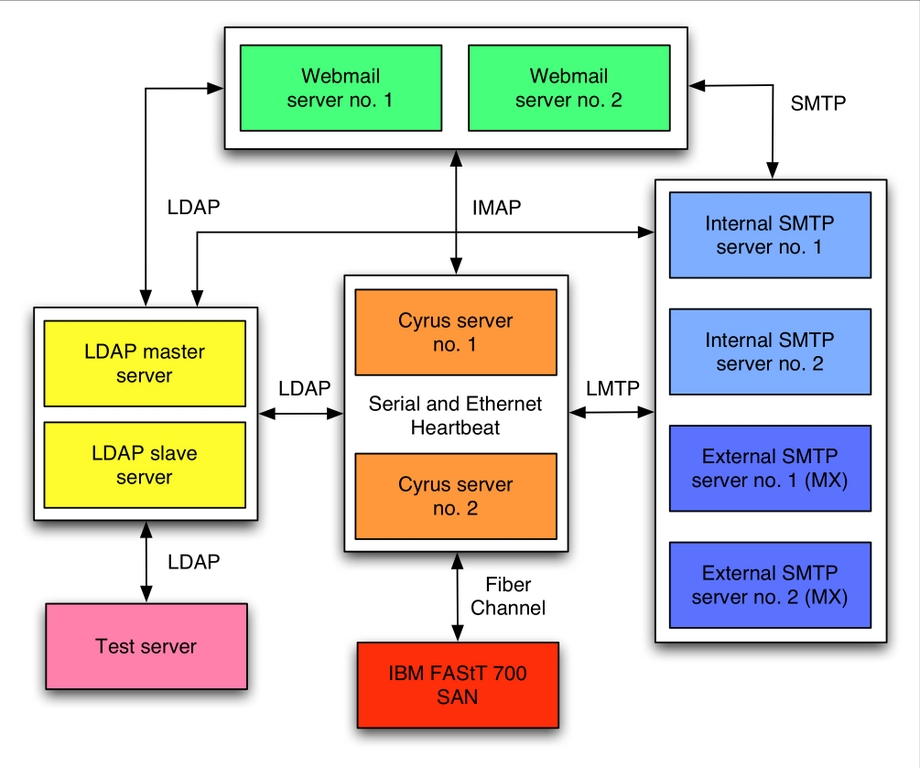
Figure 1. Each box in this enterprise mail project is an IBM eServer xSeries system.

Figure 2. This IBM eServer 336 is the new model in the eServer xSeries, replacing the discontinued x305 and x335 mentioned in last year's article.
Apple/Terra Soft PowerMac G5
Robert Love writes, “Fast, beautiful and it even runs Linux.” Don't forget “quiet”. With fans under software control, this box will run only as loud as it needs to in order to stay cool. The idea is as simple as a thermostat, and we're surprised more manufacturers don't do it. Terra Soft Solutions sells the G5 with Linux pre-installed, including the driver for the fans. Based on the POWER architecture and the PCI-X bus, this system's other features include Gigabit Ethernet, serial ATA and two FireWire interfaces.
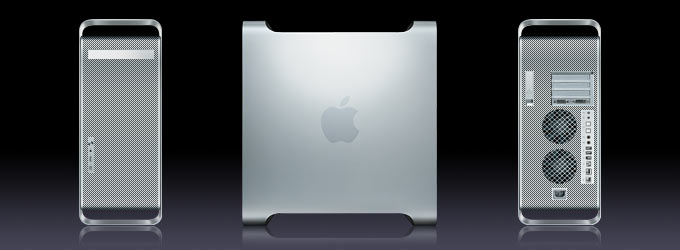
Figure 3. Terra Soft pre-loads this Apple G5 with Linux.
Max Moser and Contributors, Auditor Security Collection
Mick Bauer calls this Knoppix-based bootable distribution, “the best one for network scanning, particularly wireless and bluetooth scanning.” He adds, “If you need to validate the security of your networked systems periodically, or even if you perform security assessments for a living, Auditor provides most of what you need to do the job, especially if you don't want to dedicate hardware for the purpose.” You don't need to set up a disk partition or, worse, transfer sensitive data over the network. Use a USB drive or some other removable media to take your security data out and take it with you.
Honorable mention goes to OpenSSH. Paul Barry writes, “It really comes into its own when I combine it with one of those bootable/live Linux CD distros (I use Morphix). When supervising student lab sessions, I can pop Morphix into any PC on campus, reboot into Morphix, open up a terminal, do an ssh -C -X -l barryp to my main office desktop and keep working. All my apps and my environment are right there with me. And, of course, my traffic is nicely encrypted, so any students running sniffers can't see what's going on.”
The Mozilla Organization, Firefox
Robert says, “Firefox isn't just a great browser, it is a great example of doing a cross-platform project that everyone, on every platform, loves.” You can tell when hackers love something by the volume of tweaks, add-ons and extensions. Nigel McFarlane covered configuration hints in the April 2005 issue, and watch for more on our favorite Firefox extensions coming up soon.
Thanks to Firefox, the Mozilla Organization dethroned Microsoft as the number-one browser source for linuxjournal.com readers too. Mozilla browsers, not counting old proprietary Netscape, rose from 28.1% to 44.4% since last year.
inkscape.org, Inkscape
Ludovic writes, “I always missed a good tool like Corel DRAW on Linux, but I think Inkscape is one truly great scalable vector graphics editor.” Vector graphics aren't only for print these days—with users' browsers ranging in size from mobile devices to multi-monitor desktops, you're going to need graphics that look good at a variety of sizes no matter what you use them for.
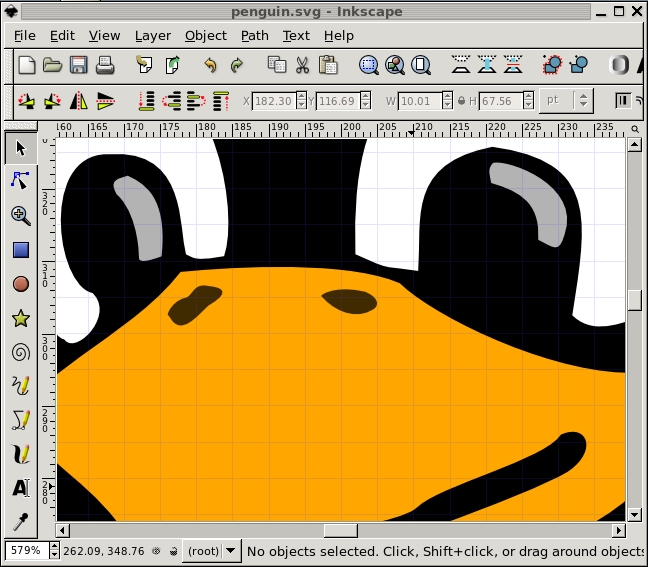
Figure 4. Inkscape lets us zoom way in on this SVG penguin, drawn by Nicu Buculei for OpenClipart based on Larry Ewing's original design. Look, Tux, no jagged pixels!
Ryan Boren, Matthew Mullenweg and Contributors, WordPress 1.5
Reuven Lerner writes, “After trying different Weblog software (in my column, on my server and on my desktop machine), I chose to go with WordPress for my own work, as well as to recommend it to others. The release of WordPress 1.5 several months ago demonstrated that the project has reached maturity. Not only is the code solid, but it's easy to install, easy to use, has a plugin architecture that's simple to work with and can be extended in a number of different ways by programmers and non-programmers alike.”
We're seeing more and more WordPress blogs—especially from smart people who aren't full-time Webmasters and just want to get a virtual host, drop in a blog package and go.
Novell Evolution
Call it a mail and calendar program or a “groupware client”, this software plugs you in to collaboration with your coworkers, even if they're still running a legacy mail server. Evolution saved Paul Barry from having to switch desktop environments. He writes, “I hadn't looked at it until work recently made the move to Microsoft Exchange and 'gently forced' everyone to get their e-mail through the truly awful 'Outlook Web Access'. I opened up Evolution, pointed it at the Exchange server and kept on using my preferred working environment: Linux.” For keeping your Linux desktop afloat in a sea of proprietary jibber-jabber, we salute you.
Our runner-up in the desktop category is GnuCash. Reuven writes, “Accounting software doesn't have the flash or appeal of many other desktop applications. Moreover, it has an even greater responsibility to get everything perfectly right. And the ability to create your own reports, record regular transactions and synchronize your accounts with OCX files from your bank makes it even more useful.” As a bonus, the documentation provides a non-accountant's friendly intro to how double-entry bookkeeping works.
C# Language Design Team and The Mono Project, C#
Robert writes, “Finally, a usable, fun, rapid-development-yet-powerful language for Linux, with excellent GNOME and Gtk bindings.” You can tell a good language by one simple test: do people write great original software in it? For C#, the answer is yes, as you'll learn from a quick Beagle demo. Beagle, written in C#, is “a GNOME-based search infrastructure that ransacks your personal information space to index and find whatever you are looking for instantly”, Robert writes. While you work, it watches you and comes up with relevant and potentially helpful information. And it provides a counterexample that will help you put the tired “open-source desktop software only copies proprietary apps” argument to rest.
Simon Cozens and Sebastian Riedel, Maypole
Don't give yourself a repetitive strain injury pounding out thousands of lines of scripting language, HTML and SQL to create a Web app. You'll only have to maintain it later.
Paul Barry did it smarter for our March 2005 issue—in 18 lines, thanks to Maypole. And others are catching on too. “I've had a number of readers contact me via e-mail with queries about my '18 lines of code' article. They are all new to Perl but are still willing to give Maypole a go, which is a great sign”, he writes, and adds, “I think Jerry Pournelle (from BYTE magazine) used to have a saying for stuff like this: infuriatingly excellent.”
PostgreSQL Global Development Group, PostgreSQL 8.0
More and more organizations are working with high-end database systems but can't afford, or don't want, a full-time database administrator. PostgreSQL complies with SQL standards but needs less babysitting than complicated legacy databases. Ludovic calls it, “easy to install, configure and relatively easy to tune for performance.” In our June 2005 issue, he covered Slony-I, which adds replication to PostgreSQL, giving you multisite redundancy, increased performance or both. Reuven points out that PostgreSQL has programmer-friendly features, which for 8.0, include server-side scripting in Perl.
Alfredo K. Kojima, Michael Vogt, Gustavo Niemeyer and contributors, synaptic
Paul Barry is happy with the Ubuntu distribution, and one reason is this “embarrassingly easy-to-use” tool for installing software and keeping it up to date. Click what you like, and synaptic will install it with all dependencies—even browse the documentation so you know what you're getting. More info in our Ubuntu review on page XX.
IBM and EmperorLinux, IBM ThinkPad T series/EmperorLinux Toucan
Ludovic Marcotte praises this system for its “excellent level of compatibility with various Linux distributions” including Fedora, Red Hat Enterprise Linux and Ubuntu. Several Linux Journal editors are happily using these, and all the features work under Linux. We're all about ThinkPad keyboards.
The ThinkPad line still lags the market leaders in one key area, though: availability with Linux pre-installed. After success with Linux on the nx5000 laptop, HP now offers Linux across the board—but not listed on the Web site. You have to call and order it via “Factory Express”.
This will be the last year that IBM is eligible for this award, as it has sold off the ThinkPad business to Lenovo. Maybe the brand's new owner will be more accommodating with the Linux preloads.
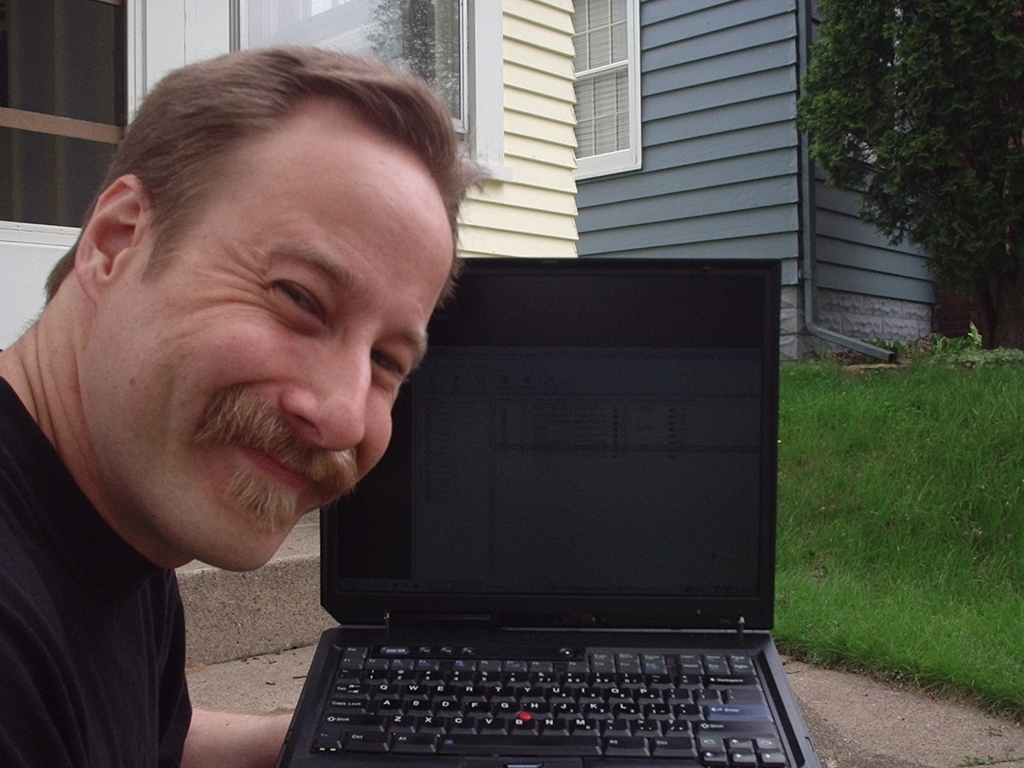
Figure 5. Mick Bauer won't put security tools on a critical server—he carries them to the job site on an IBM ThinkPad or a bootable CD, and removes them when he's done.
Jasmin F. Patry and Contributors, TuxRacer
With more than a million downloads and a stack of awards on the home page, this game doesn't need yet another one. But we're going to give it anyway. Flop on the ice and race to grab all the fish you can in this easy-to-learn game that your little penguins can play too.
This is the first GPL game to be released in an arcade version. Innovative Concepts in Entertainment calls their 400-pound cabinet a “Dazzling children's racer with adorable penguin character.”
George Schlossnagle Advanced PHP Programming
Reuven writes, “This is not a simple 'here is how to write a Web application' book, but rather a book that teaches you how to think about Web applications before you deploy them. He doesn't just tell you that you should tune your database for the Web—he shows you design patterns for talking to the database server, so as to structure your code more readably and efficiently. He doesn't just tell you that authentication is important—he gives strategies for checking that the user hasn't been switched out from under you. Even if you don't program in PHP, this book is worth reading.”
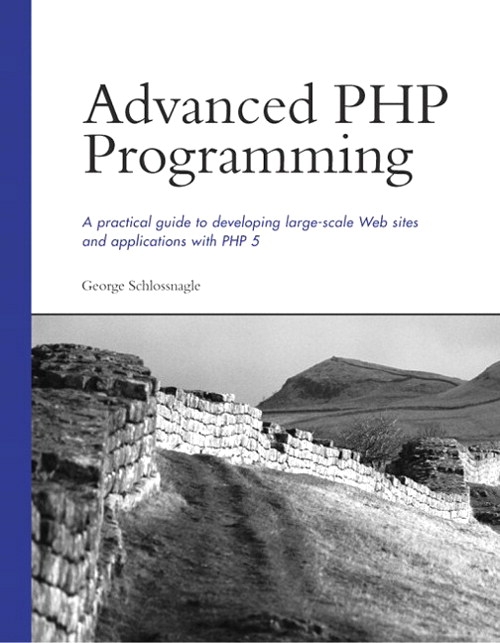
Figure 6. Think before you clobber your database server. Read this book to learn to develop efficient, maintainable Web applications.
Ulf Troppens, Rainer Erkens and Wolfgang Müeller, Storage Networks Explained
Ludovic writes, “Finally a good book on SAN.” This 432-page hardcover is full of storage network examples, including InfiniBand, and is well illustrated. The book is on the expensive side, but compared to SAN mistakes, it's a bargain.
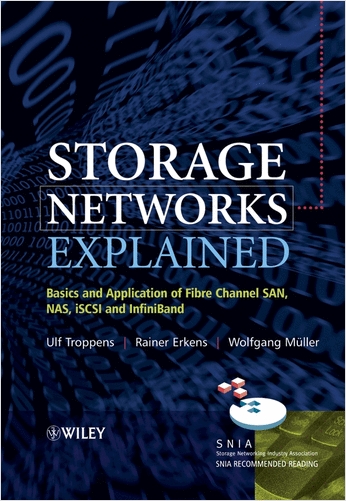
Figure 7. Before you step up to a big iron storage system, step up to this big hardcover storage book.
Paul Graham, Hackers & Painters
We started visiting paulgraham.com for the spam-fighting ideas, then came back for his other writing about hacking, business and culture. Now a collection of his essays is out in hardcover. Why do smart people tend to be “nerds” in high school? What business ideas did the dot-com bubble get right? And, perhaps most important, what should you look for in a programming language?
Eklektix, Inc., LWN
LWN wins again. At first glance, it looks like just another “meta-news” site with links to articles on the Web, Slashdot-style layout and comments. But look again. The clean layout is unpolluted by the annoying Macromedia Flash ads found on some Linux sites we could name, and comments come in from “subscriber gregkh” (kernel guru Greg Kroah-Hartman) and others who actually write the software we're all chattering about. LWN editor Jonathan Corbet helped plan the 2004 Kernel Summit, and LWN's coverage of the event was a must for anyone who needs to keep up with the kernel.
Wikimedia Foundation, Wikipedia
Robert Love calls Wikipedia, “probably the single greatest thing on Earth.” It's hard to comprehend an encyclopedia with 1.5 million articles and editions in 195 languages, so just visit the site and click “random page”. One visit yielded a history of Kincheloe, Michigan; an unfinished “stub” article about a political party in Suriname; a biographical entry on Admiral Walter F. Doran, Commander of the US Pacific Fleet; and the ingredients and history of mortadella.
Why doesn't Wikipedia get cluttered up with flaming, drivel and spam like other on-line fora? Part of the answer has to be in the Wiki philosophy, where anyone can “edit this page” and put problems right, and part of the credit has to go to the MediaWiki software, which makes it easy for helpful people to find and fix vandalism.
freedesktop.org
On the Internet, any movement looks like a big argument. But forget all the arguing over K this and G that, and get plugged in to the grand unified master plan to clean up the ragged legacies of UNIX, advance the X Window System to keep up with leaps in hardware and put a secure, friendly GUI everywhere.
The list of hosted projects includes D-BUS, X.org and all the hard-to-get-right infrastructure such as vector graphics, fonts and internationalization.
Marco Fioretti wrote in our May 2005 issue, “If protocols and formats stop being tied to specific implementations or toolkits, they can be shared across multiple 'desktop environments'. Code stability and lightness would directly benefit from this, as would innovation. Completely new programs could interact immediately with existing ones.”
Ralink Technology Corp., RT2500 Chipset Solution
If binary-only 802.11g drivers are the rat dookie in your raisin bread, get a card based on the RT2400 or RT2500 chipset and be happy. Instead of giving other vendors grief over “take our word for it, it's a raisin” drivers, we're going to celebrate a company that gets it right. Ralink worked with Mark Wallis, Ivo van Doorn, Luis Correia, Robin Cornelius and others to get a supported driver out there under the GPL.
Paul writes, “On my aging laptop, I popped in the PCMCIA card, downloaded the source code and installed the device driver into Fedora Core 3 and—about two minutes later—joined the wireless revolution!” Special thanks to Minitar, the network gear vendor with the foresight to ask Ralink to make the driver GPL.
Resources for this article: /article/8332.
Don Marti is editor in chief of Linux Journal.

