
Mini KDE for a Lightweight Desktop
Many users need computers only for basic office productivity, Web access and e-mail. Free software for all of these tasks exists, but it has a hidden cost. Often, students, schools and charities can afford only hardware that is five or more years old, with limited CPU power and disk space. As weird as it seems, the latter often is the most serious, apparently unsolvable problem. You may need only five or six small programs, but they are available only in big bundles, which in turn have many more dependencies. The real, total space requirements can be heavy enough to make the installer abort for lack of space.
Often, installing current but feature-light applications is useless. Desktop computers are communication tools. Today, that means, at least, digital signatures, IMAP support, checking one's bank account by way of SSL or XHTML Web forms and so on. It also means support must be provided for OpenDocument, an office file format, default in OpenOffice.org 2.0, that has raised great interest in the European Union and soon will become an ISO standard.
Installing older distributions is useless for the same reasons and is dangerous to boot: why would people go on-line and expose themselves to a bunch of security holes that have been known about for years? Furthermore, free on-line support for five- and six-year-old code is practically nonexistent, unless you have the time and skills necessary to hack together a fix for yourself.
All this is why, a few years ago, I and others started the RULE Project—to make it possible to use old hardware with current, mainstream GNU/Linux applications by installing only what truly is needed. Our approach, however, offers several advantages to modern hardware as well. First, the RULE Project makes it easier to run any computer at its greatest possible speed.
The second advantage is running normal x86 software with something built today that is much smaller and less power-hungry than a laptop. Last year, a user working to make a desktop box out of a Norhtec Microclient wrote that he “was delighted to see that RULE provides ALSA, Udev and all the other up-to-date goodies...in only 232MB...because Fedora 3 provides them”.
The third big stimulus to trim down modern programs also has nothing to do with vintage computers: bootable Linux CD-ROMs and USB drives are great as portable emergency desktops but require little space.
There is one final reason why all this exercise is worthwhile, but it is of interest only to KDE developers and packagers, so I'll mention it later.
What are the characteristics of a useful yet lightweight desktop? To me, they are the ones just mentioned. This is why I decided to re-package together KOffice, Konqueror, KMail, KNode and almost nothing else.
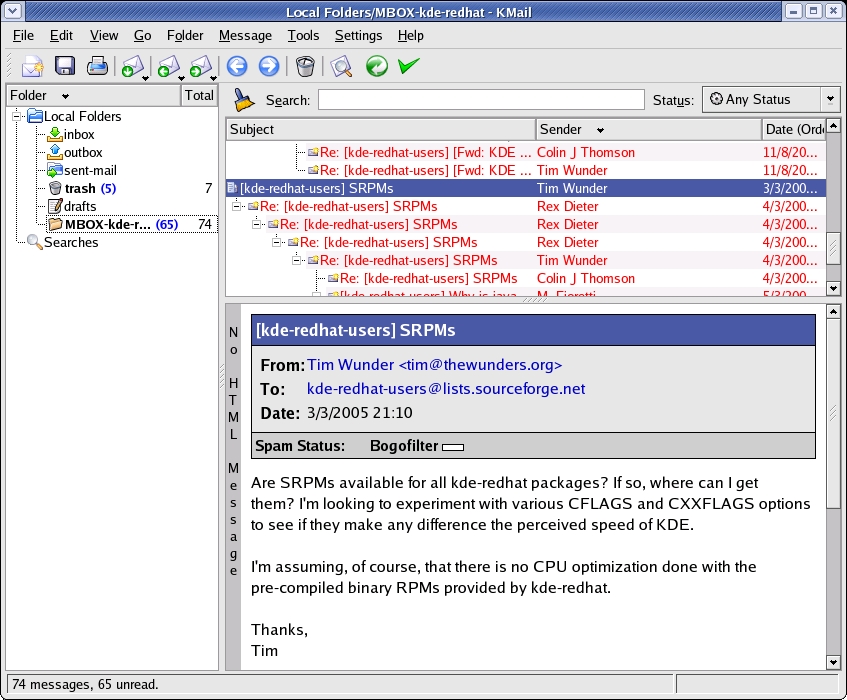
Figure 1. KMail for Mini KDE
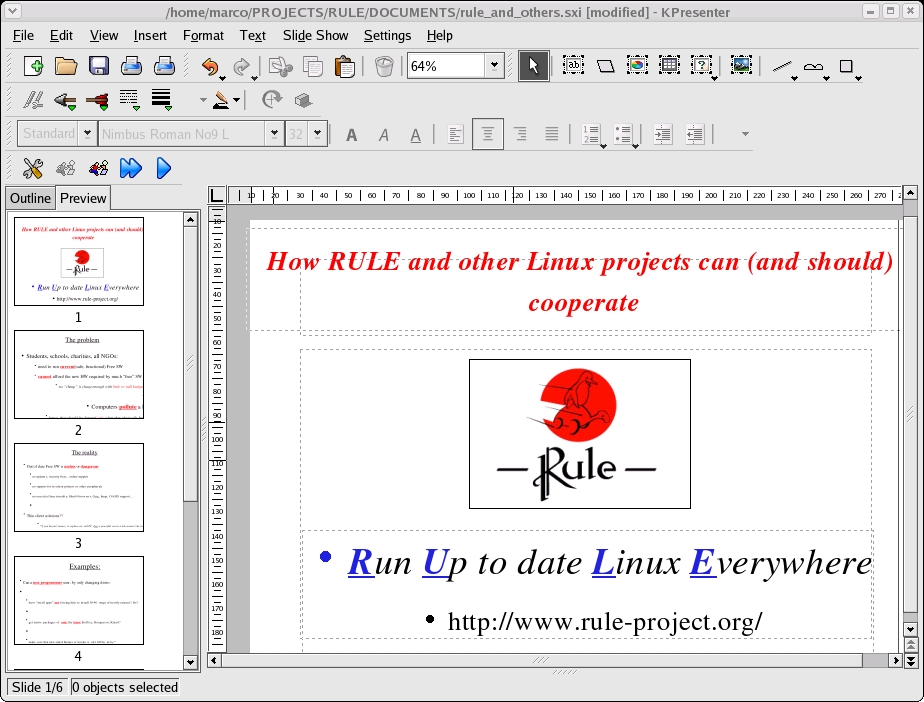
Figure 2. KOffice for Mini KDE
KOffice does not have as many features as does OpenOffice.org, but it is much lighter, is less reliant on Java, is more integrated with Linux and could, some day, share single-file SQL databases with OpenOffice.org (see the on-line Resources). Above all, KOffice's roadmap officially foresees full support for OpenDocument. The result, which we hereby call Mini KDE, must require the smallest possible disk space and RAM to run. The rest of this article summarizes what I did to achieve this goal.
I wanted to end up with binary packages, because many desktop end users don't know how to compile by themselves, and it would be time consuming to do it on six- or seven-year-old boxes (if not impossible, because compiler, libraries, source code and intermediate compilation files would, again, not fit on a smaller hard disk). Generally speaking, one can obtain optimized KDE packages by using three different methods:
Optimize the source code of the application(s) and related libraries with the proper compiler options.
Compile, package and install only selected pieces of the bundle.
Configure the result so that applications start and run more quickly.
The last method can or must be applied even after installation. For KDE applications, it already is documented in the KDE performances tips page (see Resources).
The first method is distribution- and compiler-dependent; it's also beyond the skills of nonprogrammers such as myself and most general users. Another problem is almost no related information is available on-line; even asking on developers lists didn't turn up much more help. Carried to the extreme, this method also implies compiling against a custom version of Qt, stripped as discussed on the RULE Web site, which is almost like creating yet another distribution. From my point of view, however, the biggest limit of this method is that it does not greatly reduce the size of the whole package, which we saw as the first obstacle.
The most promising strategy, and the one I discuss in the rest of this article, is the second one—to leave out as much as possible from the original bundles in a way that minimizes effort, required skills and risk. The explanations that follow are based on building RPMs for Fedora 3, but the general procedure is valid for every GNU/Linux distribution or packaging format. Apart from the biggest space savings, another great advantage of this method is the resulting binaries remain compatible with Fedora Core or whichever other mainstream distribution you started with.
First of all, I cleaned up my computer running Fedora Core 3. Partly, this was done to make some extra room, but the main reason was to build the packages in a clean environment. After some checking and thinking, I removed the following packages, which I originally had installed from Fedora Core or KDE/Red Hat repositories: kdeedu, kdeartwork, KOffice, kdesdk, kdevelop, kdepim, kde, kdebase, kdelibs and kdelibs-devel.
Here's the other reason to perform such trimming exercises: you can learn a lot about how packages relate to one another. Specifically, you discover unneeded dependencies and packaging errors that remain hidden when distributions simply bundle software together without paying attention. For example, I learned that, at least on Fedora, I couldn't remove redhat-menus-3.7.1-3.4.3.kde, because it is needed by apparently unrelated stuff, including htmlview, gnome-vfs, openoffice.org-1.1.2, Evolution, XMMS and Nautilus.
The same happened with arts, the modularized sound system for KDE, and its development complement, arts-devel. Users of older desktops certainly are able to survive, even when they have a sound card, without acoustic effects. However, those two packages are needed by many more applications, including gstreamer plugins, gnome-applets, Evolution and so on. Some of these dependencies do make sense once you find them, but others still make me wonder. In any case, there seems to be a lot of opportunities for space savings at this level.
After cleaning my hard disk, I installed the latest stable source RPMs of kdelibs, kdebase, kdepim and KOffice from apt.kde-redhat.org/apt/kde-redhat/all/SRPMS.stable. When I started, they were:
kdebase-3.4.1-1.0.kde.src.rpm
kdelibs-3.4.1-1.0.kde.src.rpm
kdepim-3.4.1-1.1.kde.src.rpm
koffice-1.3.5-3.0.kde.src.rpm
I chose the KDE for Red Hat Project instead of official Fedora Core packages, because I find them more polished than the standard ones. They also usually offer newer versions of the packages.
When you install a source RPM, you get all of the source code in a .tar.bz2 archive and the instructions to build everything in a .spec file. Normally, to build the package, you need to issue only the command:
rpmbuild -ba <package_name>.spec
To reduce disk space, I basically did two things, both relatively simple even for nonprogrammers. The first was to massage the compile and installation options in the .spec files. For example, I compiled everything without sound, adding -without-arts to the configure section. When available, I also added similar options to ignore other multimedia libraries or support for devices such as cell phones and PDAs. Then, I commented out all the Require and BuildRequires directives that check whether libraries for audio, video and modern peripherals are available before starting the process. I also removed the Provides directives for all the binaries I left out. Finally, I commented out the instructions that pack into the binary RPM files that I had not compiled or didn't need.
My complete .spec files are available in the Mini KDE section of the RULE Web site.
The second and most important trick was to insert a proper inst-apps file inside each KDE source tarball. It turns out that the configure scripts of these programs have a section that more or less says something like this (from kdelibs):
ac_topsubdirs=
if test -s $srcdir/inst-apps; then
  ac_topsubdirs="`cat $srcdir/inst-apps`"
elif test -s $srcdir/subdirs; then
  ac_topsubdirs="`cat $srcdir/subdirs`"
fi
$ac_topsubdirs is the list of all the subdirectories whose code must be compiled and installed. By default, this variable is loaded with everything written in the subdirs file. But, if you copy subdirs into inst-apps, remove from the latter all the unneeded items and then tar and compress everything again, only the applications you want are compiled. This also works when installing directly from source.
Generally speaking, to figure out what you could or could not remove from inst-apps, look at the README file in each subdirectory. The following is a short summary of what I did for each package.
I removed only the following items: arts, kdoctools, kate, libkscreensaver and doc. In the %configure section, I excluded xinerama, alsa and artsd support. I also commented out the Requires: arts directive, as well as those for jasper and openexr.
The only pieces I wanted from kdebase were libkonq, Konqueror, Kicker and Kwin. I was able to exclude support for xinerama, jasper, arts, Java, GL, Samba, lm-sensors, mDNSResponder-devel and libraw1394-devel. I left out the wallpapers. I also removed sounds and templates, together with the dependency from the redhat-artwork package. But, I had to put them back, otherwise RPM couldn't make it to the end for reasons not clear yet.
Here, as I needed only KMail, Kopete and KNode, I removed a lot of programs: karm, knotes, kdgantt, kgantt, korn (mail notifier), kpilot, kmobile and ksync, kandy, kitchensync, kalarm, kresources, kfile-plugins, konsolekalendar, korganizer, wizards, kontact and plugins. Even the BuildRequires dependencies from bluez-libs-devel (Bluetooth) and gnokii (Nokia phone support) went away without problems.
Table 1 shows the sizes of the resulting binary packages, the first column, compared with standard RPMs for the same source versions from Fedora Core 4 or, for KOffice, Fedora Core 3 update repositories.
Table 1. Binary Package Size Comparison (sizes in bytes)
| Package Name | Mini KDE | Fedora |
|---|---|---|
| kdebase-3.4.1-1.0.kde.i386.rpm | 17,798,755 | 27,736,762 |
| kdelibs-3.4.1-1.0.kde.i386.rpm | 15,109,882 | 18,140,844 |
| kdepim-3.4.1-1.1.kde.i386.rpm | 9,864,436 | 18,089,962 |
| koffice-1.3.5-3.0.kde.i386.rpm | 14,514,826 | 14,276,427 |
To summarize, I went from a total of 78.24MB to 57.29MB for the four packages above. This is a 26.8% reduction in file size, which doesn't look bad at all, but the final space savings was only 20.95MB. The actual impact on disk space is better, however; Mini KDE required a bit less than 150MB. The regular packages for the same four bundles, plus the extra ones they carried along, came to just less than 340MB.
Keep in mind, these are my results from only the first trial, without changing or ever looking at the source code and maintaining full compatibility with my chosen distribution, all its updates and any third-party Qt programs. All the screenshots in this article show that the resulting binaries run without problems on Fedora Core 3.
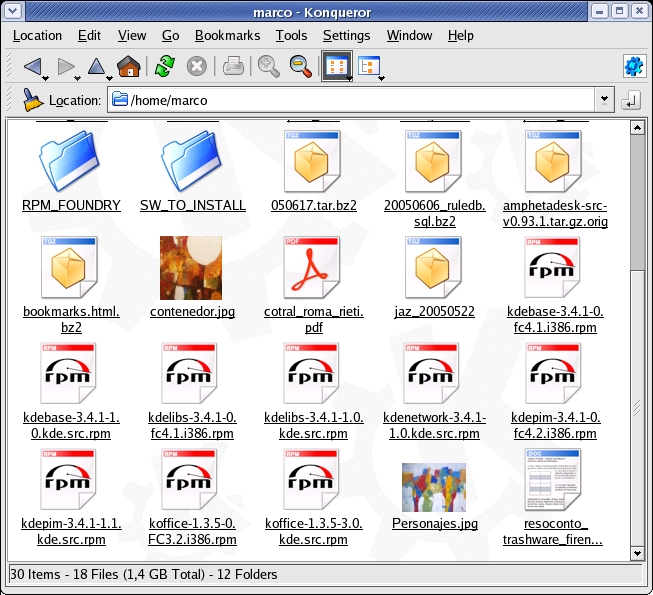
Figure 3. Konqueror for Mini KDE
You probably noticed that the only real savings come from kdebase and kdepim. This was expected. I haven't found out yet why KOffice came out slightly bigger, but I wanted to keep functionality, so I didn't remove anything from it. I simply rebuilt the package to make sure that my reduced kdebase and kdelibs were compatible with it.
As far as the other packages go, KDE is a bundle of many programs built on a common foundation. Even if you use few programs, that set of core libraries, dæmons and what-not cannot become much smaller. This is why kdelibs and part of kdebase remained almost untouched. At the same time, saying “I want only five or six applications, not 40” is what actually made kdebase and kdepim much smaller, almost without affecting the functionality of the remaining programs.
There are surely things that I have missed, tricks that I still have to learn and space for a lot more improvement in the method I have described. However, this was only a first test: the final goal, besides reducing the package size, is to make the compilation and packaging process of this Mini KDE as automatic as possible on every distribution. In this way, whenever new KDE or KOffice versions are released, they quickly and easily could be made available to all users with limited hardware and not enough skills to start from the source.
In order for this to happen, it is necessary to discover, collect and write down as much information as possible on how the items in the several subdirs files are related to one another, as well as any other optimization tricks. Suggestions are welcome!
I will continue to experiment in this area with the folks of the RULE and Ubuntu-lite mailing list, which I thank for their support and interest in this idea. You can find all the results and instructions for Mini KDE on the RULE Web page.
Special thanks also go to Luciano Montanaro, D. Faure and all the KOffice developers who provided much of the initial information to get me started.
Resources for this article: /article/8536.
Marco Fioretti is a hardware systems engineer interested in free software both as an EDA platform and, as the current leader of the RULE Project, as an efficient desktop. Marco lives with his family in Rome, Italy.

