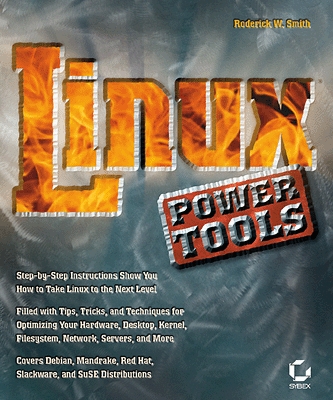
Linux Power Tools by Roderick W. Smith
I have been a UNIX user for more than ten years, and I recently made the move to Linux. When I picked up Linux Power Tools, I thought I had nothing new to learn about Linux, but boy was I wrong. After reading this book, I realized how modern Linux is compared to the Unices I have used. Linux Power Tools is a neat how-to book that explains many commonly performed tasks. It is great to read either from cover to cover or as a quick reference. The distribution-agnostic tone is one of the nicest things about this book and should help it find a wide audience.
The order in which topics appear in the book is an accurate portrayal of how a user would build a system in real life. No information is provided about how to install Linux on the system, however, because it's covered in your distribution's installation guide.
This book starts off by offering tips on how to locate drivers for your devices in case they were not detected automatically or were detected improperly. It then moves on to tweaking disk performance parameters and optimally laying out partitions on your hard disk. Shell programming is covered only briefly.
System administrators should love the coverage of both text and GUI system configuration mechanisms for all the major distributions. This book contains one of the best introductions to SystemV startup scripts I have ever read; it is an absolute must-read. If you have wondered why fonts look so ugly in your Web browser, you will learn the causes and solutions in the excellent coverage of X configuration and X font configuration. Recompiling the kernel is a tricky issue for a novice user, but this book effortlessly walks you through the process. Any machine connected to the Internet always is under attack, and the section on building firewalls using iptables is a life-saver. And, when you feel ready to run your own services, Linux Power Tools provides you with information to get the most common Internet services, such as Web and mail, up and running in no time.
In addition, Linux Power Tools has a good index, making it easy to find specific topics. I found a lot of tips sprinkled throughout the book, such as the -j option for tar to pass the file through bzip2. I would recommend this book if you are a new Linux user looking to make better use of your system or a power user looking for a quick reference book. If you want to excel in shell programming or become a crack sysadmin, though, you should look elsewhere.
Today’s modular x86 servers are compute-centric, designed as a least common denominator to support a wide range of IT workloads. Those generic, virtualized IT workloads have much different resource optimization requirements than hyperscale and cloud applications. They have resulted in a “one size fits all” enterprise IT architecture that is not optimized for a specific set of IT workloads, and especially not emerging hyperscale workloads, such as web applications, big data, and object storage. In this report, you will learn how shifting the focus from traditional compute-centric IT architectures to an innovative disaggregated fabric-based architecture can optimize and scale your data center.
Sponsored by AMD
Built-in forensics, incident response, and security with Red Hat Enterprise Linux 6
Every security policy provides guidance and requirements for ensuring adequate protection of information and data, as well as high-level technical and administrative security requirements for a system in a given environment. Traditionally, providing security for a system focuses on the confidentiality of the information on it. However, protecting the data integrity and system and data availability is just as important. For example, when processing United States intelligence information, there are three attributes that require protection: confidentiality, integrity, and availability.
Learn more about catching the bad guy in this free white paper.
Sponsored by DLT Solutions
| Making Linux and Android Get Along (It's Not as Hard as It Sounds) | May 16, 2013 |
| Drupal Is a Framework: Why Everyone Needs to Understand This | May 15, 2013 |
| Home, My Backup Data Center | May 13, 2013 |
| Non-Linux FOSS: Seashore | May 10, 2013 |
| Trying to Tame the Tablet | May 08, 2013 |
| Dart: a New Web Programming Experience | May 07, 2013 |
- New Products
- Making Linux and Android Get Along (It's Not as Hard as It Sounds)
- A Topic for Discussion - Open Source Feature-Richness?
- Drupal Is a Framework: Why Everyone Needs to Understand This
- Home, My Backup Data Center
- What's the tweeting protocol?
- New Products
- One Hand Slapping
- Readers' Choice Awards
- RSS Feeds
Enter to Win an Adafruit Prototyping Pi Plate Kit for Raspberry Pi

It's Raspberry Pi month at Linux Journal. Each week in May, Adafruit will be giving away a Pi-related prize to a lucky, randomly drawn LJ reader. Winners will be announced weekly.
Fill out the fields below to enter to win this week's prize-- a Prototyping Pi Plate Kit for Raspberry Pi.
Congratulations to our winners so far:
- 5-8-13, Pi Starter Pack: Jack Davis
- 5-15-13, Pi Model B 512MB RAM: Patrick Dunn
- Next winner announced on 5-21-13!
Free Webinar: Linux Backup and Recovery
Most companies incorporate backup procedures for critical data, which can be restored quickly if a loss occurs. However, fewer companies are prepared for catastrophic system failures, in which they lose all data, the entire operating system, applications, settings, patches and more, reducing their system(s) to “bare metal.” After all, before data can be restored to a system, there must be a system to restore it to.
In this one hour webinar, learn how to enhance your existing backup strategies for better disaster recovery preparedness using Storix System Backup Administrator (SBAdmin), a highly flexible bare-metal recovery solution for UNIX and Linux systems.


7 hours 10 min ago
9 hours 42 min ago
11 hours 5 sec ago
11 hours 34 min ago
11 hours 57 min ago
16 hours 45 min ago
17 hours 32 min ago
19 hours 6 min ago
20 hours 43 min ago
22 hours 40 min ago