
Getting Started with Java on Linux
Write once, run everywhere: that's the slogan the Java community uses to propagate their language-of-choice. It's probably true, but only if you first manage to set up the beast on your box. This article gets you started with Java on Linux by showing you how to get the Java Compiler and Virtual Machine installed so you can run core Java programs. It also shows you how to set up a Java web application server. If you follow each step in this article carefully, you will end up with a full-featured Java application server.
For the core Java, we will use Sun's JDK (Java Development Kit), although the IBM equivalent would work equally well. IBM's JDK is even known to be a little faster than the Sun JDK.
Resin will be used for the application server. Resin is both fast and easy to set up. It's also robust and includes all the features that Java developers are looking for, including Servlet/JSP, XML and EJB. For now, we will bother only with the Servlet/JSP portion.
We start by downloading the JDK. For most people, the standard edition of the Java Development Kit (J2SE) will work fine. However, if you need support for EJB (Enterprise Java Beans), you should get the J2EE (Enterprise Edition) instead. In either case, point your browser at java.sun.com/download.html, where you can get both J2SE and J2EE. At the time of this writing, the latest version of the J2SE SDK is 1.4.0 (about 26 Mb). My recommendation is to get the BIN-version of the file, although the RPM-package works if you're using an RPM-based distribution. BIN gives you more control over how and where you want to have your Java-environment installed. And that can be nice when you're dealing with large packages like this one.
The file should be on your local machine, so it's time to start the installation (make sure the file has permissions 755):
root@localhost:~# ./j2sdk-1_4_0_01-linux-i586.bin
As you can see, I choose to execute the file as root. You could do this as a regular user as well, but you would not be able to install it in a system-wide directory.
After you've read the license agreement, you will be asked
Do you agree to the above license terms? [yes or no]
Type yes and press Enter. The file-extraction process will begin now, placing all the files in a sub-directory below your current working directory (cwd). The most common location for Java installations is /usr/local, so we'll go with that:
root@localhost:~# mv j2sdk-1_4_0_01-linux-i586.bin /usr/local
Personally, I think it's nice to always have JDK installed in /usr/local/jdk but still be able to easily see what version is used. To accomplish this, you can simply do:
root@localhost:~# ln -s /usr/local/<REPLACE> /usr/local/jdk
This creates a symbolic link, /usr/local/jdk, pointing to the /usr/local/jdk1.4.0_01 -directory. If you ever upgrade your JDK, all you need to do is update the symbolic link, and the Java compiler (for example) will still reside in /usr/local/jdk/bin, saving you from the work of changing your PATH variable and/or updating scripts that use files in /usr/local/jdk. Executing a ls -als in /usr/local should output something like this:
root@localhost:/usr/local# ls -als
   4 drwxrwsr-x   17 root     staff        4096 Aug 13 18:31 ./
   4 drwxr-xr-x   14 root     root         4096 Aug  1 14:29 ../
   4 drwxr-xr-x    2 root     staff        4096 Jun 13 21:15 bin/
   4 drwxr-xr-x    8 root     staff        4096 Aug 13 18:31 j2sdk1.4.0_01/
   0 lrwxrwxrwx    1 root     staff          24 Aug 13 18:31 jdk ->/usr/local/j2sdk1.4.0_01/
   4 drwxrwsr-x    6 root     staff        4096 Aug  1 14:28 lib/
   4 drwxrwsr-x    6 root     staff        4096 Oct 22  2001 man/
   4 drwxrwsr-x    2 root     staff        4096 Jun 13 21:17 sbin/
   4 drwxrwsr-x    9 root     staff        4096 Mar  5 13:31 share/
   4 drwxrwsr-x    2 root     staff        4096 Apr 15  2001 src/
Speaking of the PATH variable, that is also something we need to take care of--if you want to be able to access the executables in /usr/local/jdk/bin, that is. As a Java developer, you will need to access these files quite often, so it's generally a good idea to set it up.
Fortunately, editing the PATH variable is a simple task. All you have to do is to add the line below to your /etc/profile (or whatever file holds your global shell variables).
export PATH=$PATH:/usr/local/jdk/bin
This means set the variable PATH to the previous value of PATH, and add /usr/local/bin/jdk to it. Then, reload your /etc/profile by issuing:
root@localhost:~# source /etc/profile
You can then test to see if your shell can find the Java compiler simply by typing javac. If everything is okay, you should see something like:
root@localhost:~# javac
Usage: javac <options> <source files>
where possible options include:
  -g                        Generate all debugging info
  -g:none                   Generate no debugging info
  -g:{lines,vars,source}    Generate only some debugging info
  -O                        Optimize; may hinder debugging or enlarge class file
  -nowarn                   Generate no warnings
  -verbose                  Output messages about what the compiler is doing
  -deprecation              Output source locations where deprecated APIs are used
  -classpath <path>         Specify where to find user class files
  -sourcepath <path>        Specify where to find input source files
  -bootclasspath <path>     Override location of bootstrap class files
  -extdirs <dirs>           Override location of installed extensions
  -d <directory>            Specify where to place generated class files
  -encoding <encoding>      Specify character encoding used by source files
  -source <release>         Provide source compatibility with specified release
  -target <release>         Generate class files for specific VM version
  -help                     Print a synopsis of standard options
If you get a command not found message instead, make sure your PATH variable is set up correctly, and then try again.
In addition to PATH, another variable needs to be defined. JAVA_HOME defines where on your filesystem the JDK base directory can be found. In our case, this is /usr/local/jdk. Other applications that use Java (such as Resin, which we will look at a little later) use this variable to find the JDK. Add this line to your /ets/profile:
export JAVA_HOME=/usr/local/jdk
And reload /etc/profile:
root@localhost:~# source /etc/profile
Time for testing.
You should now have a working Java development environment. To test this, we will try to compile and run a simple Java class. Enter the following code into a file named Test.java:
import java.lang.reflect.Array;
class Test
{
        public static void main( String argv[] )
        {
                System.out.println( "Arguments:" );
                int i = 0;
                while( i < Array.getLength(argv) )
                {
                        System.out.println( argv[i] );
                        i++;
                }
        }
}
Then, try to compile it with the following command:
root@localhost:~# javac Test.java
And finally, execute your class by issuing this command:
root@localhost:~# java Test argument1 argument2 argument3
Arguments:
argument1
argument2
argument3
As you see, this simple program prints the command-line arguments given and then exits. If this worked, it's safe to say your installation was successful.
Resin (from Caucho Technology) is a web and application server that's fast and easy to get running. We'll begin by downloading and unpacking the Resin source distribution. This can be found at www.caucho.com/download/index.xtp. At the time of this writing, the latest version of Resin standard is 2.1.4 (there's an enterprise version too, but you don't have to worry about that for now).
When the file is on your local machine, unpack it in /usr/local:
root@localhost:~# resin-2.1.4.tar.gz /usr/local
root@localhost:~# cd /usr/local
root@localhost:/usr/local# tar xvfz resin-2.1.4.tar.gz
As with the JDK, it would be nice to make a symbolic link for Resin so you always are able to access it in /usr/local/resin:
root@localhost:/usr/local# ln -s resin-2.1.4 resin
Because we're going to run Resin as a standalone web server, we need to change the port on which the server will listen before we start it. This can be done by changing a line in /usr/local/resin/conf/resin.conf. Open resin.conf in an editor and locate the following line:
<http port='8080'/>
A common way of using Resin is to let it coexist with Apache, letting Resin take care of only the requests to JSP/Servlets and leaving the rest up to Apache. This is why Resin by default listens to port 8080 instead of 80, which is the standard port for web servers. We are going to let Resin take care of all requests to our server (for which it is very capable). So, change the HTTP port in resinf.conf to 80, save and exit. Then, start Resin by executing the following:
root@localhost:~# /usr/local/resin/bin/httpd.sh
You should get output the looks something like this:
Resin 2.1.4 (built Fri Aug  2 14:16:52 PDT 2002)
Copyright(c) 1998-2002 Caucho Technology.  All rights reserved.
Starting Resin on Tue, 20 Aug 2002 14:02:27 +0200 (CET)
[2002-08-20 14:02:29.982] initializing application http://localhost/
[2002-08-20 14:02:29.984] initializing application http://localhost/java_tut
[2002-08-20 14:02:29.985] initializing application
http://localhost/examples/basic
[2002-08-20 14:02:29.986] initializing application
http://localhost/examples/tags
[2002-08-20 14:02:29.987] initializing application
http://localhost/examples/tictactoe
[2002-08-20 14:02:29.988] initializing application
http://localhost/examples/navigation
[2002-08-20 14:02:29.989] initializing application
http://localhost/examples/xsl
[2002-08-20 14:02:29.990] initializing application
http://localhost/examples/templates
[2002-08-20 14:02:30.001] initializing application
http://localhost/examples/login
http listening to *:80
srun listening to 127.0.0.1:6802
Resin is up and running. You can test it out by pointing your browser at http://localhost. The page shown in Figure 1 is what you should see.
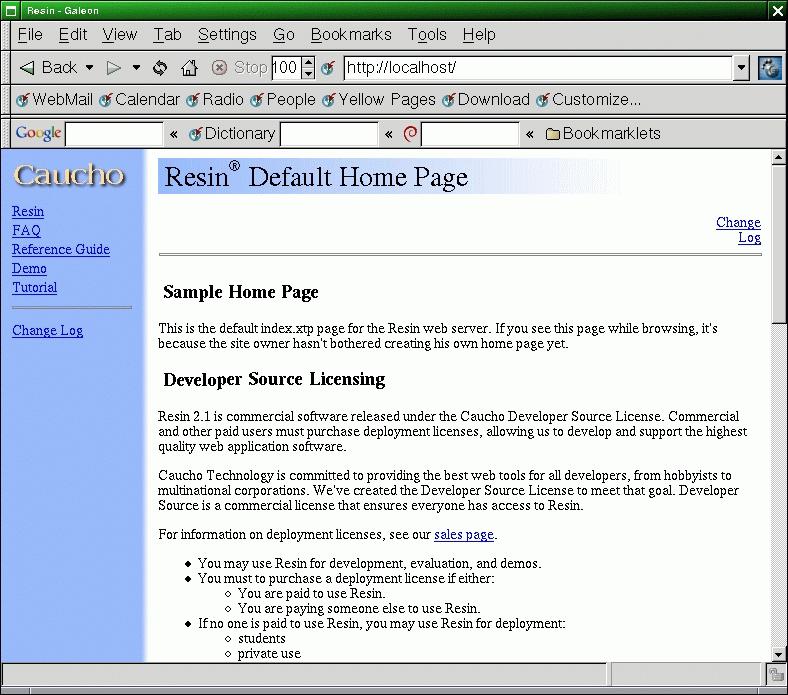
The Sample Resin Home Page
It also would be nice to test the server with a simple page of our own. The base document directory for Resin by default is /usr/local/resin/doc, so let's create a page called test.jsp and place it in this directory. test.jsp could look something like this:
<html>
<head>
        <title>
                My First JSP Page
        </title>
</head>
<body bgcolor="#FFFFFF">
        <h3>
                The value of 'par' is:
        </h3>
        <h2>
                <%= request.getParameter("par") %>
        </h2>
</body>
</html>
This JSP prints out the value of the parameter par. So to avoid error messages, we need to define this variable in the URL when calling this page. Point your browser at http://localhost/test.jsp?par=mysecretvalue, where you should see something similar to Figure 2.
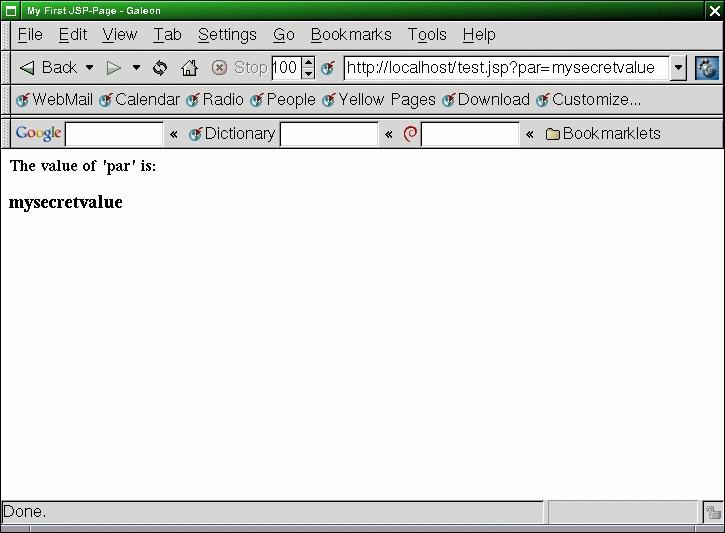
A Simple JSP Example
Now we're talking; looks like we've got our own Java application server working.
This little tutorial has gotten you started with your Java adventure on Linux. Using Resin as your web and application server gives you all the possibilities that the not-so-cheap alternatives do, including XML/XSL processing, JSP/Servlet support and load balancing. If you choose Resin-EE, you also receive EJB (Enterprise Java Beans). For a detailed description of what you are allowed to do with Resin, read the Caucho Developer Source License. It comes with your Resin installation, in /usr/local/resin/LICENSE.
Resin also offers almost endless tweaking possibilities, which can be used to configure the functions of your server and also to improve performance in some setups. The complete Resin configuration reference can be found at www.caucho.com/resin/ref/config.xtp.
If you have no plans to use Java for web development, you still have a working Java development environment for standalone applications. A good starting point for all Java programming is java.sun.com/docs. There you'll find the complete standard API reference, as well as documentation on other interesting Java technologies, including APIs for programming 3D, SSL, Speech and others.
email: daniel@solin.org

