
Moving to PostgreSQL's Object-Relational DBMS
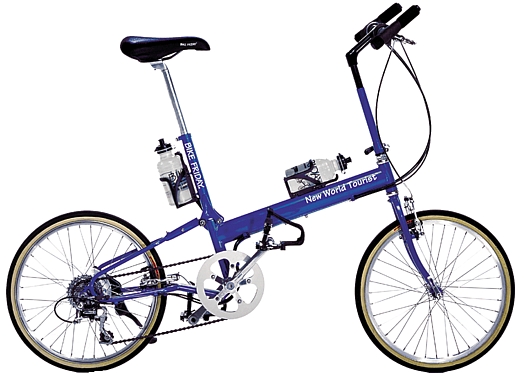
New World Tourist
As more companies dive into open-source business systems, many are building web-to-back-end stacks that typically include Linux, PHP, Apache web server and an open-source database, usually either MySQL or PostgreSQL. PostgreSQL is gaining favor of late in many quarters, having reached, some say, a critical mass of functionality and stability. Several high-profile companies now provide 24/7 support, including Red Hat. This article shows what to expect when switching from Microsoft Access to an open-source database (in this case, BSD-style licensed PostgreSQL).
Michael Calabrese, manager of information systems for Bike Friday, recently undertook the challenge. Bike Friday is a rapidly expanding touring and mountain bike company based in Eugene, Oregon. It uses PostgreSQL to handle all of its sales, manufacturing and customer support data. Calabrese is also in the midst of changing all of the company's e-commerce systems from proprietary to open-source—Linux and Apache, with PostgreSQL at the core. For now, however, he has retained Microsoft Access 97 as the front end in order to minimize downtime while replacing the back end with PostgreSQL and adding new features. Calabrese says:
If you're not dealing with preserving an existing front end, life is easy. Just run the conversion scripts [detailed below] and start writing a new front end. If you have an Access front end that you can continue to use with a PostgreSQL back end, you've provided clear pathways for things to grow, without trying to convert the whole system at once. In the first scenario, you'd be looking at a year for the conversion after freezing the whole front end. Attacking the change incrementally allows you to start designing new things with the choice of whether to do it in Access or PostgreSQL.
Calabrese decided to move to PostgreSQL because it is the more enterprise-capable system. It has a mature transaction-management system with a sophisticated data-locking mechanism called multiversion concurrency control (MVCC), which allows read-only access to data even if it's in use.
Loading the Microsoft open database connectivity (ODBC) drivers onto the PostgreSQL template database lets Access and PostgreSQL set up house together. Besides basic conversion tools (see Resources), additional ODBC server-side functions that Access sometimes needs to run psql <database name> <odbc.sql> are located in the directory src/interfaces/odbc/odbc.sql. PostgreSQL also provides a platform-independent Type 4 Java database connectivity interface (JDBC) driver. An embedded interface for C (ECPG) is also part of PostgreSQL. Once the installation was finished, Calabrese chose data migration tools like pgAccess, available in Windows and UNIX versions, and exSQL public version 3.1.
After backing up existing databases using the included tools (either the pg_dumpall utility or a combination of the pg_dump and pg_dumpaccounts utilities) and running the Installer, the first step in the data conversion is to hunt down illegal file names in Access. Access is quite liberal in its allowance of illegal characters that other databases—Oracle, Sybase and PostgreSQL included—will not understand. Therefore, scores of illegal terms for Bike Friday's shipping and ordering data that Access thought were fine had to be converted for PostgreSQL. For example, tables like Order Detail needed to become Order_Detail or OrderDetail, and field names such as Shipped? had to become Shipped or ShippedYN.
The basic conversion tools will remove all illegal characters automatically. This can be problematic for those working with an existing front end, because the front and back ends can cease communicating without an apparent reason. Calabrese recommends that anyone planning to preserve an existing front end should not change the names containing illegal characters in the front-end data or, alternatively, make parallel changes manually. In his situation, Calabrese found himself manually changing characters one by one on Bike Friday's front and back ends, which was okay since he was going to have to change the front end anyway. Either way, it's at this point that one should perform the first of many tests to be sure everything works. With illegal character issues resolved, the data is ready for conversion.
For those planning to run an Access front end atop a converted back end, pgAdmin should do an adequate job of moving the data automatically. Calabrese also used a modified version of exSQL to define how Access and PostgreSQL would handle relationships between tables. The version he has made public at www.geocities.com/musica_6898/ postgresaccess_home.html runs a script that alters field-type conversion for several tasks, such as regulating how Access handles the money type. Bike Friday's Access front end saw PostgreSQL's numeric decimal fields as text fields. In order for Access to view the math properly, Calabrese changed the fields to a Float4—the method by which PostgreSQL describes a four-byte floating number—allowing Access to read them properly.
With more than 100 tables, Bike Friday's interface is fairly complex. Viewed from the user end, Bike Friday uses more than 80 screens for everything from entering an order, viewing a parts table, to scheduling production and tracking inventory. Therefore, Calabrese had to be sure that the system scaled for tens of users. Testing took several weeks, redesigning SQL queries as needed along the way, either by rewriting them on the Access side or, when that proved problematic, rewriting them on the back end until they ran at speed. Listings 1 and 2 illustrate the difference in typical queries and queries optimized for speed.
Listing 1. A Fairly Inefficient Query
Listing 2. The Same Query Optimized for Speed
Generally one optimizes PostgreSQL queries using SQL commands such as Create index, vacuum, vacuum analyze, cluster and explain. However, Calabrese offers this warning: Access 97 took the liberty of changing his queries based on how it thought they would be more efficient. Calabrese headed this off by using a pass-through query that told Access not to touch the query but send it straight to back end.
In the optimization he did for Bike Friday's PostgreSQL database, Calabrese scored most of his speed gains by extracting smaller, more exact amounts of data. Instead of the database querying 100,000 product order details at once, he told it to only look at the orders using some 2,000 details instead. “Access is greedy”, Calabrese said. “It grabs all the records and goes through them every time. That's very inefficient. We have 30 people with the company now, and if each has a computer accessing the database, that's going to be problem real fast in terms of speed.”
The next stage in the changeover is debugging queries, and there are two basic routes here. The first is to activate and use the debugging tools in the ODBC driver for PostgreSQL. One can have the driver create a log so that whenever Access sends an SQL command, PostgreSQL puts it into the log, which is written to the root of the C drive. This will catch Access in the act if it tries to retrieve something like 100,000 rows or otherwise butcher a query and, for example, break it into a thousand smaller ones. Basically, it's an audit trail that makes it easier to catch haywire queries and rewrite them if something goes wrong, as it did here:
conn=86311032, query=' '
CONN ERROR: func=SQLDriverConnect,
desc='Error from CC_Connect',
errnum=105, errmsg='The database does not exist
on the server or user authentication failed.'
Alternately, if Access is sending a query and the system hangs, one can change the debug level on the server side to read the queries being sent to it. Fine tuning is a matter of going through each screen and testing them to ensure they're all up to speed by simplifying queries, making them faster or combining them. This process sounds easy but isn't, considering how esoteric some SQL lore can be. But, running two or three complete alpha tests at this point is going to save grief later.
The next step before putting the whole thing into production is to beta test it. Calabrese monitored Bike Friday's back-end system while salespeople, executives and associates used it in real time. “You're not just testing whether the front end has errors, but how big you need to make the server”, Calabrese said. He wrote a query script that kept close watch on the three main bottlenecks (CPU, the disk and the network) to see what loads they were taking.
For hardware tweaking (CPU, disks and memory), Bruce Momjian's Linux Journal article “PostgreSQL Performance Tuning” (August 2001 issue and also accessible on-line at www.linuxjournal.com/lj-issues/issue88/4791.html ) provides a handy overview. Calabrese's script measured CPU stress based on how many seconds the load remained at 100%, 50% and idle. It looked at disk transfers in terms of the number of reads and writes to and from the disk, as well as the amount in kilobytes of those reads and writes. As for the network rate, Calabrese's script counted packets per second and bytes per second. Calabrese also suggested doing a ping/F on an isolated network, a flood ping that will indicate how much the server can take before it maxes. As far as memory goes, the more you have, the more data PostgreSQL will load into it and the faster the database will be.
Of course, the only way really to determine if a database is fast enough is whether or not the people using it feel it is fast enough. Fractional waits that seem insignificant on paper can be much longer in real time. Each organization will have its own tolerance level for speed and performance. The only way to be sure the database is working the way the organization wants it to is to let people use it and listen to what they say.
Finally, once you've gone through a few production tests, having listed and cleaned up all the errors in the interface, you're ready to roll out an open-source foundation for a real-world, enterprise e-business.

Chris Volpe is a technology writer based in New Hampshire. He can be reached at chris@macnet2.com.

