Moneydance Personal Finance Manager
I wanted to install the program on my server, which is still running Mandrake 6.0 as I haven't gotten around to upgrading it. Installation went without a hitch, but Java fails on:
[stew@moe stew]$ moneydance
Unable to load /usr/local/moneydance/jre/bin/libhpi.so: symbol sem_wait,
version GLIBC_2.1 not defined in file libpthread.so.0 with link time
reference Could not create the Java virtual machine.
I had the same problem with IBM JDK1.3 on this system, so I can't blame Moneydance too much. (On closer inspection it looks like Moneydance uses IBM's 1.3 version, so the error is not too surprising). I haven't been eager to update this system to the latest, bleeding edge stuff, as it is my fileserver and internet gateway, and I don't have time to reconfigure things on it to my liking if I install a new Linux distribution. My only comment on this issue is it would make for an even nicer user experience if the install script did a preliminary Java setup in /tmp or somewhere, ran some tests to see if the application would run on the chosen system and then let the user know if there is an issue, all before doing the install.
Luckily, I have a number of Linux systems, so I switched to another machine with Mandrake 7.2:
        [stew@larry stew]$ cd /mnt/cdrom/Unix/
        [stew@larry Unix]$ ./install.sh
        Installing Moneydance...
        This installation may go more smoothly if you are running
        as the 'root' user so that you can install Moneydance in
        any location.  Would you like to install Moneydance as root?
        Please enter yes or no: yes
        Please enter the root password.
        Password:
        Installing Moneydance...
        Where would you like to install Moneydance?
        (We recommend /usr/local/moneydance) [/usr/local/moneydance]
        Installing Moneydance in /usr/local/moneydance....
        Installed link to moneydance in /usr/local/bin
        Installing app icon at /root/Desktop/Moneydance.kdelnk
        Installing app icon at /usr/local/moneydance/Moneydance.desktop
        Installing app icon at /usr/local/moneydance/Moneydance.kdelnk
        Thank you for installing Moneydance!
        An icon to launch Moneydance has been installed here:
        /usr/local/moneydance/Moneydance.kdelnk
        To add a link to Moneydance from your desktop, drag that
        icon onto your desktop or taskbar.
        (press Enter to exit)
        Exiting root user mode.  Press enter to exit
        [stew@larry Unix]$
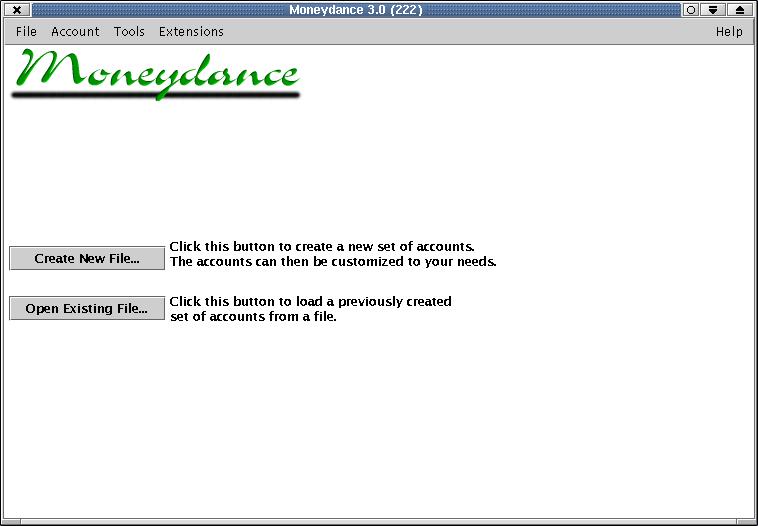
From here I typed moneydance, and the splash screen came up and offered to set up my initial accounts.
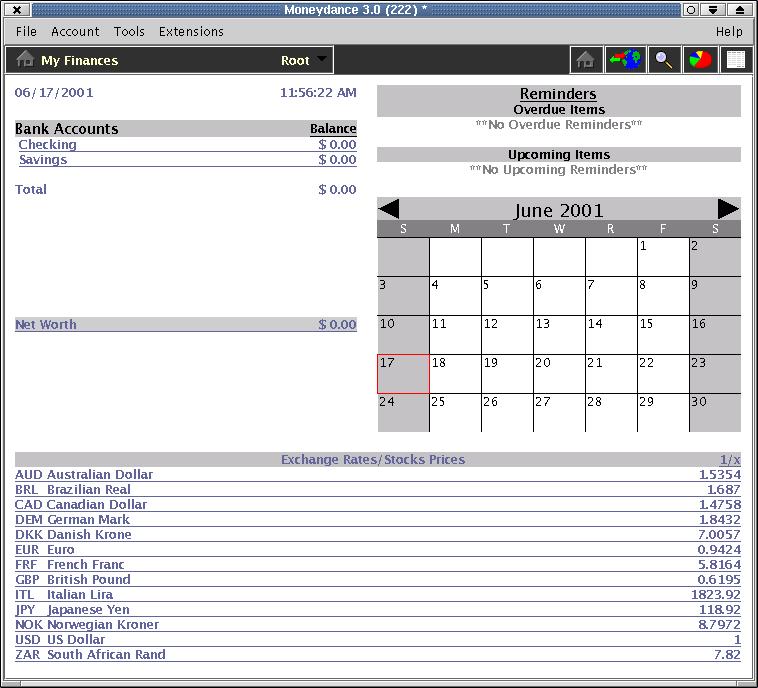
I chose a standard account set in US dollars, and the Moneydance Home Page came up, just as it appears in the manual screenshots.

Under preferences, you can set whether or not to display the exchange rates, color schemes, backup strategies, internet options and check printing format, among others.
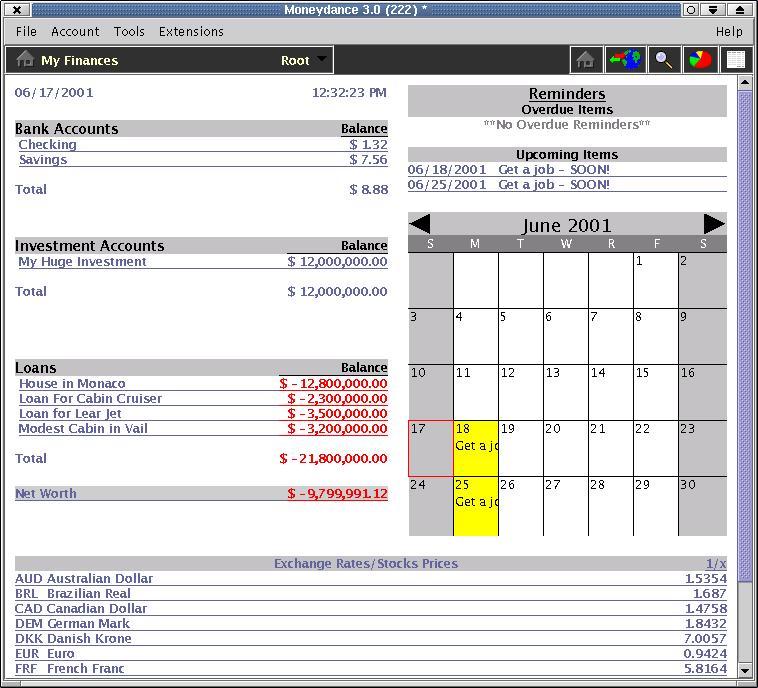
Creating accounts was a breeze, and I quickly made a number of fictitious accounts, as well as added account data for the pre-set Checking and Savings accounts. You can also add reminders to the calendar for bill payments or anything you choose.
The program offers a number of standard reports and graphs to view Net Worth, as well as account balances and activity. These can also be saved as HTML if you would like to share the data via the web, or they can be mailed to your accountant.
If you are already using Quicken, Moneydance lets you import Quicken data as a QIF file. I tried this with the version of Pocket Quicken I've been using for years on my HP100LX, and it worked fine, bringing in all my accounts, balances and transactions.
If you're interested in exchange rates, updated currency exchange rates are a mouse-click away on the top icon bar. You can also set up a portfolio of stocks, and if you're so inclined, use the Python plugin (covered later) to grab the latest stock prices from the Internet and drop the values into your tracking history.
An extension feature to expand Moneydance's capabilities is included. At the time of this writing, on-line extensions included a Moneydance updater to download Moneydance updates and a Python Scripting Interface, which will allow you to create custom scripts to automate repetitive tasks, like downloading data from your on-line banking site. I downloaded both of these updates and let Moneydance update itself, and this process also went without a hitch. The only catch was, since I did a system install in /usr/local and was running Moneydance as the "stew" user, I received a warning that I would have to do the final piece of the update by hand as root:


[root@larry /root]# cp /home/stew/.moneydance/updater.tmp/moneydance.jar
/usr/local/moneydance/moneydance.jar

With the plugin capability, you can create Python scripts to do repetitive tasks, once you become accustomed to working with the Moneydance API. The API is documented at on the Moneydance site. There really isn't a HOW-TO type of document for using the Python plugin, but by reviewing the API document and doing a little experimenting, you can get a handle on it pretty quickly. A trivial example is:
        import java.io
        import java.text
        import com.moneydance.apps.md.controller
        import com.moneydance.apps.md.model

        myaccount = moneydance.getRootAccount().getAccountByName("SOCIETY")
        print "Status for SOCIETY %s" % myaccount.getBankAccountNumber()
        trueval = myaccount.getBalance()/100.0
        print "Todays Balance: $%.2f"  % trueval
        print "Next Check Number: %s" % myaccount.getNextCheckNumber()
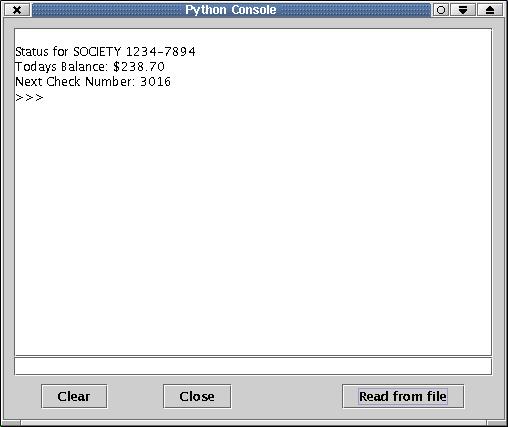
If you load this script with the "Read from file" option in the Python Plug-in, you'll get output looking like that in the following figure.
Similarly trivial examples from the API page are things like:
moneydance.getContext().showURL("moneydance:showreport:NetWorthReport");
or
moneydance.getContext().showURL("moneydance:editreminders");
Although not documented yet, you can also run Python scripts from the command line in batch mode, opening up a lot of possibilities for automating things with cron.
As I was writing this, another new extension was announced, allowing for on-line bill payment via the Paytrust service. Although it might be heresy to the Linux religious right, I think being a cross-platform app may be a good thing for Moneydance, as more vendors may be willing to come on board with services for a broader base of end users.
A couple of times the program seemed to hang on me, but ps would show the process still running. This may have been the combination of running X, KDE2 and GIMP for the screenshots, plus the fact that Moneydance was a bit much for the P166/80MB machine I was working with. As I always recommend, save often and make backups so you don't lose your critical data. (The newest version does automated backups for you). As I noticed with AppGen, Java-based apps are a little bit slow on a machine of this class but usable. If you have a more contemporary machine you should be fine. Also font rendering on some of the screens was a little fuzzy but still readable.
The Moneydance manual is small and concise (about 70 pages). It very clearly walks through the install process for all platforms (Linux/UNIX, Windows, MacOS), and numerous screenshots show initial account setup, importing of QIF data, on-line banking features and more. It even spends a bit of time explaining accounting terminology and some basics, in case you don't happen to be familiar with them. Screenshots are a nice balance of shots from both Windows and Macintosh versions. The Linux screens are nearly identical to the Windows' ones, aside from window decorations, so you should have no problem there. The Moneydance mail list is monitored by the developers, and I got a quick response to my questions on using the Python plugin.
All in all, if Quicken is what has been keeping you locked into that other OS, I think you may be able to reclaim a disk partition if you switch over to Moneydance. AppGen is also getting ready to release MyBooks for Linux, a product competitive with QuickBooks, should you need something for a small business--what I'm waiting for.
email: ljeditors@ssc.com