
Industrializing Web Page Construction
When I started building my company's web site about a year ago, I looked for a good, visual web editor, and finding one quickly produced some nice web pages. A week later, I had thrown the web editor away and was working on a tool to solve some of the major difficulties I had found. In this article I'll look at the result—a free HTML preprocessor written in Perl—that makes mass production of web pages a feasible and economical task.
htmlpp was one of the first Perl programs I wrote, and I've not regretted the choice of language. Perl allows me to add functions to the program as fast as I can think of them. The consequence is that htmlpp is a very rich tool, making the task of maintaining a web site with thousands of pages easy.
There are at least a dozen free HTML preprocessors available today; I know of three with the name htmlpp. Something is driving people to write these programs, but what? Some 95% of the web pages I produce are on-line documentation, and I dislike building these by hand. Each page needs a standard header, footer and appearance. When I change my mind, it takes a lot of mouse clicks to go through each web page again, and a lot of care to make sure that every page conforms to my preferred style.
Thus, I started htmlpp with the idea: “take a large text file and break it into smaller web pages, adding pretty headers and footers, building the table of contents, cross-references and hyperlinks.” It would also be nice to define symbols like $(version) and place them into the text. How about conditional blocks so that I can generate frame and non-frame web pages from the same document, a way to share definitions between projects, a for loop to build structured text, access to environment variables and Perl macros, some more hot coffee and a raisin bagel?
htmlpp uses the term “document” to refer to the text files it inputs. This is a “hello world” document:
.echo Hello, World.
Here's something more involved:
 .define new-year 0101
.if "&date("mm-dd")" eq "$(new-year)"
.  echo Happy New Year!
.else
.  echo Hello, World.
.endif
If you've used C or C++, htmlpp looks very much like the C
preprocessor. You get commands like
.define,
.include and
.if that work in a similiar
fashion to the C preprocessor equivalents. For instance, the .if
command works at “compile time”, i.e., when you build the HTML
pages, not when they are displayed by the browser. Some other
htmlpp commands were borrowed from the Unix shells.
Note how I define a symbol, new-year, and then use it in the document as $(new-year). htmlpp provides many variations on this theme; for example, the $(*...) form creates a hyperlink:
.define lj http://www.ssc.com/lj/
$(*lj="Linux Journal"<\n>) is the magazine of the Linux community.
To define a counter which runs from 0 upwards:
.define counter++ 0A realistic htmlpp script uses the .page command to create HTML pages. Listing 11 shows the template file supplied by htmlpp for your new projects.
Each HTML page gets a header and a footer. htmlpp lets you construct very complex headers and footers. This footer, taken from the htmlpp documentation, builds hyperlinks to the first, previous, next and last pages in the document, plus an index that lets the user jump to any page in the document.
 .block footer
<HR><P>
| $(*FIRST_PAGE=<<) | $(*PREV_PAGE=<)
| $(*NEXT_PAGE=>) | $(*LAST_PAGE=>>)
.build index
<P><A HREF="/index.htm">
<IMG SRC="im0096c.gif" WIDTH=96 HEIGHT=36 ALT="iMatix"></A>
Designed by <.HREF "/html/pieter.htm" "Pieter Hintjens">
© 1997 iMatix
</BODY></HTML>
.endblock
The .build index command builds the index by making a list of all the pages in the document. With an .if command, we can show the current page in relationship to the other pages. This is how I define the index:
.block index_open
<BR>
.block index_entry
.if "$(INDEX_PAGE)" eq "$(PAGE)"
| <.EM $(INDEX_TITLE)>
.else
| $(*INDEX_PAGE="$(INDEX_TITLE)")
.endif
.endblock
This code is beginning to get a bit complex, but the results are well worth the effort. The symbols in capital letters (e.g., $(PAGE), the file name for the current HTML page) are supplied by htmlpp. Some of these symbols, such as $(NEXT_PAGE), require that htmlpp go over the document several times. In fact, htmlpp will run through the document three or more times, until all cross references have been resolved. This multi-pass approach can be a little slow, but it is powerful enough to handle the footer block shown above.
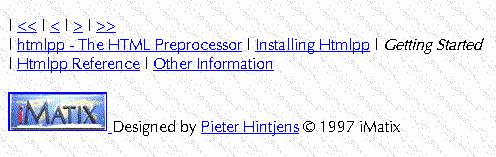
Figure 1. Screen Shot
The .build toc command builds a table of contents, a vital part of any large document. htmlpp comes with a small file, contents.def, that does this job. To build the table of contents, you do the following:
.include contents.def
The contents.def file first defines three blocks (toc_open, toc_entry and toc_close) and then does a .build toc:
 .block toc_open
<MENU>
.block toc_entry
<LI><A HREF="$(TOC_HREF)">$(TOC_TITLE)</A></LI>
.block toc_close
</MENU>
.end
<P>
.build toc
<HR>
htmlpp uses such predefined blocks for headers, footers, indexes, table of contents and other constructions. You can define your own blocks in order to pull standard chunks of HTML text into your pages. You can also use .include commands, but this practice can lead to the creation of many small files.
The key to unlocking htmlpp's real power is learning a little Perl. When you use the .if command, for instance, you use Perl. So, I can write something like this:
.if $ENV {"RELEASE"} eq "test"
It's also possible to run Perl programs and pipe the output into your HTML pages or to extend htmlpp's syntax with your own functions. Finally, since htmlpp comes with source code under the GNU General Purpose License, you can change the tool in any way you wish.
At the other extreme, you can use htmlpp in “guru mode” to turn a simple text file into structured HTML pages. All you need to do is mark the section headers. htmlpp inserts a table of contents, breaks the document into pages, adds headers and footers, detects numbered and bulleted lists, paragraphs, tables and so on. This is a quick and lazy way to produce useful HTML pages without tagging every paragraph.
To use htmlpp, you have to be happy writing HTML by hand (unless you work in guru mode). In return, you get an economical way to maintain large web sites without losing any control over the quality of your work.
To install and use htmlpp, you need Perl version 4 or 5. Download htmlpp from http://www.imatix.com/ and unpack the .zip file. The package comes with HTML pages describing how to install and use. If you have questions, comments or suggestions, don't hesitate to send me e-mail.
Pieter Hintjens is a programmer and the founder of iMatix, an Internet software company. You can download the latest version of htmlpp, and find-out more about the free software that iMatix produces, from their website at http://www.imatix.com/. He can be reached via e-mail at ph@imatix.com.
