A Linux-based Lab for Operating Systems and Network Courses
This article describes our experiences installing and using a teaching laboratory based on the Linux operating system. The lab is a platform for undergraduate operating systems and networking education in the Department of Computer Science and Engineering at Auburn University. We have deliberately made the software and hardware environments of the lab quite heterogeneous, but Linux has always been the workhorse of the lab. Linux was chosen primarily due to the wide range of hardware supported, the sophistication of its kernel and the availability of source code and documentation. We believe that “hands-on” experience is an essential component of computer science education and that most current curricula rely far too heavily on simulation when teaching systems issues.
Our primary motivation for building this laboratory was to not shortchange our students when it comes to practical experience with systems programming. The shortcomings we most desired to avoid are:
Out-of-date technology—A good systems programming instructor must be familiar with the state of the art, and more importantly, the state of practice. A competent instructor should be aware of such things as memory speeds and sizes, disk drive performance, network standards and CPU performance. These things change rapidly, and far too often we throw up our hands and say “I'll teach the fundamental concepts, but not dirty my hands with implementation details.” Such thinking is fundamentally flawed when applied to systems programming, since what works and what does not work is fundamentally based on the economics and technology that makes some solutions viable and others not.
Too much reliance on simulation—Systems programming is inherently a messy business. Machines can crash; device drivers can hang the system or even the network; hardware can be damaged by poor programming or incorrect wiring. There is a risk that students will use the systems lab to crack other systems. Poorly written network software can result in inadvertent denial of service to other legitimate users of the network.
All these things make a dedicated systems laboratory very difficult to accommodate in today's typical university computing environment of networked Windows PCs and commercial Unix workstations. Systems administrators don't want to put at risk a part of their network which is, almost by definition, broken most of the time.
Thus, systems programming courses often rely exclusively on the use of simulators to provide students with some experience in systems programming. The problem with this approach is that the real world is not running on a simulator. Simulation adds an extra layer of complexity that must be grasped by the novice, and also insulates the novice from the fact that development tools may be primitive or nonexistent and the designer is often responsible for building the design tools as well. Students need to learn to build their own tools, to leverage the capabilities they have in order to achieve the ends they need when developing new systems.
Aversion to team exercises—We in the computer science and engineering department at Auburn often ask our industrial contacts, “What should we be teaching our students to prepare them for work at your firm?” Inevitably, we are told that the important skills include teamwork and experience with large systems. Because of the difficulties inherent in assessing team performance and in managing the interpersonal issues involved with team-based projects, most university exercises tend to be individual activities based on small, or even toy systems. Perhaps the underlying obstacle may be an unwillingness to depart from the traditional lecture-and-examination method of teaching. Professors have a term that is generally used to refer to team work—cheating.
Security concerns—It is a fact of life that not all university students can be trusted in the same ways that employees are trusted. As mentioned above, some protections must be set up so that hacking does not interfere with the work of other students or with that of university staff. Further, physical precautions must be taken against the theft of equipment available for public use. Unfortunately, these concerns seem directly aimed at frustrating any attempt to provide students with “real” systems programming experience, for which they may need root privileges, and for which they will often need access to the inside of the machine.
A dedicated laboratory for systems programming courses, running Linux on commodity hardware, isolated to some extent from the main campus network, seemed to us to be a good way around most of these shortcomings.
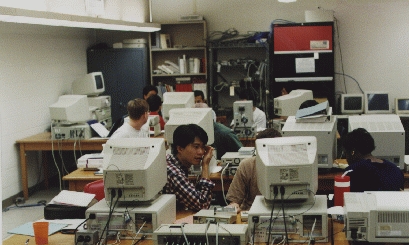
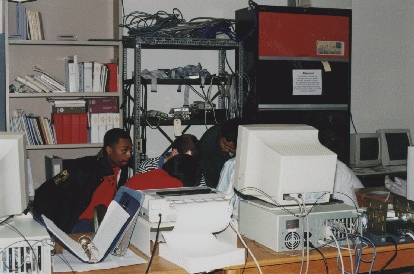
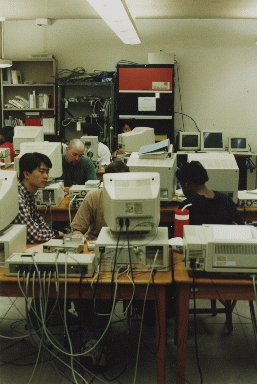
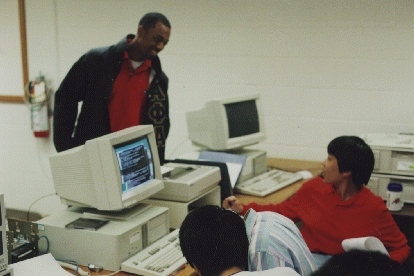
The lab began in the late summer of 1995 with six Pentium 90 machines running Red Hat Linux version 1.0. We made an effort to buy only hardware that supported Linux: IDE disk drives and CD-ROM, SCSI tape backup and file servers, ATI Mach 32 video cards, SVGA monitors. Hardware incompatibilities caused several delays, as we attempted to show that Linux was competitive with commercial Unix as a platform for instructional computing. These delays seem to be a thing of the past, both due to our increasing familiarity with Linux and to the non-stop efforts of the Linux development community.
The “PC lab running Unix” initially was regarded rather like the dancing bear: People were impressed not that it worked well, but that it worked at all. Faculty were amazed that we could run essentially the same set of tools on $2000 boxes as ran on their $4000-$8000 Unix workstations. Benchmarking and practical experience on tasks ranging from document preparation to compiler writing soon revealed that performance on these machines was comparable to that achieved with workstations. Further, the fact that all OS source code was available, and that the developers could be contacted directly (and generally provided very helpful advice via e-mail) were big pluses. The machines went through a shakedown period in the fall of 1995, in which any interested student or faculty was granted access, but the machines were not used as part of any formal course work.
During the shakedown period, we attempted to attach virtually any peripheral we could find to our Linux system and attempted to install Linux on a variety of processors.
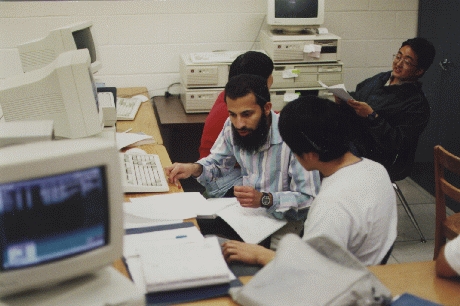
The initial six machine configuration was used to support a systems administration course during the spring quarter of 1996, with teams of about six students assigned to each machine. Students installed Linux, configured networking, mounted file systems over the network, installed devices, developed device drivers and made minor kernel modifications. It was becoming clear that with more machines, the lab could be a platform for most, if not all, of our systems courses.
At about the same time, we scavenged a large number of 386 and 486-based machines that were being surplussed as a large college of engineering laboratory was upgraded, and while we found many broken computers, we were able to build somewhere between 10 and 20 working systems, all capable of running Linux. We wanted an environment that was varied and in which hardware was plentiful (if not always state-of-the-art). These older machines provided a platform that could be freely used without worry about damage by any student interested in hacking. One such project included interfacing a color Connectix QuickCam which exported pictures of the laboratory to the World Wide Web and to a file server, thus providing both security and convenience at a low cost.
Based on our preliminary results, we submitted a proposal to the National Science Foundation (NSF) Instructional Laboratory Improvement program to expand this lab, and to use it as our main platform for undergraduate education in operating systems and networks. The NSF agreed to supply $44,512 to purchase equipment, if Auburn University would provide a matching $44,512. The total $89,024 was allocated toward purchase of the following items:
Sixteen additional Intel-based computers
Fast Ethernet cards, cables and hubs
Network analyzers
Multimedia equipment
Printers
We are currently in the process of acquiring this equipment and developing a curriculum for introductory operating systems and networks courses based on the Linux kernel.
For the introductory operating systems course, we currently use the Nachos instructional operating system, developed at the University of California at Berkeley. We start the students out with a very limited-capability kernel and require them to extend the scheduling, file system, process management and networking in various ways. This OS runs on a MIPS R2/3000 processor simulator, running on top of Solaris on a SPARCstation. We hope to remove most of these software layers by using Linux. We plan to augment the use of our traditional textbook, Operating Systems Concepts by Galvin and Silberschatz, with a Linux-specific text, such as Linux Kernel Internals, by Beck, et al.
A Unix systems administration course is currently being taught using the laboratory. On the second class day students were required to choose a slot in a table having rows reflecting tasks of a system administrator and columns reflecting the hardware platforms available in the laboratory. The rows were called “interest groups” and the columns were called “teams”. The interest groups of the table were:
Hardware group—responsible for hardware installation, maintenance, upgrades.
Software group—responsible for software installation, maintenance and upgrade of system software.
Network group—concentrating on networking hardware and software.
Backup and security group—responsible for prevention and monitoring of security for the laboratory.
Documentation group—responsible for dealing with the maintenance of appropriate documentation of a system. The person choosing the documentation group slot for a team was also given the leadership roll for their team.
The above-mentioned Pentium processor systems and two older SPARC processors were the hardware platforms offered to the student teams. Additionally, each team was allowed to choose an operating system to manage on their machine subject to license availability. For the Pentium processors the students were offered Solaris for the 386 or Linux. Solaris or SPARC-Linux was available for the Sun systems. One team expressed considerable interest in integration of Windows NT into the laboratory, and since there was one license available for NT, it was agreed that this team could support NT, so long as class assignments could be performed on their system.
Class assignments were of three forms: user assignments, team assignments and interest group assignments. Because each team was to provide accounts on another team's platform, each team became a user base for another team. Thus, individual user assignments became team assignments. For example, a user assignment to enter an HTML page containing a Java applet became a team assignment to install a web server and a Java compiler on their system.
Interest group assignments were those that altered or reconfigured the basic capabilities of the laboratory. For example, creating two subnets in the laboratory, creating a backup system for the laboratory machines, monitoring and securing the laboratory were duties in which the interest groups joined together to accomplish the assigned task.
Finally, to address distributed system management issues, all teams were assigned the responsibility of installing, providing and managing file and print services for the laboratory. An Iomega Jaz drive was configured as the boot disk for the machine in the laboratory that was to be the NFS and print server. This machine was also configured with an additional two SCSI hard disks, a tape drive and a printer. Each team checked out a Jaz disk and built an operating system on its disk. The only team that had a problem using the removable disks was the Windows NT team, which discovered that (by design) a Microsoft Windows application cannot have page files that reside on a removable drive.
Initially a working system was provided for the file server, but occasionally a team's Jaz disk would become the working system for the laboratory. If problems were discovered, the initial system could easily restore needed services, and the team could be given the responsibility of repairing the problem without disrupting services. Maximum chaos could easily be achieved by assigning problems such as the rebuilding of the kernel on the Java disk system.
Due to concerns by Auburn's Engineering Network Services group regarding students having root access to machines connected to the campus network, the Linux machines were isolated on a subnet, connected to the main college of engineering network through a secure router which knows the address of the machine connected to each port, and routes packets only to the machine designated to receive them. We physically secured the machines by locking the room in which they were kept whenever no paid employee was in the department (not necessarily in the same room), and we routed a fiber optic cable connected to an alarm box through all the machine cases. We soon found this cable frustrating, because it required the assistance of the department's single systems administrator any time a hardware change was necessary (this occurred several times a day during the first months). In spite of these precautions, we lost the motherboards and disk drives of two machines to theft during that quarter. We had failed to realize that the sort of commodity hardware used in this lab is a much more attractive target for theft than the engineering workstations, minicomputers and parallel machines we have traditionally used for academic research and instruction. Further, the constant need to access the hardware inside the PC cases meant that more opportunities existed for the alarms to be disconnected. There seems to be a fundamental tension in a systems lab between making the lab a good development environment and making it secure against a dishonest student—one simply cannot lock down every cable, nut and bolt if any work is to get done. On the other hand, insurance policies are difficult to obtain without evidence of adequate security.
Our current security approach is multifold:
Fiber optic cables run through the machine cases
A lock on each computer's case—keys are available any time during business hours
A digital camera, connected to a 486 machine, used to snap pictures, send them to a file server in a very secure room and serve the latest one to the lab's web page at http://dn102af.cse.eng.auburn.edu/~root/labimage.html
Locking the lab when none of the departmental staff is around
Any individual measure can certainly be circumvented, and of course, a dedicated effort can defeat any security system. So far this system seems to provide a credible theft deterrent without interfering too heavily with productivity.
For many of our students, their experience with our lab turns out to be the first time they have academically dealt with the inside of a computer. Thus, we find ourselves teaching a way of thinking as much as the particular techniques related to the subject matter. The commonplace tasks of debugging a system, such as isolating a problem to hardware configuration, BIOS settings, OS kernel or application, are new territory for beginning students. This lab gives them the chance to gain confidence in a realistic setting.
One criticism that students have made of our approach is, “The real world mainly runs Microsoft Windows—why aren't you teaching us about that?” While their claim is indeed valid when one looks at market share and while any computer scientist who claims to be well-rounded must accommodate the demands of the market, there are significant obstacles to providing the kind of experience we provide using commercial software. The two largest obstacles with commercial operating systems are the lack of source code and the lack of easily available technical support from the software developers. A student who wants to explore the performance differences between several different page-replacement strategies in the file system can do so more easily with Linux and a PC than with any other OS and computer of which we are aware.
Another lesson we learned is that with today's large disk drives and with the use of removable cartridge hard drives, it is possible for a number of operating systems to (more or less) coexist on the same machine and for a wide variety of platforms to communicate over a local network. We think this has provided our students with a taste of the complexity of real-world systems administration (though they will not truly know what that is like unless we make them wear beepers and page them at all hours).
On balance, we find this Linux-based approach an improvement over our previous methods and plan to continue it. We've had very positive preliminary feedback from the students who have used the lab and are looking forward to hearing whether it helps our graduates in the “real world”.