
Giada Slim-N20
Giada's Slim-N20 is a Nettop computer designed with living-room entertainment in mind. Although it comes installed with a full operating system (mine came with Ubuntu 10.04 pre-installed), the lack of keyboard/mouse and inclusion of a remote control makes it clear this computer is meant for more than menial desktop chores. The Slim-N20 has its shortcomings, but it also has some awesome features hard to find elsewhere in the Nettop market.
The specs for this little computer put it right in the middle of the pack when it comes to Nettop specs. My test model came with the following:
Intel Atom D510 (two cores, 1.66GHz).
NVIDIA GT218-ION (ION2, next-generation).
4-in-1 card reader (SD, MMC, MS, MS Pro).
Three USB 2.0 ports.
One eSATA port.
HDMI + VGA.
S/PDIF digital audio.
Gigabit Ethernet.
320GB SATA2 hard drive.
2GB DDR2 RAM.
802.11n wireless networking.
Bluetooth.
In addition to the internals, this little PC shipped with an infrared remote (Windows Media Center-compatible, more on that later). It includes a solid metal stand, external power transformer, three-foot HDMI cable and DVD (although there's no DVD drive).
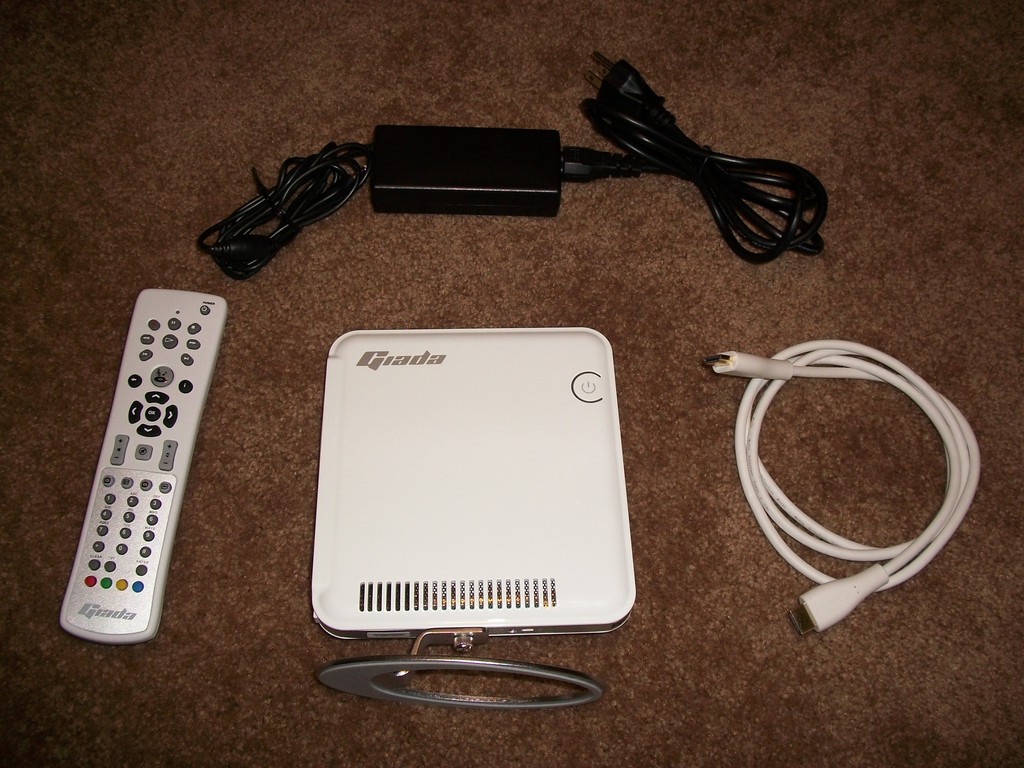
Figure 1. Giada Slim-N20 and Components
The connectors are arranged perfectly for a living-room PC, but if the computer is going to be used as a desktop workstation, a USB port or two on the front would have been nice. Figure 2 shows the connectors on the back of the unit: power, Ethernet, USB, S/PDIF and HDMI. The top of the N20 has a flip-open area concealing the analog audio in/out, combination eSATA/USB port and 4-in-1 card reader (Figure 3).
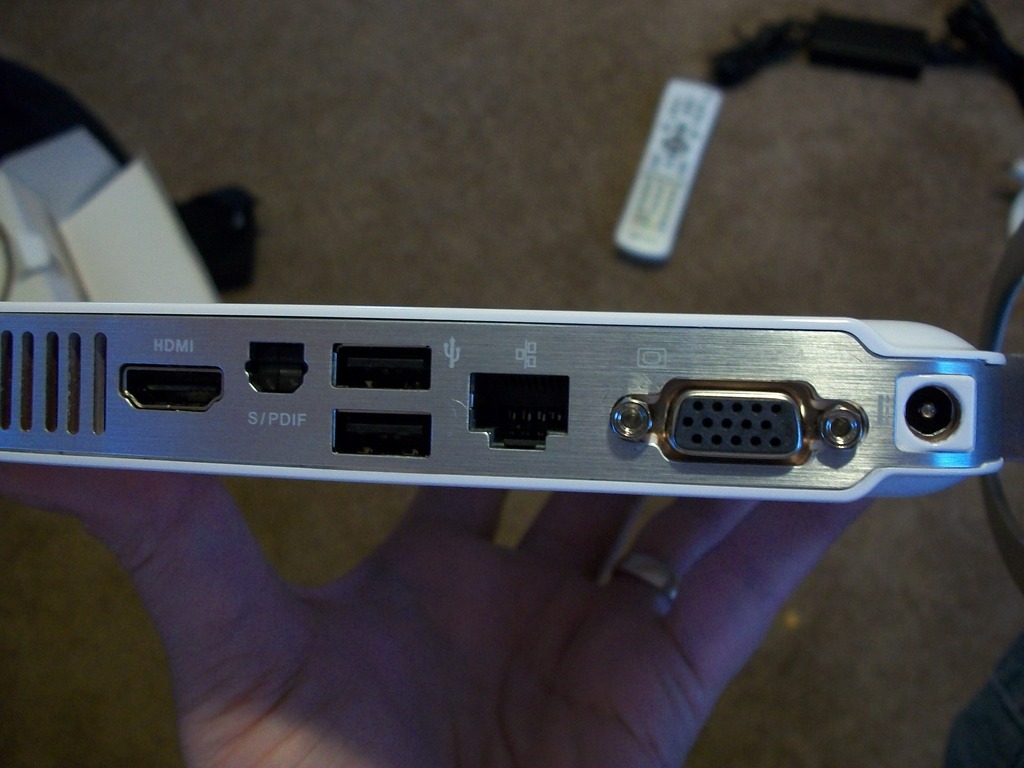
Figure 2. The back of the computer has most of its connections.
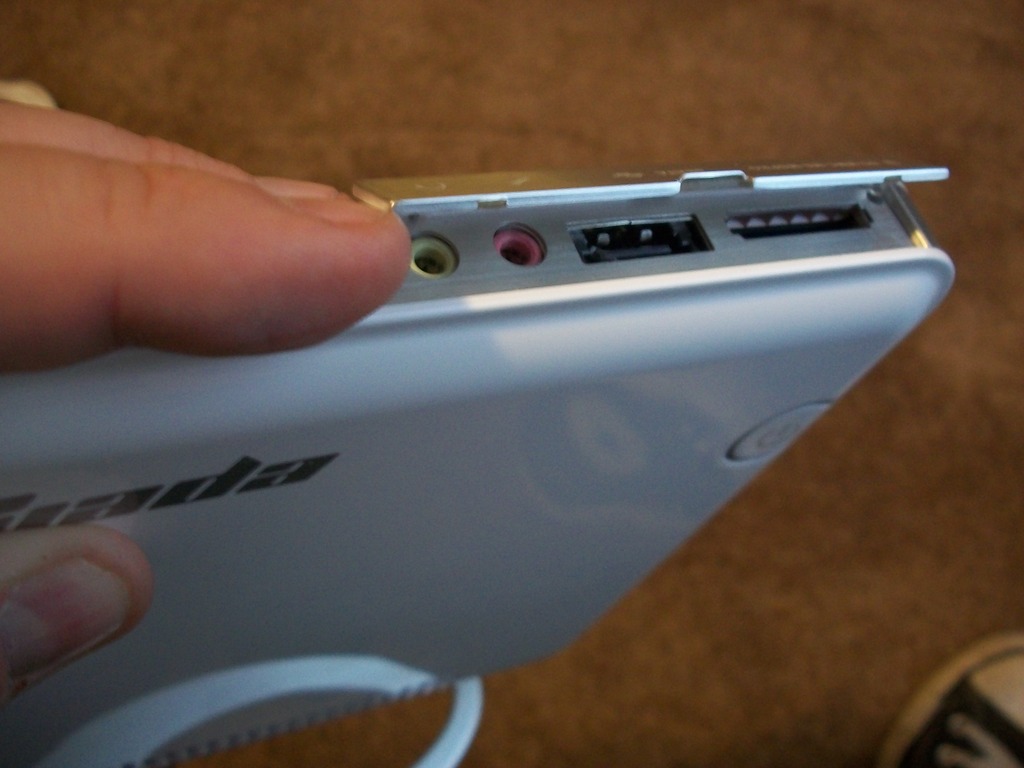
Figure 3. The analog audio, eSATA and card reader are a little difficult to get at, but if not needed, they're well hidden.
It's frivolous, but I think my favorite part about the hardware is the power button. It's turned on by squeezing the unit in the front, and the LED indicators are multifunctional. You can see hard drive activity by the coloration and blinking of the crescent shaped ring around the power button. Yes, I realize it's a silly thing, but I found it rather cool (Figure 4).
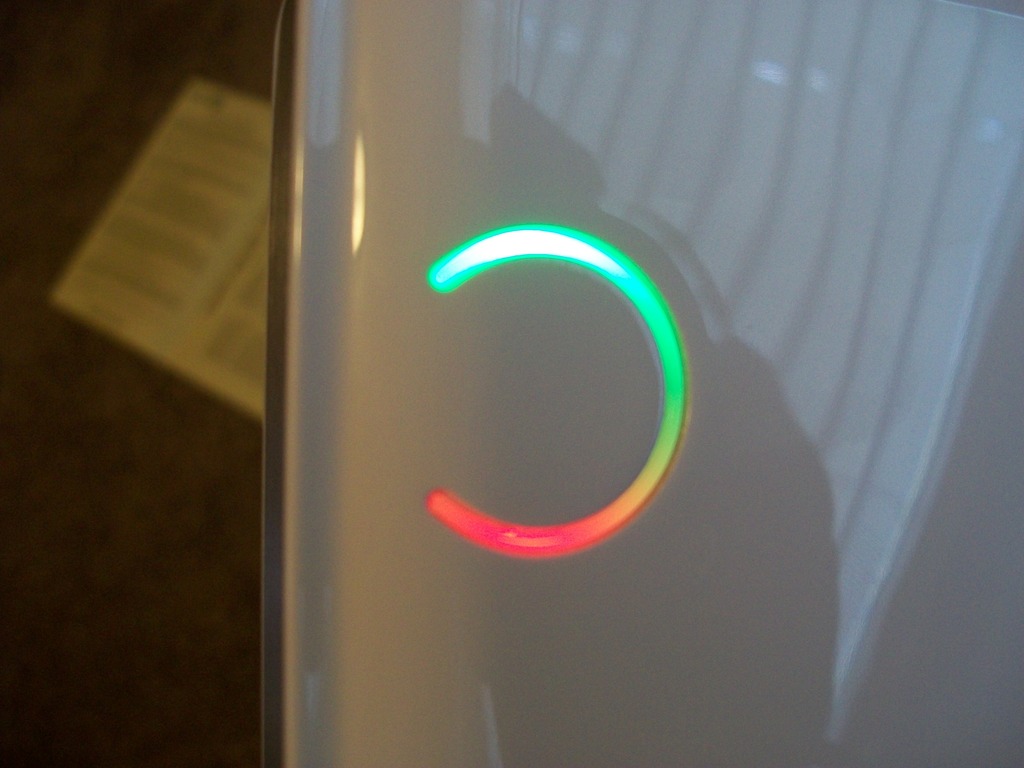
Figure 4. Maybe it's just the kid in me, but I really like this power/activity light.
The Giada Slim-N20 is touted as a media playback device and gaming unit. The Atom D510 CPU really makes this unit a tough sell for gaming, but with the ION2 graphics chipset, it performs moderately well on simple games. I'd consider it a Nettop computer that I could waste a few minutes gaming with, but I certainly wouldn't consider it a gaming machine.
The ION2 GPU does really do its job as an HD-decoding beast, however. My tests with 1080p video played without a stutter. I wasn't able to stream 1080p video very well over the 802.11n network, but I really wouldn't expect to be able to stream full HD over wireless anyway. The gigabit Ethernet port was able to keep up just fine with any network-shared video I threw at it, whether they were MKV files or H.264 MOV files. I've read others had problems with 1080p video on the N20, but perhaps because I was using XBMC Live, which is tweaked for the NVIDIA GPU, I had better luck.
I didn't do any hard-core benchmarking, because quite honestly, those numbers are easily accessible on the Web. I figured for this review, it would be more helpful to compare the N20 to other Nettop machines I've used. In short, it was great. Startup time from the internal 320GB SATA drive was impressive. I was able to use the system as a desktop machine without noticing it was a Nettop. The menus are responsive, programs start quickly, and most important, every bit of hardware worked out of the box. In comparison to the Acer Veriton I've been running as a second Linux desktop, the Giada Slim-N20 was much nicer.
I won't go into very much detail regarding the N20's user experience as a desktop machine. I do wish it had a few more USB ports, but apart from that, it's a surprisingly zippy little machine, especially considering it's a Nettop. Where this unit really shines, however, is in the living room.
With all major connectors in the back, the N20 hides the fact that it's a computer very well. With normal operation (and digital audio), the top panel never needs to be opened. The only thing visible from the front is the very thin (less than 1") profile and the cool LED power/activity button.
The N20 is also quiet—very quiet. Even when churning out 1080p video, the unit never was audible, even during quiet scenes in the movie. The trade-off for such quiet operation is that it does get a little warm when under a load, but even that isn't worrisome. It gets warm to the touch, but never hot.
The included remote works. It's not great, and it's basically a Windows Media Center remote, but because the MCE remotes are so popular, XBMC and other programs can deal with its awkward layout fine. The volume buttons also work with the Ubuntu desktop, which makes it possible to turn the volume up and down with a single button push, which is nice if your keyboard doesn't have multimedia keys.
One last note about the desktop experience—the unit I was shipped came with Ubuntu 10.04 installed, and it was stock. There were no strange interfaces, awkward menu systems or branded splash screens. It was just plain Ubuntu, which suits most users just fine. Giada, thank you for not forcing your logo down our throats at every boot.
The only thing about this Nettop that excited me before doing this review was that it had the ION2 video chipset. I was fairly certain it would allow programs like XBMC to play just about any video I threw at it, and my suspicions were happily confirmed. What I wasn't expecting was how nice this little computer looks. It's amazingly thin and designed with subtlety in mind. Generally, Apple does the best job of making a computer look like a fashion accessory, but I must admit, the Slim-N20 looks great next to my television.
When you add the impressive desktop performance, the N20 really did surprise me. It's not a workhorse by any means, but for a unit smaller than most thin clients, it makes for a quite tolerable user experience. If you do a lot of video rendering or hard-core compiling, I'm sure the small CPU will frustrate you. For many users who would consider a Nettop in the first place, however, the N20 is fun. Because the components are very Linux-friendly, installing a replacement distribution shouldn't be a problem either. I reviewed only the included Ubuntu install (well, I used XBMC Live for the living room), but I would expect no problems with other distros.
The limited number of USB ports is a bit frustrating, considering a keyboard and mouse take up the only two exposed ports in the back. Flipping open the top panel to access the combo USB/eSATA port isn't the end of the world, but at least one additional port on the front would be welcomed. My unit also didn't auto-detect that I was trying to use HDMI instead of VGA. That's not a showstopper, but it was annoying when I tried to hook it to my television.
The included remote, although nice, obviously was designed for Windows Media Center. I know the Slim-N20 also ships with Windows, but the MCE remotes are so awful, I wish they would have an alternative for those of us not interested in Windows (Figure 5). The remote also feels cheap, in stark contrast to the very sturdy feeling of the computer itself. Buying an additional remote is a possibility, but there's always the chance it won't work with the infrared receiver and so on. Plus, buying an additional remote would add to the price, which brings me to my next point.

Figure 5. On the left is a standard Windows MCE remote and on the right is the remote that comes with the N20. They're very similar.
The Slim-N20 is expensive. There's really no way to claim it's not. It's arguable that the features and design make it worth the $450, but only if you really value asthetics. You certainly could get a more powerful desktop machine for the money, but it wouldn't be nearly as nice sitting in your living room. If things like power usage, case design, quiet performance and beauty are important to your purchase, the Slim-N20 won't let you down. If you're just looking for a Nettop device to browse the Web and e-mail your grandparents, you might be happier with a cheaper model.
I'm actually impressed with the Giada Slim-N20 Nettop computer. It's not a cheap, throwaway device by any means, but if you're looking for a stylish media-center computer that is fully customizable, it's hard to beat. If your living room and television double as your workstation and office, it might get you the best of both worlds.
It's not the fastest computer for the price, but it's my favorite Nettop unit to date. If you don't mind spending a little more money for a fashionable computer that doesn't come with pre-installed garbage and bloatware, check out the Slim-N20. I'll be reviewing the Boxee Box by D-Link in an upcoming issue. Although it doesn't act as a desktop computer at all, it's about half the price of the N20, and it's designed for the living room as well.
Resources
Giada: www.giadatech.com
My Video Review of the Giada Slim-N20: www.linuxjournal.com/video/giada-slim-n20
Shawn Powers is the Associate Editor for Linux Journal. He's also the Gadget Guy for LinuxJournal.com, and he has an interesting collection of vintage Garfield coffee mugs. Don't let his silly hairdo fool you, he's a pretty ordinary guy and can be reached via e-mail at shawn@linuxjournal.com. Or, swing by the #linuxjournal IRC channel on Freenode.net.

