
New Projects - Fresh from the Labs
When exploring these projects, sometimes I have to dig deep to find something that will arouse my audience, but other times, I'm instantly mesmerized and need discipline, so I don't run out of writing space! This is one of those times. According to the game's Web site:
0 A.D. (pronounced “zero ey-dee”) is a free, open-source, cross-platform real-time strategy (RTS) game of ancient warfare. In short, it is a historically based war/economy game that allows players to relive or rewrite the history of Western civilizations, focusing on the years between 500 B.C. and 500 A.D. The project is highly ambitious, involving state-of-the-art 3-D graphics, detailed artwork, sound and a flexible and powerful custom-built game engine.
The game has been in development by Wildfire Games (WFG), a group of volunteer, hobbyist game developers, since 2001....In short, we consider 0 A.D. an educational celebration of game development and ancient history.
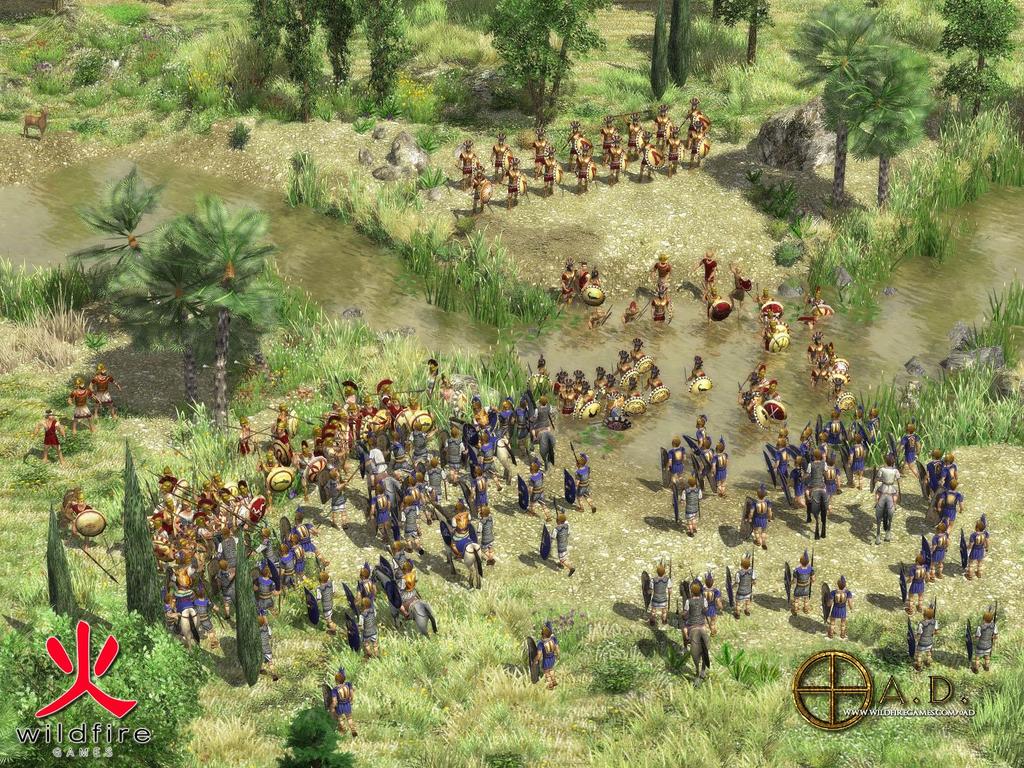
An Epic Battle at the 0 A.D. Web Site
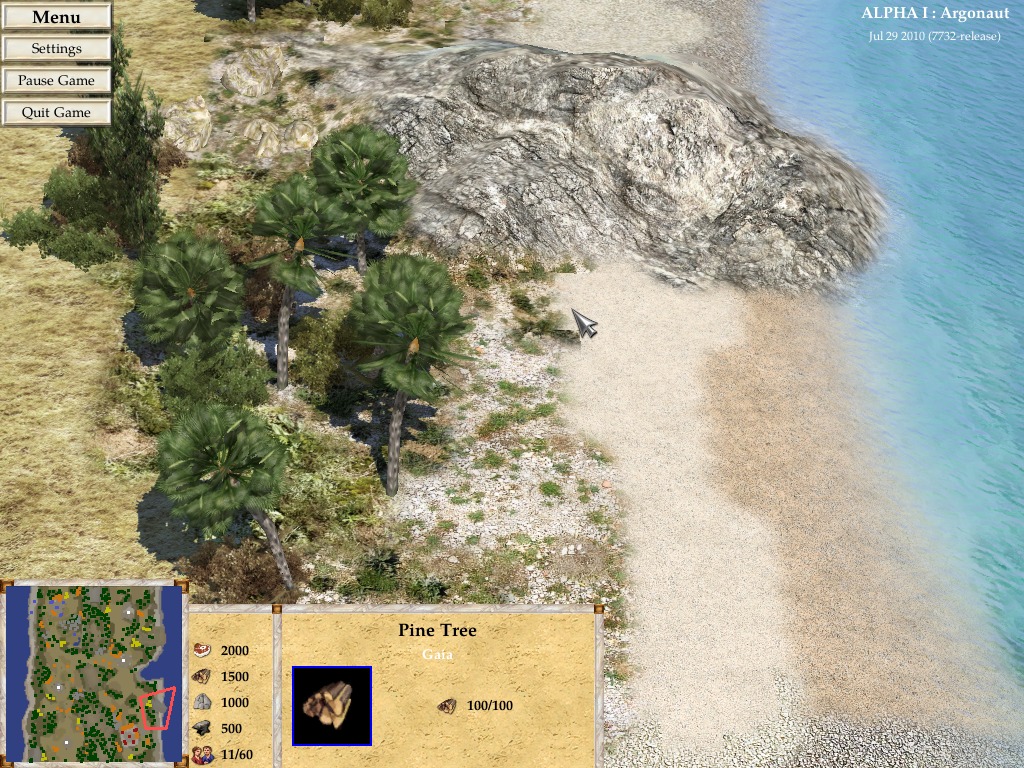
Some of This Game's Stunning Scenery
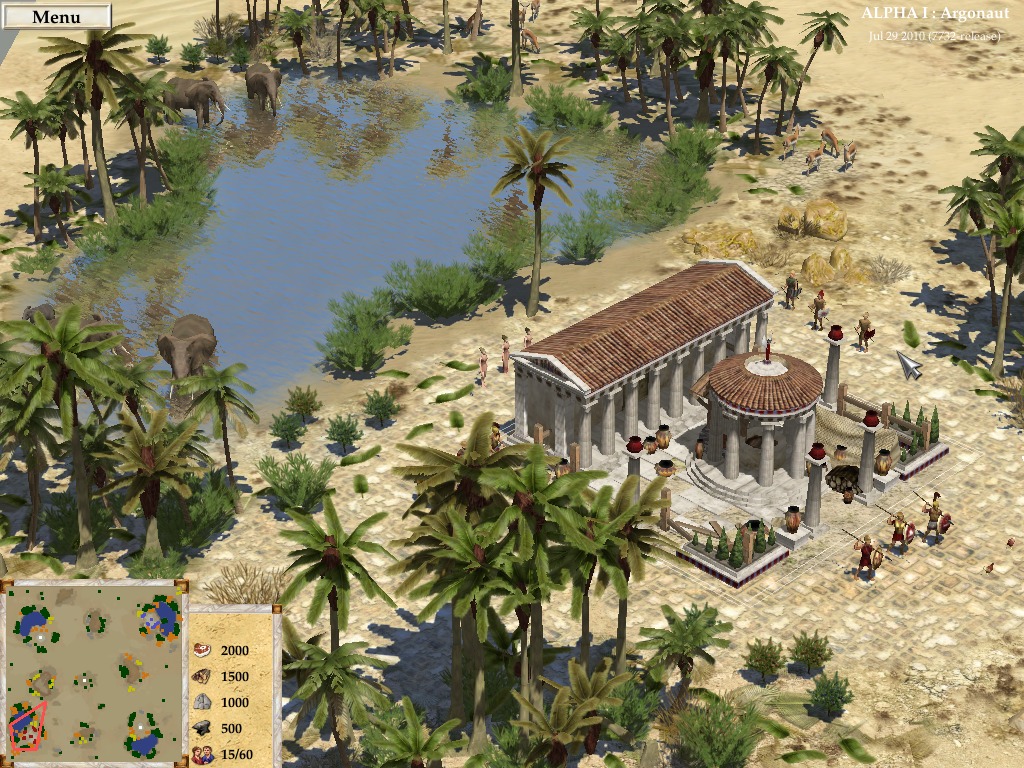
0 A.D. Showing Off Some of Its Classical Architecture Next to an Oasis
Installation
At the time of this writing, the game was in an early testing version (Build: Jul 29 2010—7732-release). Tailored packages purportedly are available in various guises for Gentoo, Arch Linux, Debian, OpenSUSE, Fedora and Mandriva. If you can, trust me, grab a binary! A package was supposed to be available for Ubuntu on the PlayDeb.net Web site, but I got an error when I tried to download it. If you're unlucky like I was, source packages are available, and as that's the usual “distro-neutral” option, that's what I'll be running with here. This project is in its infancy, and compilation will be more streamlined in the future (possibly by the time this article is printed), but for now, strap yourselves in—this will be a long one!
As far as library requirements go, the documentation states you need the following:
GCC (at least 4.0, preferably 4.3).
Subversion.
NASM—there is a bug in NASM 2.06 on x86_64, so you might want to try a different version if you get errors.
SDL.
Boost.
zlib.
libpng.
libxml2.
OpenGL.
OpenAL.
libogg.
libvorbis.
wxWidgets (probably called wxgtk on Linux; optional, but required for the editor tools).
Gamin (FAM should work too; Linux only).
BFD (typically called something like binutils-dev; Linux only).
ENet 1.2.x (not 1.3.x).
DevIL.
Of course, this doesn't include the “-dev” libraries you'll need to compile it, and I needed to grab a few for my Kubuntu machine. The docs are helpful enough to recommend this command for Ubuntu or Debian (at least unstable and testing):
sudo apt-get install build-essential libsdl1.2-dev zlib1g-dev
 ↪libpng12-dev libjpeg62-dev libgamin-dev nasm
 ↪libwxgtk2.8-dev libboost-dev libboost-signals-dev
 ↪libboost-filesystem-dev libopenal-dev libalut-dev
 ↪libvorbis-dev libogg-dev libcrypto++-dev binutils-dev
 ↪libdevil-dev libenet-dev libxml2-dev
Sorry I don't have room for helping out with other distros, but the package names should at least give you a hint for your own system.
Once the packages are sorted, grab the latest tarball files from the Web site, specifically the 0ad build and data files. Now, this is important: copy the two files into the same folder, and extract them both there.
Next, open a terminal in the (0ad main directory)/build/workspaces/ folder, and run the command:
$ ./update-workspaces.sh
A series of files will download for several minutes. Once they're done, continue with the following commands:
$ cd gcc
$ make
$ cd ../../../binaries/system
Run the game with:
$ ./pyrogenesis_dbg
Usage
This game is still in its early alpha stage, so there's no single-player AI yet, but you can at least test the game mechanics. For now, you can play multiplayer over a LAN—at least I think so, I didn't get the chance. For now, fire up a single-player map and have a look around. I recommend the default choice to begin.
Once you're in the game screen, you're presented with a village that is your starting base with a number units (people). To scroll around your world, middle-click and drag your mouse. Left-click a unit or object to select it, and right-click on a map to tell where to go or what to do.
Units seem able to go beyond simply one class, like harvesting wood or combat. Instead, a unit seems to be capable of combat, wood harvesting, hunting, stone milling and so on. Hover your mouse over a piece of rock for instance, and the mouse pointer will change to a stone-working icon. Hold your mouse pointer over an enemy unit, and an attack sign will appear. Hold it over some livestock, and an icon of meat appears.
What becomes inescapable are the gorgeous graphics, with beautiful 3-D rendering, especially when you scroll around the map. In particular, I noticed some photographically mapped rocks, and trees are lush and green, rendered in a very tasteful and intricate 3-D. There's a distinct lack of sprites around the place to keep the game from feeling tacky.
Oceans move around dynamically with rippling water, beaches graduate from pebbles to sand and move gently on to the seemingly random but convincing beach vegetation, which itself graduates into thicker inland bush. Everything's just so organic. There's none of that blocky squared mapping that screams of a basic-level designer—you may as well be looking at a more convincing Google Earth!
The soundtrack is gentle and tastefully done, with the sort of soundloops that can be played over 100 times without becoming annoying, and without turning into bland muzak. Unit animations also are wonderfully smooth, with many frames per second and shadow rendering.
A scenario editor also is included for those who want to make their own levels. Look on-line to see galleries of some absolutely stunning efforts. But, that's for another day.
I'm not a real-time strategy fan, and I haven't been excited about an RTS game since Command and Conquer: Red Alert! However, this is the first RTS I'm actually enthused about, and I'll keep a close eye on it in the future. The graphics are easily on par with commercial efforts (and even better than quite a few). Hopefully, the gameplay dynamics are just as solid as development continues. My keen hope is that the free 0 A.D. one day dominates LAN parties and cafés, outdoing its commercial rivals and becoming a free software gaming classic.
If you're chasing a picture and music slideshow maker with a decent interface, you may find yourself at home with Videoporama. According to the Web site: “Videoporama is an application for the creation of video sequences established by images or by photos, fixed or livened up. These sequences are assembled in a slideshow by means of transitions of sequence to produce complete videos.”
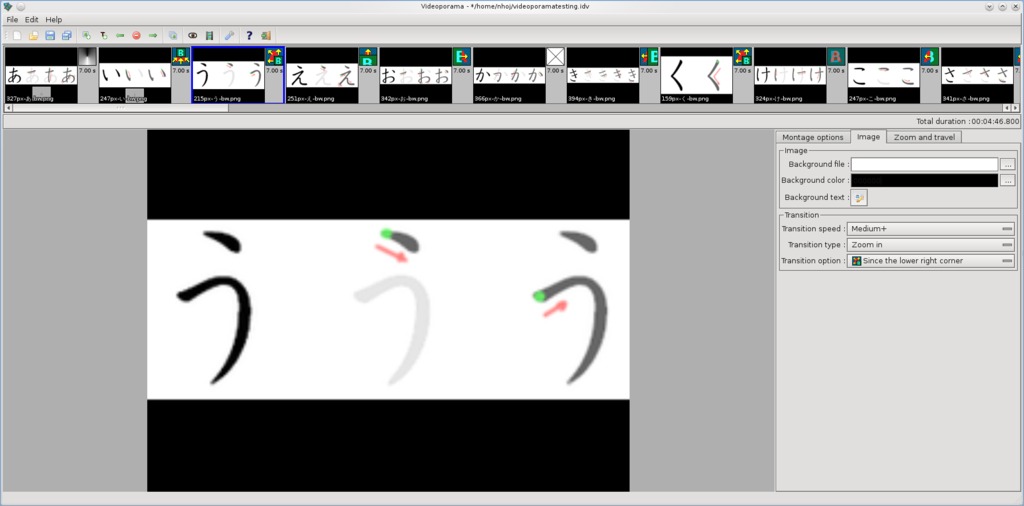
Here I am using Videoporama to brush up on my kana to the soundtrack of Alice in Chains.
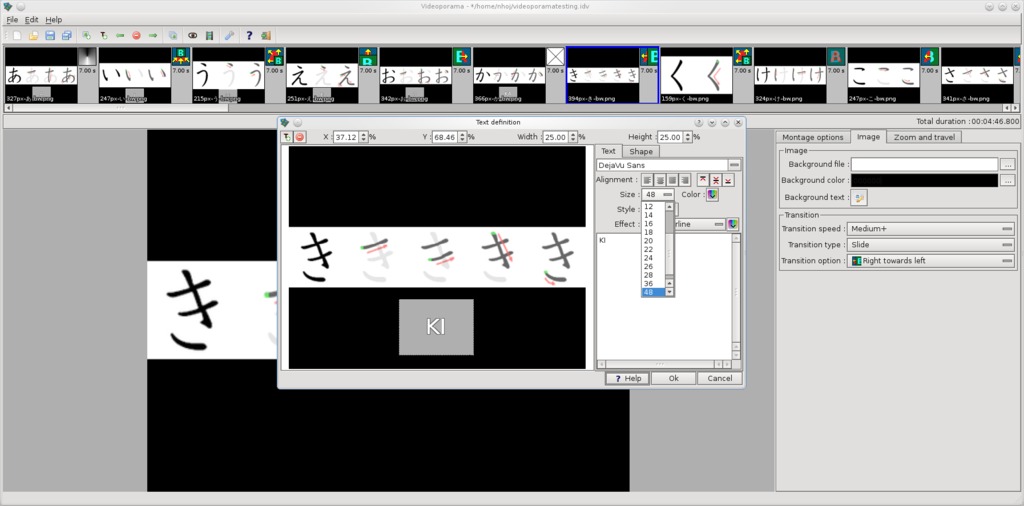
You can add captions to any frame of a slideshow.
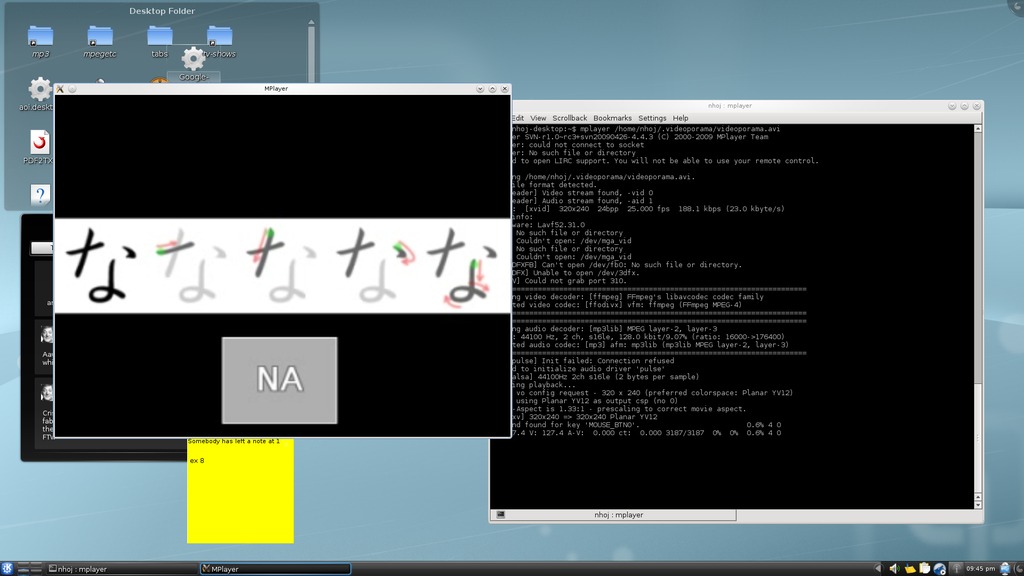
My kana video working independently of Videoporama.
Installation
A binary package is provided for those using Debian or Ubuntu, but lo and behold, the package was corrupt when I downloaded it. I'm having a bad month with packages! Still, the all-purpose source package is available, and thankfully, it isn't a pain to use. I was lucky when it came to installing Videoporama, as I had all of the needed libraries installed and didn't encounter errors. Nevertheless, it's unlikely you'll have the same luck. The documentation says you need the following libraries:
Python: version >= 2.5 but not yet 3.x.
Qt: version >= 4.4 (best to use Qt 4.6 and above).
pyqt: version >= 4.x.
pil: version >= ? (Python Image Library).
mjpegtools: version >= 1.8.
Videoporama also makes use of the following external programs: ffmpeg, sox, ppmtoy4m and mplayer.
Head to the Web site and grab the latest source tarball. Extract it, and open a terminal in the new folder. If your distro uses sudo, enter the command:
$ sudo python setup.py install
Otherwise, enter the commands:
$ su
# python setup.py install
To run the program, enter:
$ videoporama
Usage
When started, a status screen appears telling you what features will and won't be available, especially in regard to the use of certain codecs. If any crucial codecs are missing, you still can add them post-compilation, and the extra sox libraries are a good place to start, especially with MP3 output and the sox ffmpeg package.
Once you're inside the main screen, if you look to your right, there is a section with three tabs. This is where most of your file tweaking will take place—you can select things such as aspect ratio, what audio track to use, overlaid text, zooming options and so on. The default ouput format is VCD/SVCD, but you'll probably want to change that. I chose AVI (XVid/MP3) myself.
Let's make a slideshow. If you look at the icons below the main menu, there's a green box with a + sign on its bottom-right corner. This will add an image, and once something's added, simply repeat the process to add more.
To add a sound file, look in the tab Montage options, where there's a sound file field. Further below is the output section where you can choose the previously mentioned codecs, as well as specify where your video file will end up.
Timing always will be an issue with a slideshow/music combo, and if you want to edit the timing of an individual frame, look in the Zoom and travel tab where there is an option called Time display fixe (presumably a typo).
I've got room for only one more feature, so I'll go with text. The Overlaid text part of the Montage Options applies text to the entire file. If you want to add text to an individual frame, the Image tab's Background text button will do exactly that, and both feature options like placement, font size and so on.
Ultimately, this is a fairly intuitive program after the first five minutes or so of usage. The project could do with some features like auto-syncing the timing of frames with the length of an audio track. And personally, I'd change some of the GUI methodology, but it's a new project, and things may change by the time you read this. At the end of the day, I still recommend Videoporama, and it's been a pretty pain-free ride so far, which is a good sign with OSS projects.
Notes on Paintown from Author Jon Rafkind
Jon Rafkind is the author of Paintown, one of the projects covered in this column in the August 2010 issue of LJ (www.linuxjournal.com/article/10765). He wrote us the following in regard to the controversy between himself and the Beats of Rage Project mentioned in that article:
In 2004, I searched the Internet for fighting games that would run on Linux. I didn't find much, but I did find Beats of Rage (BoR). I attempted to port BoR to Linux, but it was a hassle, and so I decided to start a project from scratch. I did not start with the code from BoR and modify it; I wrote the first file starting from an empty buffer.
I did take most of the graphics from BoR, so I could get a game up and running quickly. I noted this in the LEGAL file in the project source with the following lines:
data/bgs/**/*.png - http://www.senileteam.com/games.php#bor.
data/chars/**/*.png - http://www.senileteam.com/games.php#bor.
data/sprites/**/*.png - http://www.senileteam.com/games.php#bor
I felt this was enough credit to the BoR team, seeing as how that was all I used from the project. It is not surprising that the Paintown and BoR engines look similar because they use the same graphics (for now), but the level of sharing ends there. I have been trying to replace the main graphics in Paintown for a while (I even started a river of ransom clone), but so far, I still am using the BoR graphics.
The BoR people were upset that I was “ripping them off” and made various claims about me stealing parts of their game. Here is a thread on the BoR forums in which I tried to clarify their complaints: www.senileteam.com/forum_thread(84).html.
I asked them in a respectful manner what elements of their game I ripped off, but unfortunately, the BoR creator, Roel, did not want to respond to my request and instead insulted me. Eventually I added “Senile” to the credits list of Paintown, although I don't think anyone in the BoR community knows about this. I have never been confronted by anyone in the BoR community with specific examples of things I stole from them (other than graphics, which I didn't “steal”), although a few members have made vague statements that I “stole stuff”.
Paintown was rightfully pulled from PlayDeb.net because it uses copyright art. I never asked for Paintown to be hosted on PlayDeb.net, so I don't mind this decision.
Brewing something fresh, innovative or mind-bending? Send e-mail to newprojects@linuxjournal.com.
John Knight is a 26-year-old, drumming- and climbing-obsessed maniac from the world's most isolated city—Perth, Western Australia. He can usually be found either buried in an Audacity screen or thrashing a kick-drum beyond recognition.

