
New Projects - Fresh from the Labs
For anyone interested in quantum mechanics, and the double-slit experiment in particular, Quantum Minigolf is a great little game that should amuse the most hardened physicist. According to the project's documentation:
Quantum Minigolf is a minigolf simulation, in which the ball behaves according to the laws of quantum mechanics. Such a quantum ball can be at several places at once and diffract around obstacles.
Quantum Minigolf exists in two versions: 1) the software-only version, which you have most probably in front of you when you read this file, and 2) a virtual-reality version. Here, the user plays with a real club, which is marked by an infrared LED and tracked by a Webcam. The ball is projected to the ground by a video projector mounted on the ceiling. Basically, the software release contains all the necessary code to build the virtual-reality version. However, building it will not (yet) be easy, since it is not documented yet.
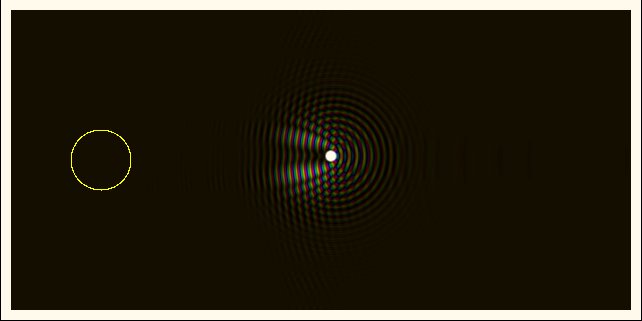
A good example of the changed dispersal pattern when an object interferes with a “quantum blob”.
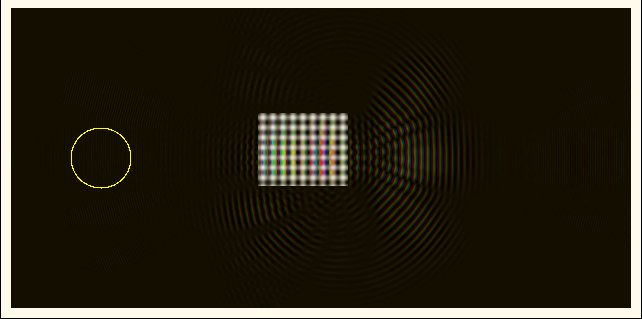
Obstacles can have different densities, and grids such as these allow some of the waveforms to permeate the object, making things even more unpredictable.
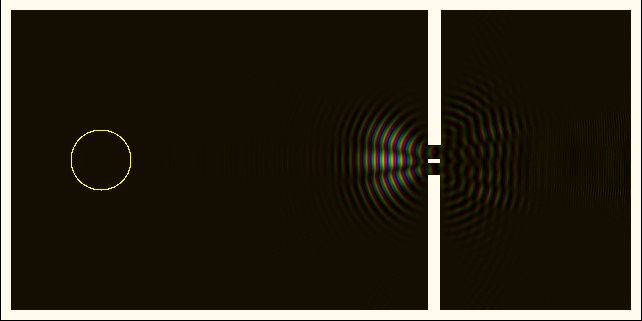
The infamous “double slit” as an obstacle (impossible with a normal golf ball, obviously).
Installation
Compiling Quantum Minigolf is pretty easy, but you need to chase down some fairly obscure libraries. The project's README lists the following requirements:
fftw3f: the single precision (!) version of libfftw, www.fftw.org
SDL: www.libsdl.org
SDL_ttf: www.libsdl.org/projects/SDL_ttf
freetype: www.freetype.org
Linux Libertine open fonts: sourceforge.net/projects/linuxlibertine
Once you have the needed libraries, grab the latest tarball, extract it, and open a terminal in the new folder. Enter the command:
$ make
Provided there are no errors, you should be able to run the program by entering:
$ ./quantumminigolf
Usage
As mentioned previously, Quantum Minigolf has two modes of operation: virtual reality (VR) mode and software mode. The VR mode works externally in the “real world”, with a projector, a camera and a ball that is projected onto a field. The software version is merely a basic simulation that takes place on the computer screen. I cover the software version here, but see the VR Mode sidebar for more information on the real-world version.
Once you're inside the main game screen, you'll receive a series of instructions on how to control the game. The basic controls you really need to understand are left and right to change course, and Enter to start playing. Moving the mouse changes your putter's aim.
When you're aimed and ready to go, click and hold the left-mouse button (the longer you hold it down, the more power is applied), and the ball will start moving.
Assuming you're in Quantum Mode, the ball will switch from a solid object to a waveform and will bounce around the course in all sorts of strange ways. Press the spacebar or q, and the ball will stop and switch back from this quantum state into a solid object—probably in the wrong area if it's your first time. It's really up to you to guess where the ball will end up given where the waveforms are at the time. And, if you're unadventurous or just want to test the basic mechanics, you can play it in normal mode, but that's not really the point of this game, is it?
What's really fascinating about this game is how the quantum world interacts with the basic, solid, “Newtonian” world. You can watch the movement of light around an object in real time, but in so many complicated ways! Here's more information from Friedemann's Web site:
For the experts: hitting the ball, you define an initial momentum. The ball is then initialized as a Gaussian wavepacket of hard-coded width, centered around the driving position in position space and around the initial momentum in momentum space.
...Since a quantum mechanical ball is most of the time at several places at once, it is impossible to say whether it is in the hole or not. It is just “at once inside and outside” the hole. However, there is a trick: quantum mechanics allows one to make a “position measurement”, which will let the ball collapse at a certain position. Think of this as taking a photo of the ball. A quantum particle can be at several places at once, but in a photo, it will always appear in one and only one position....At the end of each game, you take, thus, a virtual photo of the track. If the ball appears in the hole, you win. Otherwise you lose.
In much the same way that Valve's Portal took a very simple concept and made an amazing game, if you took these quantum gameplay mechanics and applied them to a big 3-D game, what would be the result? Now, that would be fascinating.
VR Mode
This game gets a lot spicier out in the real world. Here, you can play with a real club and ball, which is projected onto the track by a video projector mounted on a six-foot-high tripod. The club is marked by an infrared LED and is detected by a Webcam next to the video projector. An image recognition algorithm in the Quantum Minigolf software computes the club position and feeds back hits into the simulation.
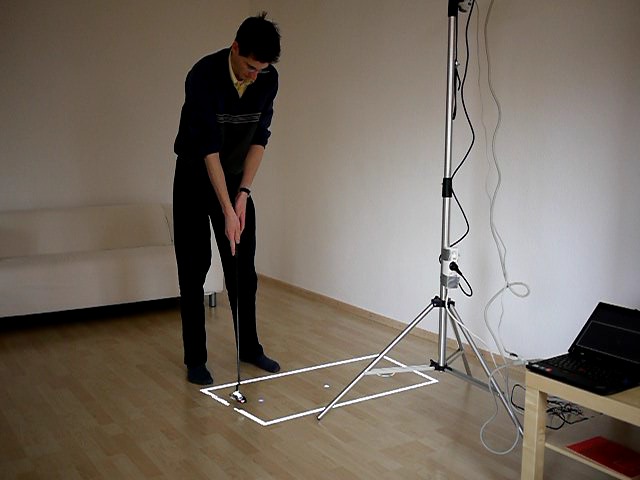
Quantum Minigolf—VR Mode
I usually cover things only in the 0.x development stage, and although this certainly couldn't be called a new project (it's been going since 1999), it seems to have flown under most people's radar. According to the project's Web site:
Art of Illusion is a free, open-source 3-D modeling and rendering studio. Many of its capabilities rival those found in commercial programs. Highlights include subdivision surface-based modeling tools, skeleton-based animation and a graphical language for designing procedural textures and materials.
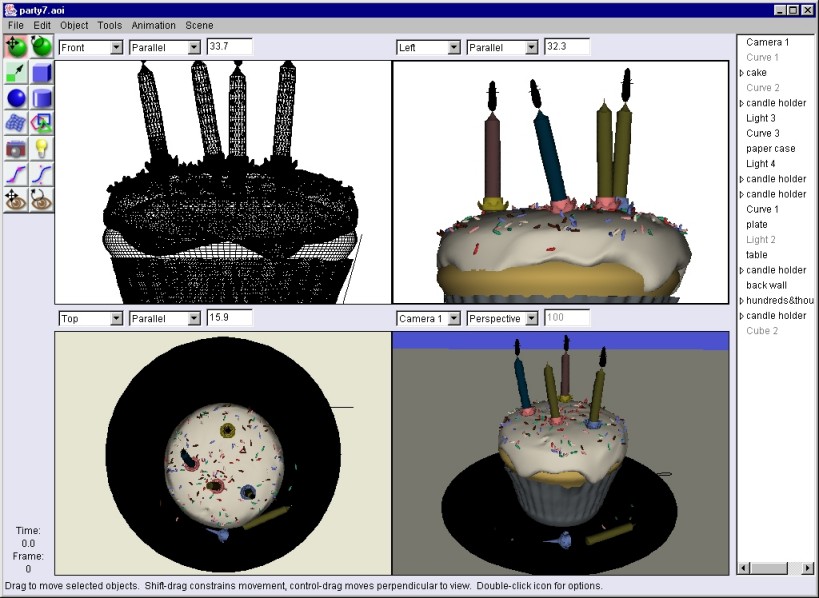
An example from the Web site of some of the brilliant effects AOI is capable of (albeit the Windows version in this shot).
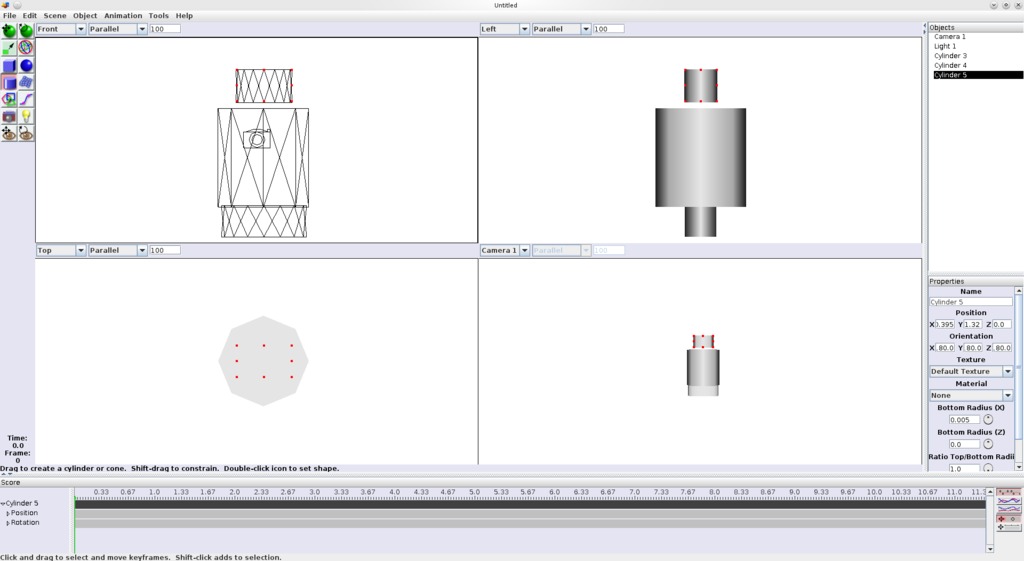
Art of Illusion is in a class of its own when it comes to easily manipulating 3-D objects on the fly.
Installation
As far as requirements go, you'll need a basic Java installation to get at least minimal functionality. AOI requires Java 1.5 or later, and it does not work correctly under GCJ, which is preinstalled in many Linux distributions. Two relatively obscure requirements are worth chasing, as they greatly extend the functionality of the program. Java Open GL (JOGL) gives you 3-D-accelerated functionality, which is invaluable in animation work, and the Java Media Framework (JMF) lets you save animations in QuickTime format rather than a series of still images. JOGL is most likely in your distro's repository, but you can grab JMF at Sun's site: java.sun.com/products/java-media/jmf/2.1.1/download.html.
The Web site provides a zip file containing a Java-based installer designed for i586 and AMD64 architectures, though other UNIX and architecture options are available if you look further down the page. Grab the latest file and extract it. Inside is an installer with the filename of aoisetup.sh; execute this, though you may want to be running as root or sudo if you want to put it somewhere all users can run it.
If this is new to you, open a terminal in the folder where AOI's setup is waiting for you, and enter:
$ su
(enter password)
# ./aoisetup.sh
Or if you're using a sudo-based distro like Ubuntu, try entering:
$ sudo ./aoisetup.sh
(enter password)
From here, you'll be given a basic Next, Next, Next-style GUI interface, which should be familiar to most users. At the end of the installation, open a terminal where AOI was installed (the default being /usr/local/ArtOfIllusion), and enter the command:
$ ./aoi.sh
Usage
Although I hardly can do justice to the features in AOI in this short space, I'll at least introduce some of the main elements.
Four panes take up most of the screen that contain the camera angles for the scene on which you'll be working. These are ready to be “drawn” in immediately. A simple sidebar on the left contains the most common tools, such as move, rotate, resize, create a square, create a sphere and so on. This makes jumping in and actually making something so much quicker and more intuitive than most other 3-D modeling programs I've come across.
Wisely, more-advanced functions are contained within the menus in the toolbar, but they too are easy to navigate and are well thought out. Some cool features include script and repository management, immediate rendering and animation previewing, and although I didn't get a chance to use it myself, there's something called a Procedural 3-D Texture editor that looks really powerful.
Although this program may be simplistic in its presentation, the project's goal always has been to provide features found in advanced commercial applications (and even add a few unique features along the way) while retaining a user interface that is substantially easier to come to grips with than the commercial offerings.
Some of the features that really stood out to me were scriptable objects, animate-able textures, distortion effects (like twisting and shattering), skeletal animation with weighting, constraints, and inverse kinematics, as well as rendering to HDRI images.
All of this adds up to a very powerful yet elegant program that runs cross-platform, so convincing colleagues to try it might not be such a tricky proposition. If you look around the Web site and forums, you'll see some truly stunning images that have been made with AOI—some so realistic I had to look a second time to realize they were computer-generated!
I'm by no means an expert in this area, but this project deserves a great deal more attention than it has received thus far. Although a program like Blender instantly comes to mind with 3-D modeling, I've never even heard this program mentioned before. Hopefully, that's about to change.
Brewing something fresh, innovative or mind-bending? Send email to newprojects@linuxjournal.com.
John Knight is a 26-year-old, drumming- and climbing-obsessed maniac from the world's most isolated city—Perth, Western Australia. He can usually be found either buried in an Audacity screen or thrashing a kick-drum beyond recognition.

