
New Projects - Fresh from the Labs
We've covered Tor in LJ before (see Kyle Rankin's “Browse the Web without a Trace”, January 2008), but that was some time ago, and this subject seems to be more timely with each passing day. Also, with Tor being at only 0.2.x status, it still qualifies as software in development, so I'm justified in featuring it this month.
For those not in the know, Tor stands for The Onion Router, and its roots go all the way back to the US Naval Research Laboratory, Tor's original sponsors. It then became an EFF (Electronic Frontier Foundation) project until 2005, and it now has moved up to being its own nonprofit research/education organization: the Tor Project.
The essential idea is that your original IP address is masked by passing it through numerous special routers, designed to avoid keeping records, until the original source has been lost and the receiving end knows only about the last Tor box it encounters. To quote Tor's man page:
Users choose a source-routed path through a set of nodes and negotiate a “virtual circuit” through the network, in which each node knows its predecessor and successor, but no others. Traffic flowing down the circuit is unwrapped by a symmetric key at each node, which reveals the downstream node.
Basically, Tor provides a distributed network of servers (“onion routers”). Users bounce their TCP streams—Web traffic, FTP, SSH and so on—around the routers, and recipients, observers and even the routers themselves have difficulty tracking the source of the stream.
However, all that may be a bit headache-inducing, and the Tor Web site explains things in human terms quite nicely:
Tor is free software and an open network that helps you defend against a form of network surveillance that threatens personal freedom and privacy, confidential business activities and relationships, and state security known as traffic analysis.
Tor protects you by bouncing your communications around a distributed network of relays run by volunteers all around the world: it prevents somebody watching your Internet connection from learning what sites you visit, and it prevents the sites you visit from learning your physical location. Tor works with many of your existing applications, including Web browsers, instant-messaging clients, remote login and other applications based on the TCP protocol.
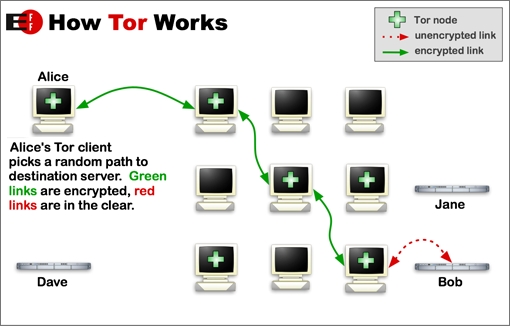
Tor takes a clever approach to anonymity, deliberately losing IP addresses as it bounces from server to server.
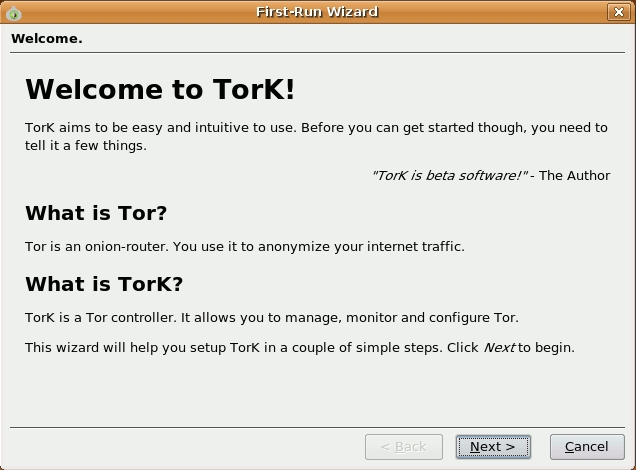
Tor can be a bit hard to understand at first, but if you look around, many tools can help you along the way, such as TorK and even custom distributions built around using Tor.
Installation and Usage
Surprisingly, there aren't many strange library requirements for Tor; it may install straightaway on many systems. The only missing library that got in the way was libevent, and installing libevent-dev (which selects the other needed libevent libraries along with it at the time) sorted this out. However, Tor recommends using the program Polipo, but I'll get to that in a moment.
To install Tor, head to the download page where source and binaries are available. You can figure out the binaries yourself, but for those using source, grab the latest tarball, extract it, and open a terminal in the new folder. Enter the usual commands:
$ ./configure
$ make
If your distro uses sudo:
$ sudo make install
If your distro doesn't:
$ su
# make install
To set up Tor for Web browsing, at this point, you have to install Polipo. This is in most distros' repositories, so you can decide how you want to install Polipo yourself. I'll quote Tor's documentation from here:
Polipo is a caching Web proxy that does http pipelining well, so it's well suited for Tor's latencies. Make sure to get at least Polipo 1.0.4, since earlier versions lack the SOCKS support required to use Polipo with Tor.
Once you've installed Polipo (either from package or from source), you will need to configure Polipo to use Tor. Grab our Polipo configuration for Tor and put it in place of your current polipo config file (for example, /etc/polipo/config or ~/.polipo). You'll need to restart Polipo for the changes to take effect. For example: /etc/init.d/polipo restart.
If you prefer, you can instead use Privoxy with this sample Privoxy configuration. But, since the config files both use port 8118, you shouldn't run both Polipo and Privoxy at the same time.
Configure Your Applications to Use Tor
After installing Tor and Polipo, you need to configure your applications to use them. The first step is to set up Web browsing.
You should use Tor with Firefox and Torbutton for the best safety. Simply install the Torbutton plugin, restart Firefox, and you're all set (the Torbutton plugin for Firefox is available at https://addons.mozilla.org/firefox/2275).
To Torify other applications that support HTTP proxies, just point them at Polipo (that is, localhost port 8118). To use SOCKS directly (for instant messaging, Jabber, IRC and so on), you can point your application directly at Tor (localhost port 9050), but see the FAQ entry for why this may be dangerous. For applications that support neither SOCKS nor HTTP, take a look at tsocks or socat.
It's really hard to do justice to Tor in this small space, so I hope I've at least pointed you in a useful direction and haven't made any glaring errors. It really is worth heading to the Web site to understand it more fully. Speaking of the Web site, here's an appeal from the Tor folks themselves:
Tor's security improves as its user base grows and as more people volunteer to run relays. (It isn't nearly as hard to set up as you might think and can significantly enhance your own security.) If running a relay isn't for you, we need help with many other aspects of the project, and we need funds to continue making the Tor network faster and easier to use while maintaining good security.
Information is becoming increasingly unsafe, and certain governments and corporations are becoming increasingly invasive regarding personal data. It's time that Net users started taking more care with their information, and Tor is an interesting technology that I'm sure will continue to become more relevant over time.
I love niche programs, especially in the area of multimedia. If you're like me, you probably have a folder full of MP3s and Oggs collected from the last ten years that's reached the point where you've forgotten half the files in there. This month, I stumbled upon the charming little command-line program, audiopreview. To quote the project's Freshmeat entry:
audiopreview is a command-line tool that plays previews of many audio file types (Ogg, MP3, etc.), video file types (AVI, MPEG, Real, etc.), and Internet streams. It also can be used as a regular command-line media file player (that is, play the files entirely like yauap or mpc123 would).
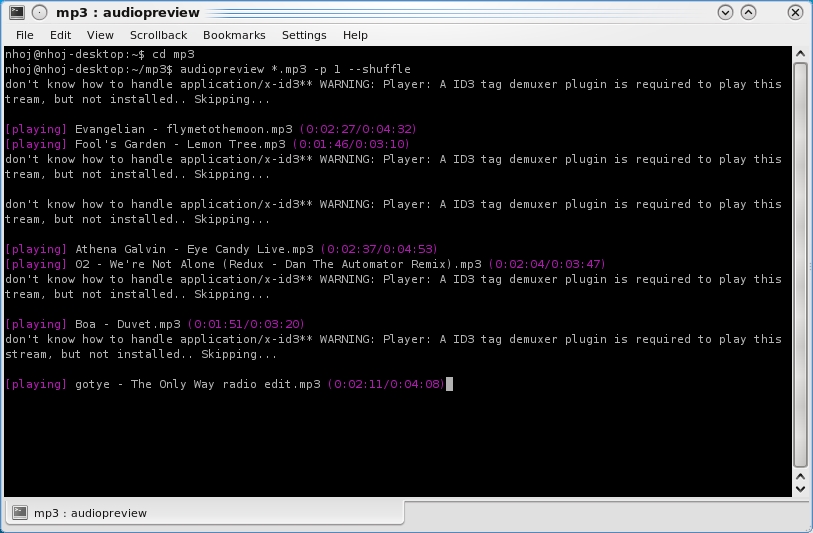
audiopreview is a simple and easy command-line program for previewing large numbers of music files.
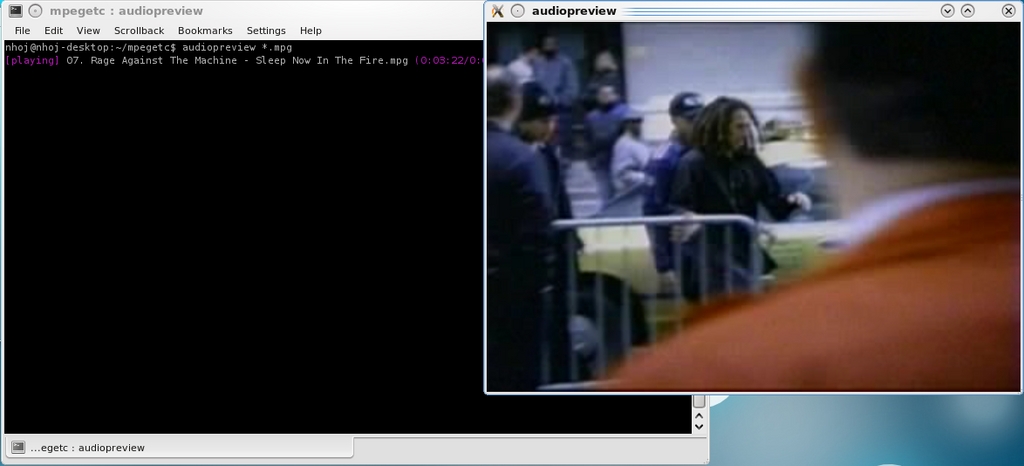
Although the name may suggest otherwise, audiopreview also plays video files.
Installation
Packages for audiopreview are available in Debian/Ubuntu format or the usual source. If you're running with the source, according to the man page, you need the following libraries: gstreamer0.10-plugins-base, gstreamer0.10-plugins-good, gstreamer0.10-plugins-bad and gstreamer0.10-plugins-ugly.
I found I also had to install the intltool library to get past the configure script. Once you have the library side of things sorted out, compile the program with the usual:
$ ./configure
$ make
If your distro uses sudo:
$ sudo make install
If your distro doesn't:
$ su
# make install
Usage
Using the actual command can be as simple as entering the folder where the files you want to hear are located and entering:
$ audiopreview *
(The * is used to indicate all the files in a folder.)
Once the program is running, you'll be greeted with a simple track listing, along with other relevant information in purple. As far as controls go, the spacebar pauses and unpauses the stream, N plays the next stream, and P plays the previous stream. R restarts the current stream, and Q stops playing and exits the program.
That's the basic usage out of the way, but let's refine it with some command-line switches to hone your usage. For new Linux users, these are added at the end of the command, like this:
$ audiopreview files-to-play --switch
If you plan on using audiopreview to play a whole song instead of in segments, use the switch --entirely or -e.
If you want audiopreview to start over again after the last song has been played, use --loop or -l.
As mentioned previously, audiopreview also can play some video formats. However, this being a command-line program, there's a good chance you may not have X running. If so, you'll want to disable the video to avoid errors. To do so, enter --no-video.
The default starting position for each file seems to be random, which might become annoying for those looking for more specific sections of a song. Thankfully, you can specify which section of a song you want to hear with a simple numerical switch. Add: --position=POSITION or -p POSITION, and replace POSITION with the numbers 0, 1, 2 or 3. 0 sets the position to the beginning, 1 to the middle, 2 to the end, and 3 makes the start position random.
Last but not least, engage the all-important shuffle function with --shuffle or -S. For example:
$ audiopreview *.mp3 -p 1 --shuffle
The above command plays all the MP3 files in a directory, sets the starting position to the middle of a song and shuffles the order in which they're played.
You can work out the rest from here, but honestly, do yourself a favor and check out the man page with:
$ man audiopreview
Ultimately, audiopreview fills a nice little niche that will appeal to anyone sorting through large collections of music (and some video) files. DJs in particular will find this of real use, but I found it great for rediscovering songs I hadn't listened to in years. Love it.
Projects at a Glance
LiarLiar (liarliar.sourceforge.net)
I'm dying to cover this project, but installing it is proving to be a pain! It sounds great though: “LiarLiar is a voice-stress analysis tool for Linux. Voice-stress analysis, an alternative to the polygraph as a method for lie detection, is already widely used in police and insurance fraud investigations. LiarLiar's main purpose is to detect stress in a person's voice. Higher stress levels can be an indication that the person is not being truthful.” I'm having problems with library requirements, and I can't reach the developers. If anyone out there can help get this working, please send me an e-mail!

LiarLiar
Storybook (storybook.intertec.ch)
I ran out of space this month, but I hope to cover this next time. Any creative writers should check this project out. “Storybook is a free (open-source) novel-writing tool for creative writers, novelists and authors which will help you to keep an overview of multiple plot lines while writing books, novels or other written works.” It can store all the information about your characters and locations in one place, as well as manage chapters, scenes, characters and locations.
Brewing something fresh, innovative or mind-bending? Send e-mail to newprojects@linuxjournal.com.
John Knight is a 25-year-old, drumming- and climbing-obsessed maniac from the world's most isolated city—Perth, Western Australia. He can usually be found either buried in an Audacity screen or thrashing a kick-drum beyond recognition.
